
What changed on November 3
The Cowork section of the v4.16336.0 notes has two changes to troubleshooting.
Reset App Data reaches your account. Before it resets the app, it now deletes the signed-in account's Cowork tasks from Anthropic's servers. The notes attach a condition: this happens where the confirmation dialog says so. The dialog is the place to look before you confirm.
A troubleshooting option was renamed. Help > Troubleshooting > Delete Cowork VM Sessions and Restart is now called Delete Cowork Data and Restart. The release notes give the new name but don't list what it covers beyond the old one. The old name pointed at VM sessions: Anthropic's architecture overview explains that for local sessions, "Code execution runs in an isolated virtual machine (VM)."
The same release fixed a related problem with memory. The notes say Anthropic "Fixed a case where resetting memory could clear another signed-in account’s local Cowork memories if the account changed during the reset." So local Cowork memories exist per account on a computer, and a reset touches them.
Why a reset reaches further now
The change matters because of where Cowork keeps its work since October.
Anthropic's help center puts the date plainly: "On October 6, 2026, new Cowork tasks on Pro, Max, and Ultra plans run in the cloud." When Cowork runs in the cloud, Claude's work happens on Anthropic's servers, and "your sessions and files are saved to your Claude account". The same sessions are available on desktop, web, and mobile.
That is what makes Cowork useful across devices. It also means a cloud task you see in Claude Desktop is the same task you see on the web. Deleting it from Anthropic's servers removes it everywhere you would open it, not just from this computer.
Anthropic's getting-started article describes what deleting a task does. A deleted task "will be removed from your task history immediately, and deleted from our backend storage systems within 30 days". It doesn't describe a way to bring a deleted task back, so treat a reset that deletes tasks the same way: export first.
What to export before you reset
Claude Desktop has two exports for Cowork, plus the general data export for your account. They do different jobs.
One task: Download task data
Open the task and choose Download task data. You get a download you can unzip and keep. Anthropic lists this option as the way to bring a task to Claude Code, but it is also the simplest way to keep one task you care about.
Everything: Export your Cowork data
For a copy of all your Cowork work, the help center points to a card on the desktop home: select Export your Cowork data. If you plan to reset, this is the one to run first.
Your account: Export data in Settings > Privacy
The account export in Settings > Privacy is the general one. Anthropic says "Data exports include conversation data and the user data for your account." The download link arrives by email and expires after 24 hours. The article doesn't name Cowork tasks, so use the Cowork export for those and this one for your chats.
The files Claude made
Files Claude created in Cowork are a separate thing from the task history. In the new Claude experience, Anthropic notes that "In Claude Desktop, the folder Cowork saved its work to is still there." Look for Storage folder in Settings to find it, and copy anything you need.
Which Cowork sessions still live on your computer
Not everything in Cowork moved to your account. Some of it stays on the computer where it started, and that part is easy to overlook before a reset.
Tasks you started before October 6
Anthropic says "Tasks you already started on your computer stay there, and you can keep working on them until they're done." You can recognize them: "Each one shows a banner saying it runs only on this computer."
Anthropic describes them as running only on this computer, so treat the computer as their only copy. If you still need one, download its task data before you reset.
Memory from those local tasks
Claude's memory doesn't work the same way for local tasks. In the new experience, "Memory from Cowork tasks that ran only on your computer stays with those tasks." Cloud memory is shared between chat and Cowork; what Claude learned inside a local task belongs to that task. If a local task holds context you rely on, write it down somewhere you control.
Projects made from a folder
Claude Desktop moves projects you created from a folder into your Claude account. The project's name, instructions, and a copy of its memory move. The folders and files stay on your computer, and so do "Earlier sessions on this computer, which stay listed under the project in Claude Desktop." For how memory works inside projects, see our guide to Claude project memory.
Your folders, and scheduled tasks that already ran locally
"Your folders stay on your computer." Claude reaches only the folders you connected, through the desktop app. Scheduled tasks follow the same split: "Scheduled tasks that already run on your computer keep running there. New scheduled tasks run in the cloud." Our guide to Cowork scheduled tasks and memory covers what each kind of schedule carries.
The release notes don't describe what Reset App Data does to these local pieces. Since they're on this computer, export what you need before any reset.
Check which account is signed in
The changelog's wording is precise: the reset deletes "the signed-in account’s Cowork tasks". If you use more than one Claude account on the same computer, the account matters.
Anthropic's guidance on separation is direct: "If you use Claude at work and at home and want them separate, use a separate account for each. Shared logins aren't supported." The same release also fixed the previous account's sessions showing in the Code tab's list after an account change that keeps the page open. Before a reset, confirm which account is signed in.
The Code tab is a separate cleanup
Claude Code sessions in Claude Desktop's Code tab follow Claude Code's settings, and November 3 changed one of them too. Anthropic fixed desktopSessionCleanupPeriodDays not deleting old transcripts of sessions still in the sidebar. "Claude Code’s cleanup now deletes them at the age its settings give, and they can’t be restored."
So if you keep old Code sessions in the sidebar as a record, the cleanup now applies to them. Check the setting if you expected them to stay.
What people try first
Resetting as the first troubleshooting step. After November 3, read the confirmation dialog first. Where it says so, the reset deletes your Cowork tasks from Anthropic's servers.
Expecting the account export to cover Cowork. The data export article describes conversation data and user data. For Cowork, use Export your Cowork data on the desktop home.
Forgetting the banner tasks. Tasks started on your computer before October 6 are local. Download the ones you still need.
Resetting the wrong account. The reset applies to the signed-in account. Check which one that is first.
Looking for a reset task in history. If a task is gone, our guide to finding missing Claude chats covers where else to look before you assume it was deleted.
The Fix: Export, check, then reset
Step 1: Read the dialog and check the account
Confirm which account is signed in. Start Reset App Data and read what the confirmation dialog says it will delete. If it mentions Cowork tasks on Anthropic's servers, cancel and export first.
Step 2: Export your Cowork work
Select Export your Cowork data on the desktop home for everything. Download task data for any local task with the runs-only-on-this-computer banner. Copy the Storage folder if you need the files Claude made.
Step 3: Write down what the tasks taught Claude
Exports keep transcripts. They don't keep the conclusions in a form you can reuse. For each task that matters, write a short note: what was decided, which files it worked on, what's still open. Local task memory stays with the task, so this note is the part you can carry forward.
Setting this up in MemoryLake
A reset, an account change, or a move from Cowork to another tool all raise the same question: where do the decisions from your work live? If the answer is inside task histories, each cleanup puts them at risk.
MemoryLake is a memory layer for keeping those decisions in one place you maintain, available to the assistants you connect, such as ChatGPT, Claude Code, and Codex.
You write the entries yourself, in your own words. Nothing is read out of, written to, or deleted from your Claude account, your Cowork tasks, your Cowork exports, Claude's memory, or any vendor's store. Reset App Data and Cowork's exports keep working the way Anthropic describes them.
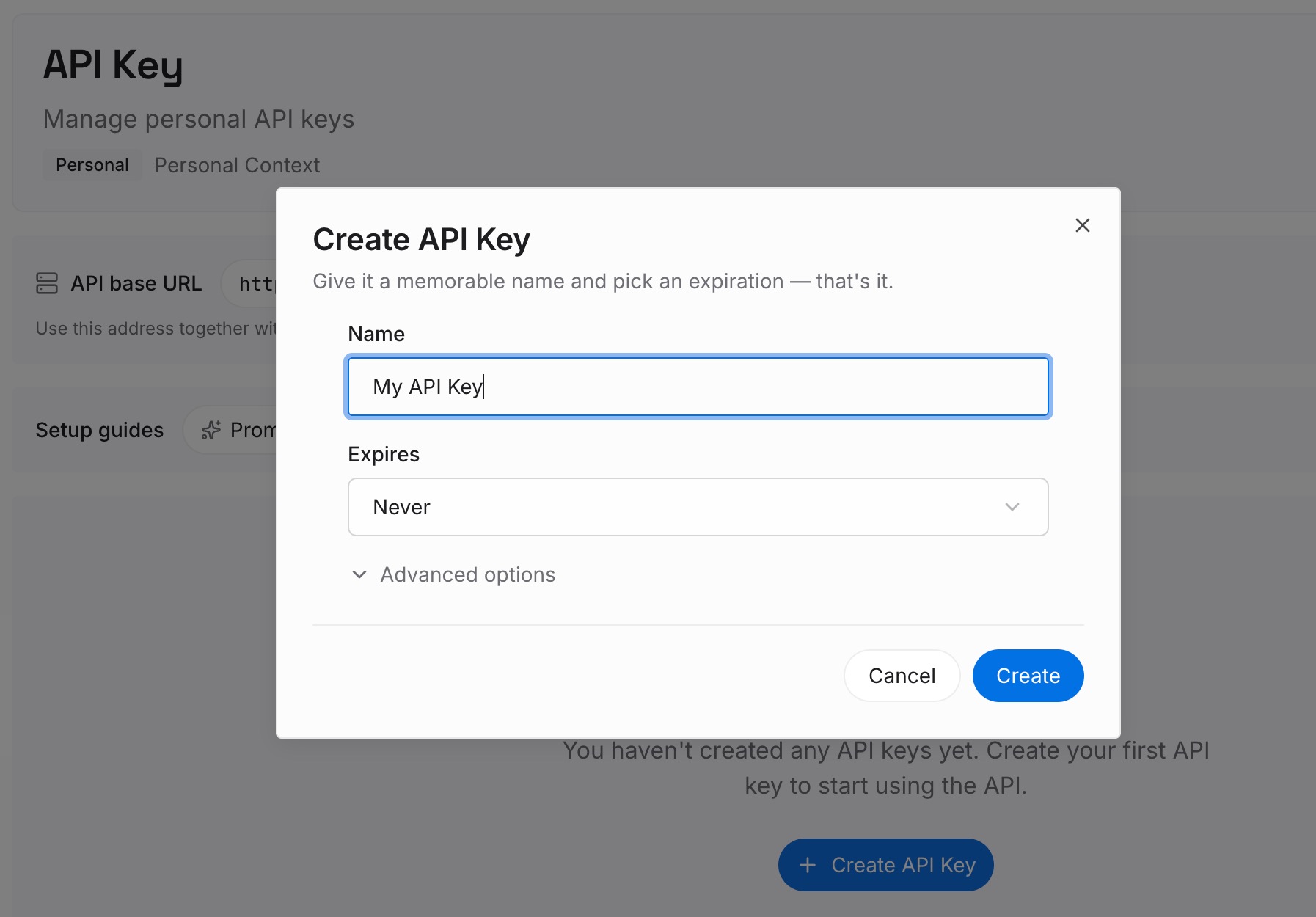
Step 1: Create an API key
Sign in and generate a key from the dashboard. The key belongs to your MemoryLake workspace and is separate from your Claude account.
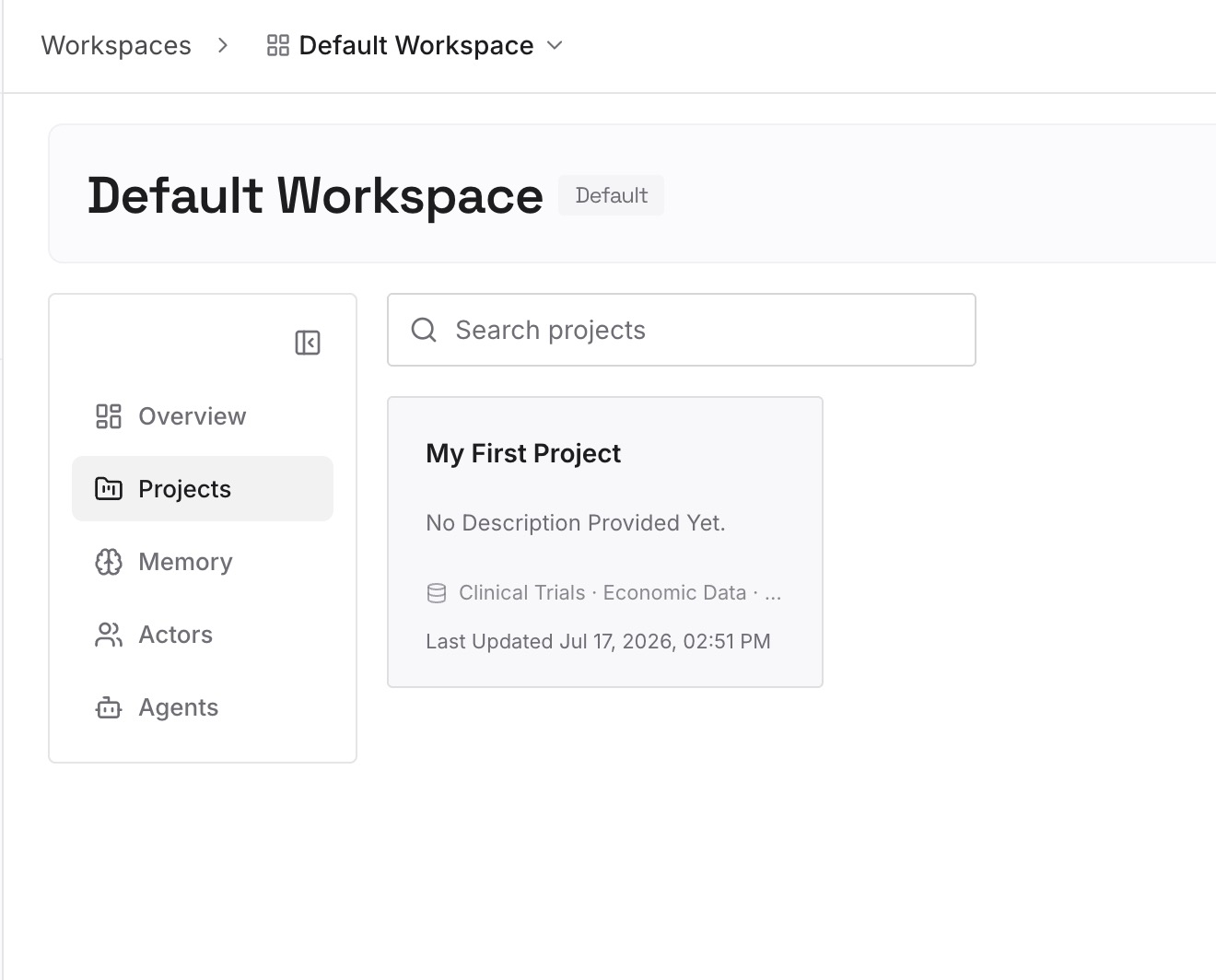
Step 2: Upload your first memories
Start with the notes from Step 3 of the fix: decisions, file names, and open questions from the tasks you exported. One point per entry.
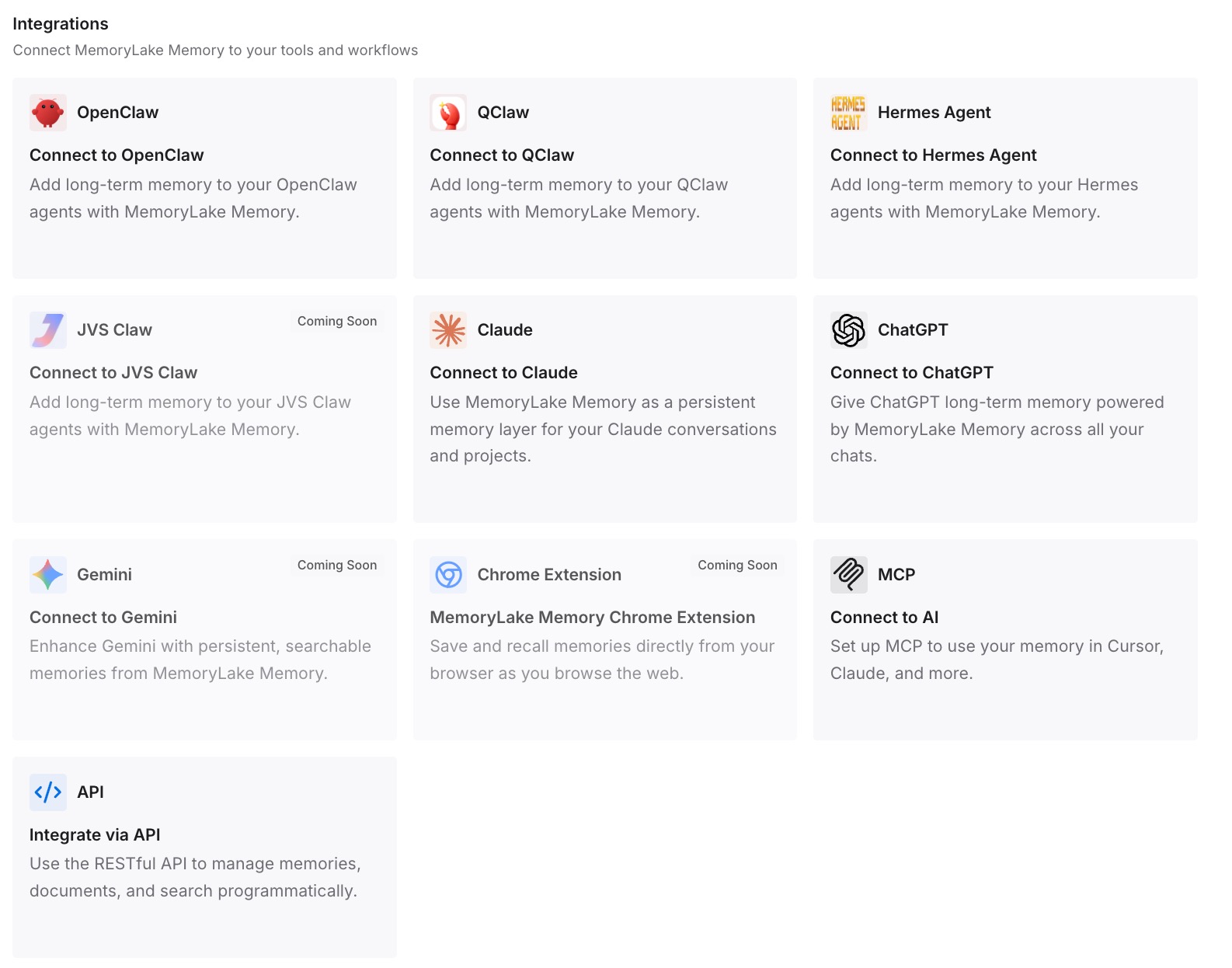
Step 3: Connect your AI & agents
Connect the assistants you use. The same entries are available in each one, whether or not a Cowork task still exists.
What this changes in practice
The first difference is a safer reset. You export first and read the dialog, so troubleshooting doesn't cost you a week of tasks.
The second is less dependence on one computer. The local tasks from before October 6 live on one computer, and their conclusions are now written down elsewhere.
The third is an easier move between tools. If you later move work to another assistant, our guide to moving from Cowork to ChatGPT Work and our comparison of ChatGPT Work and Claude Cowork start from notes you already have.
Best practices before resetting Claude Desktop
Read the confirmation dialog. It says whether Cowork tasks will be deleted from Anthropic's servers.
Check the signed-in account. The reset applies to that account's tasks.
Run Export your Cowork data first. It is the export named for Cowork.
Download local tasks one by one. Look for the runs-only-on-this-computer banner.
Copy the Storage folder. It holds the files Cowork made.
Treat Delete Cowork Data and Restart as destructive too. The notes don't list its scope.
Review the Code tab's cleanup setting. Old transcripts can't be restored once deleted.
Conclusion
Since November 3, Reset App Data in Claude Desktop can delete the signed-in account's Cowork tasks from Anthropic's servers, where its confirmation dialog says so. Since October 6, those tasks are saved to your account, so the deletion reaches every device. The local tasks from before October 6, their memory, your folders, and files in the Storage folder still live on your computer.
Before you reset, check the account, read the dialog, export your Cowork data, and download any local task you still need. Then keep the decisions from that work somewhere a reset can't reach.