
Why an import is not a transfer
Three things happen between your old assistant and Claude's memory panel, and each one can change the contents.
The export is a prompt, not a file. Anthropic recommends a specific one — "We recommend using the following prompt. It's written specifically to help you get all of your context in one chat" — and it is written to be exhaustive on purpose. It asks for instructions you have given about tone and format, personal details, projects and recurring topics, tools and frameworks, corrections you have made, and "Any other stored context not covered above," with the closing demand: "Do not summarize, group, or omit any entries."
That instruction exists because the default behaviour of an assistant asked to list its memories is to summarise them. Whatever your old assistant returns is its own account of what it holds, produced by the same model whose recall you are trying to audit. It is a good starting point and it is not an inventory.
The import extracts rather than stores. Anthropic's description of the paste step is specific: "Claude will extract key information and store it as individual memory entries. You can review the entries in the memory panel." Extraction means a second model pass, with its own judgement about what counts as key.
The store has a subject preference. This is the line that decides the outcome for most people: Claude's memory "is designed to focus on work-related topics," and as a result "may not retain imported personal details unrelated to work." If half of what you pasted was about how you like answers formatted for personal writing, dietary constraints, or the names of people in your life, a good part of it is expected to fall away by design.
None of that is hidden, and none of it is a defect. It is a stated scope. The problem is only that the flow gives you a success state — entries appear — without telling you which of the things you pasted are not among them.
There is a version-detection wrinkle worth clearing up first, because it changes where every button lives. Anthropic: "If you see Settings > Memory, you're using the new memory experience." "If you see Memory in Settings > Capabilities, you're using the legacy memory experience." The new experience is on all plans, and "A small number of Team and Enterprise organizations still use the legacy experience." Check which one you are in before following any instructions, including these.
What people try instead
Pasting and moving on. The most common approach, and the one the two warnings are aimed at. Entries appear, the panel looks populated, and the specific fact you cared about is not there.
Asking Claude whether it worked. Anthropic actually offers this as a step — after the import, "Click the 'See what Claude learned about you' button to start a new conversation using this prompt: 'I updated my memory. What did you learn about me?'" It is a good sanity check and a weak audit: a conversational summary of memory is the same class of artifact as the export you started with.
Re-running the import when something is missing. Understandable, given that imports are described as experimental. But a second pass through the same filter tends to produce the same filtering. The reliable fix for a specific missing fact is the direct one Anthropic names: "go to Settings > Memory and add that information using the 'Tell Claude what to change or remove' box, or by asking Claude in chat."
Treating the import as a backup. It is the opposite direction. For a copy you control, Anthropic describes the export side: "To view your memory exactly how Claude sees it, go to Settings > Capabilities and click 'View and edit your memory,'" or ask Claude in chat to "Write out your memories of me verbatim, exactly as they appear in your memory." The page then says what to do with the result: "You can save this exported memory as a backup or bring it to another AI service by copying and pasting it into a local file on your computer." A file on your machine is the backup; the import is not. The same logic applies going the other way, which we walked through in taking a copy of what ChatGPT holds.
Skipping the redaction pass. The recommended prompt is deliberately exhaustive, which means its output is the most concentrated collection of personal information your old assistant will ever hand you, in one block, on your clipboard. Anthropic flags the mitigation in the same breath: "You can customize this prompt to exclude any sensitive information before importing into Claude." Doing that edit before the paste is far easier than pruning entries afterwards.
The Fix: Treat the paste as a draft and reconcile it afterwards
The import gets you most of the way in one click. The remaining work is a checklist you run once.
Step 1: Edit the export before it touches the clipboard
Run the recommended prompt, then read what comes back before pasting it anywhere. Two passes: remove anything sensitive, and remove anything that was only ever true of your old assistant's quirks rather than of you.
Ask for a file if you can. Anthropic notes the option: "If your current service supports generating files, you can also ask it to export your memory as a Markdown file so you can save a copy for your records." A file is easier to edit than a chat bubble, and you end up with the backup you were not otherwise going to make.
Step 2: Write your own short list of must-arrive facts, before you import
This is the step that turns "did it work?" into a question with an answer. Before pasting, write five to ten facts you would consider the import a failure without. Not everything — the five you would re-type by hand if they vanished.
They will usually be work-shaped, which is fortunate, because work-shaped is what the store is designed to keep. If two of your ten are personal preferences, expect those two to be the ones at risk, and plan to add them by hand.
Step 3: Reconcile the panel against your list, then patch by hand
After the import, open the memory panel — Anthropic's own instruction is that "You can review the entries in the memory panel" — and check your list against it, one line at a time. This takes about two minutes for ten facts.
For anything missing, do not re-import. Add it directly through the "Tell Claude what to change or remove" box or in chat, which is the path Anthropic points at for exactly this case. Then, if you want the strongest version of the check, ask Claude to write out its memories verbatim and compare that against the panel too; the two views are produced differently and a fact that appears in only one is worth a second look. Reading a vendor's own export carefully is a skill of its own, and we worked through the equivalent exercise in what is actually inside a Claude data export.
Setting this up in MemoryLake
The reason an import needs reconciling at all is that the facts live inside whichever assistant you happen to be using. MemoryLake is a store you write those facts into yourself, maintained by you rather than extracted from a paste, and readable from every assistant you connect. You write the entries yourself, in your own words. Nothing is read out of, written to, or deleted from Anthropic's systems or any other vendor's store — your Claude memory stays entirely under Claude's own controls.
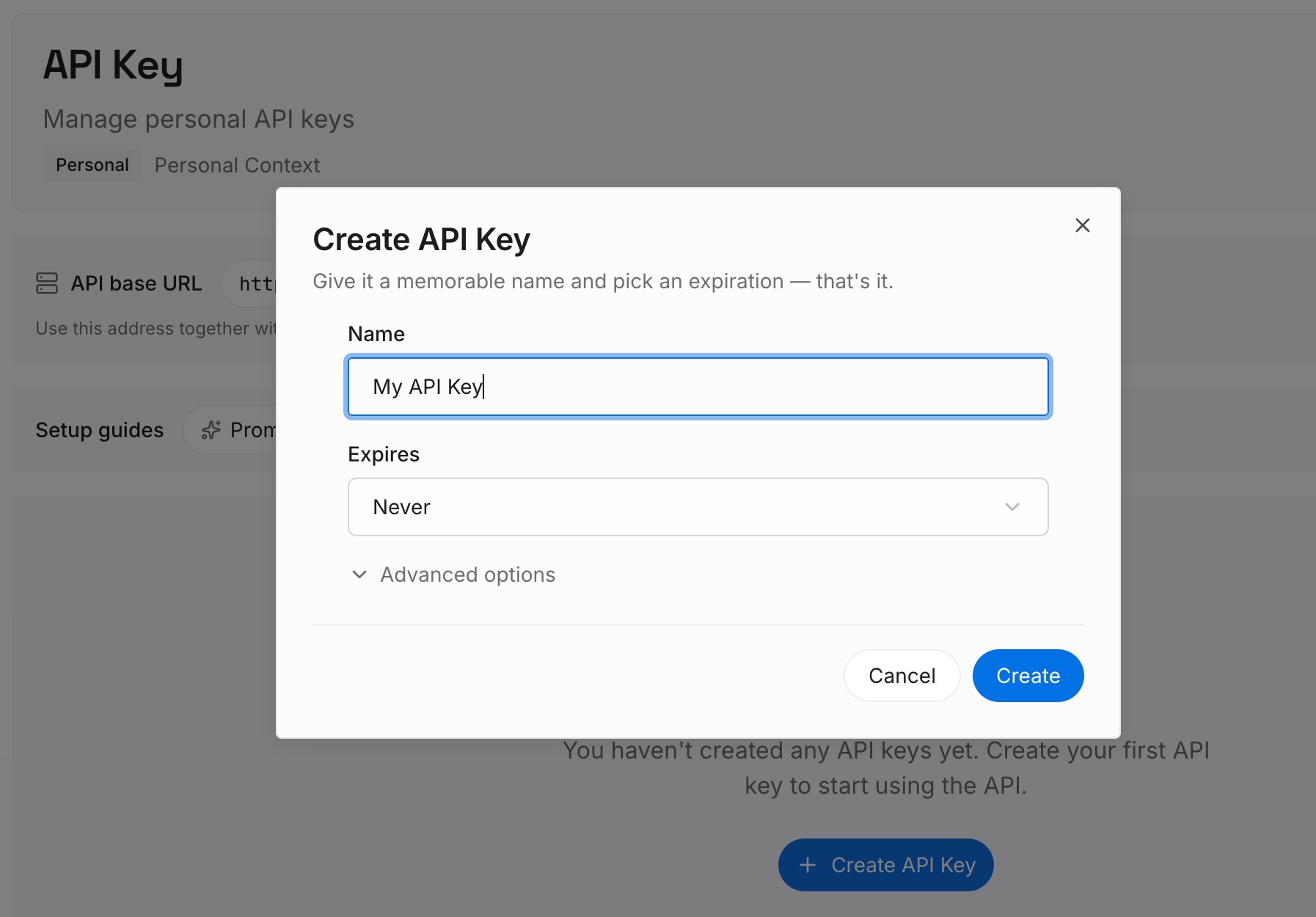
Step 1: Create an API key
Generate a key from the dashboard. It is what lets the assistant you are leaving, the one you are arriving at, and the one you pick next year reach the same set of facts.
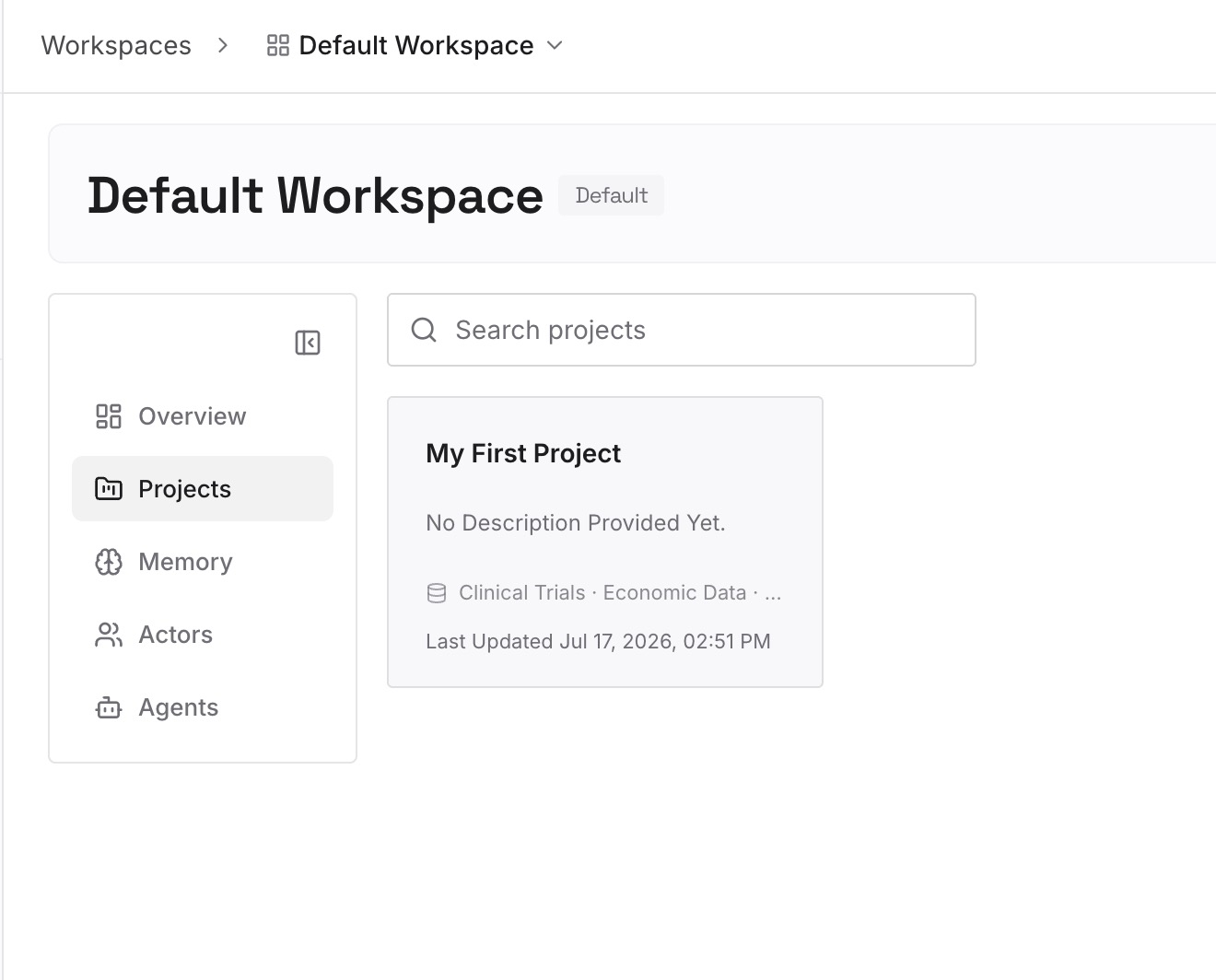
Step 2: Upload your first memories
Use the must-arrive list from Step 2 above — it is already the right shape. Add the personal-preference entries that a work-focused store is expected to drop, and anything an assistant inferred that you would rather state precisely yourself.
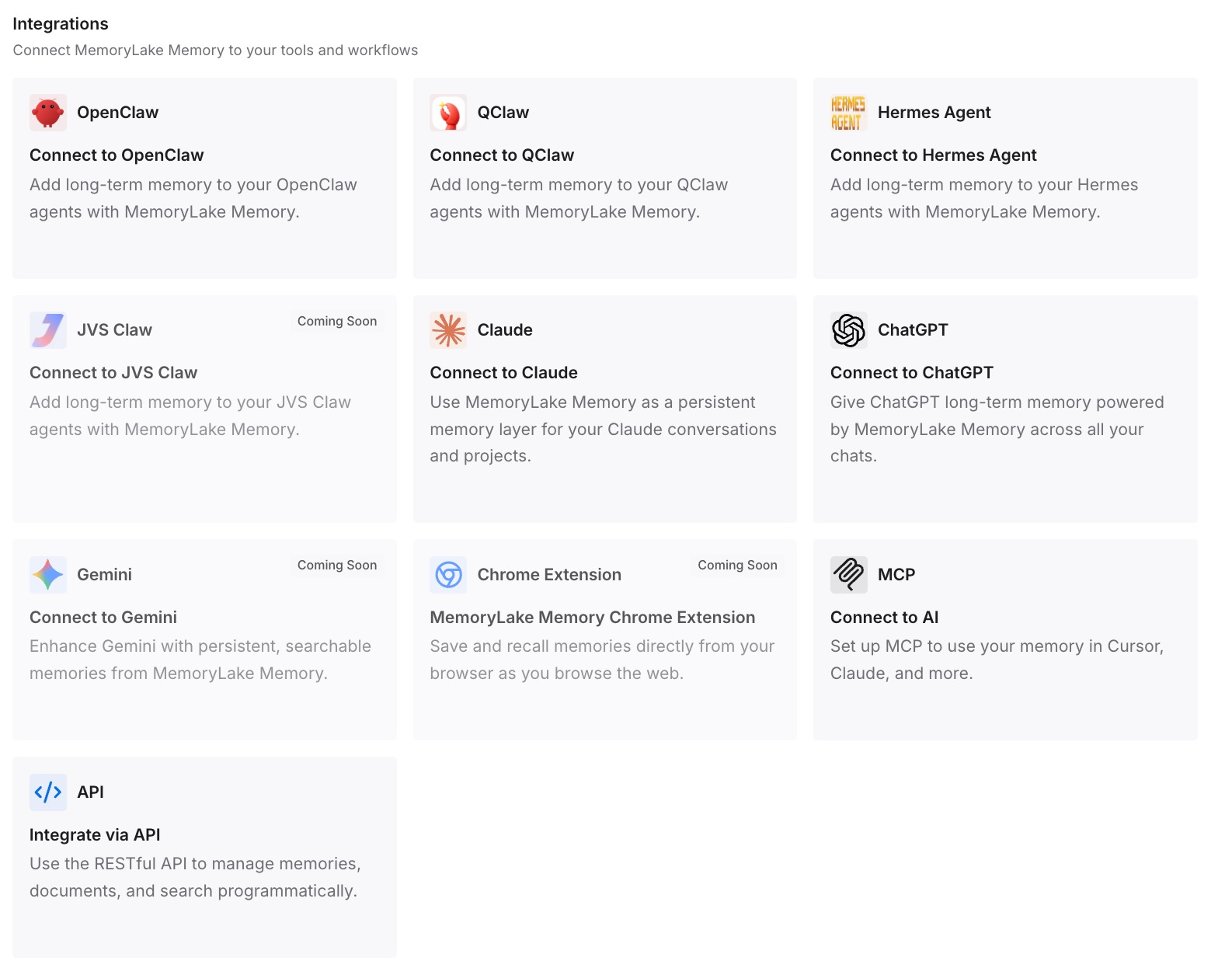
Step 3: Connect your AI & agents
Point your tools at the layer so those facts load at the start of a conversation rather than being re-imported. Then test it the way that proves something: open a fresh chat and ask for one of the facts back. If it answers, the next migration stops being a paste-and-hope exercise.
What this changes in practice
The first change is that switching assistants stops being a one-shot event. Most of the anxiety around moving comes from the sense that there is a single moment where everything either transfers or is lost. Once the facts you depend on are written down independently, the import becomes a convenience rather than the migration itself.
The second is that "experimental" stops being alarming. Anthropic is being straightforward: imports are in active development and may not always incorporate everything. That is a reasonable thing for a feature to say, and it is only a problem if the import is your only copy.
The third is that the work-topic filter becomes a feature you can plan around. A memory store that stays focused on how you work is genuinely more useful for work; it just means the non-work half needs somewhere else to go, rather than being quietly dropped and missed later.
The fourth is that the same pattern generalises across tools. Every assistant has its own idea of what belongs in memory, which is why import paths between them keep needing a reconciliation step — something we saw clearly in what Codex can and cannot take from Cursor and Claude, and why keeping Claude aware of earlier conversations and moving ChatGPT memory into Claude projects are separate exercises with separate mechanics.
Best practices for importing memory into Claude
Check which memory experience you are in first. Settings > Memory means the new experience; Memory under Settings > Capabilities means the legacy one, and the buttons differ.
Edit the export before pasting. Anthropic explicitly supports customising the recommended prompt to exclude sensitive information, and it is far easier than pruning entries later.
Ask for a Markdown file when the source supports it. You get a backup and an editable draft in one step.
Write the must-arrive list before you import, not after. A list written afterwards is shaped by what you just saw in the panel.
Patch by hand rather than re-importing. The direct edit box exists for this; a second pass through the same extraction tends to filter the same way.
Expect the personal half to need re-entering. The store is designed around work-related topics and says so.
Conclusion
Claude's memory import is a real, supported path between assistants, and it does most of the work in one paste. Anthropic documents both of its edges on the same page: the store focuses on work-related topics and "may not retain imported personal details unrelated to work," and the feature is "experimental and still in active development."
Neither sentence is a warning against using it. They are the two facts that turn a hopeful paste into a five-minute procedure with a known outcome: redact the export, write down the handful of facts that must survive, import, then reconcile the panel against your list and patch the gaps by hand.
The wider point is smaller than it sounds. An import moves what one vendor's filter judges worth keeping. The facts you actually depend on are worth writing down once, somewhere that does not have a filter — and then no future migration is a moment where something might be lost.