
What changed on November 2
Before threads, every Messages API request carried the whole conversation. The announcement describes the cost: "A coding agent might make hundreds of requests in one session, and each request resends every earlier message and tool result."
With a thread, you add one parameter, thread, to a Messages API request. The documentation lays out the pattern in three steps:
- Create. Your first request carries the full conversation,
system, andtools, plus athreadfield with the type create. "The API stores the conversation, including Claude’s reply, under the responseid." - Continue. "Send only the messages since the previous response". You also pass the previous response's
id, and you leavesystemandtoolsout, because the thread keeps the values from the create request. - Replay. When the thread can't be continued, you send the full conversation again in a new create request.
Threads are available on the native Claude Platform, Claude Platform on AWS, Claude in Microsoft Foundry, and Claude Models on Google Cloud (Anthropic managed). Anthropic says "Standard Claude token rates and existing rate limits apply."
What the server holds, and for how long
The documentation's own summary is: "A message thread keeps a conversation on the server for a short time."
Five minutes after the last request. "A thread is best-effort. It expires 5 minutes after its last request, and the API deletes it no more than 1 hour after its last use. Each response that the API stores restarts the 5 minutes."
In memory, not on disk. The announcement says: "Between turns, we hold each thread in memory, where it’s encrypted and not written to disk." The data retention section adds that the API "never writes it to durable storage".
No way to look inside. The limitations list is direct: "There is no API to list, read, or delete a thread."
Tied to the caller. Among the reasons a continue request fails, the documentation lists a request from "a different organization or workspace" and one from "a different user or service account from the one that created the thread."
So the server keeps one conversation, for one caller, for a few minutes of inactivity, in a form you can only extend. That's useful for a fast agent loop. It isn't a record you can return to tomorrow.
Why a thread isn't memory
Anthropic answers the question in the instruction that matters most on the page: "Your application stays the source of truth for the conversation. Keep your own copy of every message, and build the replay path from the start."
It also tells you why you can't skip the copy: "No response, to a create or a continue request, says whether the API stored that turn. You find out on the next continue request." A thread can disappear for reasons you don't control. The documentation lists several, including that "The thread expired", that the API served a turn without storing it, and that a fallback model wrote the previous response.
Compare that with the tools Anthropic does describe for keeping information. Its memory tool is documented as a way to "Let Claude store and retrieve information across conversations by implementing the memory tool's file operations in your application." Its data retention note calls that "Client-side memory storage where you control data retention." The thing that persists is on your side, in storage you run.
The name can also mislead you in another way. The documentation includes a note: "Message threads are different from session threads in Claude Managed Agents." Session threads belong to Managed Agents sessions, which Anthropic describes as "stateful resources; transcripts persist until you delete them." Same word, different lifetime.
Our guide to why a long context window isn't memory covers the broader distinction between what a model can hold in one request and what it keeps between them.
Why compaction has to start a new thread
Long agent sessions eventually need compaction: replacing older turns with a summary so the conversation fits. Threads change how you do that.
"A thread is append-only, so you can’t replace its earlier turns with a summary. To compact a conversation, start a new thread from the summary. Write the summary in your code, and send it as an ordinary message in a new create request, with system and tools."
The server-side option isn't available either. "Compaction on demand is not available with threads." A request that includes thread and asks for compaction returns a 400 error. Context editing is in the same position: threads don't support it, with one exception for a thinking-block setting.
In practice, a long session on threads looks like a chain. One thread runs until the conversation needs compacting, your code writes the summary, and a new thread starts from that summary. Each time, the old thread expires within minutes. What carries forward is what you put in the summary, plus your own copy of the messages.
The same rule covers editing. "To edit or branch an earlier message, start a new thread with a create request." Changing system or tools is also a new thread, since the continue request leaves them out.
Our guide to teleporting a compacted Claude Code session shows what a summary does and doesn't carry once a conversation has been compacted.
What else threads don't do
The documentation lists features that don't combine with threads. A few matter for agent builders:
- Prompt caching isn't automatic. "A thread does not cache your prompt for you." You still place cache breakpoints, and a top-level
cache_controlasks for caching on each turn. - Batches and token counting. A batch item with
threadfails, and a token counting request withthreadreturns a 400 error. Anthropic says to count the full conversation instead. - Some organizations. Threads aren't available to organizations with HIPAA readiness enabled or with Inference hooks turned on.
When a request uses something threads don't support, the API returns a 400 error with the code thread_unsupported_request, and the documentation advises: "If you get a value that you don’t recognize, send the full conversation without thread."
Data retention and zero data retention
For teams with data retention requirements, the feature metadata is explicit: "Message threads are not ZDR eligible. Using this feature does not affect your use of other ZDR eligible features."
The full note reads: "A thread's contents (the conversation, system prompt, and tools) are held in memory, encrypted under a server-managed key, never written to durable storage, and deleted no more than 1 hour after the thread's last use."
If your organization relies on zero data retention, check with whoever owns that policy before turning threads on. The SDK can fall back to unthreaded requests, which the documentation covers under its recovery section.
If you use Claude Code
The announcement mentions Claude Code in one line: "With message threads on by default for most Claude Code users", followed by a latency figure for long requests.
That changes how requests travel. It doesn't change where your Claude Code history lives. Claude Code's documentation still says: "Claude Code stores sessions under ~/.claude/projects/<encoded-cwd>/*.jsonl." Those local transcripts are what /resume reads, and auto memory stays in its own folder on disk. The Claude Code documentation pages we checked don't describe a setting for message threads.
Anthropic doesn't describe how Claude Code handles a thread that expires while you're away. On the API, the documented path after expiry is a replay: the next request sends the full conversation again and starts a new thread. Our guide to sharing context between Claude Code sessions covers the parts that do persist across sessions.
What people try first
Treating the thread ID as a conversation ID. A thread expires minutes after its last request. Store your own conversation ID and messages.
Dropping the client-side copy. The documentation says no response tells you whether a turn was stored. Without a copy, you can't replay.
Calling compaction on a thread. It returns a 400 error. Compact in your code and start a new thread from the summary.
Expecting threads to cache prompts. Caching still needs breakpoints you set.
Assuming a ZDR setup covers threads. Threads aren't ZDR eligible.
Looking for a way to read a thread back. There is no API to list, read, or delete one, in Anthropic's words.
The Fix: Keep the record on your side
Step 1: Store every message before you send it
Keep your own copy of the conversation, with system and tools, in storage you control. Use it to replay on a 404 and to recover after the thread expires. Anthropic notes that "The SDK thread helper keeps this copy in memory while the helper object exists, and saves it nowhere else", so if your process can restart, write the copy somewhere durable as well.
Step 2: Compact into a new thread
When a conversation gets long, write the summary in your code, start a new thread with a create request that includes it, and keep the full history in your own store. Decide what the summary must keep before you need it.
Step 3: Keep durable facts outside the conversation
Decisions, conventions, and facts about the user or the project shouldn't depend on any one conversation surviving. Put them where your agent can load them at the start of each new thread, such as a memory tool backed by your storage or a file in the repository. In Claude Code, that role is played by CLAUDE.md and auto memory; our guide to Claude Code auto memory explains what loads at the start of each session.
Setting this up in MemoryLake
Threads make the active turn faster. The facts an agent needs across sessions, compactions, and tools still need a home that doesn't expire after five quiet minutes.
MemoryLake is a memory layer for keeping those facts in one place you maintain, available to the assistants you connect, such as ChatGPT, Claude Code, and Codex.
You write the entries yourself, in your own words. Nothing is read out of, written to, or deleted from your message threads, your API conversations, your Claude Code sessions, your memory tool files, or any vendor's store. Message threads keep working the way Anthropic describes them.
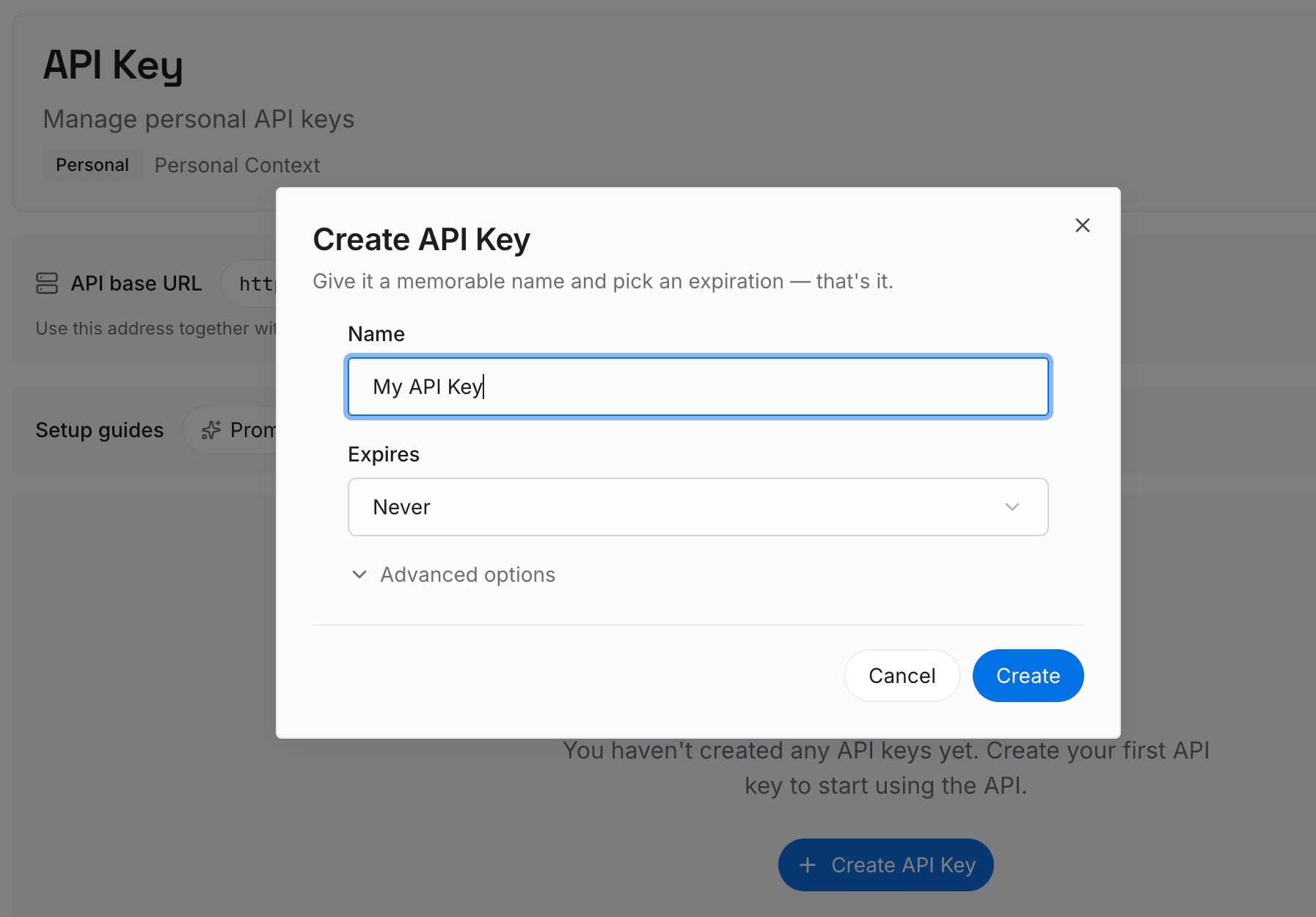
Step 1: Create an API key
Sign in and generate a key from the dashboard. The key belongs to your MemoryLake workspace and is separate from your Claude Platform keys.
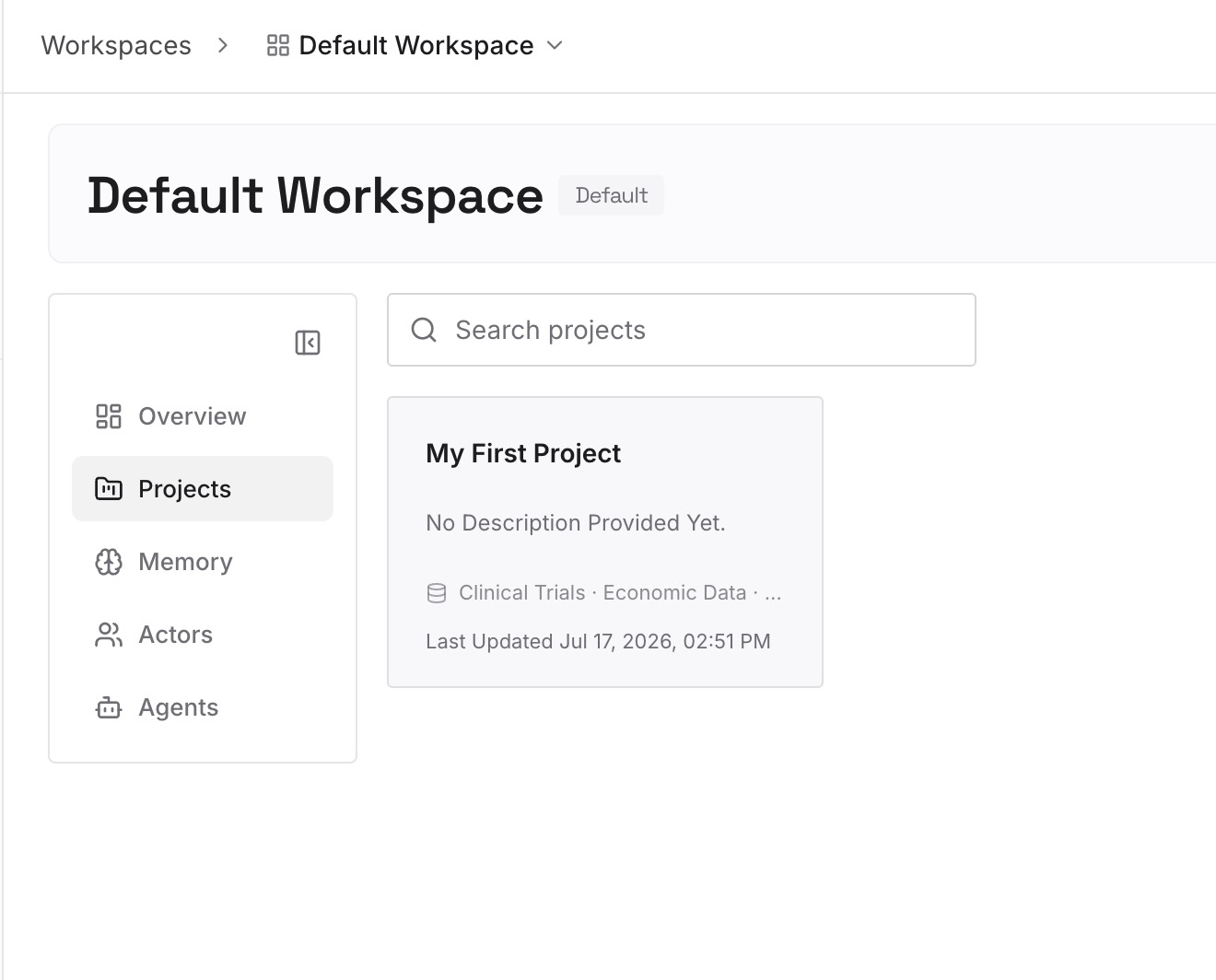
Step 2: Upload your first memories
Start with what each new thread should know from its first turn: project decisions, constraints, and conventions. One point per entry, dated.
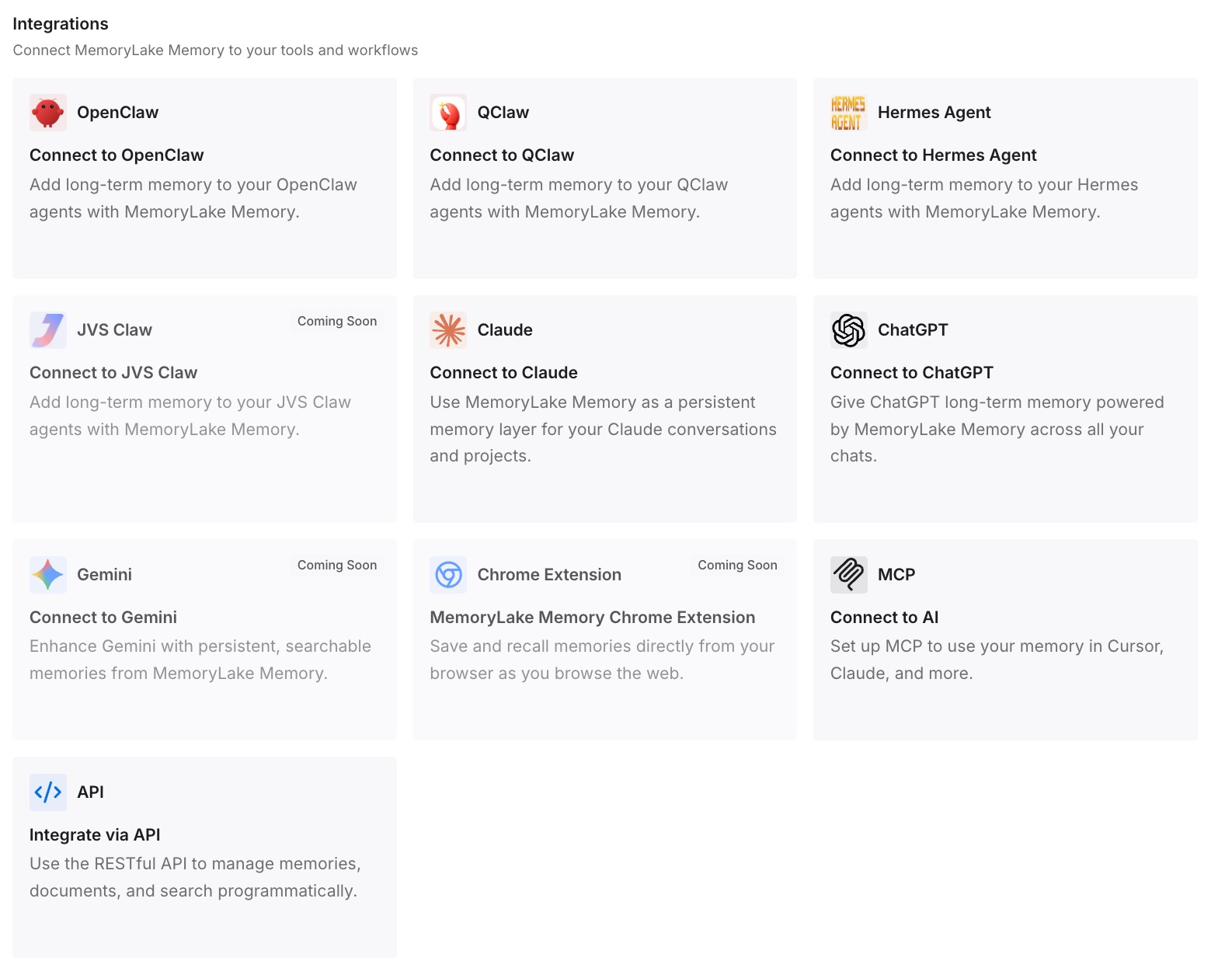
Step 3: Connect your AI & agents
Connect Claude Code and any other assistants you use. The same entries are available when a thread starts, after a compaction, or in a different tool.
What this changes in practice
The first difference is clearer roles. The thread handles speed for the active loop, your message store is the record, and long-lived facts sit in a layer of their own.
The second is safer compaction. Since every compaction starts a new thread, the facts that matter don't rest on how well one summary was written.
The third is less re-explaining across tools. If the same project runs in Claude Code and Codex, our guide to using Claude Code and Codex together covers keeping both working from the same context.
Best practices for message threads
Treat a thread as a short-lived cache. It expires five minutes after its last request.
Build the replay path first. Expect 404 errors and resend from your copy.
Use the same key and workspace for a whole thread. A different caller can't continue it.
Compact in your code. Start a new thread from the summary.
Set cache breakpoints yourself. Threads don't cache for you.
Check retention requirements. Threads aren't ZDR eligible.
Keep durable facts outside. Load them at the start of each thread.
Conclusion
Message threads let an agent send only what's new on each turn. Anthropic holds the conversation in memory, encrypted, for five minutes after the last request, and deletes it within an hour. There is no API to read a thread back, and the documentation tells you to keep your own copy of every message.
That makes a thread a speed feature for one active session, not memory. Compaction means writing a summary and starting a new thread, so what carries forward is what you keep: your message store, your summaries, and the facts you store somewhere that outlasts any single conversation.