
What /clear does
OpenAI's documentation describes the result of /clear this way: "Codex clears the terminal, resets the visible transcript, and starts a fresh chat in the same CLI session."
Three things happen at once. The terminal screen is wiped, the visible transcript resets, and you're in a new chat. You stay in the same CLI session, so you don't relaunch Codex.
You can name the new chat as you create it. OpenAI's example is /clear release prep.
What /new does
/new starts a new chat without wiping the screen. OpenAI says "Codex starts a fresh chat in the same CLI session, so you can switch chats without leaving your terminal." The difference from /clear is stated in one line: "Unlike /clear, /new doesn't clear the current terminal view first."
/new can also ask where the new chat should run. The documentation says that if Codex offers a checkout choice, you can choose the current directory or a new worktree. Like /clear, it takes a name, as in /new bug bash.
What Ctrl+L does
Ctrl+L is the one that doesn't start anything new. "Ctrl+L only clears the terminal view and keeps the current chat." OpenAI also contrasts it with /clear directly: "Unlike Ctrl+L, /clear starts a new chat."
Clearing is off while a task runs
There's a rule that applies to two of these. "Codex disables both actions while a task is in progress." Wait for the current turn to finish, or stop it, before you clear or start over with /clear.
/clear vs /new vs Ctrl+L at a glance
/clear: new chat, terminal cleared, same CLI session./new: new chat, terminal kept, same CLI session, optional worktree choice.- Ctrl+L: same chat, terminal cleared.
So the real choice between /clear and /new is about your screen. Both give you a new chat. /clear also gives you a blank terminal; /new leaves the old output visible above.
Starting a new chat outside the CLI
/clear and /new are CLI commands. The other Codex surfaces use their own shortcuts for the same idea.
- The ChatGPT desktop app. Its keyboard reference lists New chat as Cmd+N or Cmd+Shift+O on macOS, and Ctrl+N or Ctrl+Shift+O on Windows. Clear terminal, when the terminal pane is focused, is Ctrl+L or Cmd+K on macOS.
- The IDE extension. Its command list includes a new-chat command, bound to Cmd+N on macOS and Ctrl+N on Windows and Linux.
The idea is the same everywhere: a new chat starts without the old conversation in its context. The rest of this guide focuses on the CLI, where the difference between clearing the screen and starting a chat is easiest to mix up.
What the next chat still starts with
A new chat isn't a blank Codex. Several things carry over, and one of them works differently than people expect.
Your AGENTS.md instructions, as of launch
Codex reads AGENTS.md before doing any work. Its documentation says "Codex builds an instruction chain when it starts (once per run; in the TUI this usually means once per launched session)."
That has a practical consequence. /clear and /new start a new chat in the same CLI session, and OpenAI's documentation doesn't say that either one rebuilds the instruction chain. If you edited AGENTS.md during the session and want the new chat to pick it up, follow OpenAI's own advice: "If instructions look stale, restart Codex in the target directory." Our guide to stopping Codex from skipping your AGENTS.md rules covers the other reasons instructions go missing.
Your memories, if they're on
Local Codex memories are a separate system. When they're enabled, the memories.use_memories setting "controls whether Codex injects existing memories into future sessions". A new chat can draw on what Codex has learned from earlier chats, subject to your settings.
You can also control memory per chat with /memories. OpenAI notes that "Chat-level choices don't change your global memory settings." Our guide to Codex memories v2 covers how the newer memory pipeline stores what it learns.
What doesn't carry over
The conversation itself. Whatever you explained in the old chat, the files Codex read, the approaches you tried, and the decisions you reached in conversation aren't part of the new chat's context. That's what makes it a fresh start.
Getting back to the chat you left
The chat you left is still saved. /resume opens a picker of saved chats, and OpenAI says it "reloads the selected chat's transcript so you can pick up where you left off, keeping the original history intact". From outside the TUI, codex resume will "Continue a previous interactive session by ID or resume the most recent chat."
Naming chats helps here. Run /rename before you leave, or pass a name to /clear or /new for the chat you're starting, so the picker shows something recognizable. If a chat seems to be missing, our guide to finding missing Codex chat history covers archived chats and other places to look.
When to use something else
/clear and /new are for moving on. If you're not moving on, other commands fit better.
/compact, when you're continuing the same task
When a chat is long but the work isn't done, compacting keeps it going. OpenAI says /compact "replaces earlier turns with a concise summary, freeing context while keeping critical details". Codex also compacts on its own as a chat approaches its limit; our guide to GPT-6.1 Sol's 500k context in Codex covers when that kicks in.
/recap, when you want a summary without changing anything
/recap generates a summary of the conversation and leaves its context alone. OpenAI draws the distinction: "Use /compact when you want to free context space." A recap is a good thing to read, or save, before you clear.
/fork, when you want to try another direction
/fork "clones the current chat into a new chat with a fresh ID, leaving the original transcript untouched so you can explore an alternative approach in parallel". Unlike /new, the new chat starts with the conversation so far. Our guide to forking a Codex chat covers forks and worktrees.
/side, when you have a quick question
/side starts "an ephemeral fork from the current chat without switching away from the main chat". Its transcript is separate from the parent chat, so a detour doesn't add to the main conversation.
Which to use mid-task
The commands map to a few situations:
- The task is done and the next one is unrelated.
/clearfor a clean screen,/newif you want the old output visible. - The task isn't done but the chat is long.
/compact. - You want to try a different approach without losing this one.
/fork. - You have a quick question.
/side. - The screen is cluttered but the chat is fine. Ctrl+L.
- You edited AGENTS.md. Restart Codex so the instruction chain is rebuilt.
If you're in the middle of a turn, /clear and Ctrl+L aren't available. Let the turn finish first.
What people try first
Using /clear to tidy the screen. It starts a new chat. Ctrl+L clears the view and keeps the chat.
Expecting /new to reload edited AGENTS.md. The documentation says the instruction chain is built when Codex starts, and recommends restarting if instructions look stale.
Clearing in the middle of a task. Anything decided only in the conversation is out of the new chat's context. Compact instead, or save the decisions first.
Assuming the old chat is gone. It's saved. Use /resume or codex resume.
Starting a new chat to try an alternative. /new starts without the conversation. /fork brings the conversation along.
The Fix: Save what the next chat needs, then start it
Step 1: Capture what should outlast the chat
Before you clear, look for anything you'd have to explain again: a convention, a constraint, a decision and its reason. Put project rules in AGENTS.md. For a record of the whole chat, /recap gives a summary and our guide to exporting a Codex chat covers saving the transcript as Markdown.
Step 2: Name the chat and pick the command
Rename the chat with /rename so you can find it in /resume. Then choose /clear for a blank screen or /new to keep the old output visible. If you changed AGENTS.md, restart Codex instead.
Step 3: Start the next chat with what it needs
Open the new chat with a short prompt that includes anything from before it should know. Codex will have your instructions and, if enabled, your memories. It won't have the conversation.
Setting this up in MemoryLake
/clear and /new work well because Codex keeps your instructions and, optionally, its memories across chats. The weak spot is the decision you reached in a conversation and didn't write down. It doesn't come with the new chat, and it isn't available in another tool.
MemoryLake is a memory layer for keeping that kind of context in one list you maintain, available to Codex and the other assistants you connect, such as ChatGPT and Claude Code.
You write the entries yourself, in your own words. Nothing is read out of, written to, or deleted from your Codex chats, your AGENTS.md files, your Codex memories, or any vendor's store. /clear and /new keep working the way OpenAI describes them.
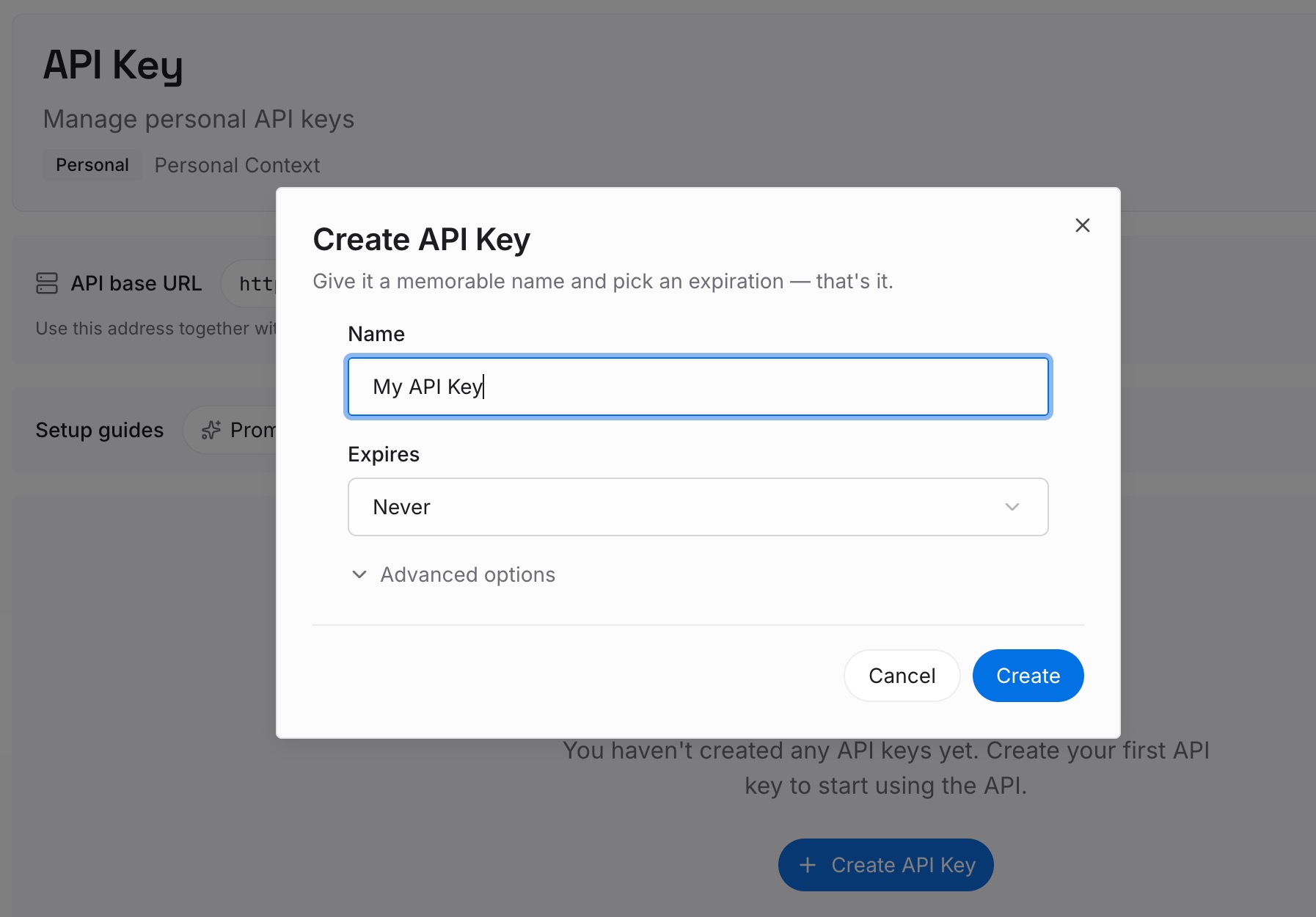
Step 1: Create an API key
Sign in and generate a key from the dashboard. The key belongs to your MemoryLake workspace and is separate from your OpenAI account.
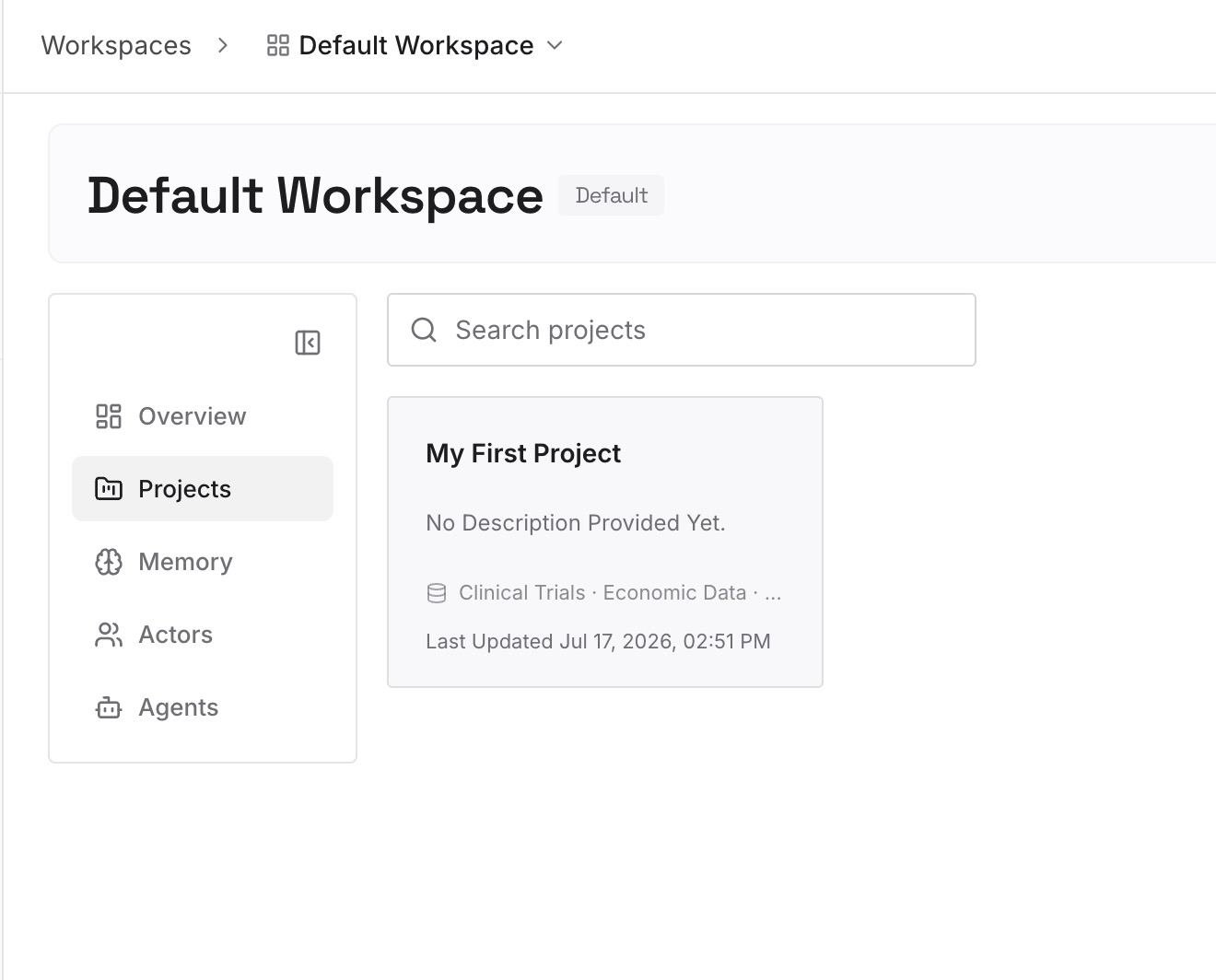
Step 2: Upload your first memories
Start with what you captured in Step 1 of the fix that applies beyond one repository: decisions, constraints, and preferences you'd otherwise repeat. One point per entry, dated.
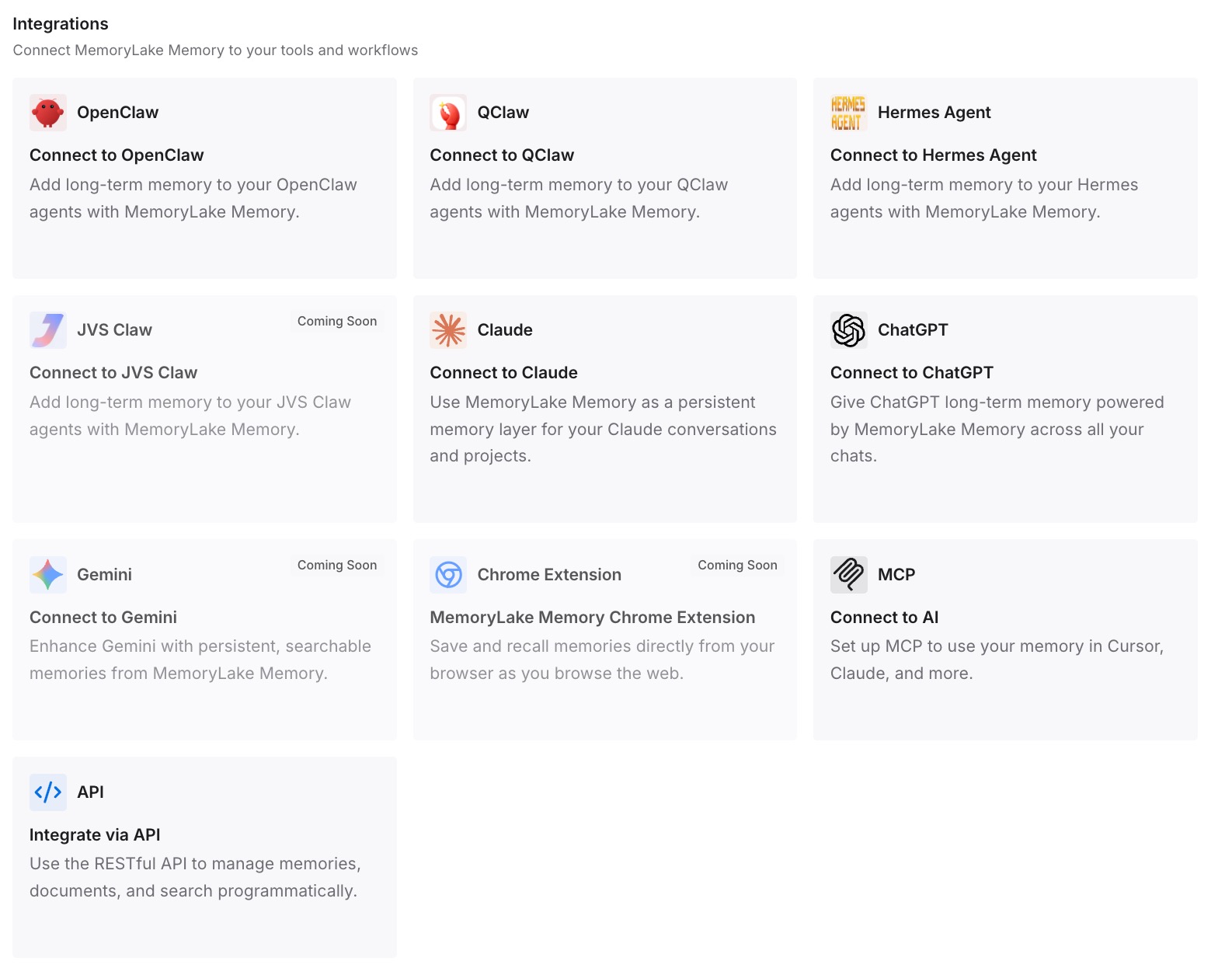
Step 3: Connect your AI & agents
Connect Codex and the other assistants you use. After a /clear, a /new, or a switch to another tool, the same decisions are available.
What this changes in practice
The first difference is that you stop guessing. /clear and /new both start a new chat, Ctrl+L doesn't, and the only question between the first two is your screen.
The second is that you know what the new chat has. The instructions Codex built when the session started, your memories if they're on, and nothing from the conversation.
The third is that you pick the right tool for the moment. Compact to continue, fork to explore, side for a question, and a new chat only when you're really moving on.
Best practices for /clear and /new in Codex
Use Ctrl+L for a cluttered screen. It keeps your chat.
Use /clear or /new between unrelated tasks. Choose by whether you want the old output visible.
Restart Codex after editing AGENTS.md. The instruction chain is built at launch.
Name chats before you leave them. It makes /resume easier.
Compact instead of clearing mid-task. /compact keeps a summary of the work.
Fork to try alternatives. /fork keeps the original chat untouched.
Recap before you clear. A summary is easy to save and reuse.
Conclusion
In Codex CLI, /clear and /new both start a fresh chat in the same CLI session. /clear also wipes the terminal; /new leaves it, and can offer a worktree. Ctrl+L only clears the screen and keeps your chat. Neither clearing action works while a task is in progress.
A new chat starts with the AGENTS.md instructions Codex built when the session started, according to OpenAI's documentation, and your memories if they're enabled, but not the conversation. The old chat is saved and can be resumed. Save the decisions you'd hate to repeat before you clear, and restart Codex if you changed your instructions.