
What hooks are in Codex
OpenAI's documentation describes hooks as "an extensibility framework for Codex". They let you run scripts or MCP tools at set points in a conversation.
The documentation lists examples, including scanning prompts to block accidentally pasted API keys, running a validation check when a turn stops, and one that's directly about memory: "Summarize chats to create persistent memories automatically".
Hooks attach to events. A few of the main ones:
- SessionStart runs when a session starts, including after compaction.
- PreToolUse and PostToolUse run around tool calls.
- PreCompact and PostCompact run around compaction.
- UserPromptSubmit runs when you send a prompt.
- Stop runs when a turn stops.
Codex finds hooks in hooks.json files or in inline [hooks] tables in config.toml. The documentation names the four most useful locations: ~/.codex/hooks.json, ~/.codex/config.toml, and the same two files under <repo>/.codex/. Enabled plugins can also bundle hooks.
If more than one source has hooks, Codex loads all matching ones. OpenAI says higher-precedence layers "don't replace lower-precedence hooks".
Why a hook gets marked for review
The review section of OpenAI's documentation explains the mechanism in two sentences. "Before a non-managed hook can run, Codex requires you to review and trust the exact hook definition. Codex records trust against the hook's current hash, so new or changed hooks are marked for review and skipped until trusted."
The key words are exact and hash. Codex isn't asking whether you trust a file path or a script name. It's asking whether you trust this exact definition. So any of these can put a hook back into review:
- You added a new hook. It has never been trusted.
- You edited a hook. A changed definition has a different hash.
- A teammate changed a project hook. If the repo's
.codex/hooks.jsonchanged in a pull, the new version needs your review.
When hooks need review at startup, the documentation says Codex "prints a warning that tells you to open /hooks". Until you do, those hooks are skipped.
That's the part that's easy to miss. A skipped hook doesn't stop the session. If the hook was loading context, the session simply starts without it.
How to review and trust hooks
In the CLI, /hooks is the place to manage them. OpenAI's documentation says you can use it "to inspect hook sources, review new or changed hooks, trust hooks, or disable individual non-managed hooks".
In the desktop app, plugin hooks can be reviewed by selecting Review hooks in the composer, or by opening Settings > Hooks.
When you review, look at what the hook runs and where it gets its input. Trust is the decision that lets a script run inside your sessions, so it's worth reading the command before approving it, especially for project hooks you didn't write.
Two kinds of hooks don't go through this review:
- Managed hooks. Hooks from system, MDM, cloud, or
requirements.tomlsources "are marked as managed, trusted by policy, and can't be disabled from the user hook browser". - One-off bypass. For automation that already vets hook sources elsewhere, Codex has a
--dangerously-bypass-hook-trustflag that runs enabled hooks without persisted trust for that invocation. As the name says, it's for narrow cases.
Hooks are on by default. You can turn them off entirely by setting hooks = false under [features] in config.toml.
Why project hooks may not load at all
Sometimes a project hook doesn't appear for review, because Codex never loaded it. That's about project trust, not hook trust.
OpenAI's hooks documentation says: "Project-local hooks load only when the project .codex/ layer is trusted." Its config basics page adds that if you mark a project as untrusted, Codex "skips project-scoped .codex/ layers, including project-local config, hooks, and rules". User and system hooks still load.
So there are two gates for a hook in your repo:
- The project has to be trusted, so Codex reads
<repo>/.codex/. - The hook itself has to be trusted, at its current hash.
If you cloned a repo that ships hooks and nothing happens, check the first gate before the second.
Plugin hooks and updates
Plugins can bring their own hooks. By default, Codex looks for hooks/hooks.json inside the plugin, and a plugin manifest can point somewhere else. OpenAI says plugin hooks "use the same trust-review flow as other non-managed hooks".
There's one detail specific to plugins. The documentation says: "If a plugin update changes a bundled script, Codex requires a new review even if the hook definition stays the same."
So a plugin update can put its hooks back into review even when nothing in your own configuration changed. If a plugin hook stops running after an update, /hooks is the first place to look.
How a SessionStart hook feeds project context into a session
For context, SessionStart is the event to look at first. It runs when a session begins, and what it returns is added for the model to see.
OpenAI's documentation says that for SessionStart, "Plain text on stdout is added as extra developer context." A hook can also return JSON with an additionalContext field, and "That additionalContext text is added as extra developer context."
The event tells your hook how the session started. The source field can be startup, resume, clear, compact, or fork. You can match on that to load different context in different cases.
The compact case is the one to know for long tasks. The documentation says that after Codex compacts a root session, SessionStart hooks that match compact "run before the next model request". That includes automatic compaction in the middle of a turn. So a hook can restate the few facts a long task can't afford to lose right after a summary replaces the earlier conversation. Our guide to GPT-6.1 Sol's 500k context in Codex covers compaction in more detail.
One timing detail: OpenAI notes that SessionStart hooks can run before an MCP server is ready. If that happens, they don't block the session.
Keep the context short
A SessionStart hook can feed context into every session, which makes it tempting to feed in a lot. The documentation sets a limit and explains why.
By default, Codex limits each hook-output message the model sees to roughly 2,500 tokens. If a hook returns more, Codex saves the full text to a file and gives the model a shorter preview with the file path. OpenAI calls this spilling.
You can raise the threshold with additionalContextLimit on the handler, but the documentation warns against relying on it: "Context from multiple hooks and plugins adds up and can degrade model performance. Raising additionalContextLimit increases that risk."
It also flags a privacy point. Because oversized output can be written to disk, it says to avoid returning secrets or other sensitive data in hook output.
So a good SessionStart hook loads a short, current summary of what matters, not a whole document. For conventions that don't change, AGENTS.md is the standard place. Our guide to stopping Codex from skipping your AGENTS.md rules covers how those files load.
What people try first
Assuming the hook is broken. It may simply be waiting for review after a change.
Re-trusting without reading. Review exists because hooks run scripts in your sessions.
Editing the hook while debugging and forgetting to re-trust. Every edit changes the hash.
Looking for project hooks in an untrusted project. Codex skips the project's .codex/ layer there.
Feeding a whole document through SessionStart. Large output is spilled to disk and only a preview reaches the model.
The Fix: Get your context hook running again
Step 1: Open /hooks and review what's pending
Start Codex and open /hooks. Look for hooks marked for review, read what each one runs, and trust the ones you expect. In the desktop app, use Review hooks or Settings > Hooks for plugin hooks.
Step 2: Check the project gate
If a repo hook doesn't appear at all, confirm the project is trusted. Codex loads <repo>/.codex/ only for trusted projects.
Step 3: Make the SessionStart hook short and stable
Have the hook return a brief summary through additionalContext, and match compact as well as startup so the summary comes back after compaction. Keep the hook definition stable so it doesn't fall back into review every time you tweak it.
Setting this up in MemoryLake
A SessionStart hook is a delivery mechanism. It decides when context reaches a session, not what that context is or where it's kept. If the summary it loads lives in one repo's scripts or one machine's files, it's only as current as whoever last edited it, and only available where that hook runs. Our guide to Codex memories v2 covers the local memory Codex keeps on your machine.
MemoryLake is a memory layer for keeping that project context in one place you maintain, available to the assistants you connect, such as ChatGPT, Claude Code, and Codex.
You write the entries yourself, in your own words. Nothing is read out of, written to, or deleted from your hooks, your hooks.json or config.toml files, your AGENTS.md files, your Codex sessions, your Codex memories, or any vendor's store. Hook review, trust, and SessionStart work the way OpenAI describes them.
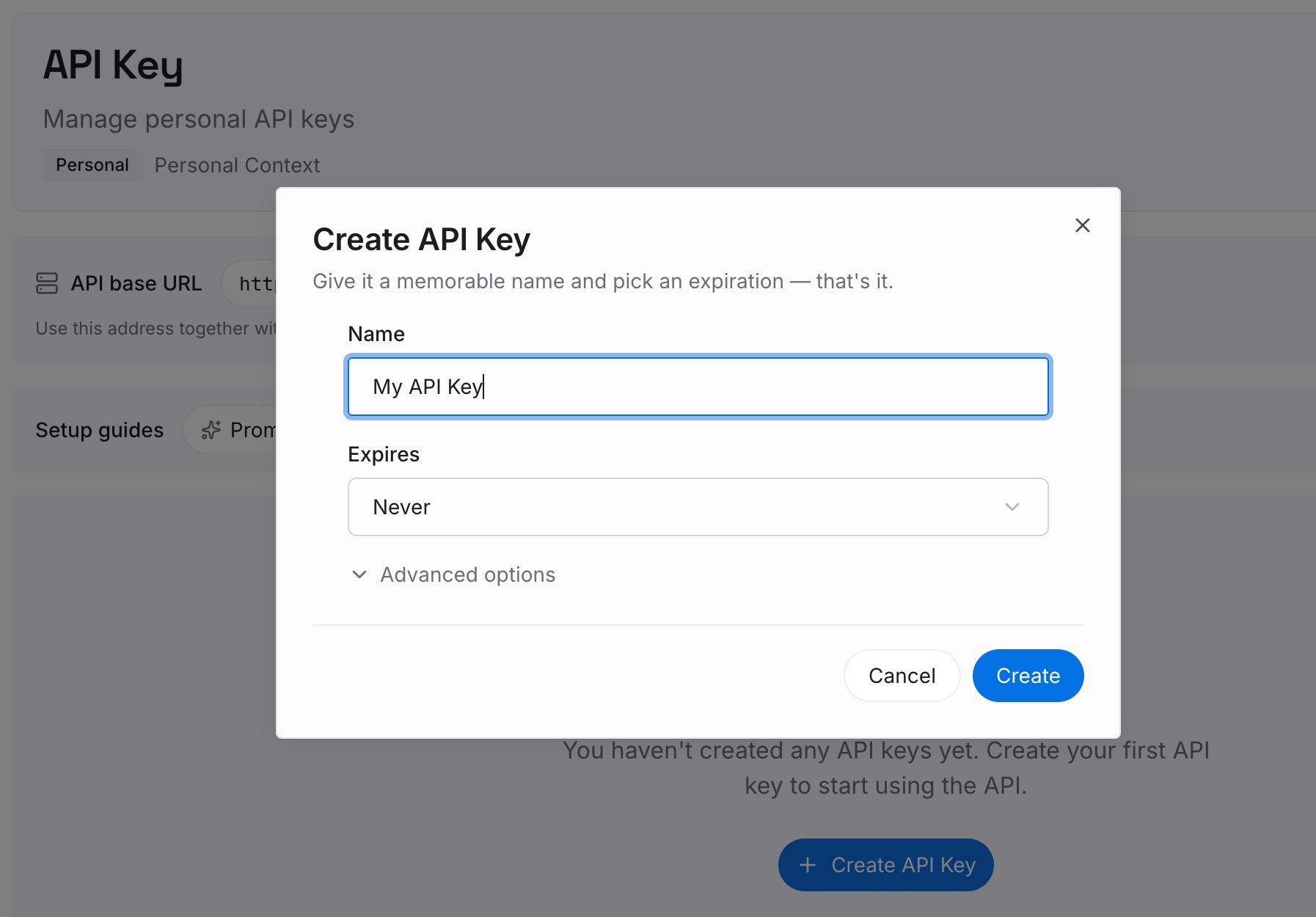
Step 1: Create an API key
Sign in and generate a key from the dashboard. The key belongs to your MemoryLake workspace and is separate from your OpenAI account.
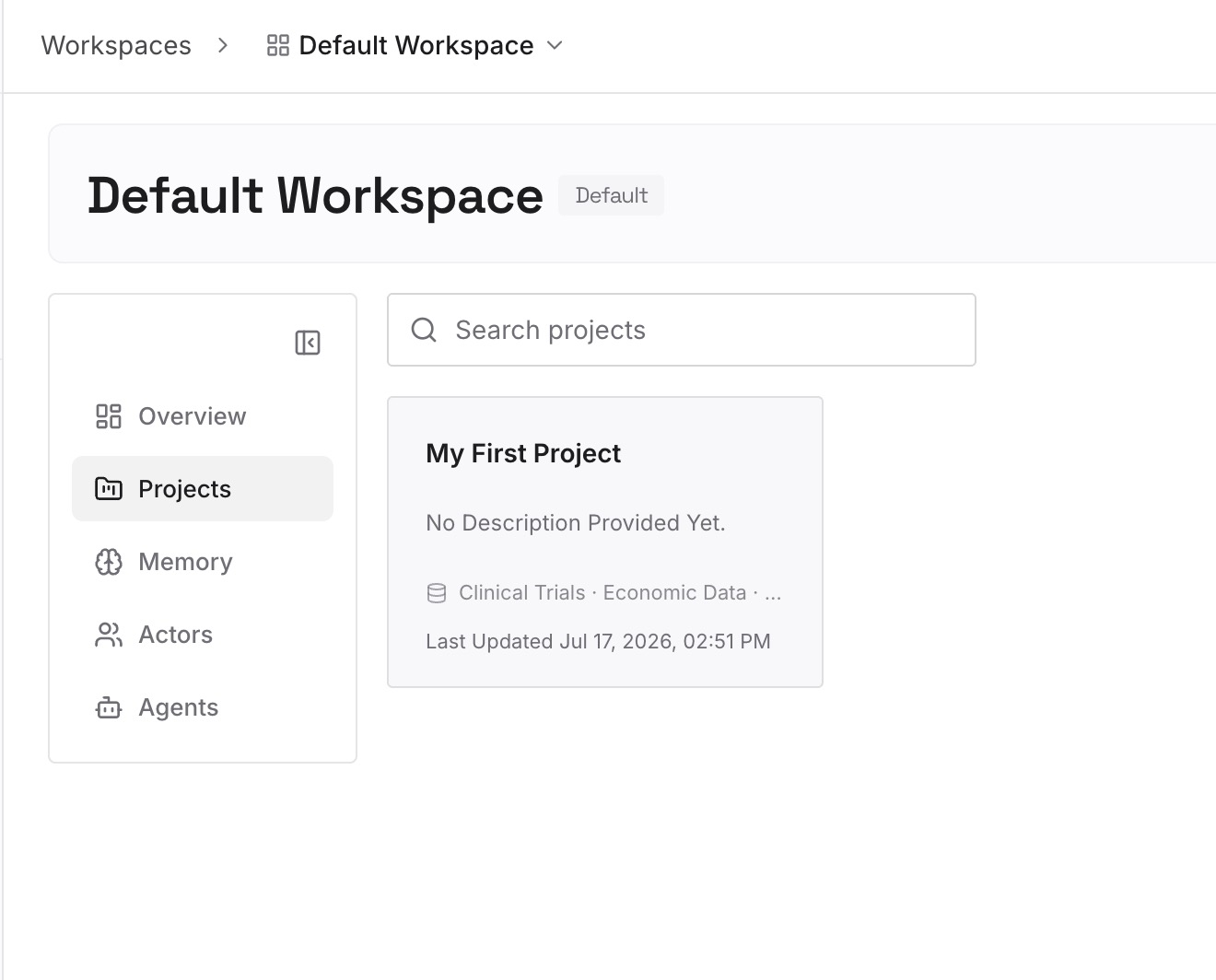
Step 2: Upload your first memories
Start with the short summary you'd want a session to begin with: the project's goal, current decisions, and constraints. One decision per entry, so you can update one without rewriting the rest.
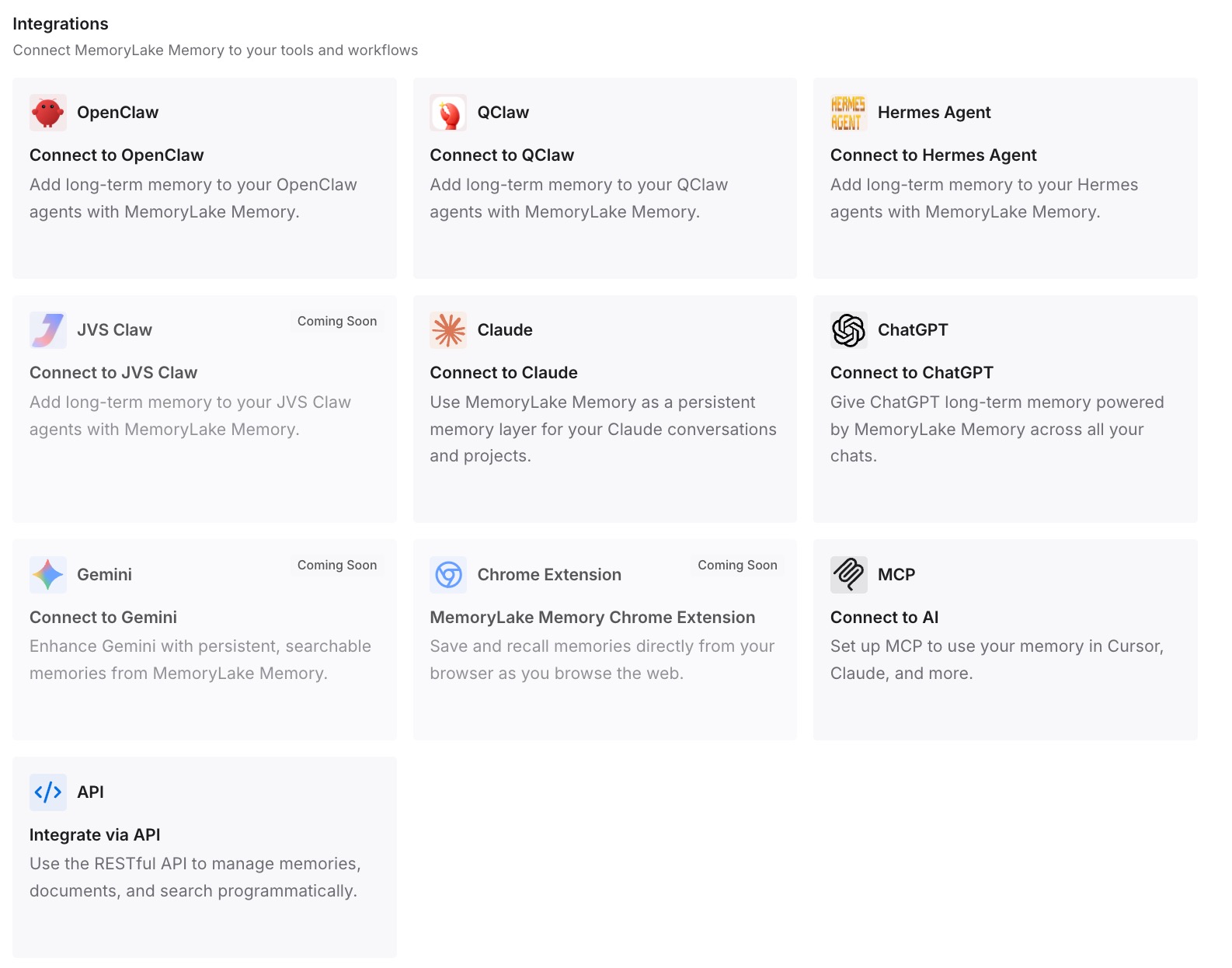
Step 3: Connect your AI & agents
Connect Codex and any other assistants you use. The same entries are available across sessions and tools, and you update them in one place.
What this changes in practice
The first difference is fewer silent gaps. The context you rely on isn't only in a script that might be waiting for review.
The second is a stable hook. When the summary lives elsewhere, the hook definition changes less often, so it falls back into review less often.
The third is consistency across tools. The same decisions are available in Codex and in the other assistants you connect.
Best practices for Codex hooks
Expect review after every change. Trust is tied to the hook's current hash.
Read before you trust. Hooks run scripts inside your sessions.
Trust the project first. Repo hooks don't load in untrusted projects.
Recheck after plugin updates. A changed bundled script needs a new review.
Match compact in SessionStart. It restores essentials right after compaction.
Keep hook output short. Large output is spilled to disk, and context adds up.
Leave secrets out of hook output. Oversized output can be written to disk.
Conclusion
Hooks need review means Codex found new or changed hooks that haven't been trusted at their current version. OpenAI's documentation says Codex records trust against each hook's hash, so new or changed hooks are skipped until you trust them in /hooks. Plugin hooks follow the same rule, and a plugin update that changes a bundled script needs a new review. Project hooks also need a trusted project before they load at all.
The hook most worth getting right is SessionStart. Its output is added as developer context when a session starts, and a hook that matches compact runs again after compaction. Keep that context short, keep the hook stable, and check /hooks whenever something you expected in a session isn't there.