
What Codex's importer covers now
Claude Code setups, close to wholesale
The original target was Claude Code, and the scope is wide. Codex's documentation describes bringing over instruction files, config.toml and settings.json, skills and plugins, MCP server configuration, project folders and memories, hooks and slash commands, subagents, and chats from the last 30 days. Run /import in the CLI, or use the desktop app's import flow.
There are limits worth knowing before you try: the import isn't available while a task is running, from a remote session, or while connected to a local app-server daemon, and some plugins need to be re-authorized afterward.
Cursor-managed skills, as of August 7
This is the new part. The release note is one sentence, and the merged work behind it names the mechanics: pull requests titled "Migrate Cursor-managed skills into Codex," "Parse Claude and Cursor session records separately," and "Preserve working directories when importing external sessions."
Read that last one and you can see what problem they were solving. Importing a session isn't just text — a session means something in a directory, and an import that loses the directory produces a record you can read but not resume usefully.
Conversations that stay current instead of duplicating
The second half of the release note is the more interesting half: "synchronize changes to imported Claude and Cursor conversations without creating duplicates," implemented as "Sync updates to imported external agent sessions."
Before this, an import was a snapshot. Import again and you got a second copy. Now re-importing reconciles with what you already brought over. If you're running two tools in parallel during a migration — which most people do for a week or two — this is the difference between an import you do once nervously and an import you can repeat.
Notice the implication, though. Syncing means the other tool is still the authority for that data. It's a bridge for the period when you use both, not a transfer of custody.
What an imported chat is, and what it isn't
Chat import has documented bounds: the last 30 days, capped at 50 conversations. That's a deliberate scope, and it tells you what the feature is for — continuity while you switch, not an archive.
It's worth being clear-eyed about the value of those 50 conversations. A transcript is a record of a process, most of which was wrong on the way to being right. Imported chats give you searchable recent history and the ability to pick up a thread you abandoned on Friday. What they don't give you is a set of conclusions, because nobody separated the conclusions from the exploration. If a decision happened inside one of those chats, importing the chat is not the same as recording the decision, and the agent reading it later will weigh the rejected approach and the final one about equally.
And a boundary that hasn't moved
The importer's documentation still says plainly: "Standard Claude Chat data cannot be imported." ChatGPT data doesn't come in either. This is the asymmetry that surprises people — OpenAI's own CLI will ingest a competitor's developer tooling in one command, and won't ingest the consumer app from either vendor.
It's a coherent decision rather than an oversight: /import is a developer-setup tool, and chat histories from consumer products aren't developer setups. It just means the memory your assistant built up in a chat app is still a manual job, which is its own migration.
What people try
Waiting for the importer to cover everything. Understandable, and it won't, because the gap isn't a missing feature. There's no file in Cursor or Claude Code that holds the reason behind your conventions; nobody wrote it down. An importer can only move what exists.
Importing and assuming parity. The most common disappointment. Your rules arrive, your skills arrive, your MCP servers arrive — and the new agent still proposes the approach your team rejected last quarter. Nothing was lost in transit; that knowledge was never in the files.
Copying rules by hand into AGENTS.md. Still the right instinct for the parts you care about, and it's where importers land your content anyway. Codex resolves AGENTS.md from ~/.codex/AGENTS.md (or $CODEX_HOME) to the repository root to intermediate directories to your working directory, closest file taking precedence. Filing by location is how you keep scope intact.
Turning on Codex memories and calling it done. Worth doing, and not a record. Codex memories are off by default, enabled in Settings under Personalization or with [features] memories = true. They hold generated state — summaries and durable entries derived from your chats — stored in ~/.codex/memories/, global rather than per-project, and local to that machine.
Keeping both tools open forever. The honest workaround, and now better supported since re-imports sync. It also means you maintain two divergent sets of standards and find out where they diverged at review time.
The pattern: every workaround manages configuration well and knowledge badly.
The Fix: Keep the Knowledge Out of Both Tools' Config
Split what you're moving into two piles, because they have different homes.
Configuration should live in the tool, and importers now handle it. Rules, skills, MCP servers, hooks, commands, subagents — let /import do this, then prune. A migration is the one moment someone reads every rule with fresh eyes, so delete what's stale rather than carrying it across.
Knowledge should live outside both tools. The reason behind a constraint, the incident that produced it, the alternatives you rejected, the client's requirements, the architecture decision and its date. None of that belongs in a vendor's config directory, because that's what makes every tool change into an excavation.
MemoryLake is a memory layer for the second pile — decisions, constraints, and source documents in one store, readable from MCP-capable tools like Claude and Codex directly and from ChatGPT through the API. Then an importer only has to move settings, which is the part it's actually good at.
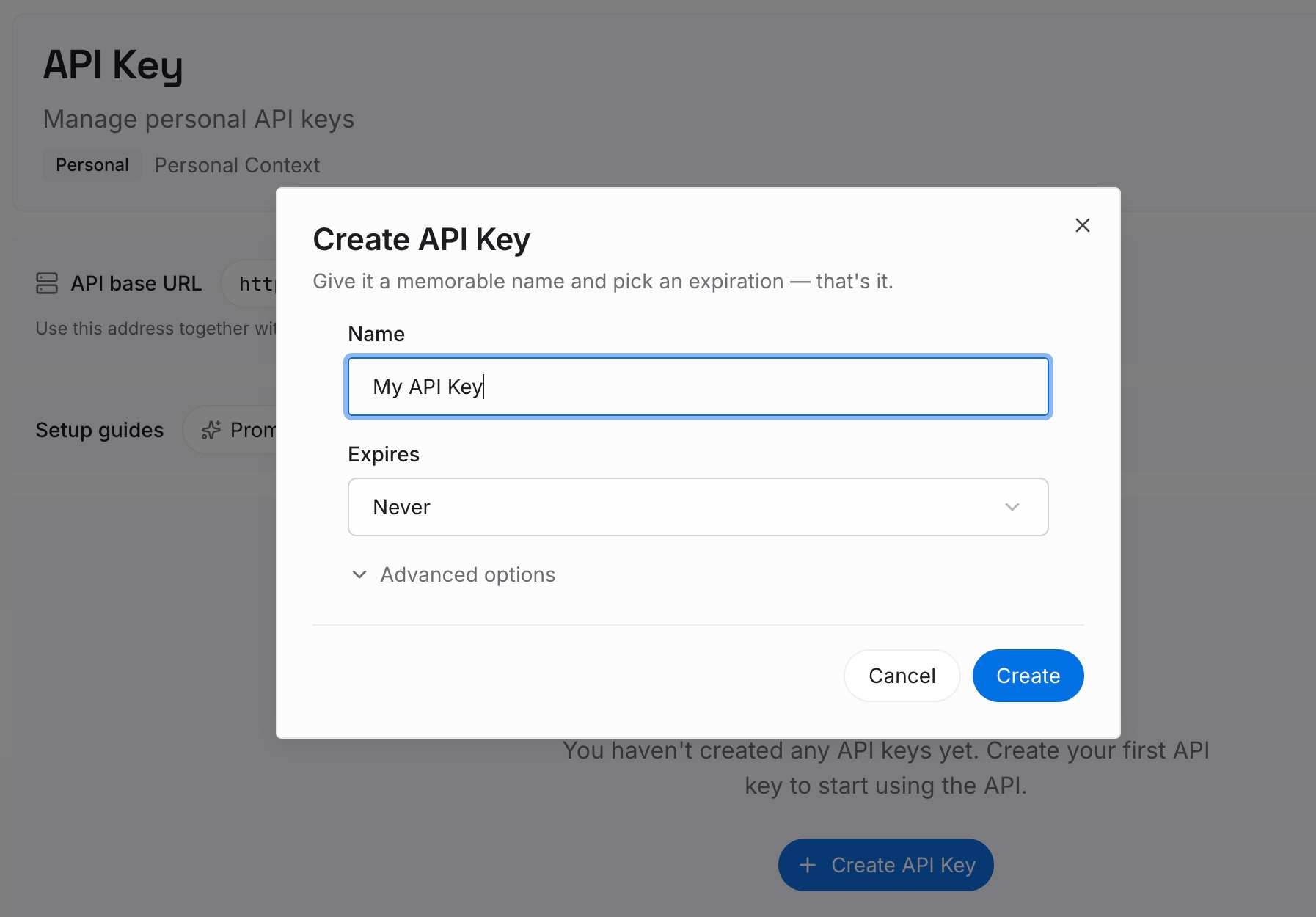
Step 1: Create an API key
Generate a key and make your first request in about 30 seconds. Keep it in your environment or a secret manager rather than pasting it into a session.
Step 2: Upload your first memories
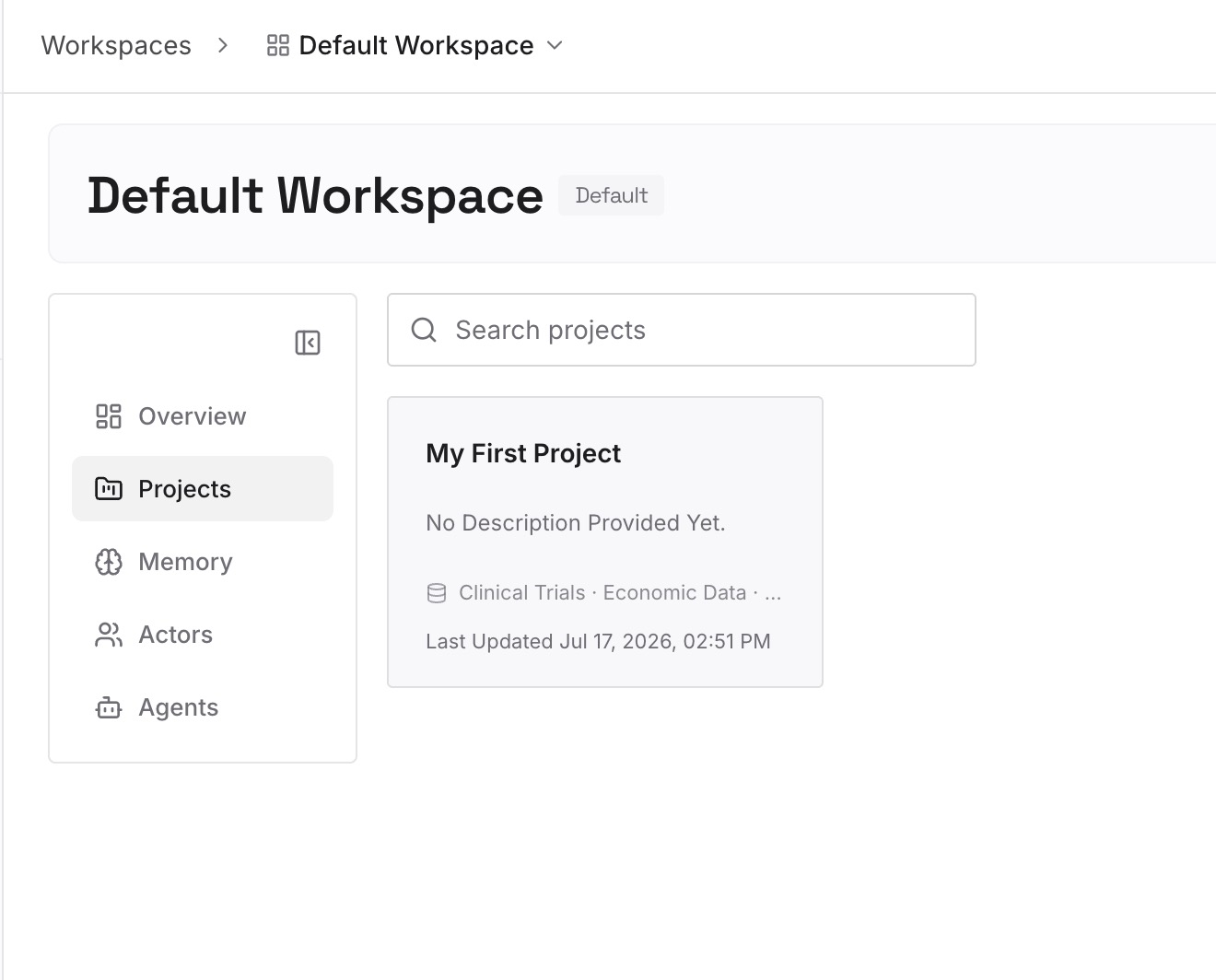
Drop in the documents, images, and files behind your rules: the ADRs, the incident writeups, the client requirements, the API contracts, the RFC everyone agreed to. Upload the sources rather than a summary — the summary is exactly the form in which reasons get lost.
Step 3: Connect your AI & agents
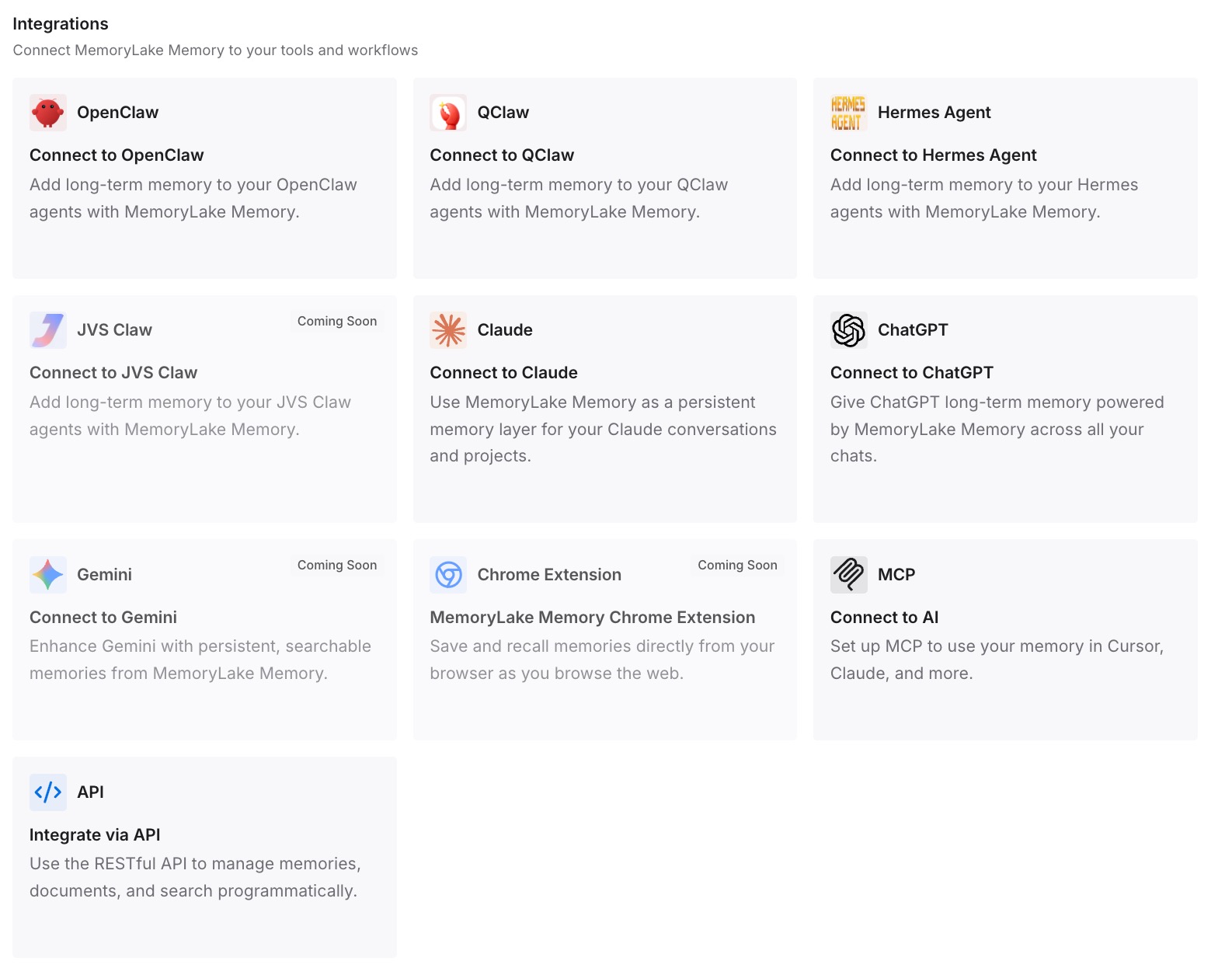
Give Claude, Codex, OpenClaw, and other AI agents access to memory via MCP or the API. Codex and Claude Code both speak MCP and read the same store directly. For ChatGPT, retrieve what you need through the API and inject it into the prompt or the workflow that calls the model.
What this changes in practice
The first difference is that the import becomes boring, which is what you want from an import. Settings move, you prune, you're done — instead of a week of noticing things the new agent doesn't know.
The second is that parallel running stops causing drift. During any real migration you use both tools, and now conversations re-sync cleanly. But rules you refine in one tool still don't propagate to the other. When the constraints live in a shared store, both agents read the same current version, and the copy you keep re-explaining stops existing in two versions.
The third is that leaving a tool stops ending the sync. Sync is a bridge between two vendors' stores; a shared layer is a store neither vendor owns. When you drop the old subscription, one of those keeps working.
And it composes with each tool's native memory. Codex memories keep learning your habits locally; Claude Code's project memory keeps accumulating build commands per repo. Both are useful and both are machine-local — which is why the thing your teammate needs to know can't live only there, the same gap behind agents that each learn your project separately.
Best practices for importing between coding agents
Import, then prune the same day
Whatever comes across is now yours to maintain. Read every rule once, delete the ones written for a service that no longer exists, and shorten the rest. Codex loads AGENTS.md into context every session, so length costs you adherence on the rules that matter.
Re-express scope as directory position
Cursor expresses scope with activation modes and glob patterns; Codex expresses it with where the file sits. A rule that only applies to the billing service belongs in billing/AGENTS.md, not in the root file with a qualifier attached. Location is enforced; a qualifier is a hope.
Treat imported conversations as reference, not memory
Bringing 30 days of chats across is useful for continuity and terrible as a knowledge base — it's a transcript, with the same problems every transcript has. If something in those chats is a decision, write it down as a decision somewhere else.
Decide about generated memory deliberately
Codex memories being off by default is a reasonable default, and turning them on is also reasonable. Just don't let anything you'd be upset to lose exist only as generated state on one machine, and remember it's global rather than per-project, so it mixes contexts across your work.
Do the manual export while you still have access
Anything that lives in a web app rather than a file — a consumer chat app's memory, a hosted agent's notes — has to be copied out by hand, and only while you're still paying. That's the one step with a deadline; every other part of a migration can be redone later.
Conclusion
The August 7 release made Codex's importer meaningfully better: Cursor-managed skills now come across, and previously imported Claude and Cursor conversations re-sync instead of duplicating. If a hand-rebuild was your reason for not switching, that reason is mostly gone.
What hasn't changed is the shape of the boundary. Importers move configuration and conversation records; standard Claude chat data still can't be imported at all; and the reasoning behind your conventions was never in a file to import. So use the importer for settings, prune what arrives, and keep the durable material — decisions, constraints, incidents, client requirements — in a store that isn't inside either tool. Then the next release note is a convenience rather than a rescue.