MemoryLake
Back to all articles
TutorialAugust 11, 2026·11 min read

How to Migrate Your Claude Memory to Codex Without Losing Context (2026)

You've been working with Claude for months. It knows your stack, your review standards, the client who insists on British spelling, the migration that went wrong in March. Now you're moving development work into Codex, and you find something odd: Codex ships an importer that swallows an entire Claude Code setup in one command — and refuses the thing you actually want to bring.

Here's the direct answer: Codex's `/import` covers Claude Code, not the Claude app. Its documentation states it directly — "Standard Claude Chat data cannot be imported." So the conversational memory Claude built up about you has no migration path, and Claude has no structured export for it either. What you can do is get it out by hand, once, in a form that's better than what it was in, and put it somewhere both tools can read.

This covers what genuinely transfers, how to do the manual part properly, and how to stop repeating it the next time you change tools.

What actually transfers

Claude Code setups transfer wholesale. If your knowledge lives in a repo — CLAUDE.md, MCP servers, commands, subagents, skills, settings — Codex has a real importer for it. Its documentation describes carrying over instruction files, config.toml and settings.json, skills and plugins, MCP server configuration, project folders and memories, hooks and slash commands, subagents, and chats from the last 30 days. That's not a workaround; it's a supported path, and it's covered separately in moving a Claude Code setup to Codex.

Claude app memory does not transfer. This is the asymmetry worth noticing. The same importer that takes a competing CLI's entire configuration draws the line at the consumer product from the same vendor: "Standard Claude Chat data cannot be imported." Its documentation notes ChatGPT data can't be brought in either. The importer is for developer setups, not chat histories, and no amount of retrying changes that.

Nothing about your Claude memory has a download button. In the Claude app you can open Settings and view and edit what it remembers, item by item, by category — a genuinely good control surface for deleting things. What you can't do is export it as a file. The practical alternative is asking Claude to write its memories of you out verbatim in the conversation, then copying the output yourself. Note the direction of Claude's own Memory Import feature, too: it brings memory into Claude from other assistants and is marked experimental. There's no outbound equivalent.

What Codex has waiting on the other side is real, and off. Codex memories exist: they store, in its documentation's words, "summaries, durable entries, recent inputs, and supporting evidence from prior chats" under ~/.codex/memories/. They're also disabled by default — you enable them in Settings under Personalization, or with [features] memories = true in your config. Three properties matter for a migration: they're generated by Codex rather than written by you (the docs call this generated state, meant for inspection rather than hand-editing), they're global rather than per-project, and they live on that machine. Codex clients keep their own local memory store; ChatGPT on the web keeps a separate one.

What doesn't exist on either side is the durable thing. Claude's memory is a synthesis of your conversations. Codex's memories are a synthesis of your chats with Codex. Neither is a record you wrote, which is why a migration built on copying one synthesis into another is the wrong shape — and why the manual pass below is worth doing as an upgrade rather than a transfer.

The manual migration

Step 1: Get your Claude memory out and separate the two kinds

Open Claude's settings and read what it has stored about you, category by category. Then, in a conversation, ask it to write out its memories of you verbatim, including anything work-related it has retained. Copy that output into a scratch file.

Now do the part that determines whether this migration is worth anything. Go through the list and sort each item into one of two piles:

Preferences. Tone, formatting, language, how much explanation you want, which framework you like. These are short, cheap to re-state, and largely disposable — most of them will regenerate in a week of normal use with any assistant.

Constraints and context. The client who requires British spelling because of a contract. The service that must not share a database because migration ordering caused two outages. The naming convention that exists for a reason. These are the items where Claude's stored version is probably a compressed shadow of something real, because memory systems keep the conclusion and drop the reason.

For every item in the second pile, write the reason back in. If Claude stored "prefers service-owned databases," you write "services own their own write path — shared-schema migrations caused two outages in March, and the schema owner can't gate every deploy." That sentence is the actual asset. It's also the thing no exporter could have produced for you, since it was never stored in the first place.

Note what this triage saves you: you are not migrating a hundred memory entries. You're migrating the eight or ten that carry a reason, and abandoning the rest on purpose.

Step 2: Put each pile where Codex will actually look

Codex reads AGENTS.md files, and the resolution order is documented: ~/.codex/AGENTS.md (or $CODEX_HOME), then the repository root, then intermediate directories, then your working directory — assembled from the top down, with the closest file taking precedence. It does not read CLAUDE.md, and it does not read ChatGPT's custom instructions.

That hierarchy is your filing system:

  • Personal preferences that apply everywhere go in ~/.codex/AGENTS.md. Keep this short. It loads for every project you touch.
  • Project constraints go in that repository's root AGENTS.md, committed, where your teammates get them too.
  • Constraints that only apply to part of a codebase go in an AGENTS.md inside that subdirectory, so scope is expressed by location rather than by hoping the model notices a qualifier.
  • Client-specific rules that don't belong in a shared repo stay in your personal file, or in a document you keep outside the repo and paste when relevant.

Then decide about Codex memories separately. Turning them on is reasonable — they'll accumulate the same kind of preference layer Claude built, without you maintaining it. Just be clear-eyed about what you're getting: generated state, global rather than per-project, on one machine, skipped for short-lived sessions, and paused when your rate-limit headroom runs low. That's a convenience layer, not the place your March outage belongs.

One more thing worth doing while the scratch file is open: anything in it that reads like a fact about a system rather than a preference about you probably belongs in the repo as documentation, not in an assistant's memory at all. A decision record in version control is reviewable. A memory entry isn't.

The Better Way: One Memory Layer, Either Assistant

Do the manual pass once and you'll notice what you just did: you turned a vendor's synthesis of your conversations into written knowledge with reasons attached. That's an upgrade. The problem is where it now lives — half in AGENTS.md files that only Codex reads, half in a scratch file, and none of it visible to the Claude app you'll still be using for writing and thinking.

The alternative is to keep the durable material in one store both sides read, and let each tool's built-in memory be the disposable convenience layer it's good at being.

MemoryLake is a memory layer for that — your constraints, decisions, and source documents in one place, readable from MCP-capable tools like Claude and Codex directly, and from ChatGPT through the API. Migrating tools stops meaning migrating knowledge.

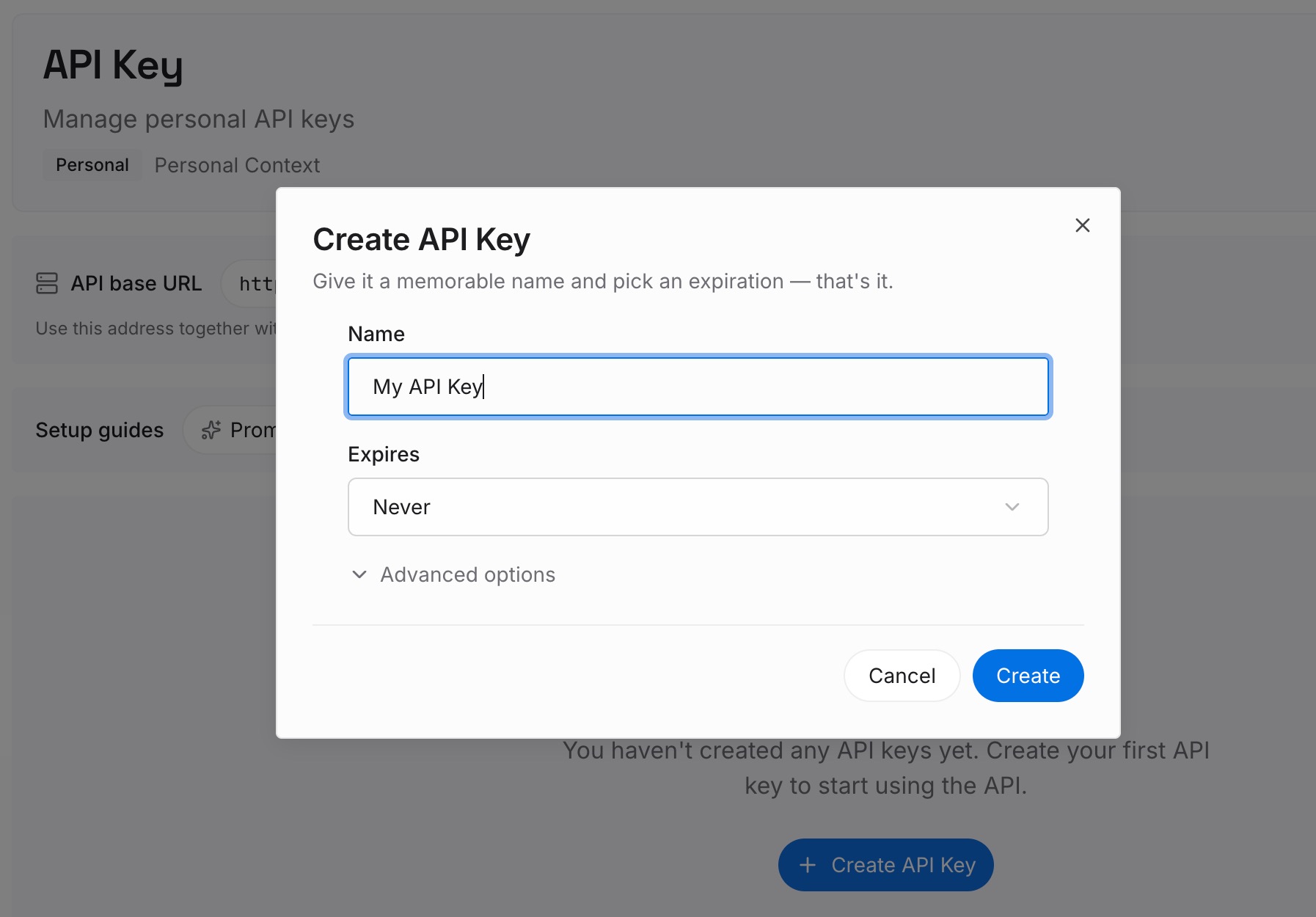
Step 1: Create an API key

Generate a key and make your first request in about 30 seconds. Keep it in your environment or a secret manager rather than pasting it into a chat window.

Create a MemoryLake API key

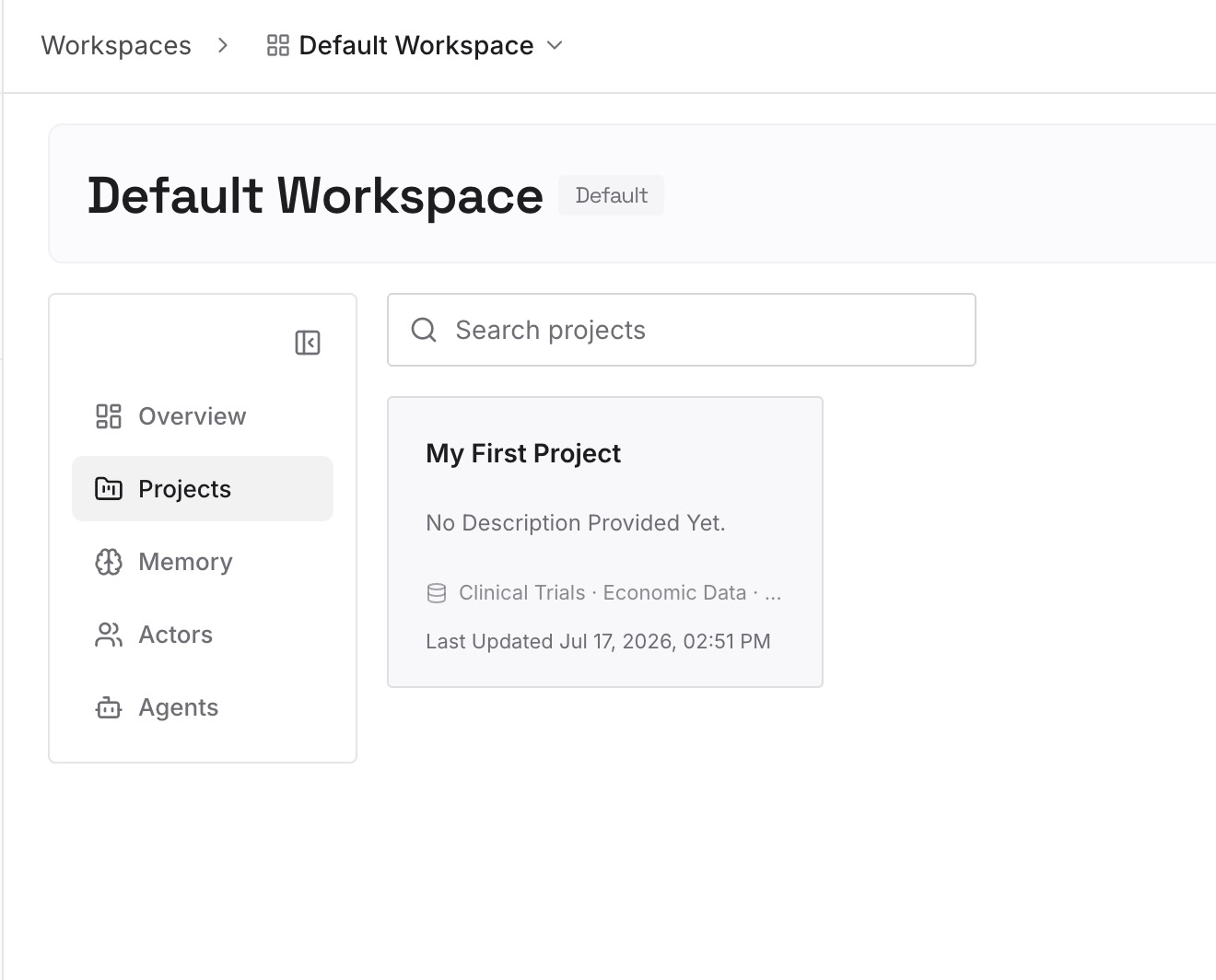
Step 2: Upload your first memories

Drop in the documents, images, and files behind the constraints you just wrote out: the incident writeup that caused the database rule, the client's style requirements, the architecture decision records, the spec. Upload the sources rather than your summary of them — the whole failure you're migrating away from is a system that kept summaries and dropped reasons.

Upload your first memories to MemoryLake

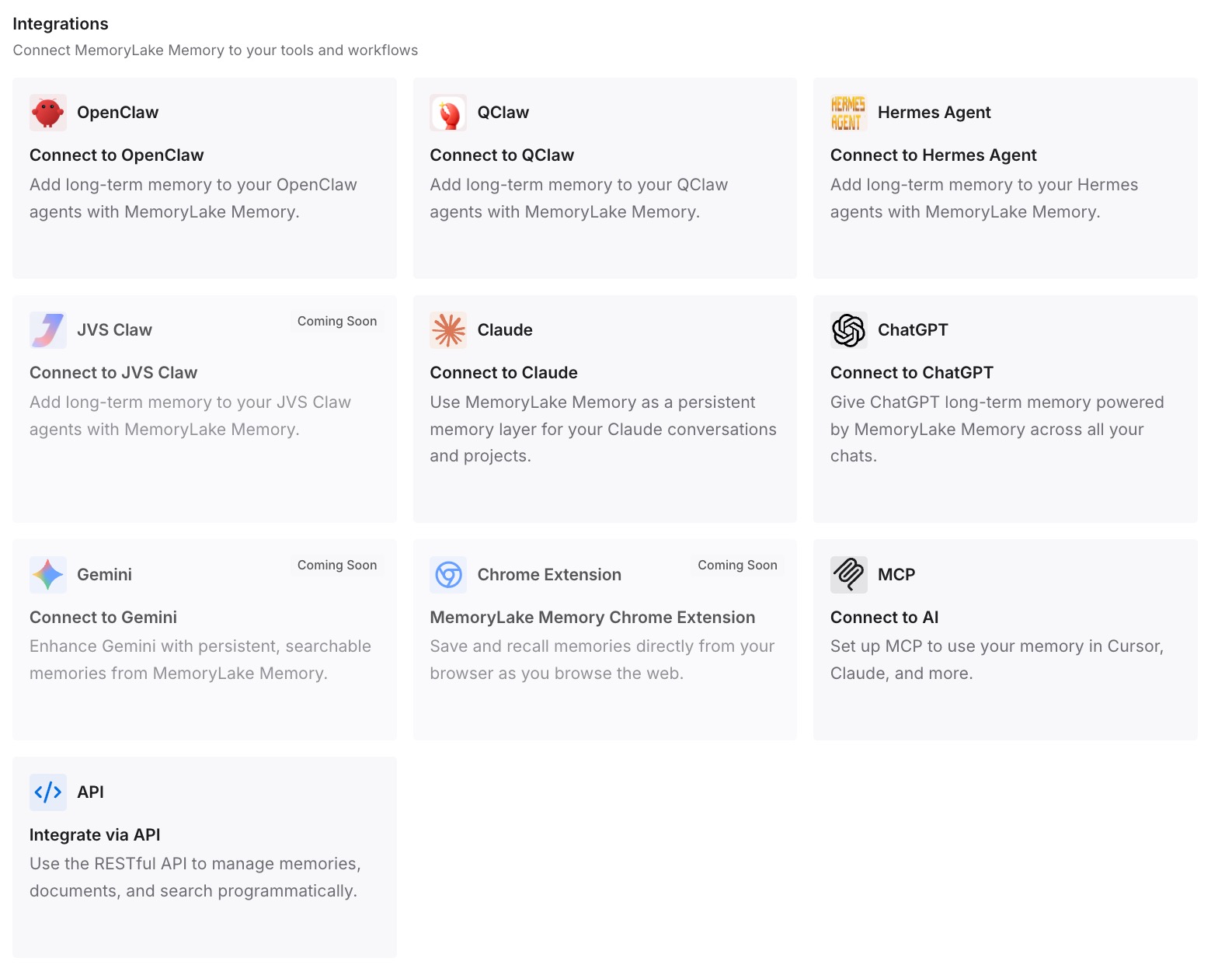
Step 3: Connect your AI & agents

Give Claude, Codex, OpenClaw, and other AI agents access to memory via MCP or the API. Codex and Claude both speak MCP, so they read the same store directly. For ChatGPT, retrieve what you need through the API and inject it into the prompt, a custom GPT's instructions, or the workflow that calls the model.

Connect your AI and agents via MCP

What this changes in practice

The first difference is that the next tool change costs an afternoon of setup instead of an afternoon of archaeology. AGENTS.md files are cheap to write when the knowledge already exists somewhere legible; they're expensive when you're reconstructing reasons from a paraphrase.

The second is that Claude and Codex stop having different beliefs about your project. Right now the assistant you design with and the CLI that writes the code learn separately, from separate conversations, and drift. Reading the same constraints is what stops an assistant arriving without your project's context from being a per-tool problem you solve repeatedly.

The third is that the reason survives. This is the specific failure that makes memory migrations feel lossy: an architectural decision compressed into a preference is overridable, and gets overridden. A stored document with the outage history attached isn't.

And it composes with what each tool does natively. Codex memories keep learning your habits locally. Claude keeps remembering how you like to be talked to. Neither has to be the system of record, which is the job they're worst at.

Best practices for moving memory between assistants

Migrate reasons, not entries

The temptation is to move all hundred memory items because they exist. Most are regenerable preferences. The valuable minority are the ones with a "because" — and those are the ones whose stored version is missing the because. Rewrite those; drop the rest.

Keep the always-loaded file small

~/.codex/AGENTS.md loads for every project on your machine, and the root AGENTS.md loads for the whole repo. Long files dilute attention and slow nothing down except adherence. Put hard constraints there and leave everything else to retrieval or to a scoped file in a subdirectory.

Express scope with location, not with adjectives

Codex resolves instructions by directory. A rule that only applies to the billing service belongs in billing/AGENTS.md, not in the root file prefixed with "for billing only." Location is enforced; a qualifier is a hope.

Decide deliberately about generated memory

Codex memories being off by default is not an accident, and turning them on is still reasonable. What isn't reasonable is treating them as a backup: they're machine-local, global rather than per-project, and generated. Review what accumulates, and don't let anything you'd be upset to lose exist only there.

Do the export before you stop paying

Claude's memory is visible while you have access to Claude. If the plan is to wind down that subscription, the copy-it-out-by-hand hour is the one irreversible step in this migration. Everything else can be redone later; that can't.

Conclusion

Migrating your Claude memory to Codex is a manual job, and the reason is documented rather than mysterious: Codex's importer covers Claude Code, and "Standard Claude Chat data cannot be imported." Claude, for its part, offers no structured export — only a settings page where you can read what it kept and a conversation where you can ask it to write that out.

The good news is that the manual pass is an upgrade if you do it properly. Sort preferences from constraints, write the reason back into every constraint, file them where Codex actually looks — the AGENTS.md hierarchy, scoped by directory — and turn on Codex memories as a convenience layer rather than a record. Then put the durable half in one store both assistants read, so the next time you change tools, the only thing you migrate is the tool.

Frequently asked questions

Can Codex import my Claude memories automatically?

No. /import is built for Claude Code setups — instruction files, MCP servers, skills, subagents, commands, recent chats — and its documentation states that standard Claude Chat data cannot be imported. There's no automated path for the consumer app's memory in either direction.

How do I see everything Claude remembers about me?

Open Claude's settings and look at the memory controls, where entries are listed by category and can be edited or deleted individually. To get a copyable version, ask Claude in a conversation to write out its memories of you verbatim, then copy the output. There's no file download.

Does Codex have memory at all?

Yes, and it's off by default. Enable it in Settings under Personalization or with [features] memories = true. It stores summaries, durable entries, recent inputs, and supporting evidence from prior chats in ~/.codex/memories/. It's generated state rather than something you author, it's global rather than per-project, and it stays on that machine — worth having, not worth relying on as your record.

Should I put my Claude memories into AGENTS.md?

The constraints, yes — with their reasons, filed at the right level of the hierarchy. The preferences, mostly not. AGENTS.md loads into context every session, so a wall of stylistic notes costs you adherence on the rules that actually matter. If it would make an answer wrong, it belongs in the file; if it would only make an answer less pleasant, let the assistant relearn it.

Will Codex read my CLAUDE.md file?

No. Codex reads AGENTS.md. If you're moving a Claude Code repository, the content usually transfers unchanged — you're renaming the file and placing it in Codex's load path, not rewriting the instructions. The Claude Code to Codex path covers that case in detail, including what the importer handles for you.

What if I want to keep using both?

Then don't pick a winner for your knowledge. Codex will keep its local memories, Claude will keep its conversational memory, and the constraints that matter should sit in one store both read — otherwise you maintain two divergent versions of the same standards and rediscover the difference at review time. That's also the fix when each tool learns your project separately.