
What /recap does
The steps in OpenAI's documentation are short: "When Codex is idle, type /recap." Codex then writes a brief summary of the conversation so far and shows it in the terminal.
The documentation adds two points. A manual recap works whatever your settings: "Codex generates a summary of the conversation, even if tui.auto_recap = false." And it points you elsewhere if your real problem is space: "Use /compact when you want to free context space."
So /recap is for you, the reader. It doesn't make room in the chat, and the documentation presents it as the option that leaves the chat's context as it was.
What a recap reads
Codex's open-source code shows what goes into a recap, and it's narrower than the whole session.
Recent visible exchanges only. The code builds the recap from the messages you can see in the conversation: your requests and Codex's replies. It leaves out tool output, reasoning, and other threads' history.
A limited window. The code takes up to eight recent exchanges and fits them within a fixed budget of about 8,192 tokens, including the instructions. When the history is longer, older exchanges are dropped first and long messages are trimmed in the middle, keeping their start and end.
Your latest request, kept whole. If your newest message hasn't been answered yet, the code keeps it alongside the latest reply, so the recap reflects what you just asked for.
Steers stay attached. If you sent a message while Codex was working, the code treats adjacent user messages as one request, so a mid-task correction is read together with the request it changed.
What a recap is asked to say
The instructions Codex sends with that history ask for a short catch-up for someone returning to the task: the broader goal, meaningful progress, and any blocker. They also ask the model to keep open caveats, such as a fix that hasn't been installed or tests that haven't run, and to tell apart work that was proposed, queued, implemented, tested, or published. The target length is 40 to 60 words, never more than 80, in the user's language.
A recap can also include a next action, but only when there's an unanswered question for you, an agreed next step, or a clear remedy for a blocker. The code caps the summary at 700 characters and the next action at 200.
The instructions tell the model to treat the conversation as data and to remember it may be incomplete or excerpted. That's a fair warning for you too. A recap is a quick orientation built from recent messages, not a full record.
Where a recap runs
The code generates the recap through a separate, temporary request, using the same model your session is on. The result is shown in your terminal when it arrives.
That design is why the documentation can describe /recap as a way to catch up without compacting. The work happens beside your conversation. Your chat's history isn't summarized or replaced to produce it.
Recaps are a terminal feature. The code shows a message saying conversation recaps aren't available for cloud conversations if you try /recap there. If a recap is already being generated, or there's no conversation yet, Codex tells you instead of starting another.
When Codex makes a recap on its own
Automatic recaps are on by default. OpenAI's configuration reference describes the setting as one that will "Generate automatic conversation recaps while the terminal is unfocused (default: true)."
The open-source code adds the timing:
- The terminal has to be out of focus. Switching away from the terminal window starts the clock. Coming back before a recap is made cancels the pending one.
- About 30 minutes. The code waits 30 minutes from the later of two moments: when the terminal lost focus and when the last turn finished.
- Enough conversation. It needs at least three completed turns before the first automatic recap.
- Something new since the last one. After a recap, it waits for at least two more completed turns before making another.
So a short session, or one where you're watching the terminal, won't get automatic recaps. A long session you step away from will.
How to turn automatic recaps off
The setting arrived in Codex 0.153.0, whose release note says: "Set tui.auto_recap = false to disable automatic recaps while keeping manual /recap available."
In your Codex configuration file, under the [tui] section, set auto_recap to false. The configuration reference confirms what stays: "Set to false to disable automatic recaps; /recap remains available."
With it off, Codex stops scheduling automatic recaps, and /recap still works when you ask for it.
/recap vs /compact
The two commands both involve a summary, which is why they get confused. They do opposite things to your chat.
/recap writes a summary for you and leaves the conversation as it was. Codex keeps working with the same history.
/compact writes a summary for Codex and uses it in place of earlier turns. That frees room in the context window, and the earlier detail is replaced by the summary. Codex also compacts automatically when a chat nears its limit; our guide to GPT-6.1 Sol's 500k context in Codex explains when that happens.
A practical order when you come back to a long session: read the recap to see where you are, then decide whether the chat needs compacting at all.
If you also use Claude Code
Claude Code has a feature with the same name and a similar purpose, and the details differ in ways that matter if you switch between the two.
Anthropic describes Claude Code's version as "a one-line recap of what happened in the session so far." It waits a much shorter time than Codex: the recap "generates in the background once at least three minutes have passed since the last completed turn and the terminal is unfocused". Like Codex, it needs some history first, and Anthropic adds that recaps appear "never twice in a row."
The limits and switches differ too. "Claude Code caps both automatic recaps and /recap output at 400 characters." You turn its automatic recaps off in /config rather than in a config file, and an environment variable can force them on or off. Anthropic also notes in its cost guide that "Session recap and idle compaction can use tokens while you're idle."
So the same command name gives you a longer summary after a longer wait in Codex, and a single line after a few minutes in Claude Code.
What a recap doesn't replace
A recap is generated on demand from recent messages. It's a reading aid, not a memory and not a handoff document.
If you're moving work to a new chat, the recap's length and window are too small to carry everything. Our guide to writing a handoff prompt covers what a new chat needs. If you're moving a chat between local and worktree or to another machine, our guide to Codex handoff explains what moves with it.
For facts Codex should know in every session, Codex has its own memories and your project's AGENTS.md. Our guide to Codex memories v2 covers where those live.
And if a chat seems to have disappeared rather than needing a summary, our guide to finding missing Codex chat history walks through where Codex keeps chats.
What people try first
Using /recap to free up context. It doesn't compact. Use /compact when you need space.
Expecting a recap of the whole session. It reads up to eight recent exchanges within a fixed budget, and leaves out tool output.
Treating the recap as a record. It's shown when you come back. Save anything you want to keep somewhere you control.
Turning off auto recaps and losing /recap. Disabling automatic recaps keeps the manual command.
Trying /recap in a cloud conversation. Recaps aren't available there.
The Fix: Use the recap to orient, and keep the record elsewhere
Step 1: Read the recap before you decide anything
When you come back to a long session, read the recap first. Check whether its caveats match what you remember, such as tests not run or a change not installed. If no recap appeared, type /recap while Codex is idle. If the recap mentions a next action, treat it as a suggestion to confirm, not an instruction Codex has already accepted.
Step 2: Write down what the recap shouldn't have to tell you
Some things should never depend on a summary of recent messages: why an approach was chosen, what was ruled out, what's off-limits. Write those down while you remember them.
Step 3: Put lasting facts where every session can see them
Move project conventions into AGENTS.md and keep decisions in notes you maintain. Then a new session starts with them, whatever the last recap said.
Setting this up in MemoryLake
A recap is a short view of recent messages, made when you return. The decisions behind the work last longer than that, and a recap's small window drops older exchanges first.
MemoryLake is a memory layer for keeping those decisions in one place you maintain, available to the assistants you connect, such as ChatGPT, Claude Code, and Codex.
You write the entries yourself, in your own words. Nothing is read out of, written to, or deleted from your Codex sessions, their recaps, your AGENTS.md files, your Codex memories, or any vendor's store. Recaps keep working the way OpenAI describes them.
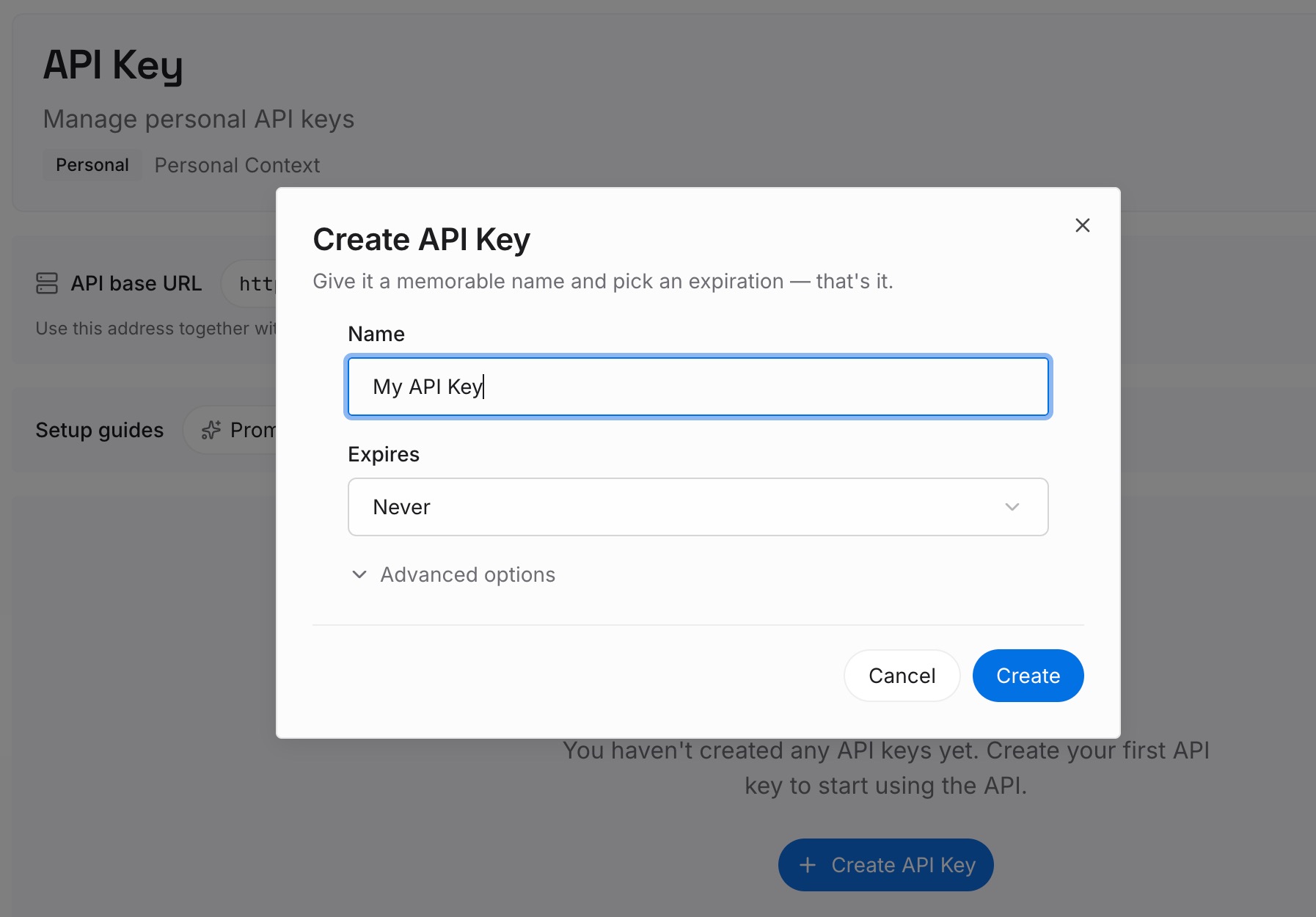
Step 1: Create an API key
Sign in and generate a key from the dashboard. The key belongs to your MemoryLake workspace and is separate from your ChatGPT and Codex accounts.
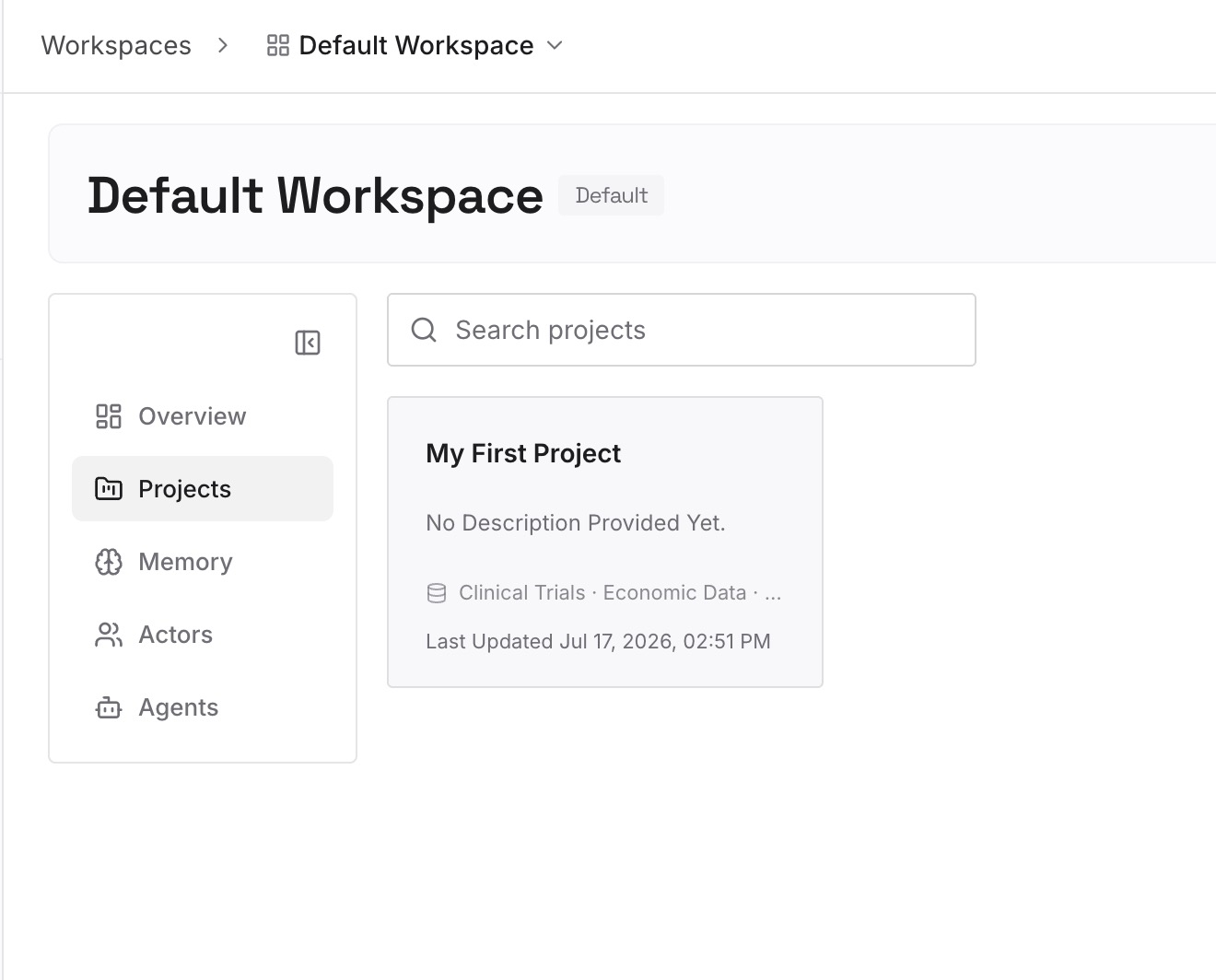
Step 2: Upload your first memories
Start with the notes from Step 2 of the fix: decisions, ruled-out approaches, and boundaries. One point per entry, dated.
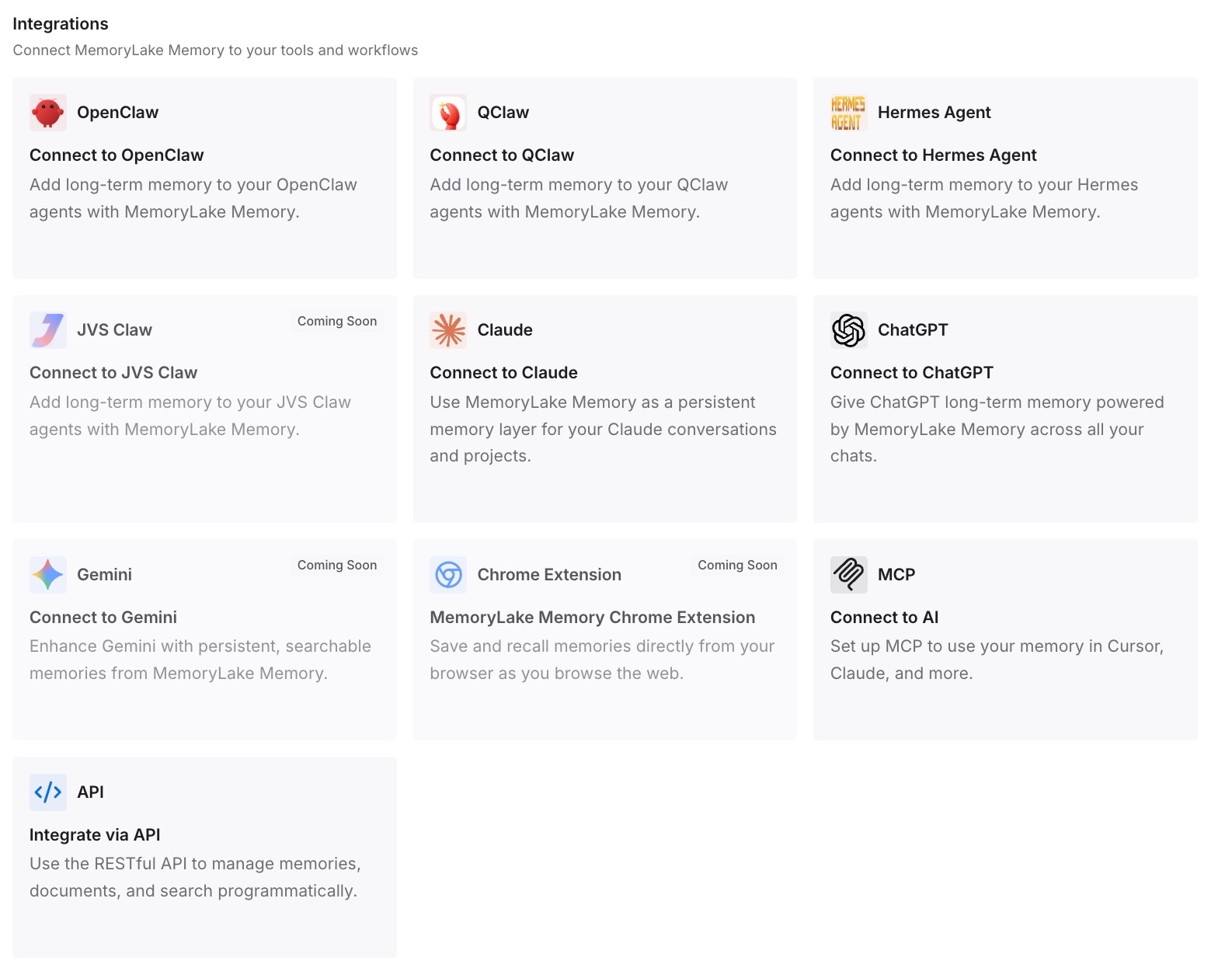
Step 3: Connect your AI & agents
Connect Codex and any other assistants you use. The same entries are available whenever a session starts.
What this changes in practice
The first difference is a faster return. The recap tells you where things stand, and you know it hasn't changed the chat.
The second is less reliance on the summary. The reasons behind the work are written down, so a short recap doesn't have to carry them.
The third is steadier new sessions. They start with your decisions instead of a recap of the last few messages.
Best practices for recaps in Codex
Use /recap to orient. Use /compact to free space.
Keep auto recaps on for long sessions. Turn them off with tui.auto_recap if they distract you.
Remember the window. Up to eight recent exchanges, no tool output.
Check the caveats. A recap is asked to flag unfinished work, but confirm it.
Use the terminal. Recaps aren't available for cloud conversations.
Write down decisions as you make them. A recap isn't the place to keep them.
Conclusion
/recap asks Codex for a short summary of the current conversation, built from recent visible exchanges and generated beside your chat, so the chat's context stays as it was. Codex makes one automatically when the terminal has been out of focus for about 30 minutes after a turn, once there's enough conversation, and you can turn that off with tui.auto_recap = false while keeping the manual command.
Use the recap to get your bearings, and /compact when you need room. Keep the decisions behind the work in a place every session can read.