
Why a scheduled task may or may not have your context
Each run is its own session
The scheduled tasks page states it plainly: "Each scheduled task runs as its own Cowork session. You can review the results when they're ready, just like any other task."
On its own, that sentence reads like every other unattended-agent design. Read the next one and it changes: "Scheduled tasks run remotely, so they run on their cadence even when your computer is asleep or the Claude Desktop app is closed."
Remotely — which is to say, in the cloud.
Cloud sessions share memory with your chats
This is the part that makes Cowork different. Cowork's own getting-started page lists it as a feature: "Shared memory with chat: In sessions in the cloud, Claude starts from what it already remembers from your chats, and what comes up in a Cowork task carries back to chat."
Both directions. A cloud session starts from what Claude already remembers, and what happens in the task flows back.
So a scheduled task that runs in the cloud is not starting cold. It is starting from your memory, and it is contributing to it. That is a meaningfully different proposition from a scheduled run that begins with an empty context, and it is the reason this piece exists.
What the task saves is your prompt, not what it learned
Worth being precise about the mechanism, because "has memory" can mean two things. The scheduled task itself stores instructions: "When you create a scheduled task, Claude saves your prompt as the task's instructions and runs them at the cadence you choose."
That is the task definition. Memory is the separate layer the cloud session reads from. A task does not accumulate its own private history of previous runs; it re-runs a saved prompt in a session that happens to have access to your memory. Both things are true and they are not the same thing, which is the distinction at the heart of what persistent memory actually is.
The two notes that do not agree
Now the unresolved part, and it is worth reading both sentences as published rather than picking one.
The scheduled tasks page says: "Note: Scheduled tasks use the built-in schedule options and work with your connectors and the files saved to your Claude account. They can't be tied to a folder on your computer."
The same page, in the manual setup instructions, lists "Which folder Claude should work in [optional]" as a field — followed by: "Note: If a scheduled task requires local files or apps, it will only run locally."
Meanwhile the getting-started page describes a third arrangement: Cowork "runs your sessions remotely in the cloud (in beta)," and local capabilities are reached through the desktop app rather than by running the session locally — "These capabilities reach things on your computer, so they need the app even though your session runs in the cloud."
Three current pages, three framings of where a folder-bound task runs. We are not going to reconcile them on Anthropic's behalf, because guessing would be worse than saying so. What you should take from it: if your scheduled task touches local files, do not assume anything about its memory behavior. Verify it.
What people try
Assuming a scheduled task starts blank. The most common assumption, and for Cowork it is wrong for cloud runs. It leads people to stuff their entire context into the task prompt, which then has to be edited by hand every time a project detail changes.
Assuming it therefore knows everything. The opposite error. Memory is shared with chat in cloud sessions; it is not a transcript of previous runs of that task. If run three needs to know what run two concluded, memory is a weak channel for that and the task's output is a better one.
Pointing a schedule at a local folder to give it more context. Understandable instinct, and it is the move most likely to change where the task runs — which is exactly the thing the three pages disagree about. Adding local file access to get context can cost you the memory you were relying on.
Comparing it to other tools' scheduled runs and generalizing. ChatGPT's scheduled tasks and Warp's cloud agents both start fresh by design, and it is tempting to assume Cowork behaves the same. It does not, for cloud runs. If your mental model came from ChatGPT's scheduled tasks starting over every run or from Warp's cloud agents, it needs a Cowork-specific update.
Assuming Projects and memory are the same thing. Cowork projects "group related tasks into separate workspaces with their own files, context, instructions, and memory," which is a per-workspace arrangement, not the account-level memory shared with chat. Both exist; they are different scopes. The boundary is covered in Claude's memory across chat and Cowork.
The Fix: Decide Where Each Task Runs, Then Stop Relying on the Prompt to Carry Context
Step 1: Sort your schedules by whether they need your computer
Go through your scheduled tasks and put each in one of two buckets.
Cloud-only tasks. Daily briefings from Slack or email, weekly reports from connected tools, recurring research, status summaries. These use connectors and files saved to your Claude account. They run remotely on their cadence, and per the documentation they run as cloud sessions — which is where shared memory with chat applies.
Tasks that need something on your machine. File organization in a local folder, anything reading local apps. These are the ones where the folder field and the "will only run locally" note come into play, and where you should not assume memory behavior.
For the second bucket, ask whether the task genuinely needs local access. A surprising number of "organize my files" schedules can work against files saved to your Claude account instead, which moves them cleanly into the first bucket and removes the ambiguity.
Step 2: Verify the memory behavior of one task in each bucket
Do not infer this. Test it once and you will know for your setup.
Create a throwaway scheduled task whose prompt asks Claude to state a specific fact it should only know from your memory — a preference you have established in chat, a project detail you have never typed into that prompt. Run it manually, which the schedule options support, and read the output.
Then repeat with a folder-bound version of the same task. If the answers differ, you have just discovered where the boundary sits in your account, which is more reliable than any inference from three pages that frame it differently.
Keep the result written down somewhere. This is exactly the kind of behavior that changes as Cowork moves out of beta on web and mobile, so treat it as a finding with a shelf life rather than a permanent fact.
Step 3: Put what the task needs into a layer that does not depend on where it runs
Here is the structural fix. Everything above is about determining which of two behaviors you get. There is a third option: make the task not depend on the answer.
If the knowledge a scheduled run needs lives in an external memory layer that the task reads explicitly, then it does not matter whether that run is a cloud session with shared memory or a local one without. The context arrives the same way either time. You have replaced a question you have to keep re-verifying with an arrangement that is stable across it.
That is also the answer to the prompt-editing problem. A task prompt is a saved string; every time your project changes, someone has to open the schedule and edit it. A prompt that says "use the current project conventions" and reads them from a store does not need editing when the conventions change. MemoryLake sets up in three steps.
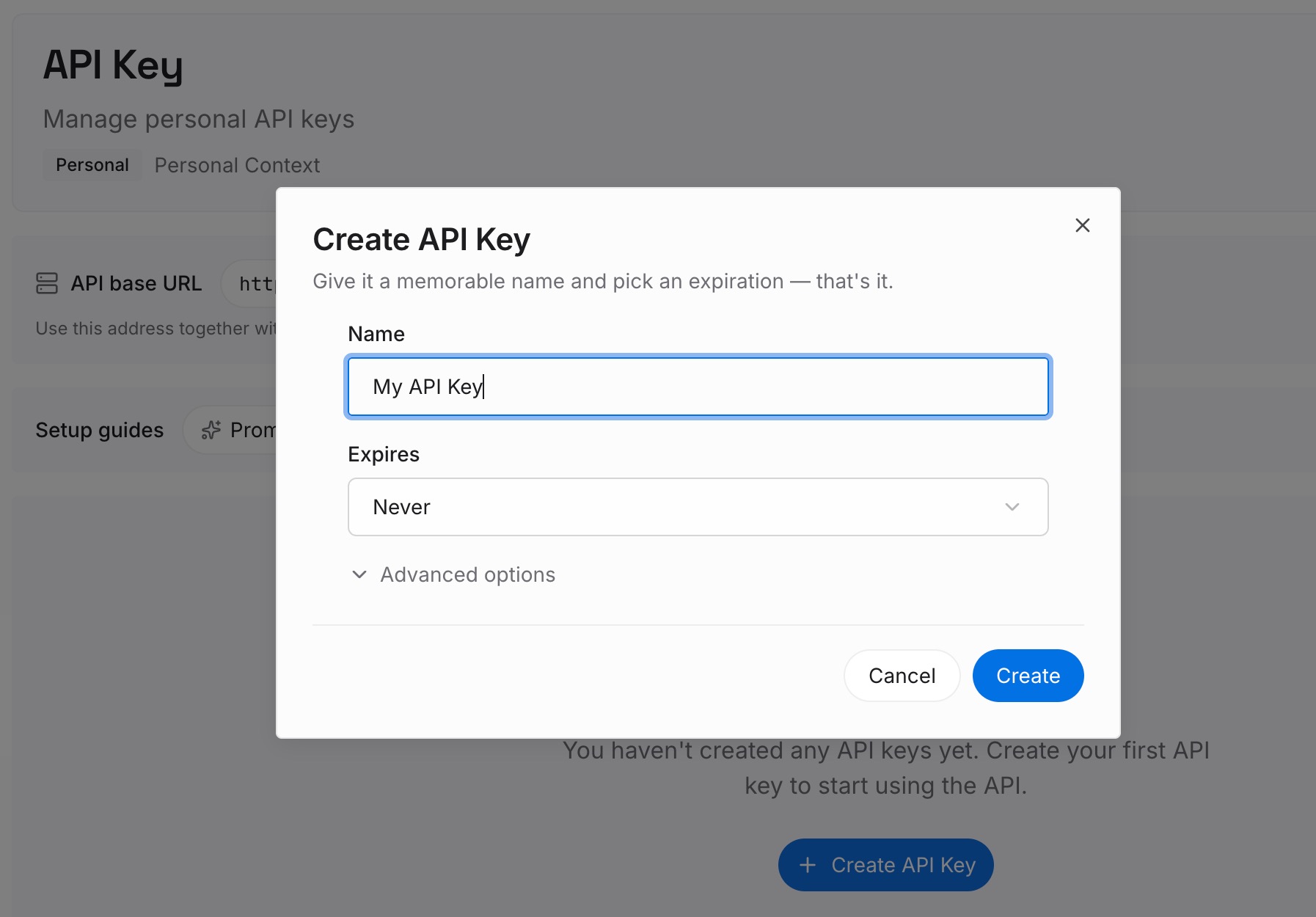
Step 1: Create an API key
Sign in and generate an API key from your dashboard. It is not tied to a surface, which is the property that matters here: cloud and local runs read the same store, so the cloud-versus-local question stops determining what your task knows.
Step 2: Upload your first memories
Put in what your scheduled tasks keep needing: the conventions for a weekly report's format, the list of what counts as relevant in a research digest, the accounts and terms a briefing should watch for, the standing preferences you would otherwise paste into every task prompt.
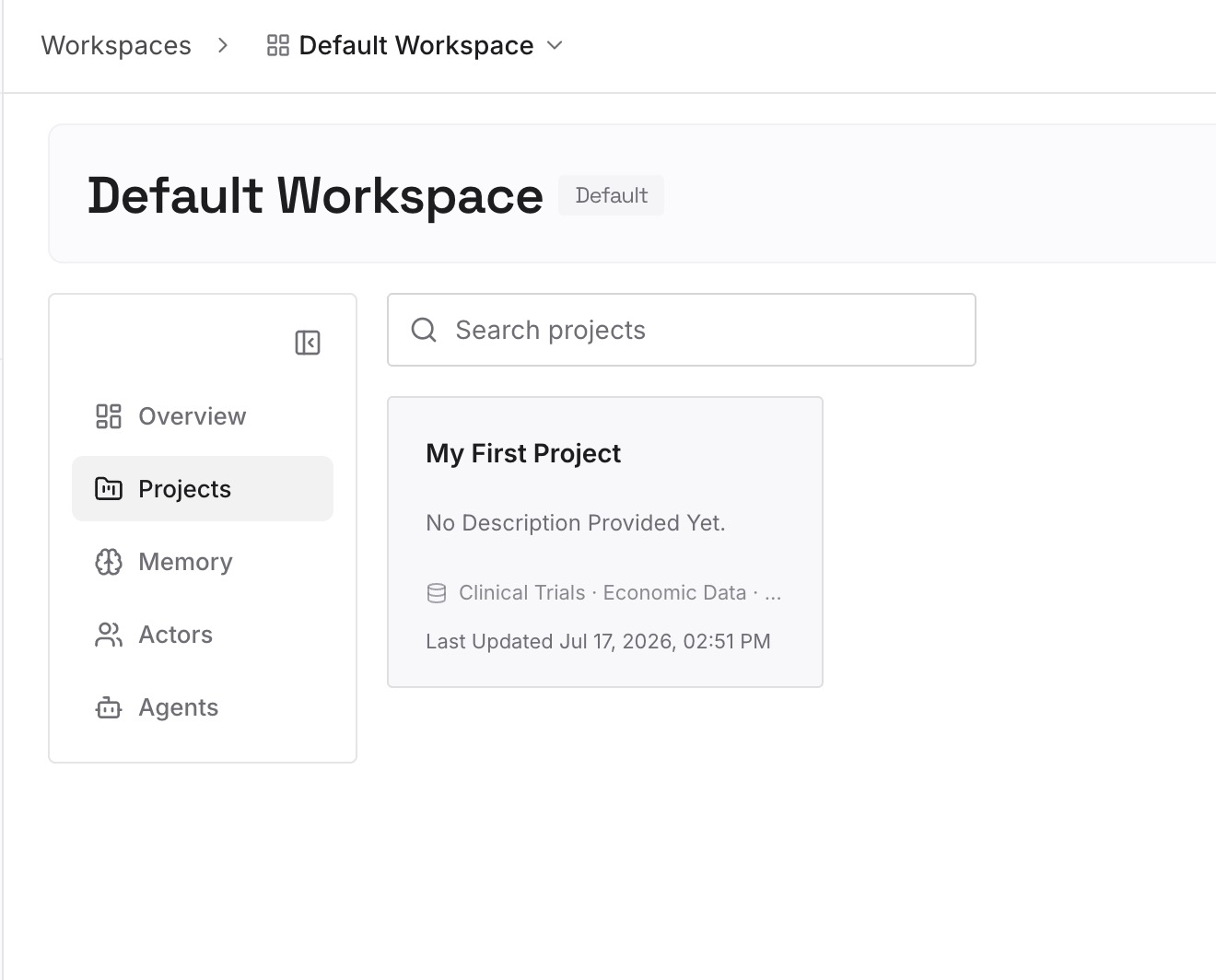
This is also where cross-run conclusions belong. If Tuesday's run should know what Monday's decided, write that to the store rather than hoping shared memory carries it.
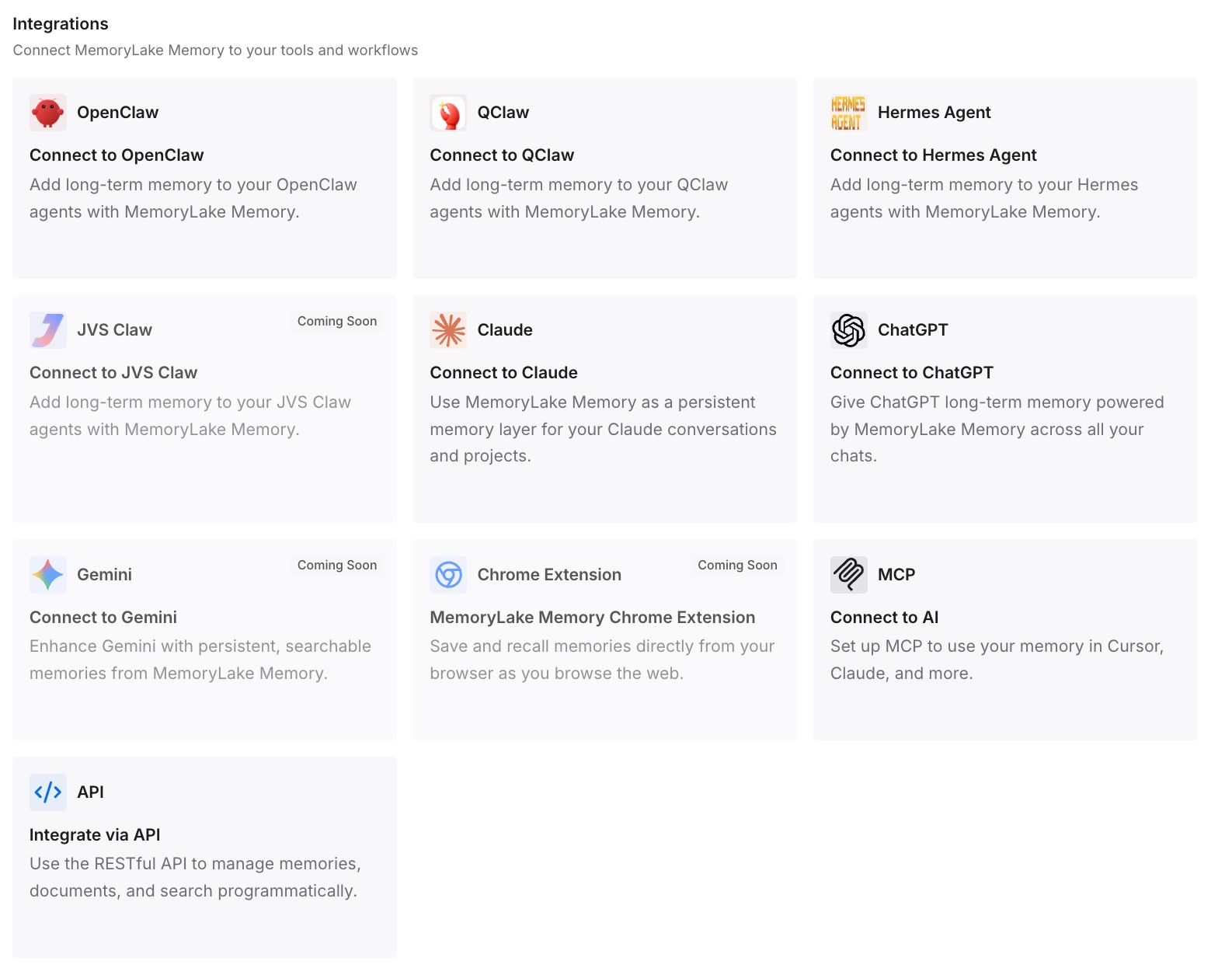
Step 3: Connect your AI & agents
Point Cowork at the store. Unattended runs then start from the same knowledge your interactive sessions do, on both surfaces — and a change you make once propagates to every schedule instead of to whichever prompts you remembered to edit.
What this changes in practice
The first change is that schedules stop being brittle strings. Today, a task prompt is a snapshot of what was true when you wrote it. Any project change silently ages every schedule that mentions it.
The second is that you stop needing to track a beta boundary to know what your automation knows. Cowork sessions in the cloud are in beta on web and mobile, the built-in browser is rolling out gradually, and Dispatch is in limited beta for some plans. All of that is normal for a product moving quickly, and none of it is a good foundation for a weekly report someone actually depends on.
The third is that cross-run continuity becomes explicit. Shared memory with chat is a genuine feature and a poor mechanism for "what did last week's run conclude." Writing conclusions to a store and reading them back next run is the version that works whether the run happens to be in the cloud or not — the same reasoning behind memory for MCP tasks.
Best practices for Cowork scheduled tasks
- Sort schedules by whether they need your computer. That is the single variable most likely to change the behavior you get.
- Prefer files saved to your Claude account over local folders where the task allows it. Cloud-only tasks have the clearest documented behavior.
- Test the memory behavior once per bucket, and write down what you found. Manual runs make this cheap, and the finding has a shelf life.
- Keep task prompts short and about the task. Format, cadence, and output shape belong in the prompt; project knowledge does not.
- Do not use shared memory as a run log. If run N needs run N−1's conclusion, write it somewhere on purpose.
- Remember Projects are a separate scope. A project workspace has its own files, context, instructions, and memory — that is not the account-level memory shared with chat.
- Re-check after Cowork changes. Cloud sessions are in beta on web and mobile, and behavior in beta moves.
- Review what the schedule can reach. Scheduled tasks have the same capabilities as regular Cowork tasks, including connected tools, skills, and installed plugins — which is worth auditing if a task runs unattended on a cadence.
Conclusion
Cowork's scheduled tasks are a better deal than the industry default: a cloud run starts from what Claude already remembers and feeds back into it, rather than beginning from nothing. That is genuinely useful and worth knowing.
It is also conditional in a way the documentation does not currently resolve for folder-bound tasks. So sort your schedules, test one in each bucket, and — for anything you actually depend on — put the knowledge somewhere that does not change its answer depending on which machine the run landed on.