
What a new session starts with
A new session doesn't load your previous conversations. It starts with an empty context window, plus a few things Claude Code loads on purpose.
Your CLAUDE.md files. These are instructions you write. The documentation says: "You write these files in plain text; Claude reads them at the start of every session." They can live at several levels: an organization-wide file, your personal file in ~/.claude/CLAUDE.md, a project file in the repository, and a personal project file named CLAUDE.local.md.
The start of your auto memory index. If auto memory is on, part of a file called MEMORY.md loads too. More on that below.
That's the core of what carries over. Yesterday's conversation, including the clock fix, isn't part of it, unless the fix made it into one of those files.
The documentation also notes that these are context, not rules: "Claude treats CLAUDE.md files and auto memory as context. They aren't enforced configuration."
What auto memory saves
Auto memory is the part of Claude Code that remembers things without you writing them down. The documentation describes it: "Auto memory lets Claude accumulate knowledge across sessions without you writing anything."
Claude saves four kinds of notes:
- user: your role, expertise, and working preferences
- feedback: corrections you give Claude and approaches you confirm
- project: ongoing work, deadlines, and decisions that Claude can't derive from the code or git history
- reference: where to find information outside the project, such as an issue tracker or dashboard
It also skips things on purpose. The documentation says: "Claude skips anything it can derive from the codebase, such as architecture, file paths, or debugging fixes. It also skips anything your CLAUDE.md files already say."
Notice that "debugging fixes" is on the skip list. That may be part of why the clock fix from yesterday didn't carry over on its own.
Claude also doesn't save something every time. The documentation says: "Claude doesn't save something every session. It decides what's worth remembering based on whether the information would be useful in a future conversation."
You can ask directly. The documentation gives examples: when you ask Claude to remember something like "always use pnpm, not npm", Claude saves it to auto memory. When Claude saves or recalls memories, the interface shows a short message saying so.
What auto memory loads
Auto memory is on by default in local sessions. It's stored per project at ~/.claude/projects/<project>/memory/, in a MEMORY.md index plus one topic file per memory.
Not all of it loads at the start. The documentation says: "While auto memory is on, the first 200 lines or 25KB of MEMORY.md, whichever comes first, load at session start. Content beyond that threshold is not loaded at session start."
The topic files load only when needed: Claude Code doesn't load them at startup, and Claude reads them with its file tools when it needs the information.
So a new session starts with the index, not every note. If the index has grown past the limit, entries at the end won't be there at the start of a session.
Two scope details matter:
- One memory per repository. The
<project>path comes from the git repository, so all worktrees and subdirectories in the same repository share one auto memory directory. - One machine. The documentation says: "Auto memory is machine-local." Its files aren't shared across machines or cloud environments. We covered what this means when you switch computers in our guide to Claude Code forgetting context across machines.
For a closer look at the files and how to edit them, see our guide to what Claude Code auto memory is.
How to pick up an old conversation
Your previous conversations are saved. The sessions documentation says: "Sessions are saved continuously to local transcript files as you work, so you can return to one after exiting or running /clear."
There are several ways back in:
claude --continuereopens the most recent session in the current directory.claude --resumeopens the session picker.claude --resume <name>orclaude --resume <session-id>resumes a specific session./resumeswitches to another session from inside an active one.
The session picker shows sessions from the current worktree by default. The documentation explains why: "Claude Code stores sessions per project directory." If you started the session in a different folder, press Ctrl+A in the picker to show sessions from every project on this machine.
A few sessions don't show up in the picker. Sessions whose first prompt was a /loop command are left out, and so are sessions created with claude -p or the Agent SDK. You can still resume those by passing their session ID.
Naming sessions helps. You can start one with claude -n auth-refactor or rename it during a session with /rename, then come back later by name.
In the morning example, claude --continue in the same repository would have reopened yesterday's conversation, clock fix included.
What a resumed session restores
When you resume, you get the conversation back, but not everything about the old session.
The documentation lists what comes back: the conversation history, including messages, tool calls, and results; the model; the agent, if you started with one; in most cases the permission mode; an active goal; and session-scoped scheduled tasks, with some exceptions.
Compaction affects how much of the history comes back. If the session was compacted, Claude continues from the last compaction's summary plus the messages after it. The documentation is specific: "The messages that the last compaction summarized aren't loaded again."
Some launch settings don't come back. The documentation lists flags to pass again "because Claude Code doesn't restore them", including MCP servers passed with --mcp-config, plugins passed with --plugin-dir, directories added with --add-dir, and extra settings passed with --settings.
Background work that ended with the old process isn't restarted either. It shows up in the resumed transcript as a note that it didn't finish.
Starting fresh while keeping a way back
Sometimes you want a clean start but might need the old conversation later.
/clear does this. The sessions documentation describes it as a way to "start fresh with an empty context". It adds that Claude Code saves the previous session, which you can resume with /resume. We looked at what /clear resets in our guide to the Claude Code clear command.
If you resume a long conversation after a long break, you may see a dialog asking whether to resume it. One option is to start a new conversation instead. The documentation says: "If the option says that Claude can look up this conversation, you can still refer to earlier work in the new conversation."
Where sessions are stored and how long they last
Transcripts are stored as files on your machine. The documentation gives the location: ~/.claude/projects/<project>/<session-id>.jsonl.
They don't last forever. The documentation lists the cleanupPeriodDays setting as the way to "Change the 30-day retention". Old transcripts are removed by a retention sweep.
Auto memory follows a different rule. The documentation says Claude Code excludes the memory files from that sweep: "MEMORY.md and topic files stay until you or Claude edits or deletes them."
So after a month, the conversation where you worked out the clock fix may be gone, while anything that made it into memory or CLAUDE.md stays.
What survives compaction within a session
Even inside one long session, compaction changes what Claude can see. The memory documentation says: "Project-root CLAUDE.md survives compaction: after /compact, Claude re-reads it from disk and re-injects it into the session."
Instructions you gave only in conversation don't get that treatment. The documentation's advice: "Add conversation-only instructions to CLAUDE.md to make them persist."
What people try first
Expecting a new session to know yesterday's work. It doesn't load past conversations. Use --continue or --resume.
Looking in the picker from another folder. Sessions are stored per project directory. Press Ctrl+A.
Assuming auto memory saved the fix. It skips debugging fixes and doesn't save every session.
Letting MEMORY.md grow. Only the first 200 lines or 25KB load at the start.
Expecting resumed sessions to restore every flag. Pass MCP, plugin, and directory flags again.
The Fix: Decide what should carry over
Step 1: Resume when you need the conversation
Use claude --continue for the latest session or claude --resume to pick one. Name sessions you'll want to find again.
Step 2: Put lasting instructions in CLAUDE.md
Build commands, conventions, and rules that apply every time belong in CLAUDE.md, which loads at the start of every session.
Step 3: Check what auto memory saved
Run /memory to open the memory folder. Keep MEMORY.md short so the index fits within the load limit.
Step 4: Write down decisions that span sessions
Decisions like the clock fix, and the reasons behind them, need a place that outlasts a 30-day transcript.
Setting this up in MemoryLake
Claude Code gives you three layers: transcripts you can resume for a while, CLAUDE.md you write, and auto memory Claude writes on one machine. Decisions and their reasons can fall between them, especially when you work across machines or tools.
MemoryLake is a memory layer for that kind of context: decisions, conventions, and the reasons behind them, kept in one place you maintain and available to the assistants you connect, such as ChatGPT, Claude Code, and Codex.
You write the entries yourself, in your own words. Nothing is read out of, written to, or deleted from your Claude Code transcripts, your auto memory, your CLAUDE.md files, your settings, or any vendor's store. Claude Code's memory works the way Anthropic describes it.
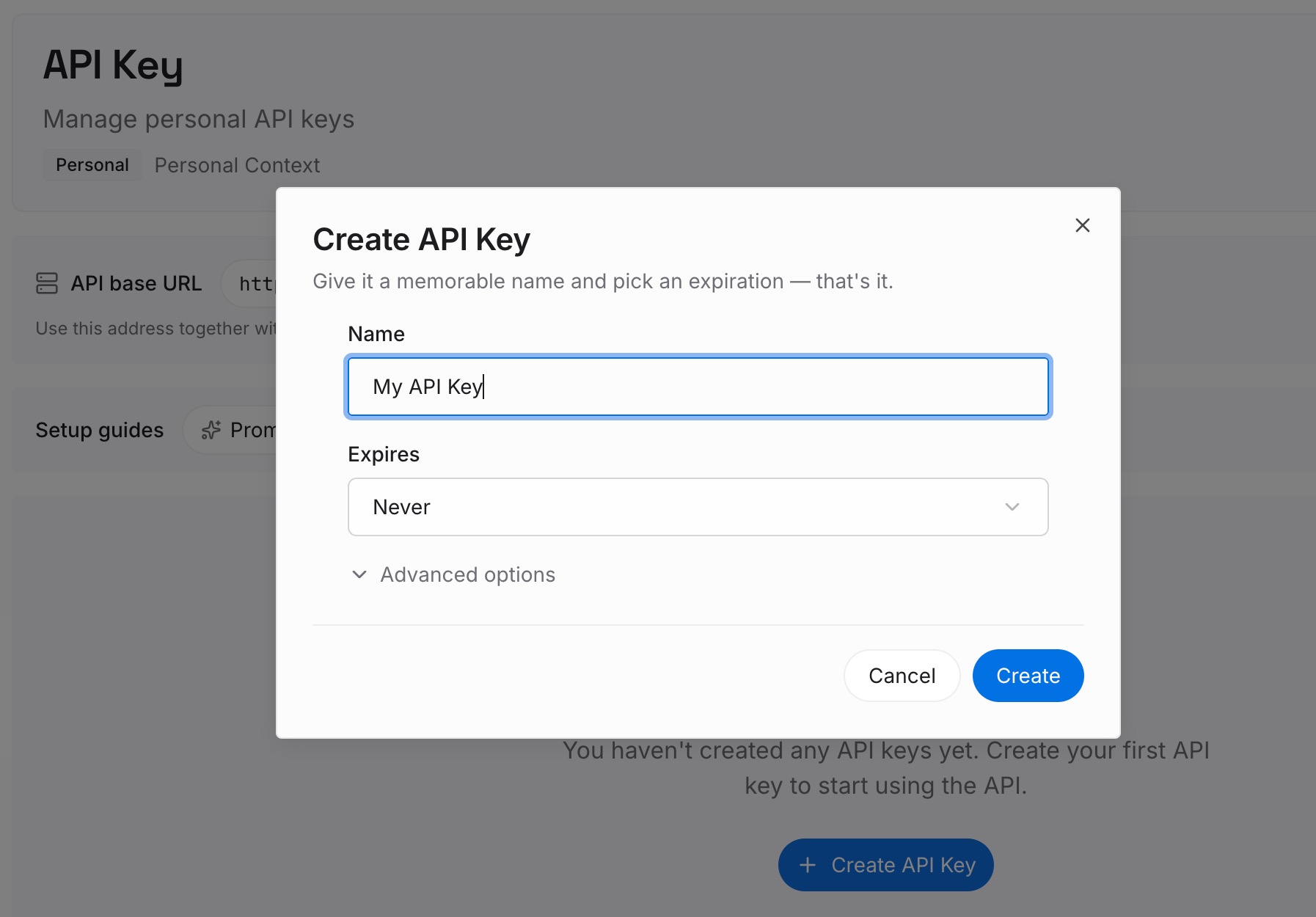
Step 1: Create an API key
Sign in and generate a key from the dashboard. Store it outside your repositories, like any other credential.
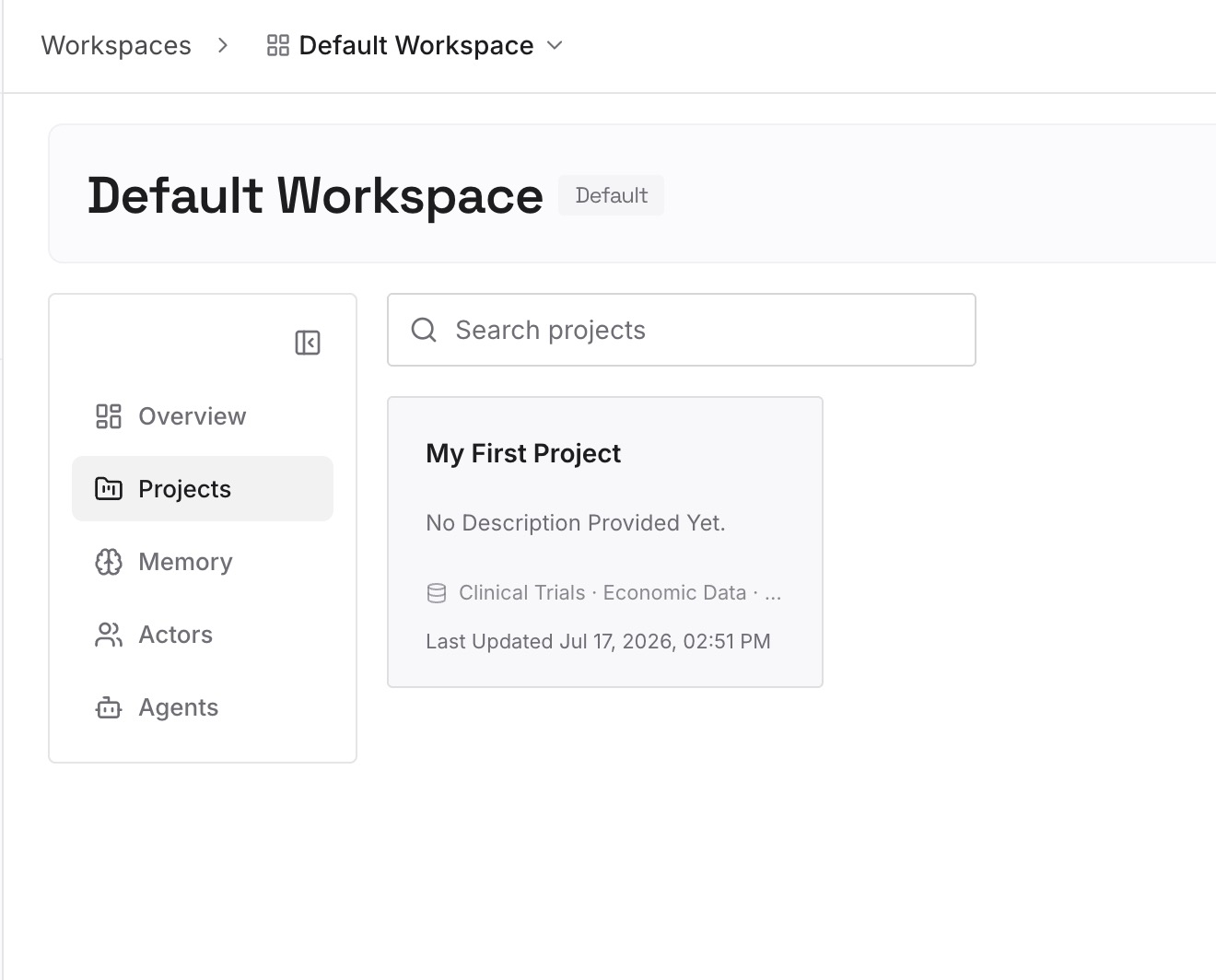
Step 2: Upload your first memories
Start with what you wrote in Step 4 of the fix: decisions that span sessions and why you made them. One decision per entry.
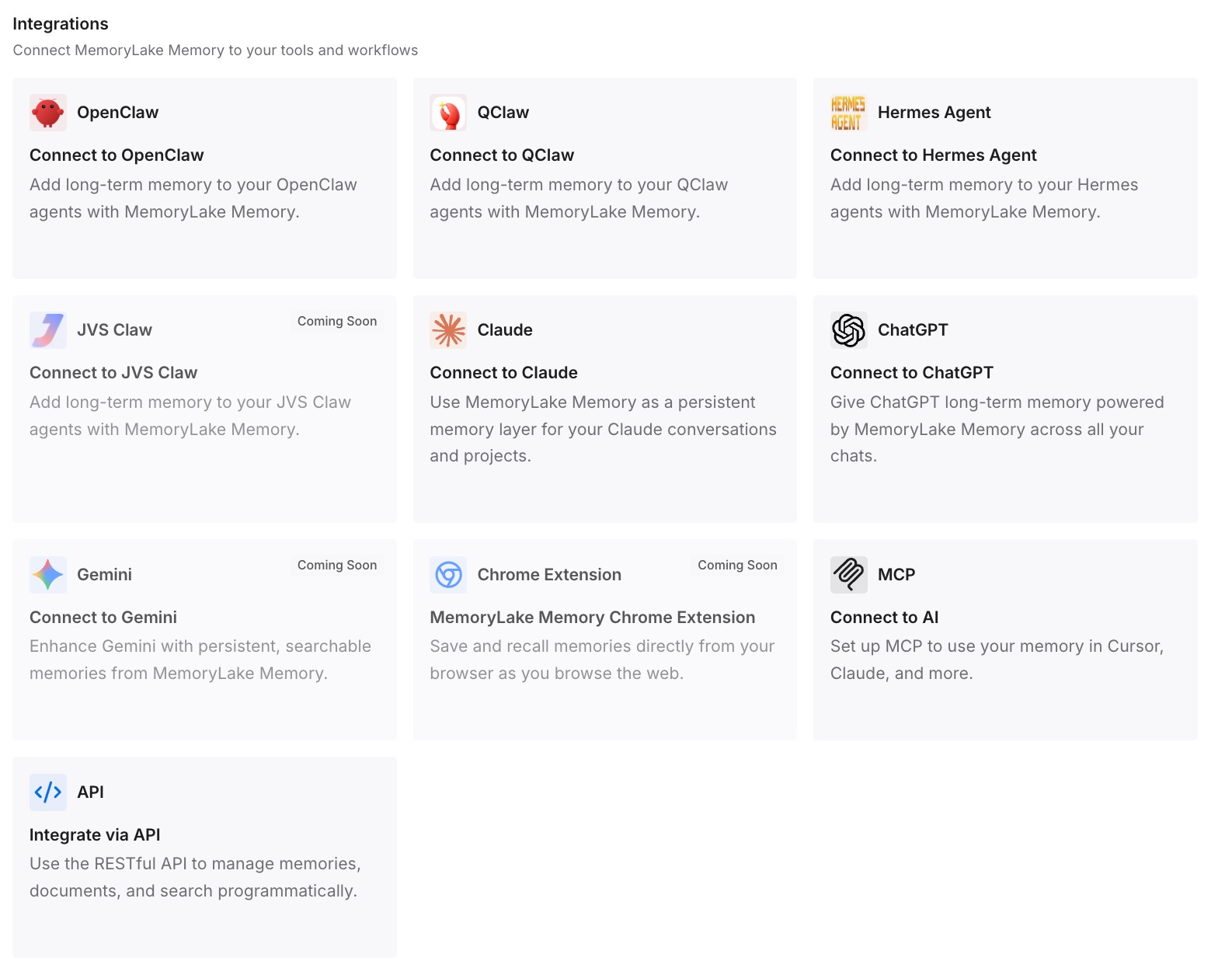
Step 3: Connect your AI & agents
Connect Claude Code, Codex, and the other assistants you use, so each one starts from the same decisions.
What this changes in practice
The first difference is a faster start. A new session can draw on decisions without you retelling them.
The second is durability. Decisions outlast the transcripts that produced them.
The third is portability. The same context is available on another machine or in another tool.
Best practices for carrying context between Claude Code sessions
Resume instead of retelling. --continue and --resume bring the conversation back.
Name important sessions. Names make them easy to find.
Keep CLAUDE.md focused. It loads in every session.
Keep MEMORY.md short. Only the start of it loads.
Ask Claude to remember key preferences. It saves them to auto memory.
Pass launch flags again when resuming. Some aren't restored.
Conclusion
Claude Code doesn't load previous conversations into a new session. Each session starts with a fresh context window plus your CLAUDE.md files and, with auto memory on, the first 200 lines or 25KB of MEMORY.md. Auto memory saves preferences, corrections, project context, and references, but it skips debugging fixes and doesn't save something every session, and it stays on one machine.
Old conversations are saved as transcripts you can reopen with --continue, --resume, or /resume, for 30 days by default. A resumed session restores the conversation, but some launch flags need passing again, and compacted history comes back as a summary. Decisions that matter beyond that window need a place you write them down.