
The ways to fork a Codex chat
Fork the chat you're in with /fork
In Codex CLI, type /fork and press Enter. The slash commands documentation lists the steps: "If Codex offers a checkout choice, choose the current directory or a new worktree." The result, in the documentation's words: "Codex clones the current chat into a new chat with a fresh ID, leaving the original transcript untouched so you can explore an alternative approach in parallel."
The fresh ID matters later. The original and the fork are now two separate saved chats, each with its own history from this point on.
Fork a saved chat from the terminal with codex fork
To fork a chat you're not currently in, run codex fork from your terminal. The command line reference says "By default, codex fork opens the session picker; add --last to fork your most recent session instead." You can also pass a session ID.
If you're in a different directory from the one the chat was saved in, Codex asks where to work. The reference says "When the current and saved session directories differ, codex fork uses the same working-directory prompt and tui.resume_cwd setting as codex resume."
Fork from an earlier message
Sometimes the branch point isn't now. It's three messages back, before Codex went down the path you want to avoid. The CLI reference describes a shortcut: "Press Escape twice with an empty composer to edit the previous user message and fork the chat from that point."
Codex's What's new page records forking reaching the app in February ("The app also added chat forking"), and in a March entry: "You could fork a chat from an earlier message, making it easier to try a new approach without losing the original path."
Ask a side question with /side
Not every detour needs a full fork. The slash commands documentation describes /side as a way "to start an ephemeral fork from the current chat without switching away from the main chat." The side chat's transcript "is separate from the parent chat", and while you're in it, the TUI keeps showing the parent chat's status.
Use it for a quick question about the plan, a check on a risk, or an explanation you don't want cluttering the main conversation. The documentation notes that "/side is unavailable inside another side chat and during review mode."
Fork without starting an interactive session
For scripts, codex exec fork copies a saved session into a new one. The reference says "With no prompt, Codex creates the fork without starting a turn." Add a prompt and the fork starts working on it straight away.
What a fork carries, and what stays behind
The conversation comes with it
A fork starts with the full transcript up to the fork point. You don't have to re-explain the task, the files involved, or the decisions already made. That's the main reason to fork rather than start a new chat.
Your files depend on the checkout you choose
This is the part to plan for. A fork copies the conversation, not the working directory. If you fork into the current directory, the original and the fork are working on the same files. Whatever the fork changes, the original sees on disk, and the other way round.
For an experiment that edits code, fork into a worktree. In the CLI, codex fork <SESSION_ID> --worktree does it, and the reference notes it "requires an explicit session ID and local execution; it doesn't support --last or the session picker." In /fork, choose a new worktree when Codex offers the checkout choice.
The worktrees documentation explains what you get: "Each worktree has its own copy of every file in your repo but they all share the same metadata (.git folder) about commits, branches, etc." For worktrees the desktop app manages, "The starting commit is the HEAD commit of the branch selected when you start your chat", and "If you chose a branch with local changes, Codex applies the uncommitted changes to the worktree as well."
Files Git ignores are a different case. The documentation says "Codex only copies ignored files that match .worktreeinclude; it doesn't copy other local files that Git doesn't track." If your project needs a .env file to run, list it in .worktreeinclude, or the experiment may not start the way the original does. One exception is handled for you: "Codex automatically copies an ignored AGENTS.override.md into local managed worktrees". The documentation adds that this behavior "applies to local ChatGPT desktop app managed worktrees, not remote worktrees or Git worktrees you create yourself from the command line."
Instructions come from the repository, not the chat
AGENTS.md isn't part of the conversation. It's a file in your repository, so a fork reads the same tracked AGENTS.md the original did. If you fork into a worktree and edit AGENTS.md there, the original won't see that change until it reaches its own checkout. Our guide to why Codex skips AGENTS.md rules covers how Codex finds and combines those files.
Memories are per machine, with a per-chat switch
Codex's local memories live in your Codex home directory, by default under ~/.codex/memories/. They're shared by every chat on that machine, so a fork draws on the same store as the original. What you can set per chat is whether a chat uses memories and contributes to them. The memories documentation says "use /memories to control memory behavior for the current chat", and "Chat-level choices don't change your global memory settings."
The documentation doesn't say whether a fork keeps the original chat's /memories choice, so check it in the fork if it matters. If you're forking to try a bad idea on purpose, you may not want that chat feeding future memories. Our guide to Codex local memories covers how they're generated and reset.
A fork's findings stay in the fork
The fork documentation describes copying a chat into a new one. It doesn't describe merging a fork's conversation back into the original. Whatever the fork discovers stays in the fork's transcript. If the experiment works, the original chat won't know unless you tell it.
A shared snapshot can't be forked
If someone sends you a shared Codex chat, you can read it, but you can't pick it up where they left off. The documentation says: "You can't fork the original thread from a shared snapshot. You can import the snapshot as an attachment and refer to it in a new thread." Shared snapshots also leave out a lot. They "don't include the original thread's tool calls, shell commands, or tool input or output."
Assumptions that make forks go wrong
Assuming a fork has its own files. It has its own conversation. Its files are whatever checkout you chose. In the current directory, both chats edit the same code.
Assuming the original will learn what the fork found. The two transcripts are separate from the fork point on.
Assuming a worktree has everything your project needs. Tracked files, yes. Ignored files only if they match .worktreeinclude.
Forking when you only had a question. A full fork for a one-off check leaves you with an extra saved chat to keep track of. /side is built for that.
Forking when the work hasn't actually branched. Codex's best practices are direct: "Keep one chat per coherent unit of work. If the work is still part of the same problem, staying in the same chat is often better because it preserves the reasoning trail. Fork only when the work truly branches."
The Fix: Decide whether the work branches, fork into the right checkout, then carry the result back
Step 1: Decide whether you need a fork, a side chat, or neither
Ask what you're about to do. If it's a quick question about the current work, use /side. If it's a genuinely different approach that will produce different code, fork. If it's the next step of the same problem, stay where you are.
If the branch point is behind you, use the Escape shortcut in the CLI, so the fork starts before the turn you want to undo.
Step 2: Fork into a worktree when both chats will touch files
If the experiment will edit code and you want the original's files left alone, fork into a worktree. Before you rely on it, check that the worktree has what the project needs to run: add ignored setup files to .worktreeinclude once, and every managed worktree gets them.
If you're forking to compare plans without editing anything, forking into the current directory is fine.
Then name both chats so you can tell them apart. The /rename command, according to the documentation, "updates the saved chat name without changing its transcript." Name the original after the approach it's taking and the fork after the alternative. In the desktop app, pin the one you're continuing.
Step 3: Write down what the fork decided, and bring it back
When the experiment ends, decide which chat continues. If the fork's approach won, either carry on in the fork or bring the result into the original yourself: the change, why it worked, and what you ruled out.
If the decision should apply to future chats too, put it in AGENTS.md or your project's documentation. Codex's memories documentation gives the reason: "Keep required team guidance in AGENTS.md or checked-in documentation. Treat memories as a helpful recall layer, not as the only source for rules that must always apply."
If you want to share the result with someone, remember that a shared snapshot can be read and attached, but not forked. Tell them the conclusion along with the link.
Setting this up in MemoryLake
Forks multiply conversations. After a few experiments, the reasoning behind a decision can be spread across an original chat, two forks, and a side chat, none of which knows about the others.
MemoryLake is a memory layer for keeping the conclusions in one list you maintain, available to Codex and the other assistants you connect, such as ChatGPT and Claude Code, regardless of which chat they came from.
You write the entries yourself, in your own words. Nothing is read out of, written to, or deleted from your Codex chats, your worktrees, your ~/.codex directory or its memories, your AGENTS.md files, or any vendor's store. Leave out secrets and credentials, and follow your organization's policy for project details.
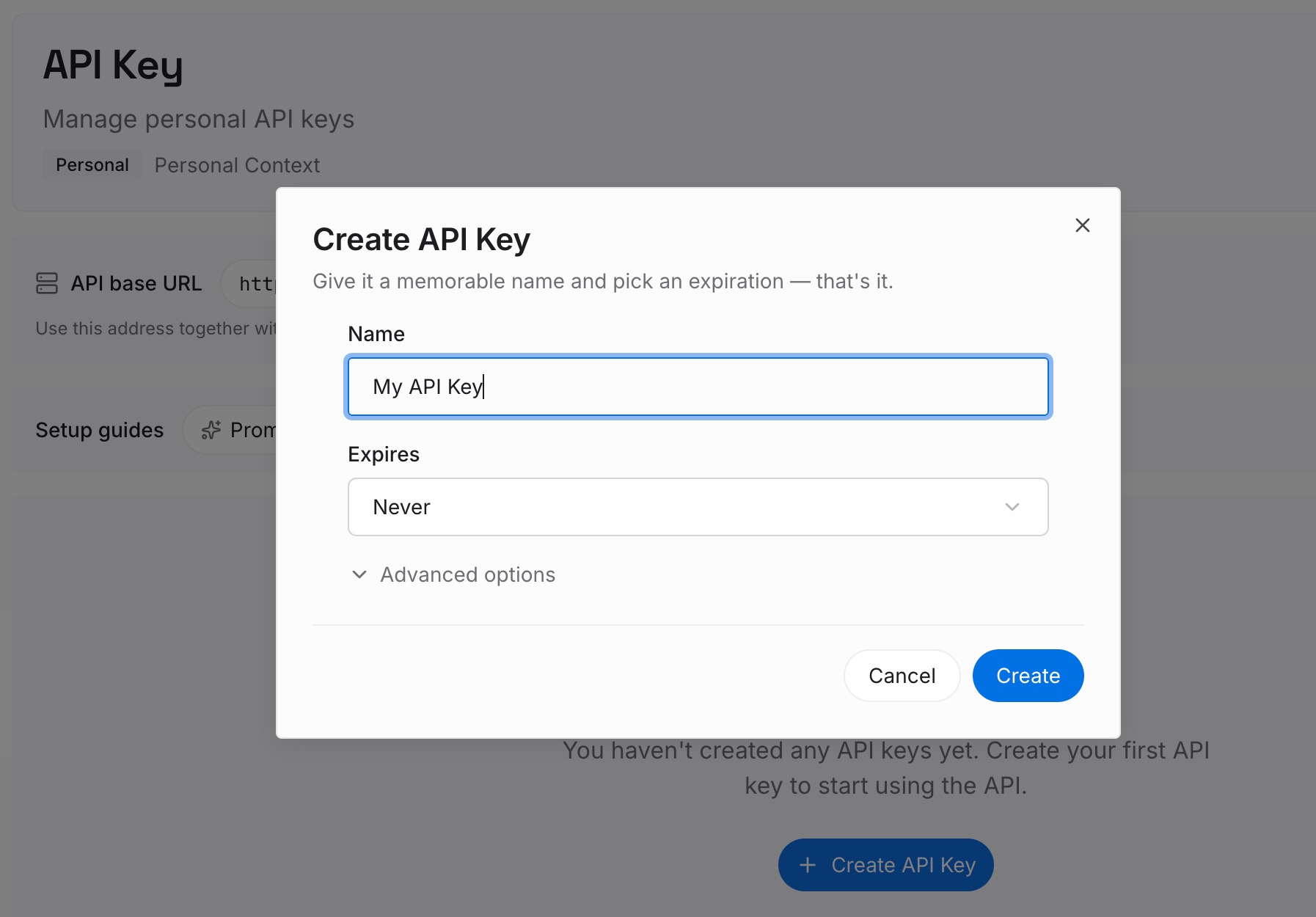
Step 1: Create an API key
Sign in and generate a key from the dashboard. The key belongs to your MemoryLake workspace and is separate from your ChatGPT account.
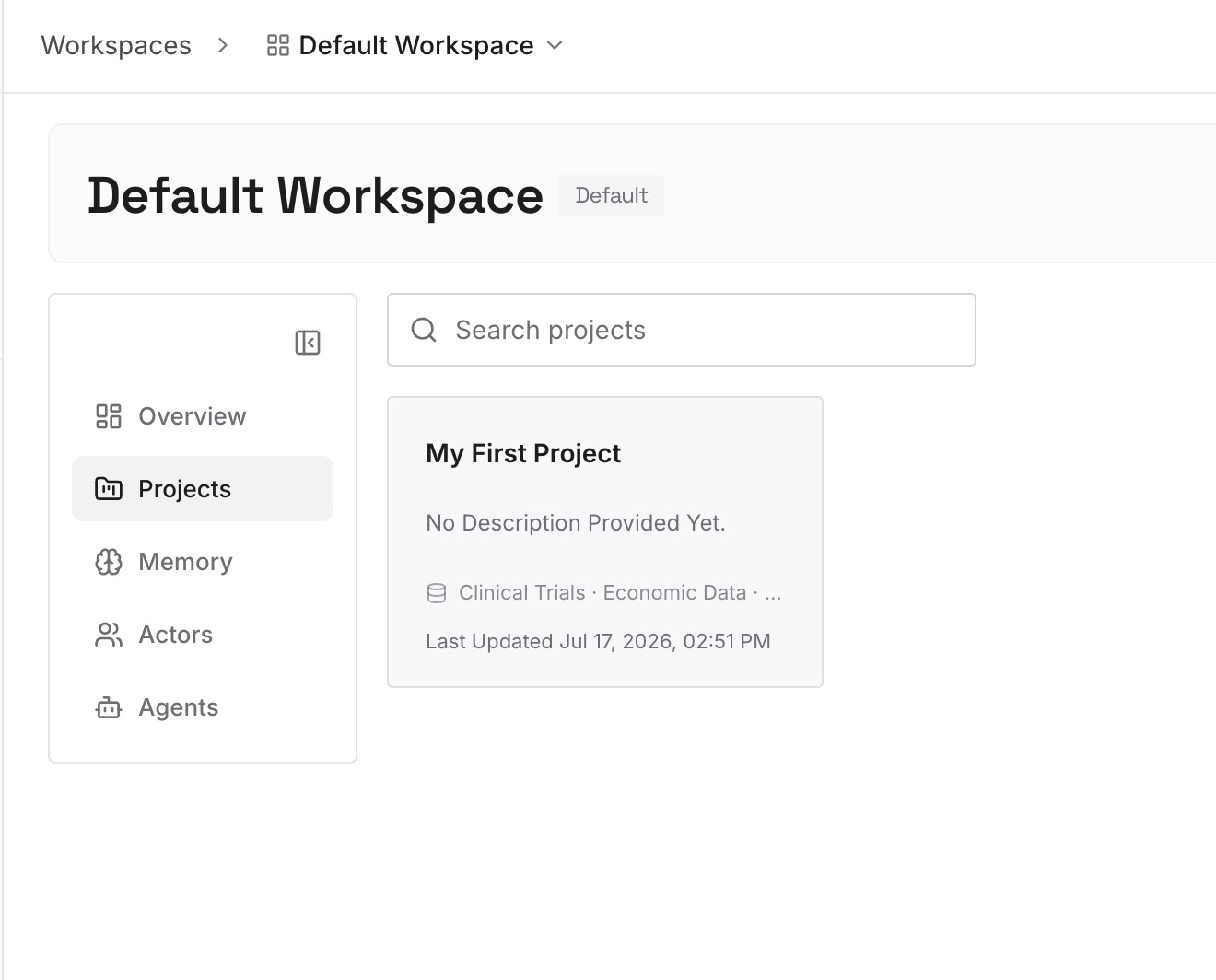
Step 2: Upload your first memories
Start with your last few forks. For each, write which approach won, why, and what the losing approach taught you. One decision per entry, dated, with the repository it applies to.
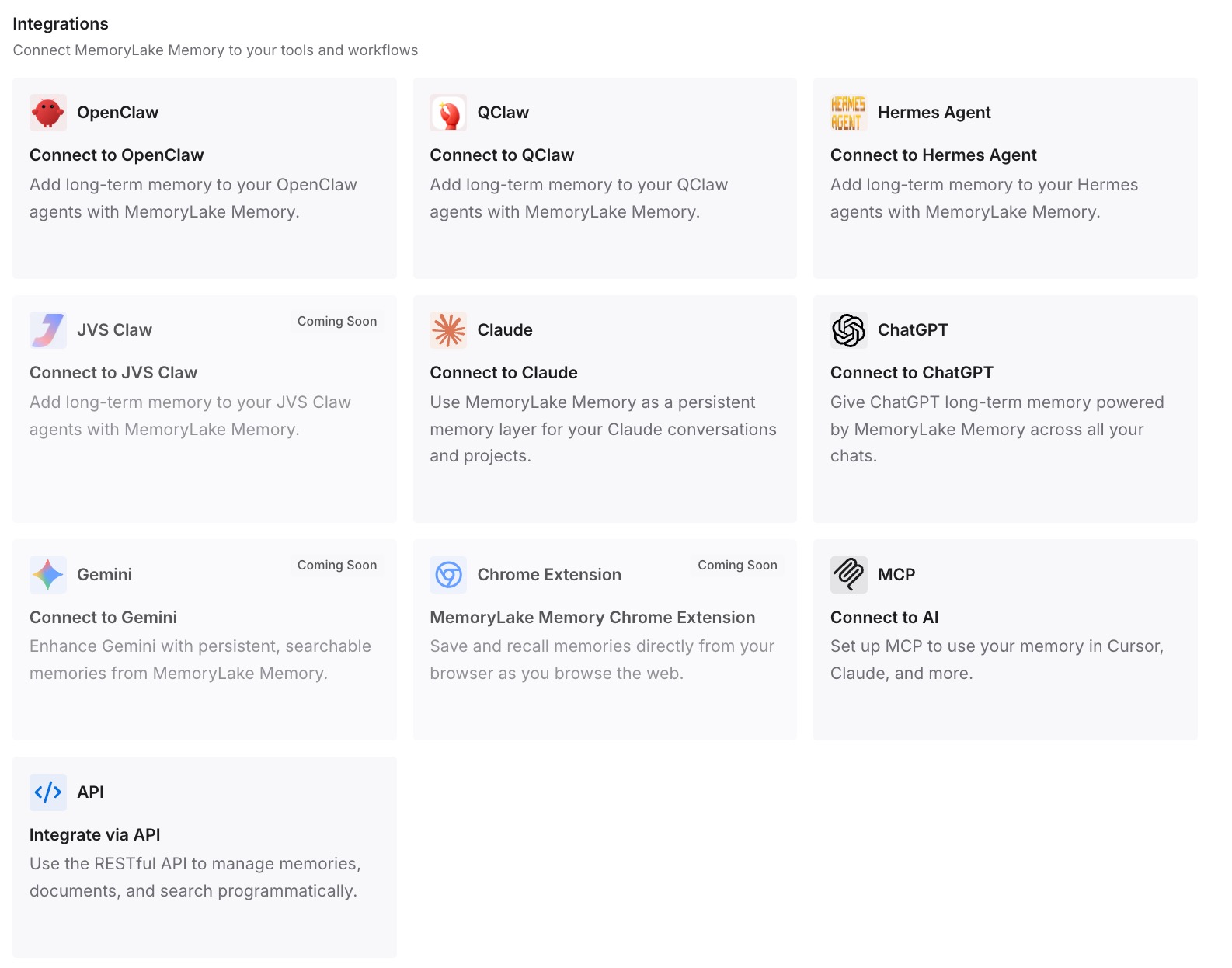
Step 3: Connect your AI & agents
Connect Codex and the other assistants you use. The next chat, forked or fresh, can start from what you've already decided.
What this changes in practice
The first difference is that experiments stop putting the original at risk. With a worktree, the fork has its own files and the original's code stays as it was.
The second is that you can tell your chats apart. Named chats, and a clear rule about when to fork and when to use /side, keep the session list readable.
The third is that results don't stay stranded in the fork. Writing the conclusion into the original, AGENTS.md, or a list you keep means the next chat knows what you found. If you later need to find an older chat or fork, our guide to finding missing Codex chat history covers where Codex keeps them. For why a new chat may not remember the project, see our guide to why Codex forgets project context.
Best practices for forking Codex chats
Fork only when the work branches. Stay in the same chat for the next step of the same problem.
Use /side for questions. It keeps detours out of the main transcript without creating a full fork.
Fork into a worktree for code changes. Otherwise both chats edit the same files.
Set up .worktreeinclude once. Ignored files a project needs, such as .env, won't be in a new worktree otherwise.
Name both chats. Use /rename so the picker shows which approach is which.
Check /memories in the fork. Decide whether an experiment should feed future memories.
Bring the result back. Write the decision into the chat you continue, or into AGENTS.md if it should last.
Conclusion
Forking a Codex chat copies the conversation into a new chat with a fresh ID and leaves the original untouched. You can fork the chat you're in with /fork, a saved chat with codex fork, an earlier point with the Escape shortcut, or ask a side question with /side. What a fork doesn't do is give itself separate files unless you choose a worktree, merge its findings back, or work from a shared snapshot.
Decide whether the work really branches, fork into a worktree when both chats will edit code, name both chats, and carry the result back when you're done. That way the experiment helps the original instead of replacing it.