
Why every cloud run starts over
A fresh session is the contract, not a failure
Warp states the guarantee twice, once in the reference and once in the quickstart, where the phrasing is even more explicit: "Each run starts a fresh, isolated session with no state carried over from previous executions, and every run is tracked and reviewable in the Oz web app."
The rest of the execution model explains why that is desirable rather than merely convenient. "Runs execute automatically without human intervention." And "If a scheduled run fails, it does not block future runs. Each execution is independent." Independence is the property that makes unattended scheduling safe — a run that inherited a corrupted state from last week would propagate it silently, forever, with nobody watching.
So the isolation is deliberate. What is missing is not isolation but a channel: somewhere a run can deposit a conclusion that the next run is allowed to read.
The environment is repeatability, not recall
The obvious place to look is the environment, and this is where most teams lose a day. Warp's definition rules it out in one sentence: "Environments describe how an agent executes a task, not what it does."
An environment groups a Docker image, one or more repositories the agent clones, setup commands, environment variables, and Agent Secrets. Its purpose is sameness: "They give cloud agents the same container, repositories, and setup every time they run." And then the line that closes the door: "Together, these settings create a fresh workspace for each run."
That is exactly the right design for a build environment and exactly wrong as a memory. Same starting point every time is the opposite of accumulated knowledge. The "unless your environment explicitly persists data" clause is real, but it means you are wiring up your own persistence — a database, a repository the agent commits to, an external store — not that the environment remembers anything on its own.
Warp does list one adjacent slot, per-run context, which "Supplies task-specific data, such as a Slack thread, PR metadata, or CI logs." That is the trigger's payload, not a store, and it is scoped to the run that received it.
Handoff resumes a run, with three preconditions
Handoff is the mechanism people find next, and it is genuinely good at what it does. Cloud-to-cloud handoff lets you send a follow-up to a finished run, and Warp is precise about what comes with it: "Handoff preserves enough state that the receiving agent can resume the work, not only read about it." The follow-up lands in "The same conversation," and "The prior session's repository changes (tracked and untracked) are restored before the agent answers your follow-up." Run identity survives too — ID, task, creator, environment, schedule trigger, and integration source are all preserved.
But it is a manual continuation of one specific run, with three conditions that matter in practice:
The run must have ended cleanly enough. "The run must be in a terminal state, such as succeeded, failed, or canceled," and "Blocked runs that are waiting on user input or approval can't be continued via cloud-to-cloud handoff." Very old runs "that predate the agent conversation model" cannot be continued either.
There must be a snapshot. Runs "capture a workspace snapshot at the end of each session," and if one was not captured — Warp gives a transient storage error as the example — "the run still continues but without restored workspace state." The caution is blunter: "Older cloud runs that don't have a snapshot on file can't be handed off; start a new run instead."
And ownership can restrict it: "Cloud runs that originated from a local-to-cloud handoff can be continued only by the user who created them, not by other team members." Warp also notes handoff "is best-effort" — when changes cannot be applied cleanly, the agent reports which failed and continues with the rest.
None of that is a knock on handoff. It is simply a different shape: a human deciding to extend one run, not a schedule that learns.
Warp's own answer exists, and it is in research preview
Warp is building the missing layer, and it is worth knowing exactly where it stands so you neither dismiss it nor plan around it prematurely.
Agent Memory is described as "a persistent memory system that lives on Warp and is shared across every supported agent harness, including the built-in Warp Agent, Claude Code, Codex, and others as they're added." It explicitly includes background work: "Both local and cloud agents - Supports interactive local agents in Warp and background cloud agents." Memories are extracted automatically — "When a conversation ends, Warp extracts durable facts, learnings, and outcomes and writes them as memories," and "New knowledge merges with existing memories or supersedes them on conflict." It is organised into personal, agent and team stores, each memory "records where it came from," and "Every change to a memory is recorded so teams can inspect how a memory has changed over time." Creation and retrieval run in the background so they "don't consume tokens or add latency to the active task."
That is a well-shaped design, and provenance plus auditability are not common — see why memory provenance matters for why those two properties do a lot of work.
The status is the constraint: "Agent Memory is in research preview and is enabled per team for design partners," with a waitlist to request access. There is also a coverage limit worth reading carefully if you run third-party harnesses: "Third-party harnesses are covered when they run as cloud agents," and "(Running third-party harnesses locally isn't supported during the research preview.)" Programmatic API access and self-hosting are listed as coming, not present.
So the correct summary is not that Warp lacks a memory layer. It is that Warp has one, it targets exactly this problem, and today it depends on being a design partner.
What people try
Committing state into the repo. Works, and for some jobs it is the right answer — a checked-in ledger the agent appends to is durable, reviewable, and diffable. It also means every run opens a pull request against a file that is not code, and it does not help across repositories.
Making the schedule more specific. "Skip anything you already handled" reads well and cannot be executed, because a fresh session has no record of what it handled.
Chaining follow-ups manually. Handoff each week's run into the next. This does carry workspace state, but it needs a human every cycle, which defeats the point of scheduling, and it hits the snapshot and ownership conditions above.
Assuming the environment retains something. Covered above. The environment is defined as how, not what, and it builds a fresh workspace per run.
Concluding Warp cloud agents have no memory at all. Understandable if you only read the execution model, and wrong: Agent Memory covers cloud agents by design. The accurate statement is that it is in research preview and gated to design partner teams today.
Turning the schedule off. The most common outcome, and the one that wastes the most work.
The Fix: Give Each Run Somewhere to Read and Write That Outlives the Session
The seam Warp identifies is exact: state crosses a run boundary only if something outside the session holds it. So put a memory layer outside the session and let each run read from it at the start and write to it at the end.
MemoryLake is that layer — one store you own, reached over an API, so the same knowledge is available whether the run was triggered by a schedule, a Slack mention, or a person at a keyboard. Three steps.
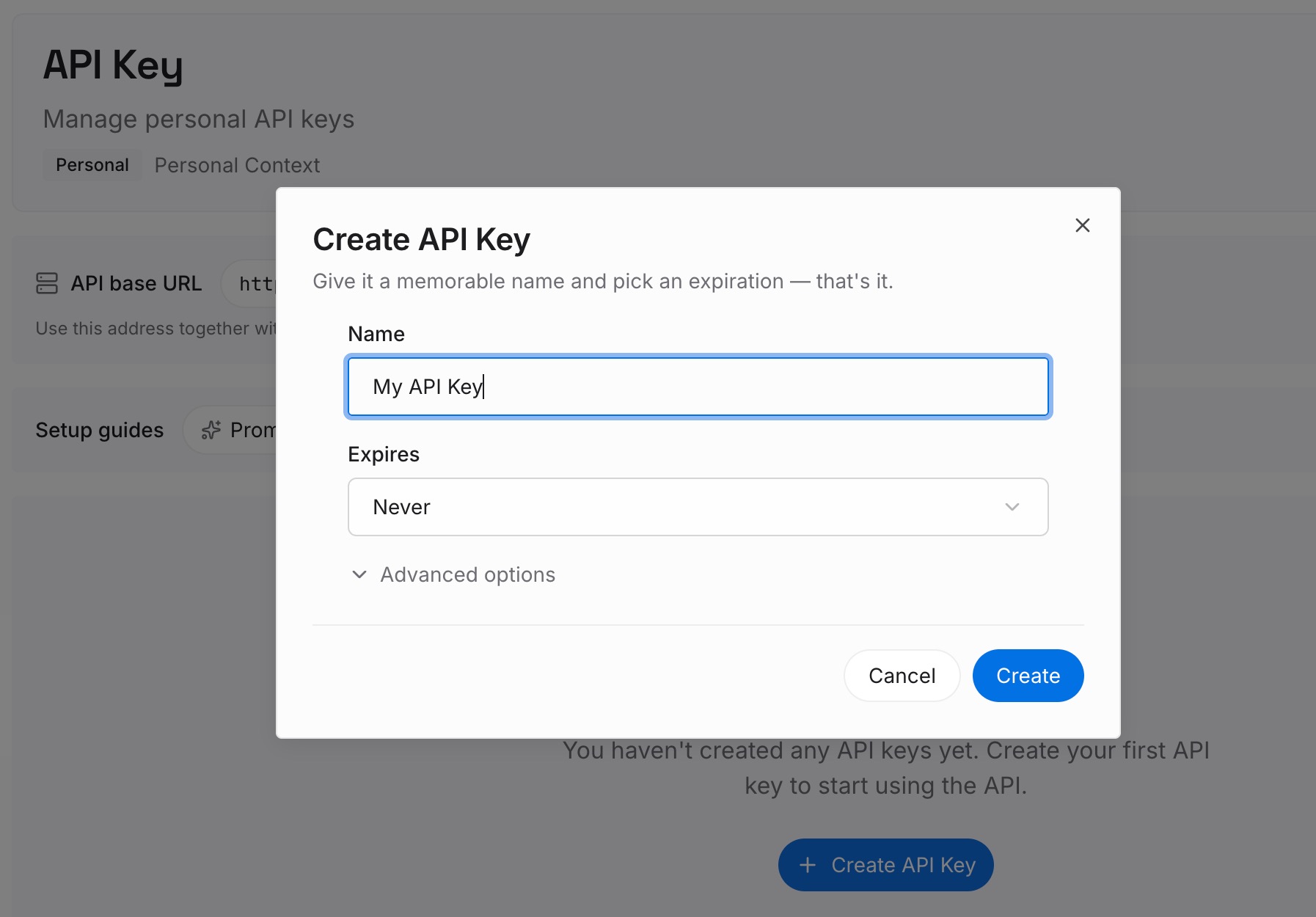
Step 1: Create an API key
Sign in and create an API key from your workspace settings. Store it as an Agent Secret so it is injected at runtime rather than baked into an image, which is what Warp's secrets mechanism is for.
Step 2: Upload your first memories
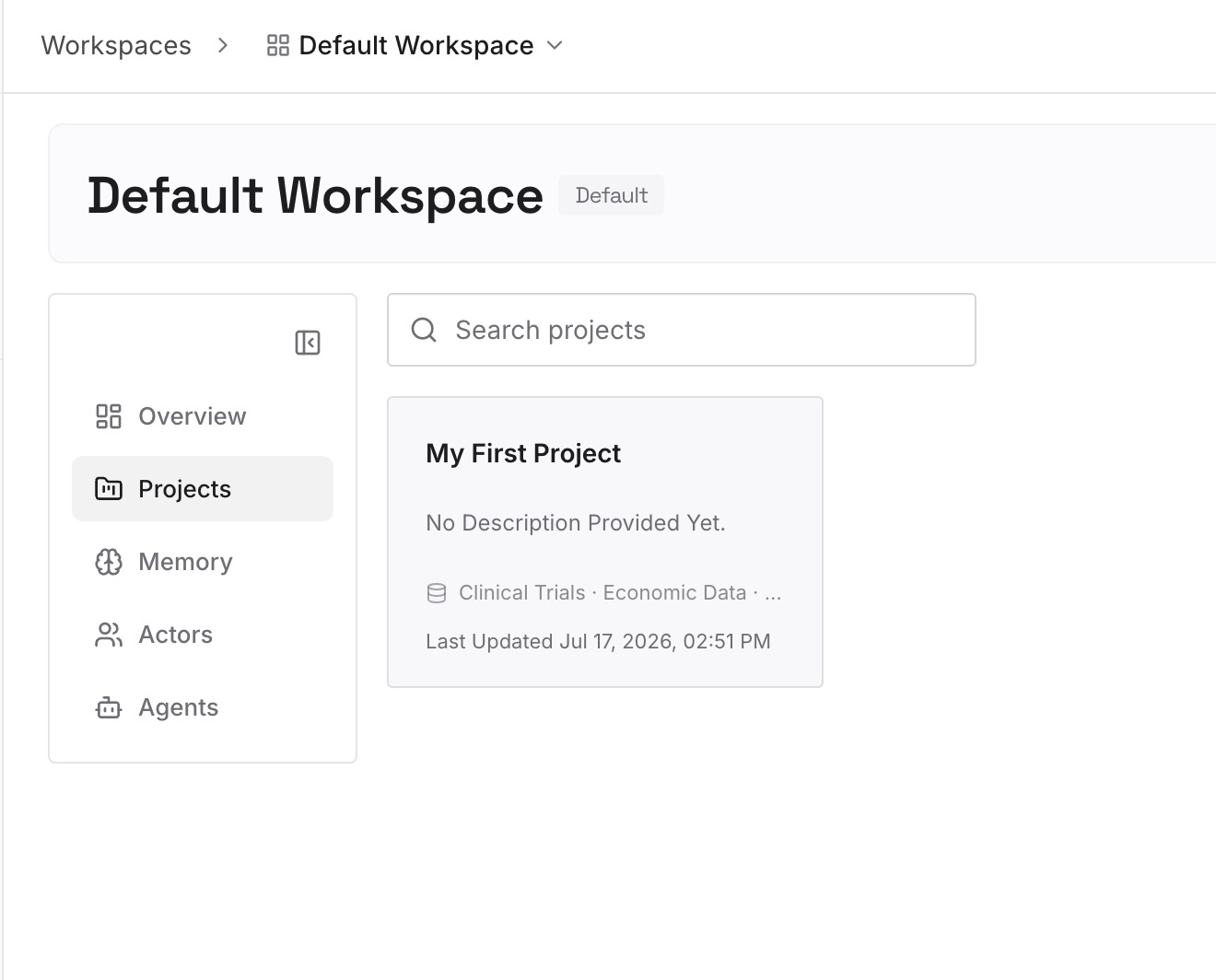
Seed it with the conclusions your runs keep re-deriving. For issue triage: which issues were already judged duplicates and why, which reporters need a specific follow-up question, which labels your team treats as terminal. For dependency work: the upgrades already attempted and abandoned, and the reason. For cleanup jobs: the files that look dead and are not. Files go in as they are, including the multimodal ones, so a runbook diagram or a spreadsheet of ownership can go straight in.
Step 3: Connect your AI & agents
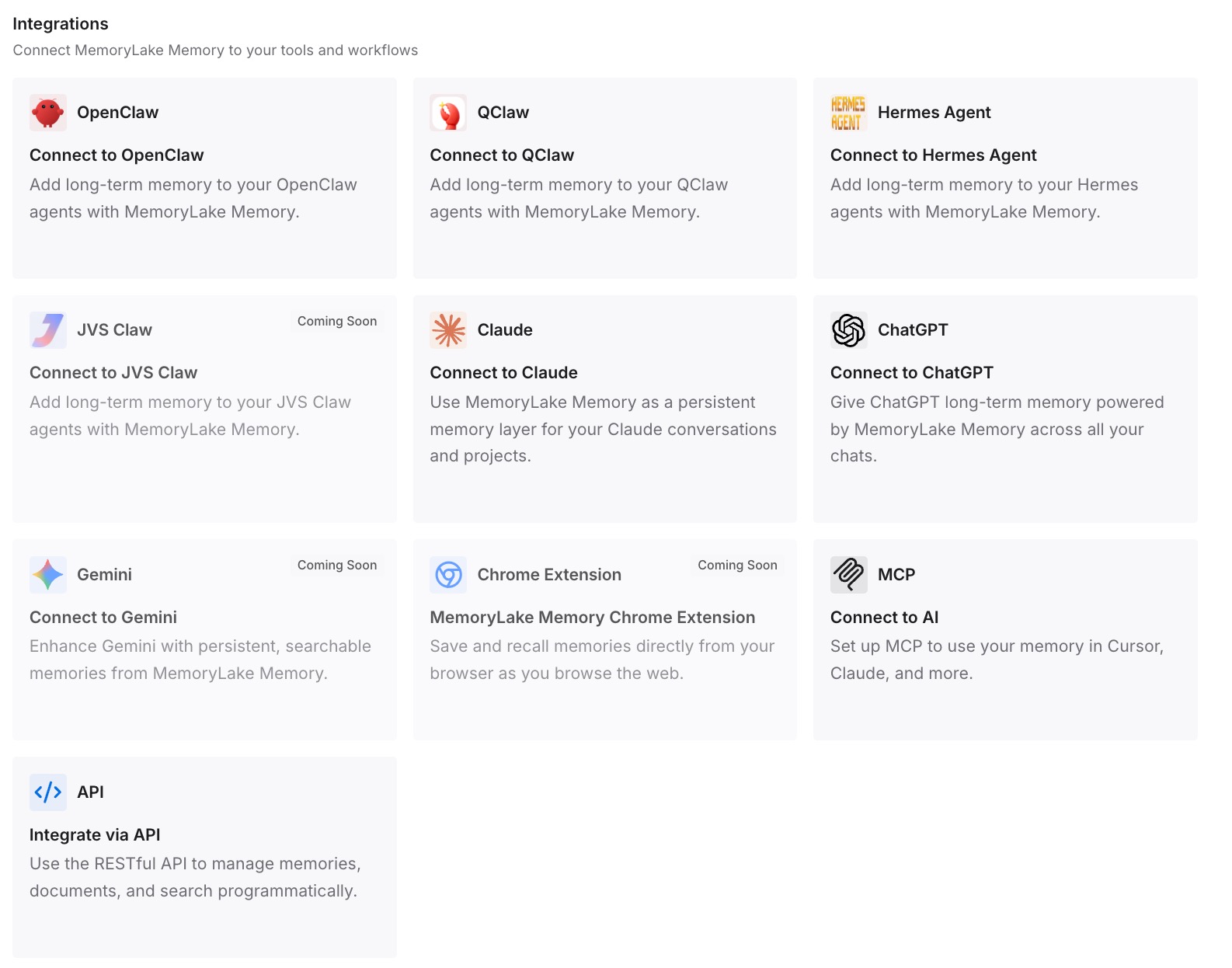
Connect Warp alongside anything else you run. Then make the read and write explicit in the prompt: begin by checking what previous runs concluded about this task, and end by recording anything a future run should not have to work out again. Because the schedule's prompt is the only thing that persists across runs, that instruction is the durable part.
Three honest limits. This does not change Warp's isolation model — every run still starts a fresh session, and that is a good thing. It does not restore workspace state; repository changes are handoff's job and MemoryLake holds knowledge, not diffs. And it is not a substitute for an environment: image, repos and setup commands stay where they are.
What this changes in practice
The first change is that a scheduled agent stops repeating itself. The second run reads what the first concluded, and acts on the delta instead of the whole surface.
The second change is that the run history becomes useful rather than merely available. Warp keeps everything — "Deleting a schedule immediately stops all future runs. Previous runs and their session history remain accessible for inspection and review," and "Changes apply only to future runs. Past runs and their session history remain unchanged." That is a good audit trail and a poor lookup mechanism, because nothing reads it on the next run's behalf. A memory layer is the part that turns a transcript archive into something an agent consults.
The third change shows up when you run more than one agent. Warp's own design points at this with team stores attached to shared agents, and the same logic applies to an external layer: a triage agent and a review agent that both read one store stop contradicting each other. That is the general case described in shared memory for multi-agent systems.
Best practices for scheduled cloud agents
Write the prompt as if it will run for a year unattended. The prompt is the only thing that survives every run, so it should say what to read first, how to decide whether anything is worth reporting, and when to stop.
Keep knowledge and workspace state separate. Repository changes are handoff's domain. Conclusions, decisions and exclusions belong in a store. Mixing them produces a ledger nobody can review.
Do not let the store grow without a shape. Warp's model of extracting "durable facts, learnings, and outcomes" is a good filter to copy: record decisions and their reasons, not transcripts. How much memory to give an agent goes further into where the ceiling sits.
Record provenance. Warp requires per-store instructions on every attachment precisely so an agent knows what a store is for — "Instructions are required on every attachment so the agent knows the purpose of each store." Apply the same discipline externally: note which run produced a conclusion, so a wrong one can be traced and removed.
Choose a run identity deliberately. Warp's default has runs execute as the schedule's creator, while a cloud agent identity authenticates as the app. That decision affects who can review the agent's pull requests, and it is separate from memory but easy to get wrong at the same time.
Watch the schedule's blast radius before you scale it. Runs are billed to the team's shared credit balance and execute without intervention. A memory layer makes each run cheaper by narrowing what it has to examine, which is a side benefit worth measuring.
Join the Agent Memory waitlist if it fits your stack. If your team is eligible, a native cross-harness store is a good thing to have. Just do not build this quarter's plan on a research preview.
Conclusion
Warp told you the rule up front: every run starts a fresh session, and nothing crosses the boundary unless something outside the session holds it. That is the correct design for unattended automation, and it leaves one gap — a place for a run to leave a conclusion for the next one.
Warp is filling that gap with Agent Memory, which covers cloud agents and is in research preview for design partner teams. Until that is generally available, the mechanism is the same one Warp's own sentence describes: an external store, read at the start of each run and written at the end. Fresh session, accumulated knowledge. Those two things are only in tension if the knowledge lives inside the session.