
What actually transfers
Your instructions — as files, if they were files. Codex's importer is explicit about where it looks: "The import flow checks both your user-level setup and your existing projects. User-level setup comes from files on your machine. Project-level setup comes from files in the repositories and folders you select." Cowork's folder instructions are files attached to a local folder, and they are the part of your setup shaped like something an importer can find. Cowork's global instructions are not. They live in Settings > Cowork as text you typed into a box, described as "standing instructions that apply to every Cowork session." That is a product setting, and no file-scanning importer will discover it.
Your skills and plugins — with a repackaging step. Cowork plugins each "bundle skills, connectors, and sub-agents into a single package." Codex's import table has separate rows for Skills, Plugins, and Subagents, which means a bundle arrives as its parts. Nothing is lost; the packaging is.
Your project folders — as projects. The table maps "Existing project folders" to "Projects using the same folders." Cowork projects are already local — its documentation states that Cowork projects "live locally on your desktop" and, under limitations, that "Projects are desktop-only and stored locally. There's no cloud sync for project data at this time." Local and file-shaped is exactly what the importer wants.
Thirty days of conversation. "Chats from the last 30 days" is a row in the table. Treat it as a reference archive, not as memory: an imported chat is a transcript you can reread, not a fact your agent will apply.
And it is additive. "Importing doesn't change or delete your existing agent setup." You can import and keep Cowork exactly as it is, which is the right way to do this.
What does not transfer: what Claude remembers. Cowork's most valuable context is not a Cowork feature at all — it is Claude's account-level memory, shared with your chats. Anthropic's documentation: "Memory is shared between Chat and Claude Cowork when Cowork runs in the cloud; Cowork sessions that run locally on your computer don't use memory." So the thing that made Cowork feel like it knew you — "ask Cowork to draft an update for your manager, and it already knows who that is and how they like updates written" — is a store that belongs to your Claude account, has no file on disk, and is not in Codex's import table.
Also not transferring: project-scoped memory as a boundary. Cowork projects each carry their own memory, and the isolation is documented: "Memory is scoped to the project, so what Claude learns in one project doesn't carry over to others." Codex's local store is a different shape. The knowledge can move; the wall between projects becomes a decision about what you write where.
The manual migration
Step 1: Read your memory out of Claude before you stop using it
There is no export file, but there is an export, and Anthropic documents the shape of it.
Open Settings > Memory. Everything Claude has saved is listed under Topics, and each topic can be opened, edited, or deleted. Read the list. Anthropic also documents a way to get it all at once — asking Claude, "Write out your memories of me verbatim, exactly as they appear in your memory" — and notes you can save the result "as a backup or bring it to another AI service by copying and pasting it into a local file on your computer."
While you are in there, two facts are worth knowing. Claude's memory import feature is described as "experimental and still in active development," so do not plan a round trip. And Reset memory "permanently deletes all memories including project memories," and "this cannot be undone" — so read first, and do not use reset as a tidying step.
Sort what you find into three piles as you read:
- Already in a folder instruction or a repo file. Skip it. The importer handles files.
- Derivable from the project folder. Skip it too. Codex reads the folder.
- Neither. This is your payload: the corrections you gave, the decisions with reasons attached, who owns what, which deadline moved, where the things outside the folder live. Copy it somewhere before you go further.
One thing you will not find in that list, by design: Anthropic states that "some information is never saved to memory, even if you ask," including "government ID numbers, criminal history, financial account numbers, and immigration status." Nothing in that category needs migrating anywhere.
Step 2: Land the written half, then fix the two things the importer cannot know
Run the import from the ChatGPT desktop app — Settings > Import, then Import, choose Claude Cowork, and select what to bring. If Import is not there yet, the docs point to General and "Import other agent setup." There is also an automatic-updates option to "keep imported work in sync with the original agent," which is useful if you plan to run both tools for a while.
Then do the two things no importer can do for you.
Retype your global instructions. They were a settings field, not a file. Their new home is ~/.codex/AGENTS.md, which Codex reads for every repository. Codex's discovery rule at that level is worth knowing before you create files: it reads AGENTS.override.md if present, otherwise AGENTS.md, and "Codex uses only the first non-empty file at this level." One global file wins; a second one is inert.
Re-scope the folder instructions. Codex builds its instruction chain by walking from the project root down to your working directory, checking each directory for AGENTS.override.md, then AGENTS.md, then configured fallback names, and "Codex includes at most one file per directory." Files are concatenated root-first, so the ones nearest your working directory override earlier guidance. That is more structure than Cowork's per-folder text gave you, and it is worth using — but there is a ceiling. Codex "stops adding files once the combined size reaches the limit defined by project_doc_max_bytes (32 KiB by default)." Long, prose-heavy Cowork instructions are exactly the shape that hits a byte cap, so this is the moment to cut.
One behavioural difference while you are editing: Cowork's folder instructions were partly written by Claude — "Claude can also update these on its own during a session." Codex's AGENTS.md is yours. Nothing will quietly add to it, and nothing will quietly keep it current either.
Then review what came across, using Codex's own checklist: tool restrictions in imported skills and agents, MCP servers with custom authentication or transports, hooks whose behaviour may differ, plugins needing follow-up, and prompts that depend on arguments or file-path placeholders.
That is the written half done. The pile from Step 1 still has nowhere to go.
The Better Way: Give the Learned Half a Home That Isn't Tied to One Account
Codex does have a local memory store — it is off by default, it lives under ~/.codex/memories/, and its documentation is careful about what it is for: "Treat memories as a helpful recall layer, not as the only source for rules that must always apply." It also tells you not to treat those files as your control surface: "Treat these files as generated state ... don't rely on editing them by hand as your primary control surface."
That is a reasonable design and a poor destination for the pile you just rescued. You cannot paste into generated state, and you would be trading one account-shaped store for one machine-shaped one.
MemoryLake is a memory layer that sits outside any single tool, so what Claude learned about your work is readable from Codex now and from whatever comes next. Setup is three steps.
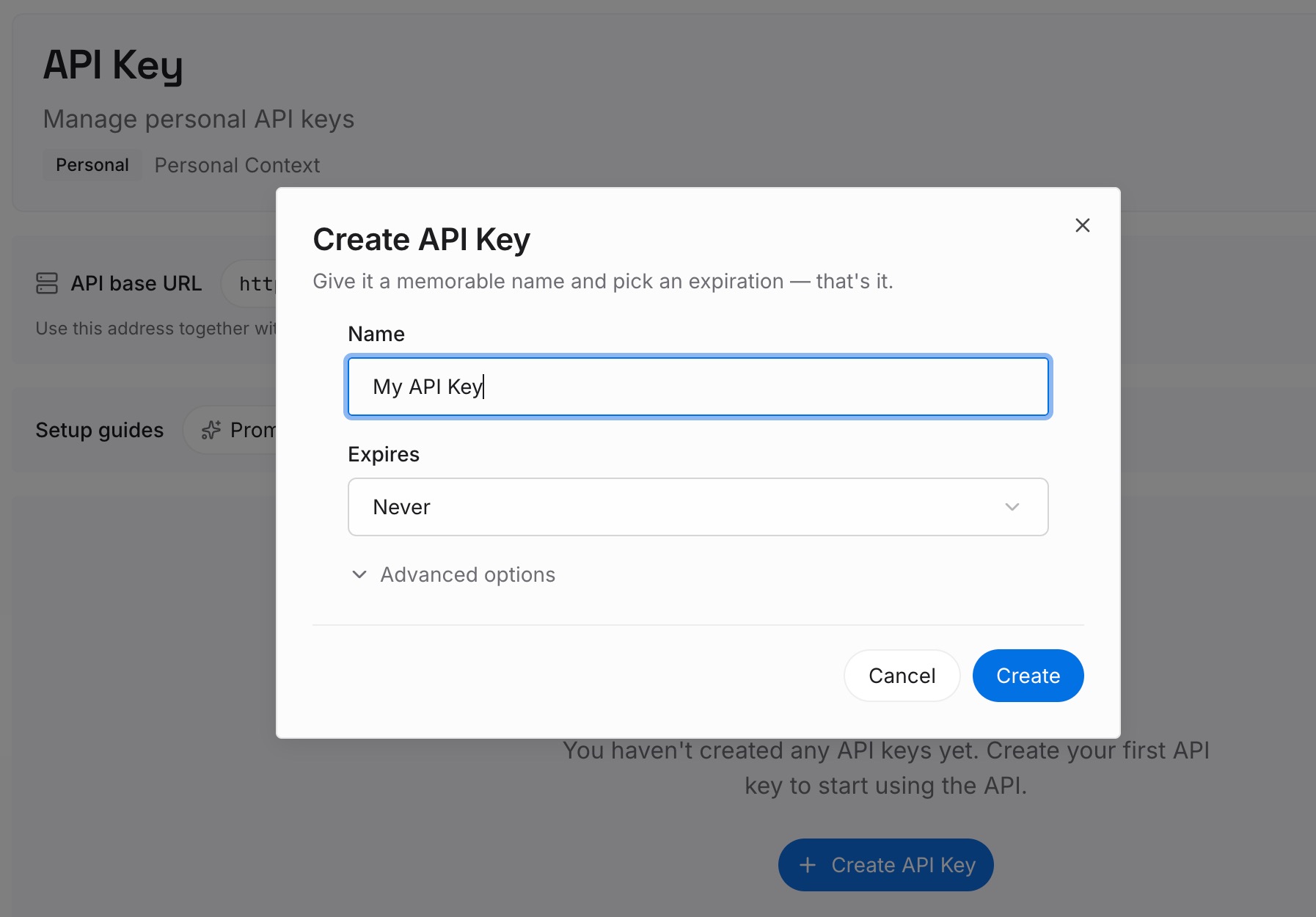
Step 1: Create an API key
Sign in and create an API key. One credential across the tools you connect.
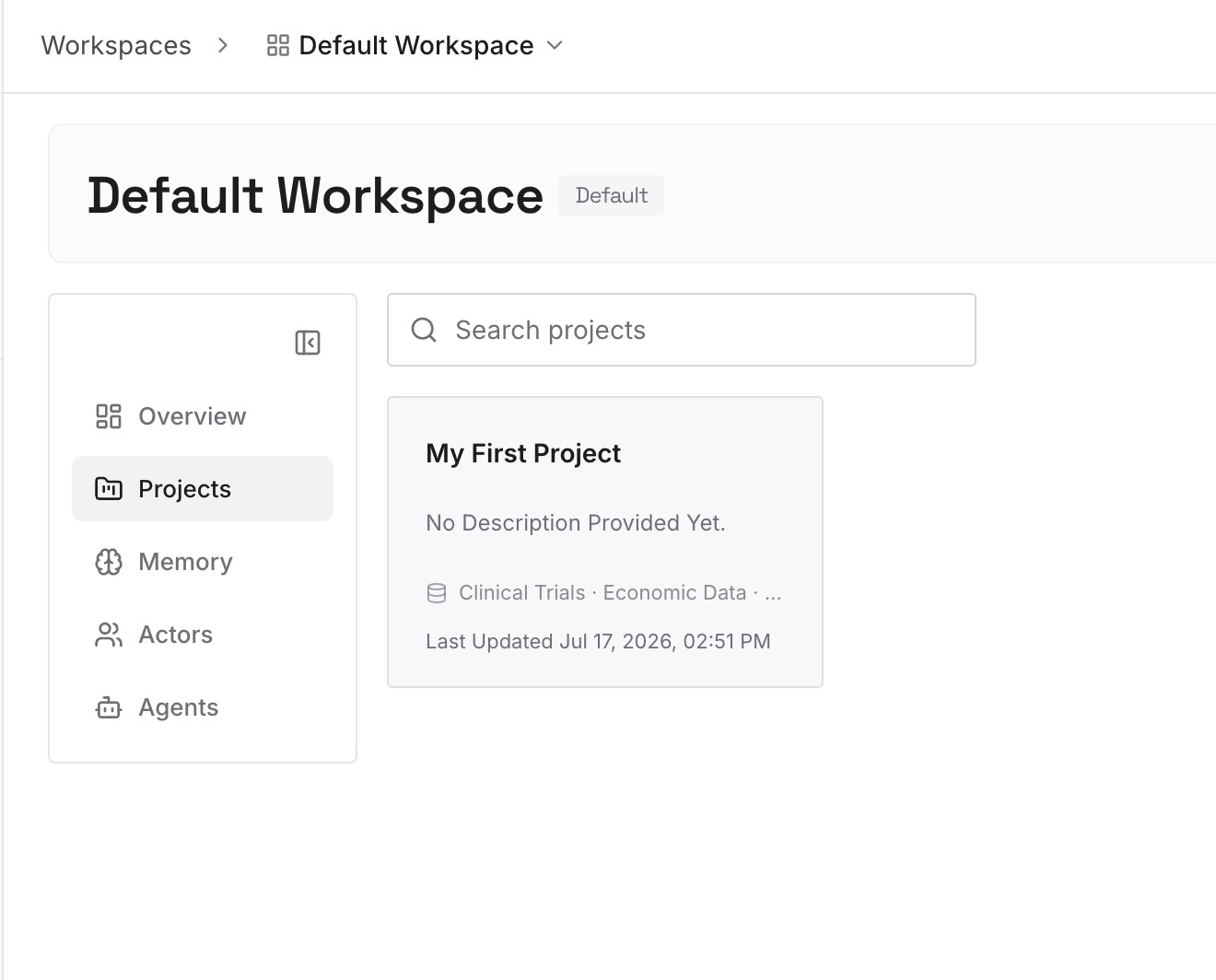
Step 2: Upload your first memories
Short entries, one claim each. Your source is the third pile from Step 1, and Claude's own description of what it remembers is a good sorting guide — "your role, projects, and professional context," "the people and places in your work and life," "communication preferences and working style," "technical preferences and coding style," "project details and ongoing work."
People and preferences. Who your manager is and how they like updates written. This is the category that made Cowork feel like it knew you, and it is the one with no file anywhere.
Decisions with their reasons. The instruction belongs in AGENTS.md; the reason belongs here. Reasons are what stop a rule being reverted next quarter.
Corrections that stuck. What you told Claude to stop doing, and why. No instruction format has a field for this.
Working context that isn't in the folder. Deadlines, current priorities, the dashboard, the tracker.
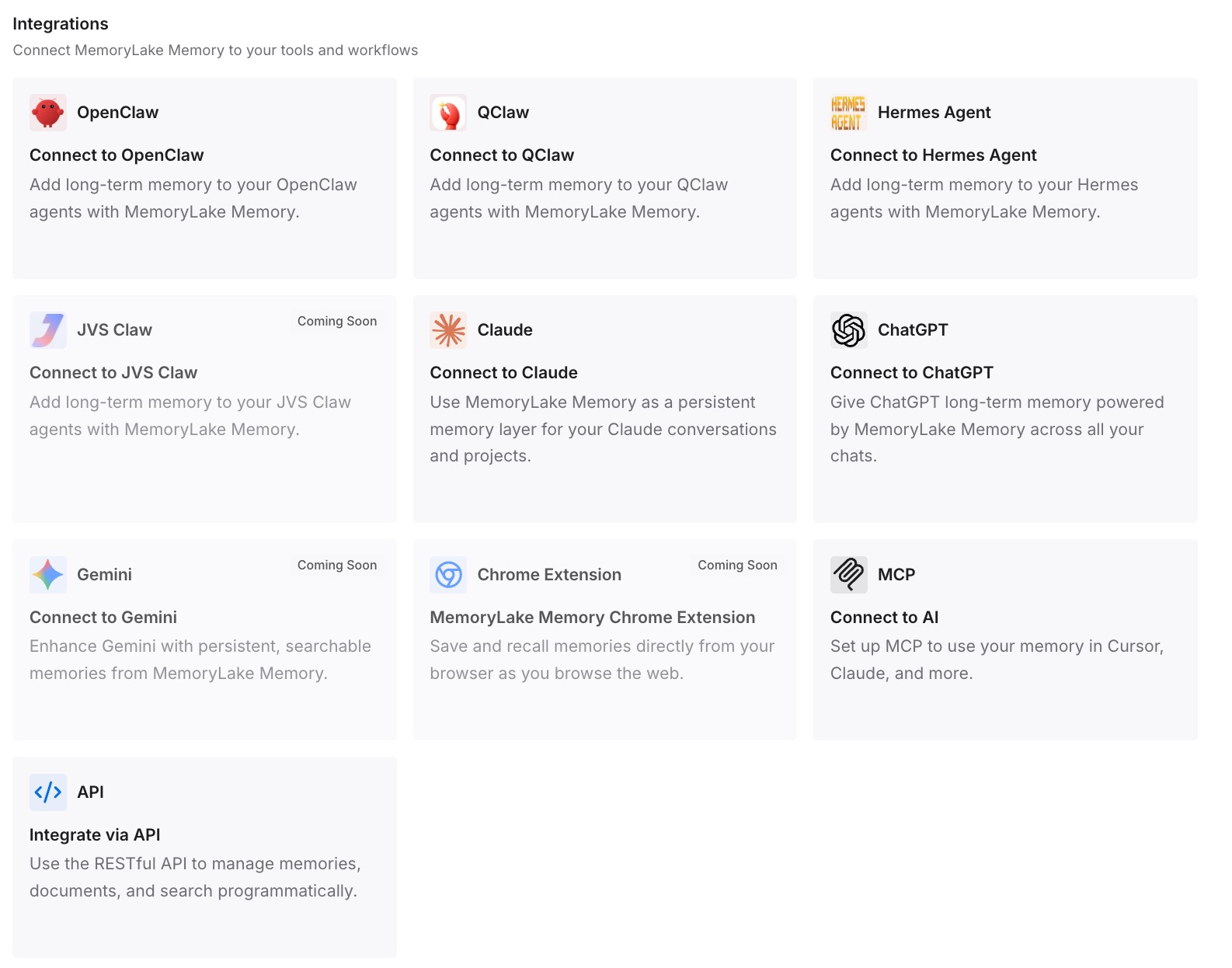
Step 3: Connect your AI & agents
Connect what you use. MemoryLake is reachable over MCP and over an API, and Codex supports MCP servers. Claude Code, Cline, Cursor, and OpenClaw connect the same way, and anything else reads the same memory through the API — which also means you can keep using Claude for the work it is better at without maintaining two copies of what you know.
Three honest limits. MemoryLake cannot read, export, or delete Claude's memory — there is no API for that store, which is why Step 1 is manual reading. It does not write your AGENTS.md, and it does not change Codex's discovery order or its 32 KiB cap. And memory is context, not enforcement — Codex's own documentation makes the same point: required guidance belongs in AGENTS.md or checked-in documentation, and anything that must hold every time belongs in a check that fails the run.
What this changes in practice
The setting-shaped half stops disappearing. Global instructions were never a file, so no importer would have found them. Now you know to retype them.
Instruction scope gets sharper. Cowork gave you per-folder text; Codex gives you a documented chain with per-directory overrides and a size ceiling that forces you to prioritise.
Project memory becomes a decision instead of a default. Cowork walled projects off automatically. Outside it, that wall is something you choose by writing entries where they belong.
The next move is cheaper. The knowledge is not in a vendor's account store or a machine's home directory.
Best practices for moving from Claude Cowork to Codex
Read your Topics list before you stop using Claude. It is the only inventory of the learned half, and reset is irreversible.
Import from the desktop app, not the CLI. Cowork is only listed as a source for the ChatGPT desktop app; the CLI supports Claude Code and Cursor.
Retype global instructions first. They are the highest-value thing the importer structurally cannot see.
Keep one global AGENTS.md, not two. Codex uses only the first non-empty file at that level, so a second one is dead weight that looks alive.
Watch the 32 KiB combined cap. Codex stops adding instruction files once it is reached. Long prose is the first thing to trim.
Expect nothing to update itself. Cowork sometimes wrote its own folder instructions. AGENTS.md will not maintain itself.
Run both tools for a fortnight. The import is additive and leaves Claude untouched, so there is no reason to burn the bridge early — and skills are not a substitute for the learned half, as why agent skills aren't memory sets out.
Conclusion
This is a friendlier migration than most. Cowork "uses the same agentic architecture that powers Claude Code, with no terminal required," Codex names it as an import source, and the structural pieces map onto rows in a documented table: instruction files to AGENTS.md, skills to skills, project folders to projects, thirty days of chats to chats.
The gap is narrow and specific. Cowork's global instructions are a settings field rather than a file, so nothing will find them for you. And the memory that made Cowork feel like a colleague is Claude's account-level store — shared with chat, only active when Cowork runs in the cloud, with no file on disk and no row in the import table beyond the one naming Claude Code. Anthropic gives you a way to read it out; it does not give you a way to hand it over.
So read your Topics list while you still have it, retype the global instructions, re-scope the folder instructions into a chain that respects the 32 KiB cap, and put the corrections and decisions somewhere neither tool owns. The importer will do the rest in an afternoon — and if the result still feels thinner than expected, why Codex forgets your project context covers the symptoms and how to audit what your AI assistants actually remember covers how to check.