
What actually transfers
The layer-by-layer picture, using both vendors' own documentation.
The root file: transfers as-is. GitHub's instructions documentation lists AGENTS.md files anywhere in the repository, with the nearest file in the directory tree taking precedence, and names CLAUDE.md or GEMINI.md in the repository root as alternatives. So a root CLAUDE.md is read by Copilot's agents without modification. If your project's knowledge is concentrated there — build commands, conventions, architecture notes — you've already migrated most of what matters.
Path-scoped rules: transfer with a clean mapping. This is the best-matched pair in the whole move. Claude Code's .claude/rules/ directory holds markdown files that can carry a paths: frontmatter field, so a rule only loads when Claude works with matching files. Copilot's equivalent is .github/instructions/NAME.instructions.md, whose frontmatter takes an applyTo field using glob syntax. Same idea, same glob vocabulary, different filename convention. A rule scoped to src/api/**/*.ts in one system is a rule scoped to src/api/**/*.ts in the other.
Repository-wide instructions: a second, redundant home. Copilot also supports .github/copilot-instructions.md, which applies to all requests in the repository context. You don't need it if your root CLAUDE.md is being read, and keeping both invites the drift problem — two files, one gets updated. Pick one as the source of truth.
Nested CLAUDE.md files: do not transfer. Here's the part that catches people. Claude Code's documentation describes walking up the directory tree from the working directory, loading CLAUDE.md and CLAUDE.local.md from each directory along the way, with all discovered files concatenated into context; files in subdirectories are discovered too and load on demand when Claude reads files there. Copilot accepts CLAUDE.md in the repository root — that's the documented scope. Your packages/billing/CLAUDE.md is invisible to it. The Copilot-native way to express per-directory instructions is a nested AGENTS.md, which the docs say takes precedence when it's nearest in the tree. In a monorepo, this single difference can account for most of your instructions silently not applying.
@ imports: no destination. Claude Code's CLAUDE.md can pull in other files with @path/to/import syntax, recursively, to a documented maximum depth of four hops. GitHub's instructions documentation describes no import mechanism. If your root file is a thin index that imports five real documents, Copilot reads the index and none of the documents.
CLAUDE.local.md: no destination. Claude Code supports a project-root CLAUDE.local.md for personal preferences you keep out of version control. Copilot's layer for personal preferences is personal instructions, which live on your GitHub account rather than in the repo. It's a real layer — GitHub's stated precedence is "Personal instructions take the highest priority. Repository instructions come next, and then organization instructions are prioritized last." — but it isn't a file in your checkout, so the content moves by retyping, not by copying.
Auto memory: no destination, and it wasn't portable to begin with. Claude Code's auto memory is on by default, stores per-project notes under ~/.claude/projects/<project>/memory/, loads the first 200 lines or 25KB of MEMORY.md into every session, and is explicitly machine-local — the docs say files "are not shared across machines or cloud environments." GitHub's instructions documentation contains no statement about memory or context persisting between sessions; instruction files are the documented persistence mechanism. So this layer doesn't transfer, and the reason isn't Copilot's design — it's that the layer was never a shared artifact in the first place. If you've hit that wall already, it's the same one described in why Claude Code forgets across machines.
One framing note before the steps: both systems describe instructions as context rather than enforcement. Claude Code's docs say instructions are "context, not enforced configuration" and that content is delivered as a user message after the system prompt with "no guarantee of strict compliance." GitHub's precedence statement ends with "However, all sets of relevant instructions are provided to Copilot." Neither vendor promises obedience. Plan the migration around what gets read, not around what you hope gets obeyed.
The manual migration
Step 1: Map the layers that have a home
Work top-down, and resist the urge to consolidate everything into one giant file.
Leave the root CLAUDE.md where it is. It works. If you'd rather be explicit about it for teammates who don't know Copilot reads it, add a one-line comment at the top of the file saying both agents read this. Do not duplicate it into .github/copilot-instructions.md — you'll maintain two copies and one will go stale.
Convert each .claude/rules/*.md file that has a paths: field into .github/instructions/<name>.instructions.md with the same globs under applyTo. Keep the filenames recognizable so the pair is obvious in a diff. Rules that have no paths: field are the unconditional kind — Claude Code loads them at launch with the same priority as .claude/CLAUDE.md — so those belong in your root file or in an AGENTS.md, not in the path-scoped directory.
Promote nested CLAUDE.md files to nested AGENTS.md files in the same directories. This is a rename plus a decision: if you want both agents to read the same nested content, note that Claude Code's documentation is direct about the asymmetry — "Claude Code reads CLAUDE.md, not AGENTS.md" — and its recommended pattern is a CLAUDE.md that imports AGENTS.md with @AGENTS.md, or a symlink. So in each subdirectory you can keep one real file (AGENTS.md) and a one-line CLAUDE.md importing it. Both agents read the same text; there's one place to edit.
Flatten your imports before you go any further. Every @-imported file needs to become inline content in the file that imported it, a nested AGENTS.md in the directory it's about, or a path-scoped instructions file. Claude Code's own docs point out that splitting into imports "helps organization but doesn't reduce context, since imported files load at launch" — so flattening costs you nothing in context terms on the Claude side, and it's the only way the content reaches Copilot at all.
Step 2: Decide what happens to the layers that don't
Three piles, and each needs an actual decision rather than a default.
CLAUDE.local.md. Read it and sort it. Most of these files are a mix of genuinely personal preferences (your sandbox URL, your preferred test data) and project facts that should have been committed months ago. Commit the second kind into the root file — you'll be glad regardless of Copilot — and retype the first kind into Copilot's personal instructions, remembering that those apply to every repository you work in, not just this one. Anything you don't want in either place, delete. A file that only one tool on one machine can read is not a knowledge store.
Auto memory. Open the memory directory and read MEMORY.md plus the topic files. This is the highest-value hour of the whole migration, because it's a written record of what Claude figured out about your project that you never bothered to write down: build quirks, debugging insights, the reason a test is flaky. None of it is going to Copilot on its own. Promote the durable facts into your root file or a path-scoped instructions file. Leave the rest — notes about one model's habits, one-off debugging trails — where they are. They aren't wrong, they're just not shared knowledge.
Copilot-only mechanisms you'll want on the way back. Two things exist on Copilot's side with no Claude Code equivalent, and knowing them now prevents surprises later. Path-specific instruction files support an optional excludeAgent field, which prevents use by either "code-review" or "cloud-agent" — so a rule you deliberately kept out of code review has no way to stay out of it on the other side. And organization instructions are a real layer that someone else may control; GitHub ranks them last in priority but still supplies them. If you migrate back, or run both, ask an admin what's in that layer. It shapes output you never configured.
The Better Way: One Memory Layer, Either Agent
Doing the above once is reasonable. Doing it every time a new agent shows up is the actual problem, and the arithmetic is getting worse: each tool invents its own filename, its own frontmatter, its own precedence order, and its own private memory store, so N tools means N copies of the same project knowledge drifting apart at N different rates.
MemoryLake exists to break that pattern: keep the project's knowledge in one memory layer, and let each agent read from it instead of from its own local copy. Instruction files stay where they belong — for the rules that must be in context every session — while the accumulated, growing body of knowledge lives somewhere both agents can reach. Setup is three steps.
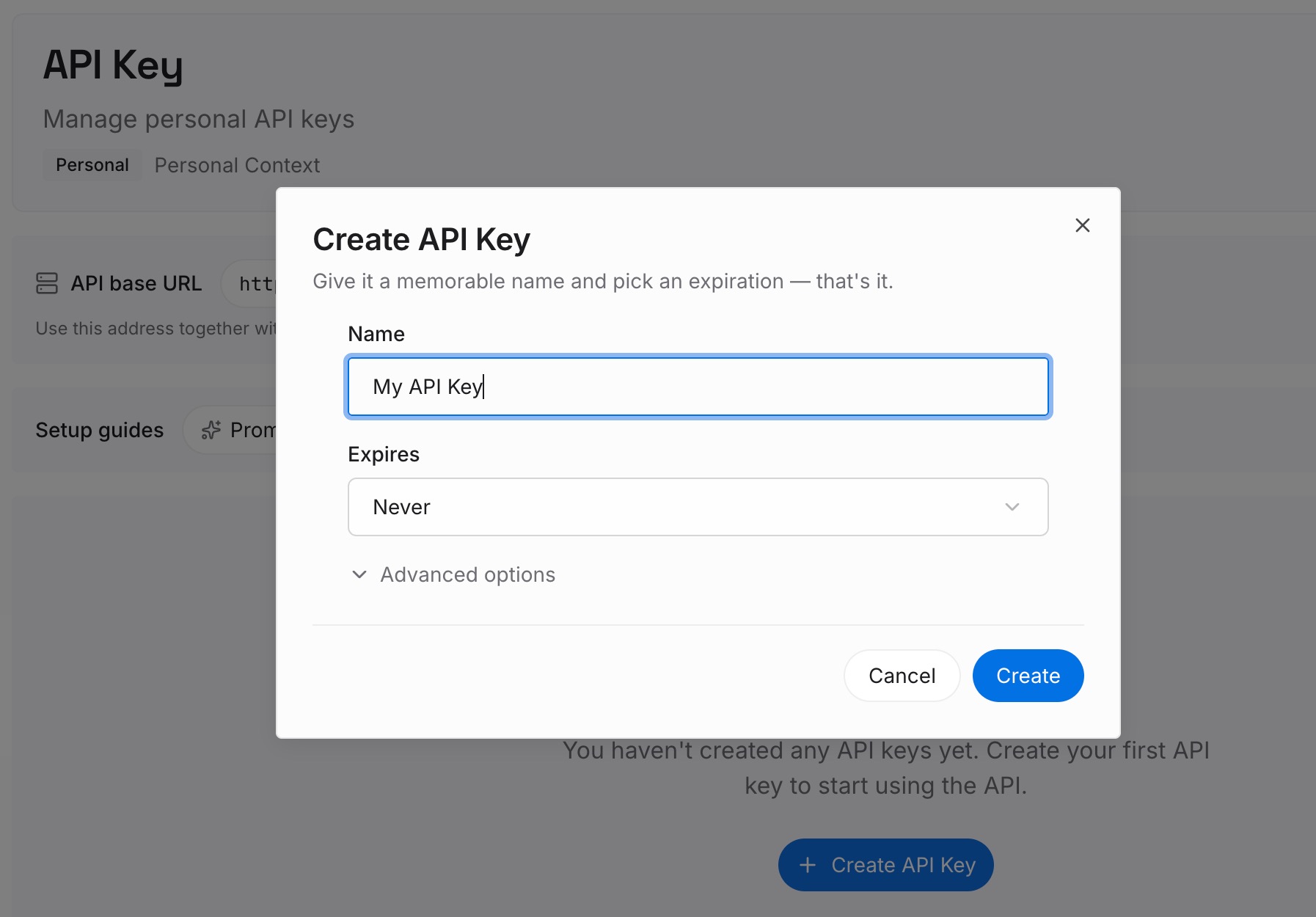
Step 1: Create an API key
Sign in to MemoryLake and create an API key. One credential, used by every tool you connect, which is the point: the credential outlives your current choice of agent.
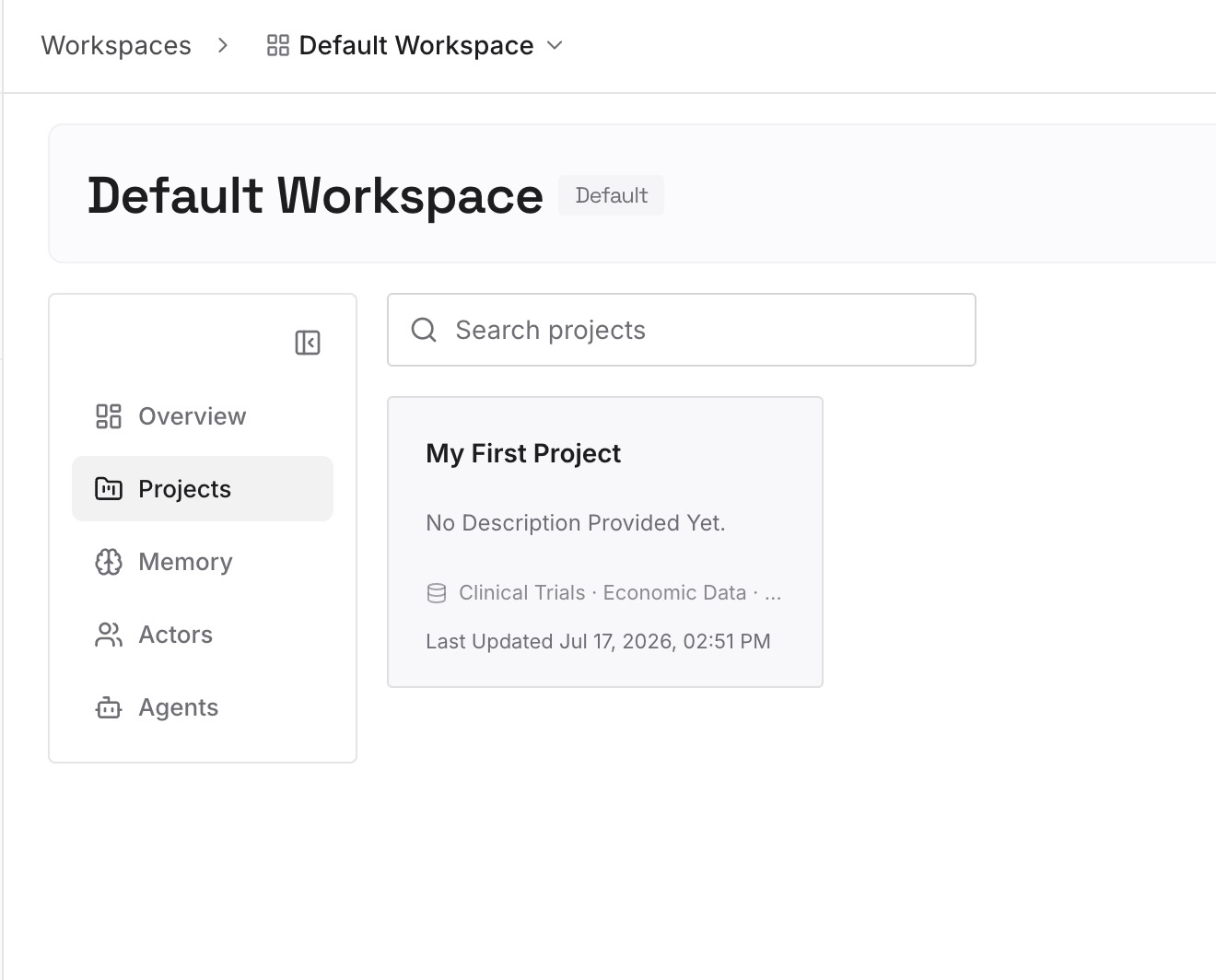
Step 2: Upload your first memories
Start with the material you just excavated during the migration — the durable facts from auto memory, the project truths that were hiding in CLAUDE.local.md, the decision log, the reasons behind conventions that read as arbitrary without them. Keep entries short and specific. The test for a good entry is whether a new teammate, or a new agent, could act on it without asking a follow-up question.
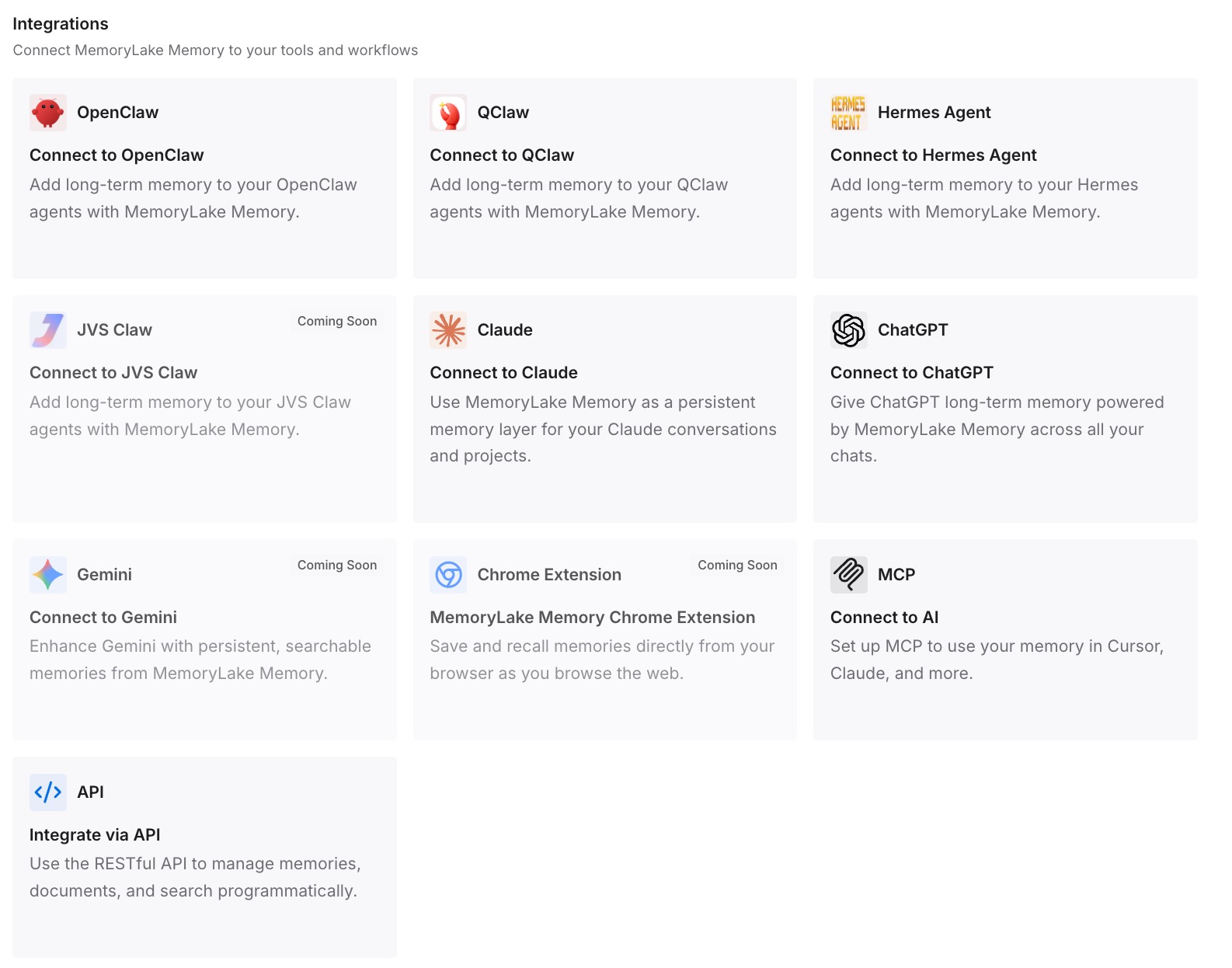
Step 3: Connect your AI & agents
Connect your tools. MemoryLake is reachable over MCP and over an API, so MCP-native agents — Claude Code, Codex, OpenClaw among them — connect by pointing at the MCP server, while anything else reads the same memory through the API. The instruction files keep doing their narrow job; the shared knowledge stops being duplicated per tool.
Two honest limits. MemoryLake is not an enforcement layer — if a rule must hold regardless of what a model decides, that belongs in a hook or a CI check, exactly as both vendors' docs imply when they call instructions context rather than configuration. And it doesn't read your existing files for you: the migration inventory above is still work you do once.
What this changes in practice
The second agent costs less than the first. The expensive part of adding Copilot alongside Claude Code isn't configuration, it's re-deriving the knowledge that was already implicit in the first tool's setup. Do that once into a shared layer and the third agent is a connection, not a project.
Monorepos stop being a special case. The nested-file asymmetry is the single most common way instructions silently fail to apply. When per-area knowledge is retrievable rather than dependent on which file each tool discovers in which directory, the tree structure stops being a compatibility surface.
Instruction files get shorter, which makes them work better. Claude Code's docs recommend targeting under 200 lines per file and note that longer files "consume more context and reduce adherence." Copilot's guidance runs the same direction. Moving reference knowledge out of the always-loaded file and into something retrieved is not just tidiness — it measurably improves how reliably the remaining rules are followed.
Review catches drift instead of hiding it. With one source of truth, a stale entry is a diff. With five per-tool copies, a stale entry is a mystery about why one agent believes something the other doesn't.
Best practices for running CLAUDE.md and Copilot together
One real file per directory, plus a pointer. Keep AGENTS.md as the content and a one-line CLAUDE.md that imports it. Both agents read identical text and there's exactly one place to edit.
Never duplicate the root file. A root CLAUDE.md and a .github/copilot-instructions.md containing near-identical text is a guaranteed future inconsistency. Choose one.
Keep globs identical across both systems. When paths: and applyTo describe the same file set in the same syntax, you can review them as a pair. When they drift, you get area-specific rules applying in one tool and not the other, which is worse than not having them.
Verify what loaded after every structural change. Claude Code exposes the list of loaded memory files in-session; check it after you move files around. On the Copilot side, confirm a nested AGENTS.md is actually being picked up before assuming it is. A file that isn't read looks exactly like a model ignoring instructions — the distinction covered in why GitHub Copilot forgets codebase context.
Ask about the organization layer. If your repo is under an org with instructions configured, that text is being supplied to Copilot whether or not you've read it. Read it.
Put must-hold rules in enforcement, not instructions. Both vendors are explicit that instruction files shape behavior rather than guarantee it. Anything that must happen before every commit belongs in a hook or CI.
Conclusion
The headline of this migration is unusually pleasant: Copilot reads a root CLAUDE.md, so the file you already maintain keeps working. The work is in the four layers around it — nested files that need promoting to AGENTS.md, imports that need flattening, a local file that needs sorting, and an auto memory directory holding knowledge that was never shareable.
Do that inventory once and put its output somewhere both agents can read. Otherwise you'll do it again for the next tool, from a slightly worse starting position, because by then two copies will have drifted. If you're moving the other direction as well, migrating GitHub Copilot to Claude Code covers the reverse trip, and migrating CLAUDE.md to Cursor handles the third common destination.