
What a Claude project holds
A project in Claude chat has four kinds of context, and each one is stored differently.
Project instructions. Anthropic's help center says "Claude will use these instructions for all the chats within the project." They're the standing brief: tone, role, rules.
Project knowledge. The files you upload. "Anything you upload to this space will be used across all of your chats within that project." On paid plans, large knowledge bases switch to retrieval, which our guide to Claude projects in RAG mode explains.
Project chats. The conversations inside the project. The help center adds an important note: "Context is not shared across chats within a project unless the information is added into the project knowledge base."
Project memory. "Each project has its own memory." While you work in a project, Claude uses that memory alongside your memory from chats outside projects, and new memory is saved to the project.
When you move to Claude Code, each of these needs a destination, and the destinations depend on which version of Claude Code you use.
Where Claude Code keeps project context
In the new Projects, at claude.ai/code
Anthropic is rolling out a new version of projects "in stages, starting with Claude Code." In the help center's words, "a project is one conversation: you say what you need as it comes to you, and Claude breaks the work into parallel threads that run in the cloud." It adds: "Every thread starts with the project's files, repositories, instructions, and memory".
The Claude Code documentation lays out where that context lives:
- Project memory: "Notes Claude keeps about the project, such as requirements, decisions, and pitfalls, stored as files." Every cloud thread reads the index file
MEMORY.mdwhen it starts. - Project instructions: "Text sent to each new thread and to Claude in the project conversation, up to 16,000 characters."
- Repositories, files, and environment: the repositories every thread clones, the files it can read, and the cloud environment it runs in.
The new Projects are available at claude.ai/code, in the desktop app, and in the Claude mobile app. The documentation's limitations section adds that they aren't available "in the terminal CLI, the VS Code extension, or the JetBrains plugin". Our guide to Claude Code Projects and project memory covers how that memory works once you're in.
In Claude Code on your machine
In the terminal, Claude Code reads context from files. The memory documentation lists the scopes:
- Project instructions in
./CLAUDE.md: "Team-shared instructions for the project", shared with team members through source control. - Local instructions in
./CLAUDE.local.md: "Personal project-specific preferences; add to.gitignore". - User instructions in
~/.claude/CLAUDE.md: "Personal preferences for all projects". - Auto memory, which Claude writes itself and which covers "Your preferences, corrections you give Claude, project context Claude can't derive from the code".
The repository is also where knowledge files belong when they're about the code: specs, architecture notes, API references. Claude Code reads them when the task calls for it.
What Anthropic's move carries
The help center describes the move in its section on existing projects: "We've started moving existing projects for some Pro and Max users to the new version. Nothing is lost or deleted in the move. Everything in your project comes with it: your instructions, files, full chat history, and scheduled tasks. You'll pick up right where you left off."
Two more sentences decide whether this applies to you. "If you've used an existing project within the last 30 days, we'll email you before we move your projects." And: "Other existing projects in chat and Cowork stay on the current version for now, and we'll move them as the rollout expands."
The Claude Code documentation gives the other side of the rollout. Access "started with accounts that have used cloud sessions and don't have existing projects in claude.ai chat or Cowork", and the earlier projects "keep working as they do today until the redesigned experience reaches them." Our guide to the Projects redesign covers how that plan was first announced.
The list of what comes with a moved project names instructions, files, chat history, and scheduled tasks. It doesn't mention project memory either way, so after a move, open the project's memory and check that what you rely on is there.
What a move doesn't settle on its own
Even when your project moves, a few things are worth doing deliberately.
Decisions that live only in chats. A moved project brings its chat history, but a new thread starts from the project's files, instructions, and memory. A decision you reached in one chat three weeks ago is in the history; whether a thread starts with it depends on whether it reached memory or instructions.
Repository rules. The new Projects keep project instructions separate from each repository's CLAUDE.md. The documentation says: "Rules about one repository, such as its build commands, belong in that repository's CLAUDE.md". Cloud threads read the root CLAUDE.md, but "CLAUDE.md files in subdirectories and path-specific rules aren't loaded".
Work in the terminal. The new Projects don't run in the terminal CLI. If you build there, the project's context has to reach the repository.
What people try first
Waiting for the move. It's rolling out in stages, and Anthropic says other projects stay on the current version for now.
Uploading every knowledge file into the repository. Some belong there; others, such as meeting notes or a pricing deck, are context, not code, and add noise to every session.
Pasting the project instructions into CLAUDE.md unchanged. Instructions written for a chat, such as asking Claude to answer as a senior product manager, often don't fit a coding agent, and long CLAUDE.md files load into every session.
Expecting project memory to appear in the terminal. Terminal sessions use auto memory on your machine, which is a separate store.
The manual migration
Step 1: Take stock of the project
Open the project and write down four lists:
- Instructions: copy the project instructions into a text file.
- Knowledge files: list each file and decide whether it's about the code (spec, schema, architecture notes) or about the work around it (research, plans, notes).
- Decisions in chats: go through the project's recent chats and write one line per decision, with the reason: what was settled, what was ruled out, what's still open.
- Project memory: open Memory on the project's page and note what Claude has saved there that you want to keep.
The decisions list is the part people skip, and it's the one that matters most. Remember the help center's note that context isn't shared across a project's chats unless it's in project knowledge.
Step 2: Choose where the project will live
If you have the new Projects at claude.ai/code, and especially if your project has already been moved, the project's instructions and files can stay in the project. Add the repositories the work happens in. Your job is to check memory and instructions, and to move repository-specific rules into the repositories.
If you work in the terminal, or you don't have the new Projects yet, the repository is the destination. Pick the repository where most of the work happens.
Step 3: Put each piece where Claude Code will read it
For the new Projects:
- Check project memory after the move, and ask Claude in the project conversation to remember any requirement or decision from your Step 1 list that's missing.
- Trim project instructions to the brief every thread should start from.
- Move repository rules into each repository's CLAUDE.md, at the root, so every cloud thread reads them.
For Claude Code in the terminal:
- Rewrite the project instructions as a CLAUDE.md section. Keep what applies to the code: conventions, architecture, workflows. Put personal preferences in
CLAUDE.local.mdor~/.claude/CLAUDE.md. - Add the code-related knowledge files to the repository, in a
docs/folder, and point to them from CLAUDE.md. - Write the decisions down where they'll load. Settled rules go in CLAUDE.md. Context Claude can't derive from the code, such as why an approach was rejected, can go into auto memory: tell Claude to remember it in your first session.
- Start a session and ask Claude to summarize what it knows about the project before it writes code.
Keep CLAUDE.md short. Our guide to Claude Code's subdirectory CLAUDE.md limit covers how longer instruction files load.
The Better Way: Keep project decisions in one list that outlives the project's container
The manual migration works, and Anthropic's move helps those who get it. Both show the same pattern: a project's most useful context, the decisions and constraints, keeps getting rebuilt in a new container. Chat project memory, cloud project memory, CLAUDE.md, and auto memory are four places for overlapping facts, and when you plan or review in ChatGPT or Codex, you explain those decisions again.
MemoryLake is a memory layer for keeping those decisions in one list you maintain, available to Claude Code and the other assistants you connect, such as ChatGPT and Codex.
You write the entries yourself, in your own words. Nothing is read out of, written to, or deleted from your Claude projects, your project memory, your auto memory, your CLAUDE.md files, or any vendor's store. For work content, follow your organization's policy on what you keep outside its tools.
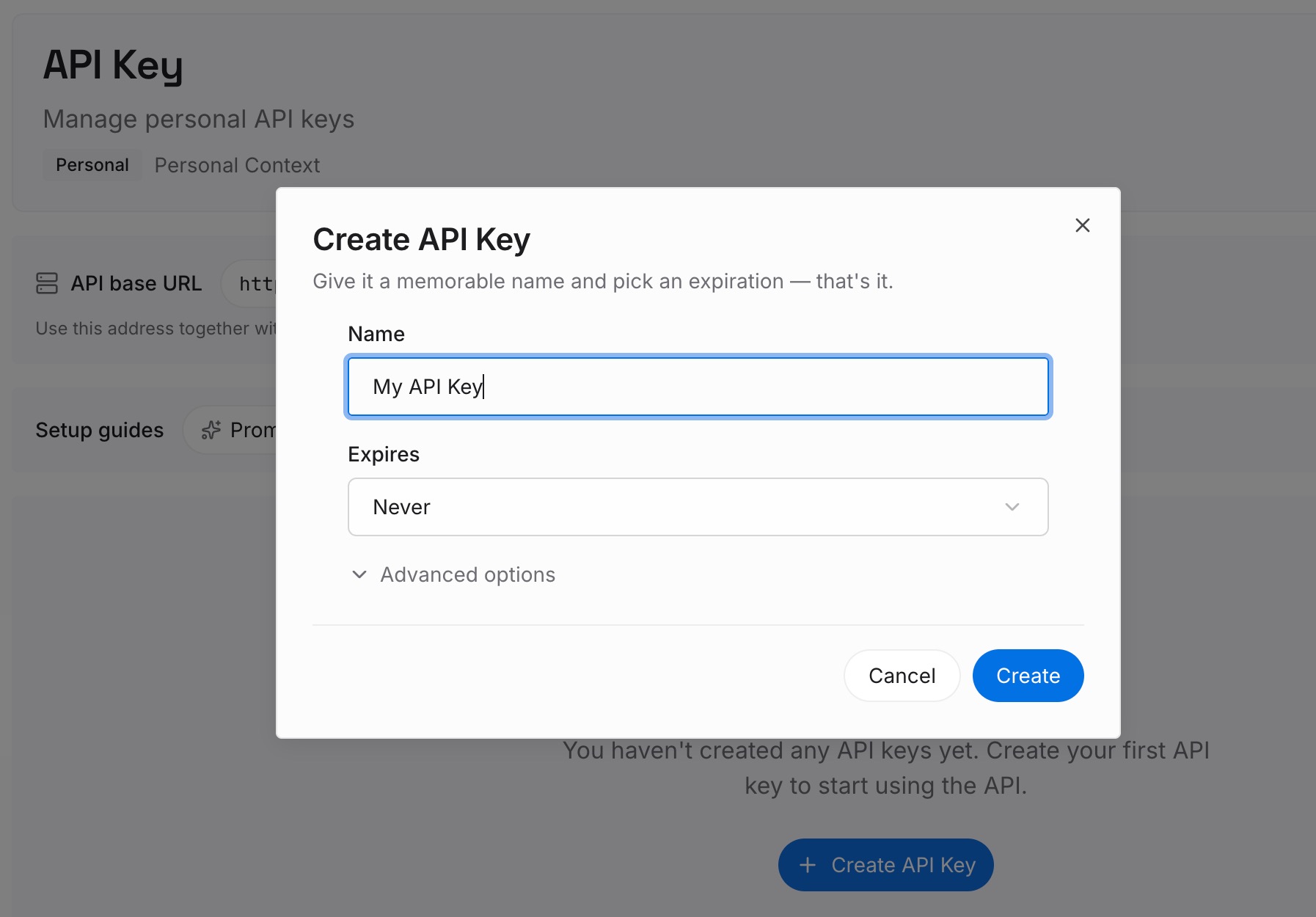
Step 1: Create an API key
Sign in and generate a key from the dashboard. The key belongs to your MemoryLake workspace and is separate from your Claude account.
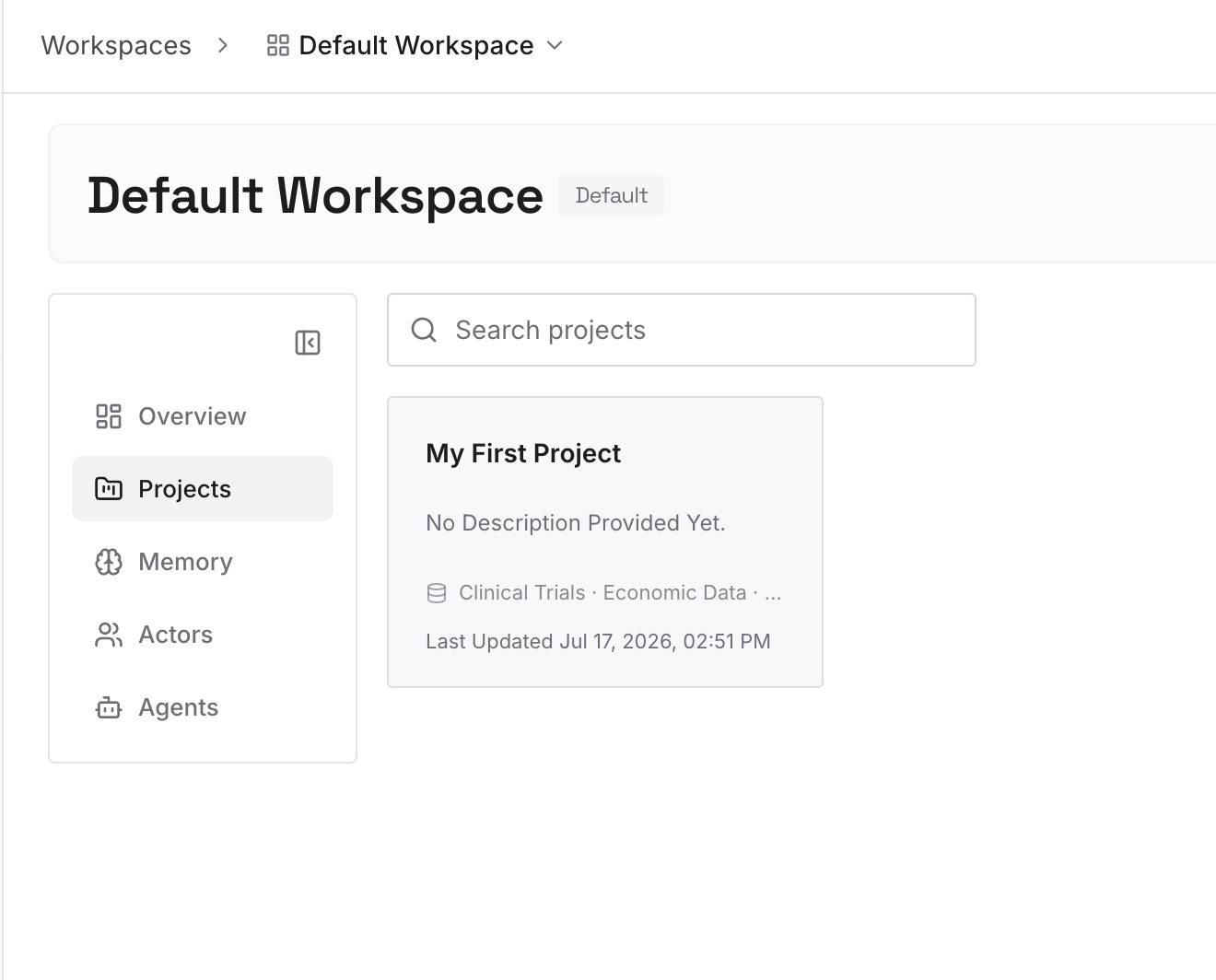
Step 2: Upload your first memories
Start with the decisions list from Step 1 of the manual migration: what was settled, the reason, and what was ruled out. One decision per entry, dated, and labeled with the project it belongs to.
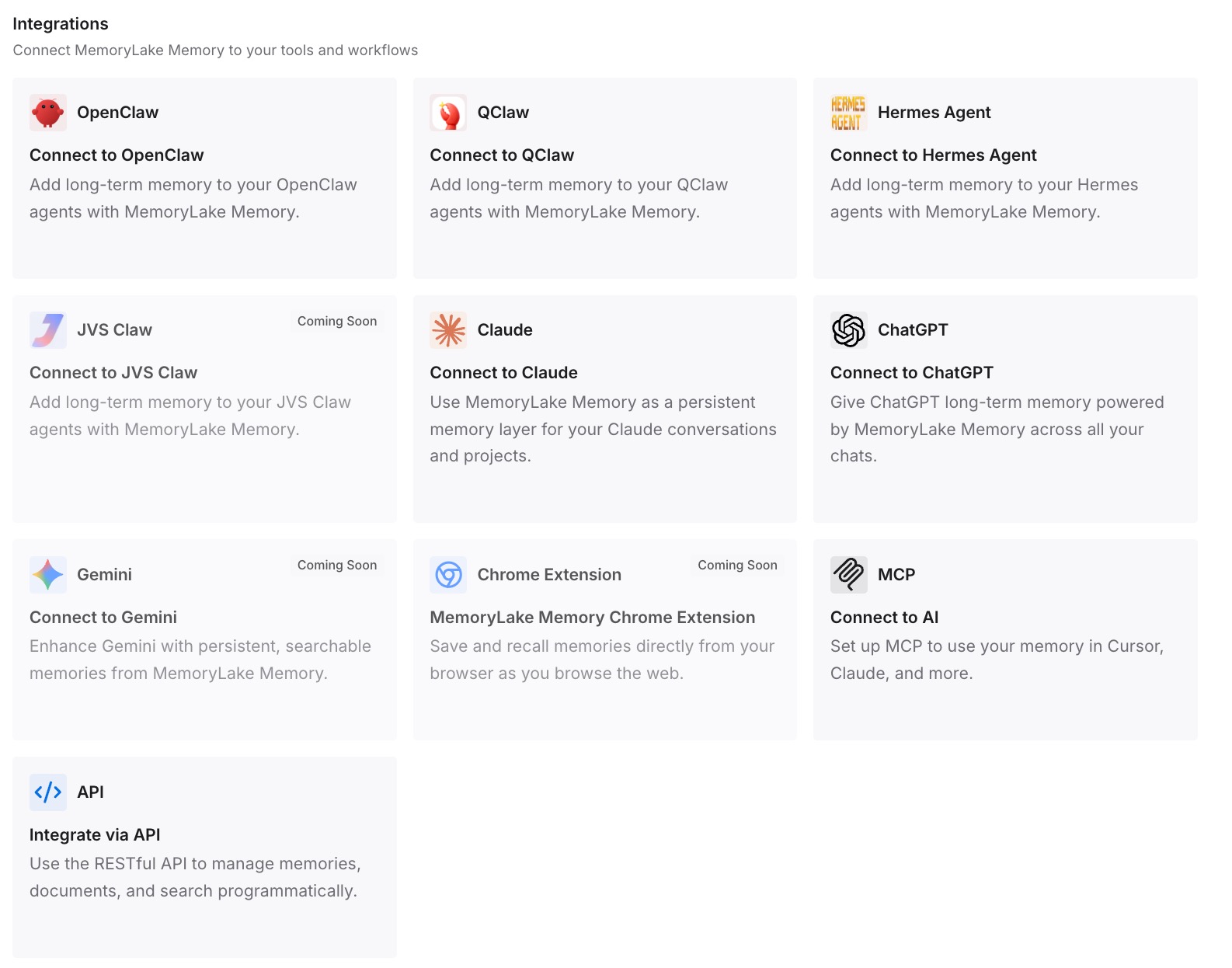
Step 3: Connect your AI & agents
Connect Claude Code and the other assistants you use. The next session, in the terminal or in a cloud thread, starts with the decisions in reach.
What this changes in practice
The first difference is that the build starts from the project's reasoning, not only its files. Claude Code knows what was decided and why.
The second is that each piece lands in the right place. Repository rules live in the repository, project notes in project memory or auto memory, and personal preferences stay personal.
The third is that the next move is easier. When the rollout reaches your other projects, or you move a project's work into ChatGPT, the decisions already exist outside any one container.
Best practices for moving a Claude project to Claude Code
Write down the decisions first. They're the part that's easiest to leave behind in old chats.
Check project memory after an automatic move. The move list doesn't mention it either way.
Put repository rules in the repository. Root CLAUDE.md, so cloud threads and terminal sessions both read it.
Separate code knowledge from work context. Specs go in the repo; meeting notes don't need to.
Keep personal preferences out of the shared CLAUDE.md. Use CLAUDE.local.md or your user file.
Ask Claude to restate the project before it builds. It's the quickest check that the context arrived.
If Claude forgets project files even in chat, our guide to Claude projects forgetting knowledge files covers that problem.
Conclusion
A Claude project holds instructions, knowledge files, chats, and its own memory. Anthropic is moving some existing projects into a new version that starts in Claude Code and says nothing is lost in the move. Its list of what comes along names instructions, files, chat history, and scheduled tasks. The new Projects don't run in the terminal CLI, and other projects stay where they are for now.
Whether your project moves or you move it yourself, the same work remains: write down the decisions, put repository rules in CLAUDE.md, check what memory holds, and ask Claude to restate the project before it writes code.