
What the documentation now says a project is
Anthropic's definition is compact: "A project is one ongoing conversation where Claude coordinates a stream of related work for you." You send work into that conversation, and Claude routes it.
The workers are threads. The documentation describes each one as "a separate session with its own context window that does one piece of work and reports back to the conversation when it finishes." The coordinating conversation has a narrower view than you might assume: "It sees what threads report back, not every step they take."
Availability is still staged. The documentation says "Projects are in public beta on Pro and Max plans and rolling out gradually, starting with accounts that have used cloud sessions and don't have existing projects in claude.ai chat or Cowork." It also says "They aren't available on Team or Enterprise plans yet." If you have older projects in chat or Cowork, they stay as they are for now: "Those projects keep working as they do today until the redesigned experience reaches them."
Every cloud thread starts with the same kit. According to the documentation, that kit is the project's repositories and files plus "its instructions and memory," the CLAUDE.md and skills in each of the project's repositories, the connectors on your claude.ai account, and a cloud environment. One line closes off the rest: "Cloud threads don't pick up anything from the Claude Code setup on your own machine."
That sentence is the first hint that memory in a project is not the memory you already have.
Where project memory lives
Project memory is a set of files Claude writes in the cloud
The documentation's context table describes project memory as "Notes Claude keeps about the project, such as requirements, decisions, and pitfalls, stored as files." It also says how threads use it: "Every cloud thread reads the index file MEMORY.md when it starts and opens the other files when it needs them."
You can see those files. The same table says "Read, edit, and delete the files in Project settings > Memory," and you can change them by talking to Claude: "Ask Claude in the project conversation or any cloud thread to remember a requirement, a decision, or a pitfall, or to forget one."
In the settings screen, the files sit under a label that will look familiar. "Project settings > Memory lists these files under Auto memory, because Claude writes them itself as it works in the project."
Same filename, three different stores
Here is where people get tripped up. Claude Code on your own machine also keeps an auto memory with a MEMORY.md index. Anthropic's memory documentation places it at ~/.claude/projects/<project>/memory/ and is direct about its reach: "Auto memory is machine-local." It adds that "Files are not shared across machines or cloud environments."
The projects documentation draws the line from the other side: "They're separate from the auto memory Claude Code keeps on your machine, even though both use a MEMORY.md index."
So a project has its own MEMORY.md, your laptop has another, and neither one is the other. If you have spent months letting Claude Code learn your build quirks locally, that learning stays local. Our guide to why Claude Code forgets on another machine covers that boundary for ordinary sessions; a project is one more place on the far side of it.
The third store is the one you write. "Project memory is also separate from the CLAUDE.md files in the project's repositories." Every cloud thread loads those files from its clone, and Anthropic gives a clean rule for which goes where: "put instructions about a repository in its CLAUDE.md and notes about the project in project memory."
Then there are project instructions, which sit in the same Memory section of settings and are the most dependable part of it. The table describes them as "Text sent to each new thread and to Claude in the project conversation, up to 16,000 characters."
Put together, a project's standing context comes from four places:
- Repository
CLAUDE.mdfiles, which you write and commit, and which every cloud thread loads from its clone. - Project instructions, which you write in settings, and which every new thread receives.
- Project memory, which Claude writes as it works, and which every cloud thread reads through
MEMORY.md. - Your machine's auto memory, which Claude writes on your laptop, and which stays on that machine.
Claude writes project memory, and what it writes is guidance
Project memory fills up on its own. When you tell the coordinator how you want the work run, "Claude saves preferences like these to project memory on its own and follows them in later cloud threads."
The documentation is careful about how much weight those saved preferences carry: "They're instructions Claude keeps to, not enforced settings, so a thread limit you give this way isn't a hard cap." If something must be worded exactly and applied from the first thread, Anthropic points you to project instructions instead.
Corrections work the same way. The documentation recommends that "when you correct a thread, also tell Claude to remember the correction: it goes into project memory and later cloud threads start with it." Otherwise the correction lives in one transcript, the general problem described in why Claude Code forgets your corrections.
Project memory also does work that a long conversation cannot. "You don't manage context windows in a project. Threads compact automatically, and the conversation works from recent messages, recent threads, and project memory rather than its full history, so it keeps going for as long as the project runs." The instruction that follows is the most practical line on the page: "Put anything that must never be dropped in project memory." If you want to see what compaction keeps and drops in an ordinary session, our auto-compact guide walks through it.
Which threads start without it
A thread on your own computer
Some tasks need your machine: a local database, an emulator, an API behind your VPN. For those, you can ask the project to run a thread on your computer through Remote Control. The documentation lists what changes, and one bullet stands out: such a thread "Starts with the project's instructions, but not with its memory files loaded."
It also "Works with the files, tools, MCP servers, and Claude Code settings on that machine, including its hooks and permission rules, instead of the project's cloud environment." In other words, a local thread arrives with your laptop's setup and the project's instructions, and the pitfalls Claude saved to project memory are not part of what it starts with.
A local thread is a Claude Code session in a folder on your machine, connected through Remote Control. Our look at forking a remote session explains how those sessions relate to copies made from them.
A repository a thread adds partway through
Cloud threads can pull in a repository the project doesn't have. The documentation explains the timing: "The clone happens partway through the task, so that repository's CLAUDE.md and skills weren't there when the thread started. The next thread starts without it."
If a repository's CLAUDE.md holds rules threads need from the first step, add it to the project.
Threads already running when you change settings
"Changes to instructions, repositories, plugins, and environment in Project settings reach new threads, not threads already running." An instruction you add at noon applies to the threads Claude starts after noon.
Subagents and the project boundary
Threads can use subagents for side tasks, each in its own context window, as covered in why Claude Code subagents don't share memory. The outer boundary is the project itself. "A thread belongs to the one project that started it. You can't move or copy a thread to another project, or move it out to stand alone." And: "You can't merge two projects into one." A project is also personal: "A project belongs to one user. You can't share a project or its threads with another user."
Deleting is final. Delete "permanently removes the project along with its threads, its memory, and its files, and turns off the project's routines. This can't be undone."
What people try instead
Assuming local auto memory comes along. It is machine-local by design, and cloud threads start from the project's kit.
Putting repository rules in project memory. Anthropic's split is cleaner: repository rules in CLAUDE.md, project notes in project memory.
Treating a spoken limit as a setting. A thread limit you say aloud is saved as a preference, and the documentation says it isn't a hard cap.
Expecting the conversation to remember everything. It works from recent messages, recent threads, and project memory.
Expecting a local thread to know the project's pitfalls. It starts with the instructions, not the memory files.
Deleting a project to start fresh. That also deletes what Claude learned. Archive is the reversible option.
The Fix: Give each kind of context one home, then check what each thread starts with
Step 1: Sort what you know into the three places a thread can read
List everything a new thread should know: branch conventions, test commands, decisions already made, pitfalls you have hit. Then sort each item.
Anything specific to one repository, such as build commands or code style, goes in that repository's CLAUDE.md. Anything that must apply to every thread, worded exactly, goes in project instructions; Anthropic's suggested brief covers what the project is for, where the work happens, how a thread checks its work, and what needs your go-ahead first. The evolving notes about requirements, decisions and pitfalls can live in project memory, where Claude maintains them.
Step 2: Read the project's memory files like a document
Open Project settings > Memory and read what Claude has saved. Check that each entry is still true, that preferences you voiced casually are ones you actually want kept, and that nothing sensitive was saved by accident.
When something is wrong, either edit the file or ask Claude to forget it. When a decision changes, say so in the conversation and ask Claude to update memory, so the next thread doesn't work from the old version. Do this after the first few threads and then on a regular rhythm.
Step 3: Brief local threads through project instructions
Because a thread on your computer starts with project instructions but not with the memory files, anything a local task must know belongs in instructions or in the task itself. Before you ask for a local thread, check whether the relevant pitfall is only in memory. If it is, move a short version into instructions, or paste it into the request.
Do the same for repositories threads add on demand: if a rule must be there from the first step, add the repository to the project so its CLAUDE.md loads at start.
Setting this up in MemoryLake
A project's memory is scoped to one project and one user, and your laptop keeps another. If the same decisions apply across several projects, across local and cloud work, and across other assistants you use, it helps to keep them somewhere that isn't tied to any one of them. MemoryLake is a memory layer you maintain yourself and connect to the tools you use.
You write the entries yourself, in your own words. Nothing is read out of, written to, or deleted from your project's memory files, your machine's auto memory, or any vendor's store.
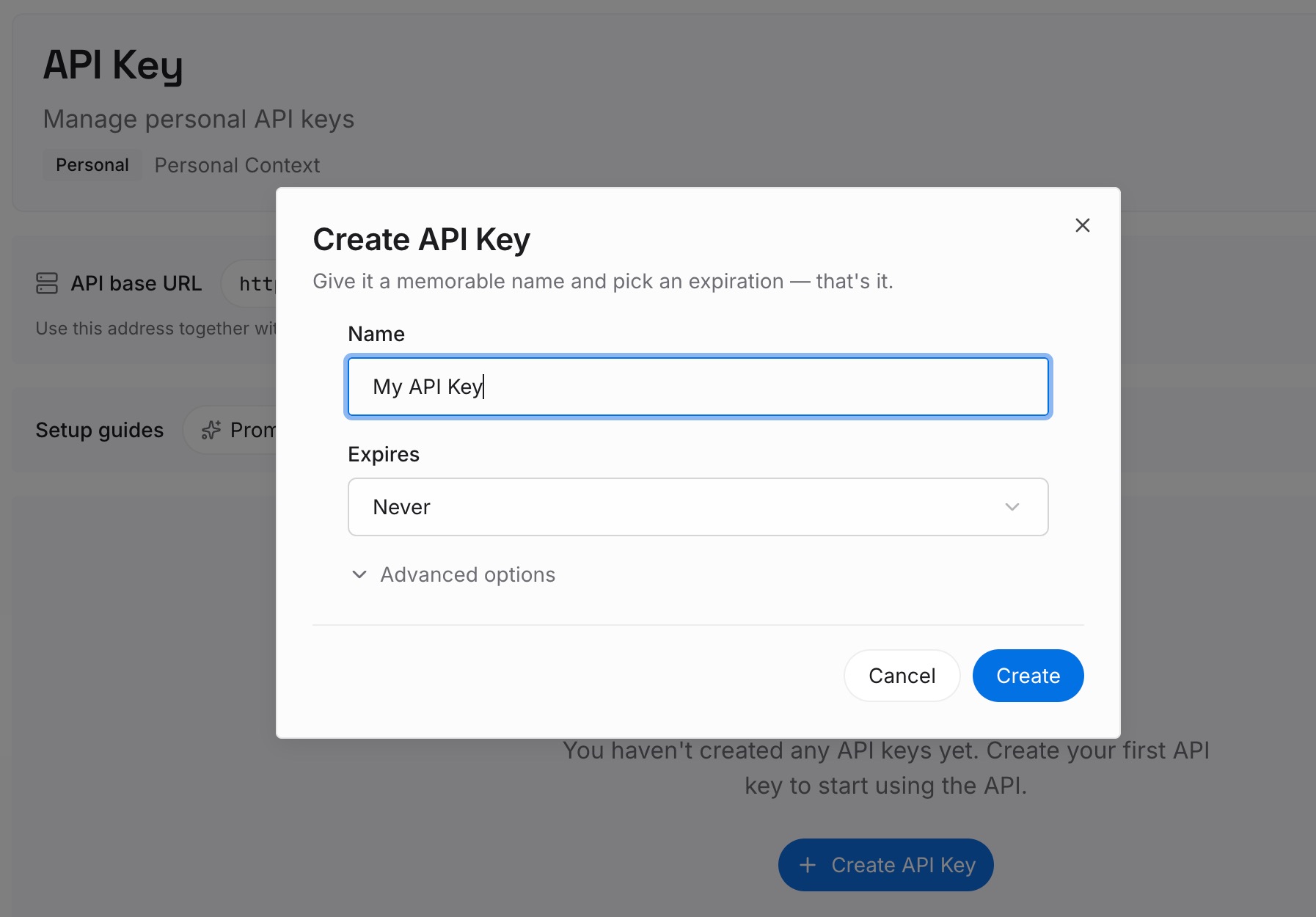
Step 1: Create an API key
Sign in and generate a key from the dashboard. The key belongs to your MemoryLake workspace and is separate from your Anthropic account.
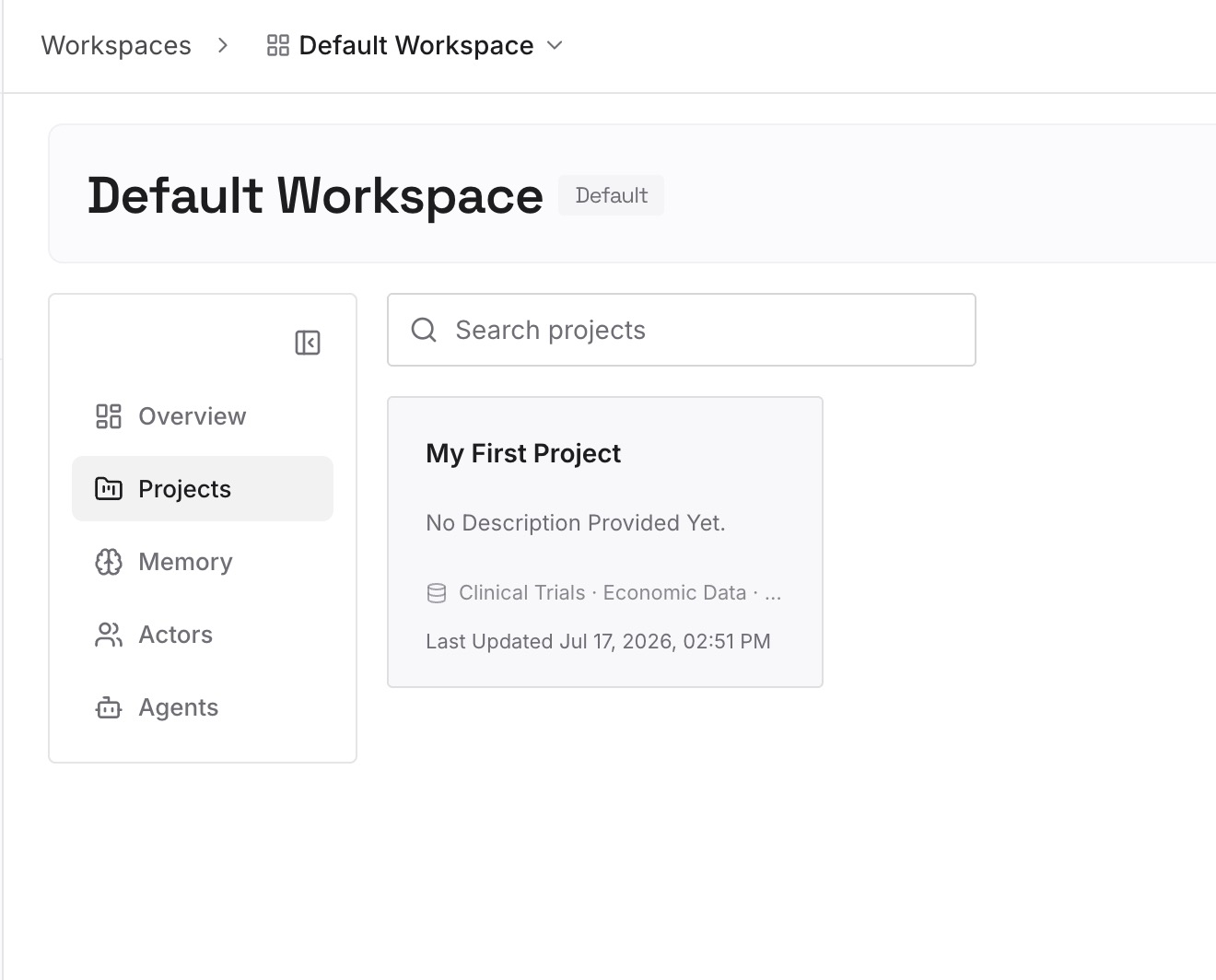
Step 2: Upload your first memories
Start with the decisions that outlive a single project: architecture choices, naming rules, the reasons behind past fixes. One decision per entry, dated, so a newer entry visibly replaces an older one.
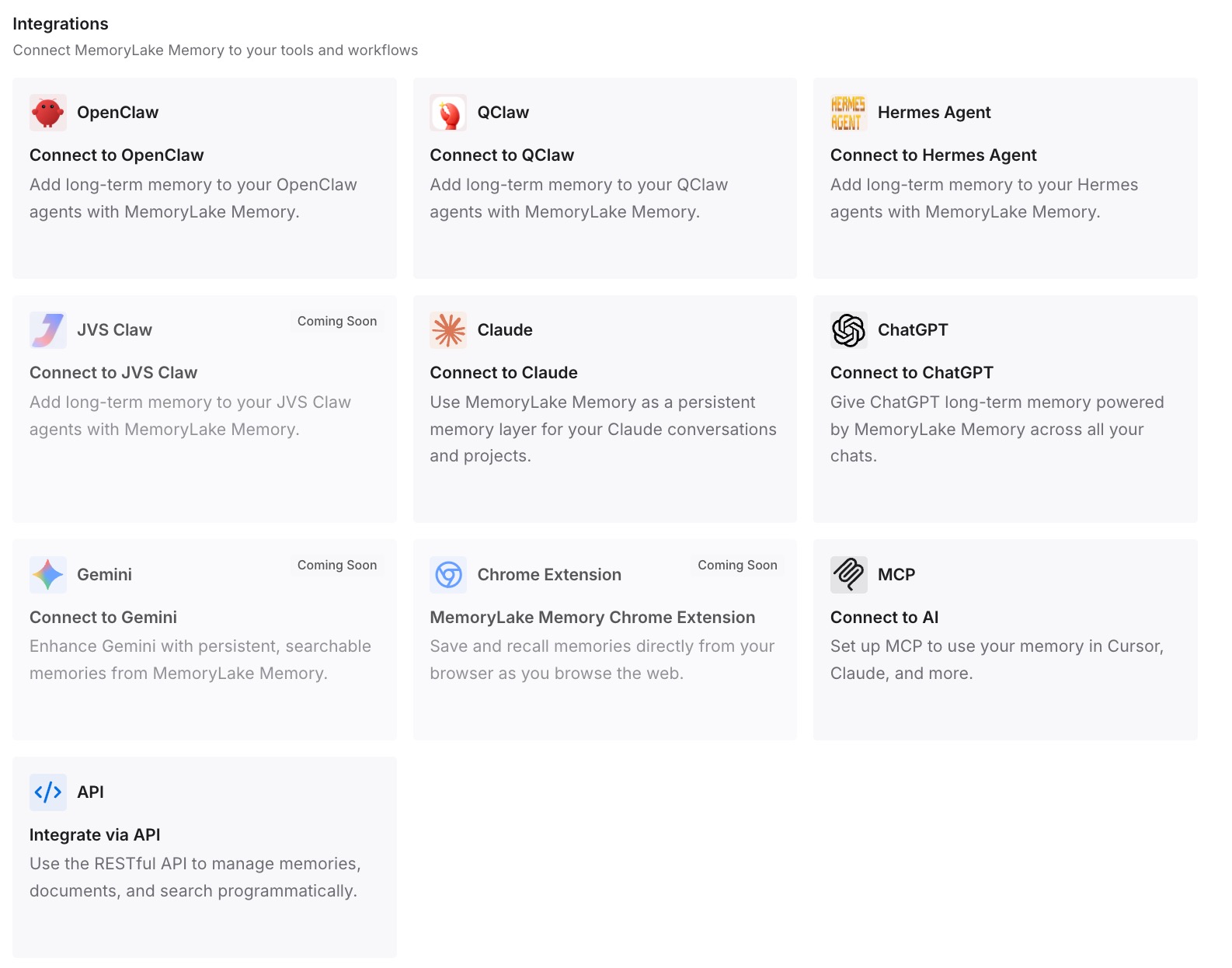
Step 3: Connect your AI & agents
Connect Claude Code and the other assistants you work with. The same decisions are then available in each, whether a task runs in a project thread, a local session, or somewhere else entirely.
What this changes in practice
The first difference is fewer repeated corrections. A correction saved to project memory reaches the next cloud thread instead of staying in one transcript.
The second is predictable local threads. Knowing a thread on your computer starts with instructions but not memory, you brief it properly.
The third is a clear split of authority. Repository rules live with the code, project rules in instructions, and Claude's evolving notes in memory, so you know which file to open when something goes wrong. For local and cloud sessions generally, our guide to cloud sessions and your local setup lists what carries over.
The fourth is fewer accidental losses: you archive instead of deleting, and keep a copy of the decisions that matter beyond the project.
Best practices for project memory in Claude Code Projects
Write project instructions before the first batch. Every new thread receives them, including threads on your computer.
Ask Claude to remember corrections. That is how a fix reaches later cloud threads.
Review Project settings > Memory regularly. Edit or delete entries that are no longer true.
Keep repository rules in CLAUDE.md, hard limits in instructions. Spoken preferences are kept, not enforced.
Brief local threads explicitly, and add repositories that carry rules. Both otherwise start without context you may assume.
Archive rather than delete. Delete removes threads, memory and files for good.
Conclusion
Claude Code Projects is now open to every Pro and Max user who joined the waitlist, and its documentation answers the question that comes after access: where a project keeps what it learns.
A project's memory is a set of files Claude writes in the cloud, indexed by its own MEMORY.md, readable and editable in Project settings > Memory, and separate from both your machine's auto memory and your repositories' CLAUDE.md files. Every cloud thread reads it at the start. A thread on your own computer starts with the project's instructions but not its memory files.
Give each kind of context one home, review what Claude saves, and brief local threads through instructions. The project will then remember what you meant it to, in the threads where it matters.