
The short answer
Cursor's .cursorrules, .cursor/rules/*.mdc, and Notepads don't auto-import into Windsurf. You'll copy each rules file into a matching .windsurfrules (or per-directory equivalents), recreate Notepad-style prompts as Cascade memories, and ensure any project-level conventions are reflected in Windsurf's global rules. Plan 15–30 minutes per repo. A shared MCP-based memory layer like MemoryLake lets both IDEs read the same source.
Why people switch from Cursor to Windsurf
Three drivers in 2026:
- Cascade agent workflow. Teams shipping multi-file edits often prefer Windsurf's Cascade for longer agentic loops.
- Pricing and team plans. Different pricing structures sway teams trying to standardize.
- Local model fit. Some teams find Windsurf's defaults better for their codebase and language mix.
What "memory" means in Cursor vs Windsurf
The two IDEs use related but distinct surfaces.
Cursor memory spans .cursorrules (legacy single-file project rules), *`.cursor/rules/.mdc` (new structured per-rule format with metadata), Notepads (saved reusable prompts/contexts), and user-level Rules for AI** in Settings.
Windsurf memory spans .windsurfrules (project-level rules file), global rules (user-level), and Cascade memory (persistent memories Cascade saves during agentic work).
A .cursorrules file usually becomes a .windsurfrules with similar contents. .cursor/rules/*.mdc collapse into either one .windsurfrules or multiple directory-scoped files. Notepads usually become Cascade memories or are pasted into .windsurfrules as static reference.
Step 1: Export your Cursor rules
There's no Cursor export command, but rules are just files you can copy.
- Locate your repo's rules. Open the repo root: check
.cursorrulesand.cursor/rules/. - Read each
.mdcrule's frontmatter and body. The frontmatter (description, globs, alwaysApply) describes when the rule applies; the body is the actual instruction to the model. - Export your Notepads. Open Cursor's Notepads panel and copy each Notepad's name and content into a
notepads.md. - Capture user-level Rules for AI. Settings → Rules for AI. Paste the global rules into
cursor-user-rules.txt.
End state: a cursor-export/ folder per repo with the rules files (or their contents), notepads.md, and cursor-user-rules.txt.
Step 2: Import into Windsurf
Windsurf accepts the same conceptual material, restructured.
- Create a
.windsurfrulesat the repo root. Paste your.cursorrulescontent as a starting point. - Fold in your
.mdcrules. For each.cursor/rules/*.mdc, either append to.windsurfrulesor place a directory-scoped rules file alongside the relevant subfolder, depending on Windsurf's per-directory conventions for your version. - Translate Notepads into Cascade memories or rules. Static guidance (style guides, naming conventions) goes into
.windsurfrules. Reusable agent prompts can be saved as Cascade memories during a Cascade session via its Memories panel. - Set global rules. Open Windsurf settings and paste your Cursor user-level Rules for AI into Windsurf's global rules area, adjusting tone references.
- Open Cascade and run a probe task. A small refactor or test-generation request will confirm the rules apply.
What you'll still lose after migrating
.mdcfrontmatter behavior. Cursor's per-rule metadata (alwaysApply, globs) doesn't always have a one-to-one Windsurf equivalent.- Notepad invocation ergonomics. Cursor's quick Notepad pull doesn't map directly to Windsurf's Cascade Memories panel.
- Per-rule analytics or version history. Neither IDE tracks rule edits as a first-class log; git history is your only record.
- Ongoing sync. New rules added to Cursor next week won't appear in Windsurf unless you redo the copy.
The better way: one memory layer, both IDEs
If your team uses both Cursor and Windsurf on different machines, the per-IDE rules files drift quickly. Worse, anything broader than the repo (cross-repo conventions, team standards) lives in two places.
MemoryLake stores those rules and standards once and exposes them through MCP. Both Cursor and Windsurf support MCP, so the same project context flows into both IDEs from a single endpoint.
- One source of truth. Update a rule in MemoryLake; both IDEs see the change.
- Cross-repo standards. Team conventions live above any single repo.
- Drop-in for the next IDE. Add Claude Code or a future tool with a config change.
Connect MemoryLake in 3 steps
Step 1: Create a project and load your context
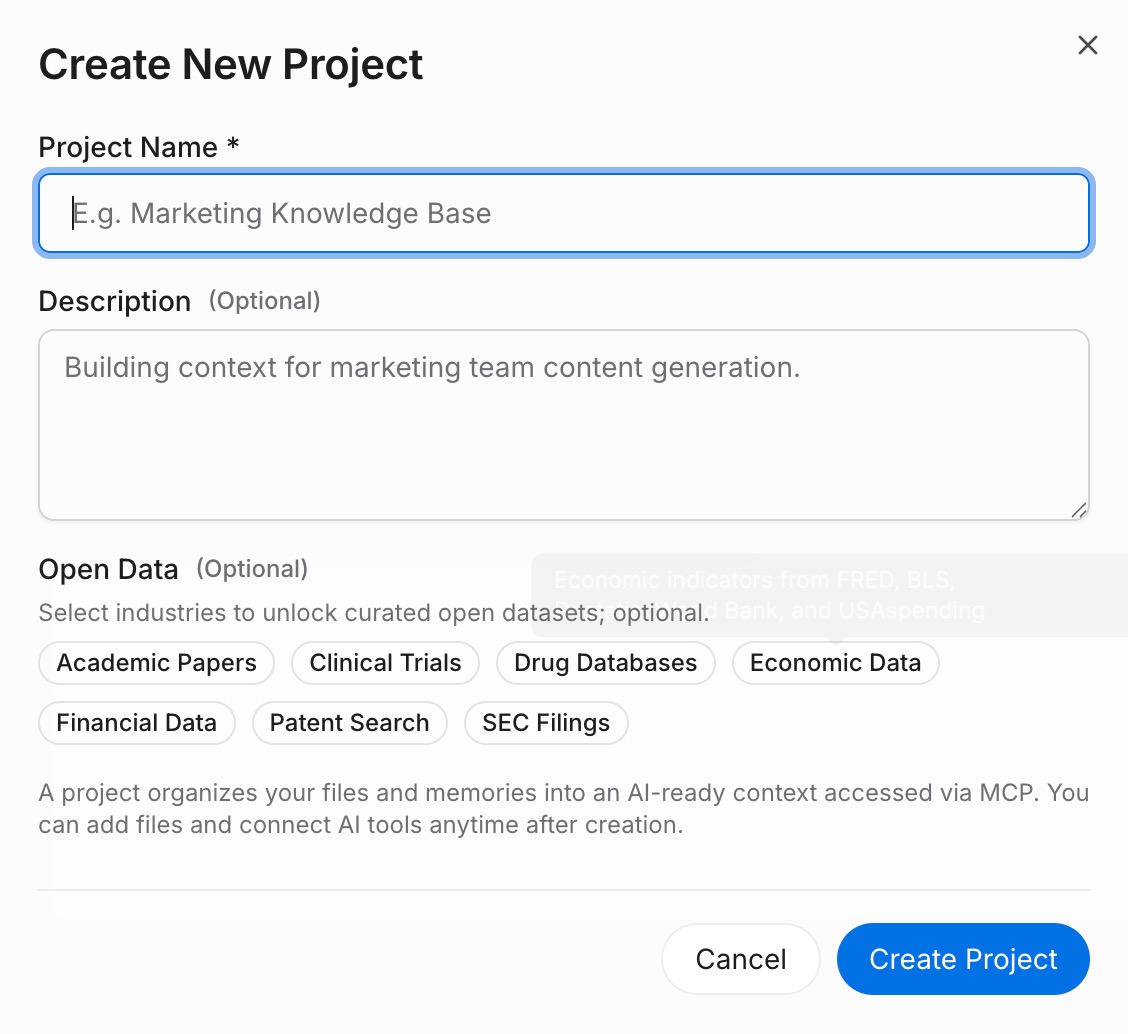
Sign in to MemoryLake, open Project Management, and click Create Project. Name it "Cursor ↔ Windsurf shared rules." Drag any reference files (style guides, architecture docs, ADRs as PDF, Word, Markdown, or images) into the Document Drive under My Space, then open the Documents Tab and click Add Documents. Paste your .cursorrules, .windsurfrules, Notepads, and user-level rules into the Memories Tab via Add Memory.
Step 2: Generate an MCP Server endpoint
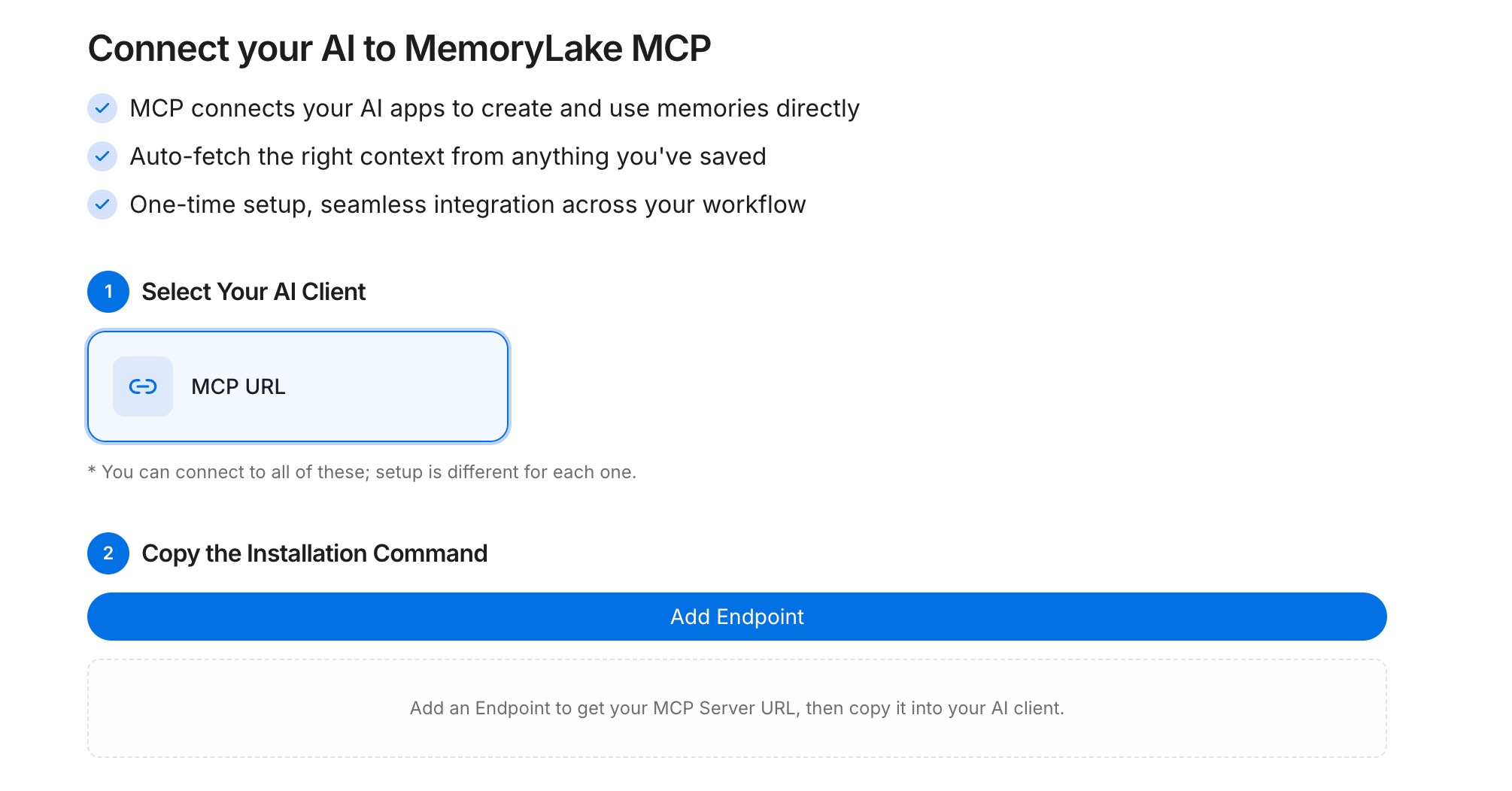
Open the MCP Servers Tab inside the project, click Add MCP Server, describe it (e.g., "Shared IDE rules access"), and click Generate. MemoryLake returns a Key ID, a Secret, and an Endpoint URL. Copy the Secret immediately — it is shown only once.
Step 3: Point both IDEs at the endpoint
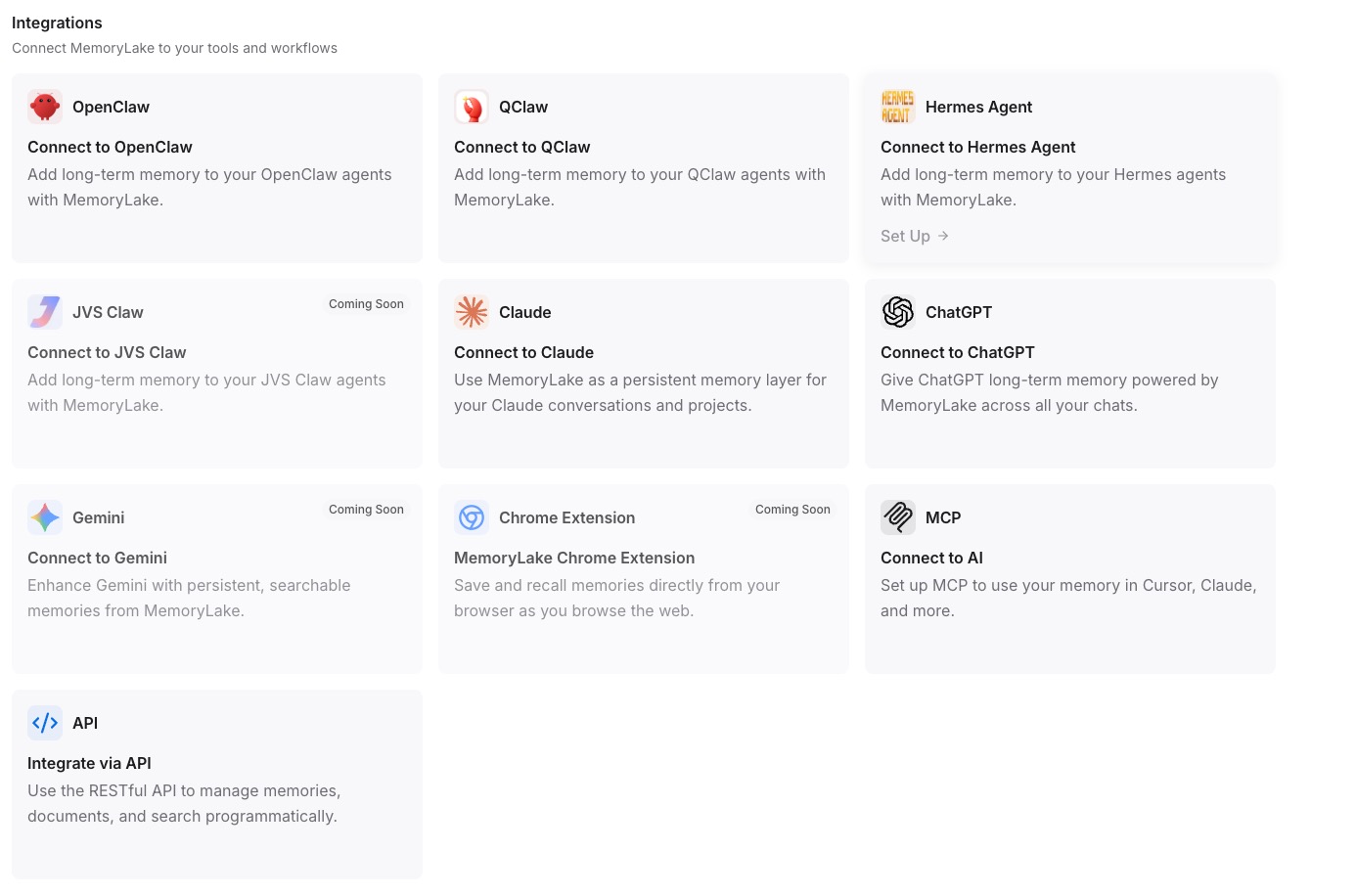
In Cursor's MCP configuration (e.g., .cursor/mcp.json), add a MemoryLake server entry with the endpoint URL and the Secret as a Bearer token. In Windsurf's MCP configuration, add the same entry. Restart each IDE so the new MCP server is available to the assistant.
Native migration vs MemoryLake
| Dimension | Native Cursor → Windsurf | MemoryLake bridge |
|---|---|---|
| Steps required | 6–9 manual | 3 one-time |
| Estimated time | 15–30 min per repo | ~5 min setup |
Preserves .mdc semantics | Partial | Memories survive verbatim |
| Cross-repo standards | Per-repo only | Shared once |
| Syncs ongoing changes | No | Yes |
| Works with a third IDE later | No (rebuild) | Yes (add MCP) |