
What actually transfers
Anything Devin learned from your repo doesn't need migrating. This is the first thing to establish, because it cuts the job down enormously. Devin's documentation states it generates Knowledge automatically from existing READMEs and the file structure and contents of connected repositories, and that it pulls and updates Knowledge from agent instruction files including CLAUDE.md and AGENTS.md. If a Knowledge note is a restatement of your README, it's already in the repository that Claude Code will read.
What you typed into Devin is the irreplaceable part. The notes that exist nowhere else — the deploy ordering, the proprietary tool's quirk, the reason a directory is off-limits — live in Cognition's web app. Devin's documentation describes Knowledge as "a collection of instructions and advice that Devin can reference in all sessions," and documents how to create, trigger, and pin it. It does not document an export, and there isn't one to work around. Reading and copying is the path.
The triggers matter as much as the text. This is the piece most people lose. Devin retrieval is conditional: "Knowledge is retrieved based on the Trigger you set. The more specific the trigger (e.g. which file, repo or type of task the Knowledge applies to), the better the retrieval." A note plus its trigger is a scoped rule. A note without its trigger is a sentence you'll either load into every session or forget entirely. When you harvest, harvest both columns.
Pinning is scope information too. You can pin a Knowledge note to all repositories or to one specific repo. That maps directly onto Claude Code's memory hierarchy, so write it down as you go — a note pinned everywhere becomes a personal or organization-level instruction, and a note pinned to one repo becomes that repository's committed instructions.
What Claude Code gives you on the other side. CLAUDE.md files, loaded at the start of every session, resolved from broad to specific: an organization-managed file, then ~/.claude/CLAUDE.md for your personal preferences, then the project's ./CLAUDE.md or ./.claude/CLAUDE.md committed for your team, then ./CLAUDE.local.md for private per-project notes. Files above your working directory load in full at launch; files in subdirectories load when Claude reads files there. For conditional loading there's .claude/rules/, where a rule file can carry paths: frontmatter and only enter context when Claude touches matching files — the closest structural equivalent to a Devin trigger that exists in Claude Code.
Two honest notes before you start. Devin's Knowledge is a real feature doing real work, and the reason this migration is annoying is that you're leaving something functional rather than escaping something broken. And Claude Code is not a memory system either: its documentation is explicit that instruction files are "context, not enforced configuration," with no guarantee of strict compliance. If a rule must hold every time, the docs point you at hooks, not at a better-worded sentence.
The manual migration
Step 1: Harvest Knowledge before you lose access, and sort it by origin
Open your Knowledge list and copy every note into a scratch file, capturing three things per note: the text, the trigger, and what it's pinned to. Do this while your subscription is live. Everything else in this migration is repeatable; this isn't.
Then sort each note into one of three piles by where it came from:
Derived from the repo. Restatements of the README, the directory layout, the test command as written in package.json. Delete these. Claude Code will read the repo, and /init will generate a starting CLAUDE.md from what it finds. Copying them forward just makes a long file that reduces adherence.
Written by you, still true. Deploy ordering, the tool that needs a specific flag, the module nobody should refactor this quarter and why. These are the migration.
Written by you, no longer true. Every Knowledge collection has these — notes for a service that got decommissioned, a workaround for a bug that got fixed. Leaving a stale rule in an instruction file is worse than losing it, because Claude will follow it. Delete deliberately, now, while you remember which is which.
One useful trail while you do this: Devin sessions display which Knowledge they accessed. Recent sessions therefore tell you which notes actually fire in practice. A note that hasn't been retrieved in a month is either poorly triggered or no longer relevant, and either way it's a candidate for the third pile.
Step 2: Rebuild the notes as CLAUDE.md and path-scoped rules
Now place the surviving notes according to the scope you recorded, not all in one file:
- Pinned to all repositories, personal →
~/.claude/CLAUDE.md. Your habits, your preferred workflow. Keep it short; it loads in every project on your machine. - Pinned to all repositories, team-wide standards → the project
CLAUDE.mdin each repo, or your organization's managed policy file if your team deploys one centrally. - Pinned to one repo → that repository's root
./CLAUDE.md, committed, so your teammates inherit it instead of rediscovering it. - Triggered on specific files or a specific kind of task → a file in
.claude/rules/withpaths:frontmatter matching those files. This is the closest thing to what your Devin trigger was doing:paths: ["src/api/**/*.ts"]loads that rule when Claude works in the API layer and stays out of context otherwise. - Private and project-specific →
./CLAUDE.local.md, gitignored.
Two mechanical details save pain here. Claude Code's documentation recommends targeting under 200 lines per CLAUDE.md, because longer files consume more context and reduce how consistently instructions get followed — so the triage in Step 1 isn't tidiness, it's what makes the result work. And if your repo already has an AGENTS.md that Devin was reading, don't duplicate it: create a CLAUDE.md that imports it with @AGENTS.md and add Claude-specific instructions below, so both tools read one source.
Finally, note the asymmetry you've just worked around. Devin was reading your repository's agent files all along. Claude Code can read .devin/rules/ files from a Devin Desktop setup when you run /init with the new interactive flow enabled, and /import can bring a supported agent's configuration across. What no tool can read is the Knowledge that only ever existed in a web app. The lesson isn't about Devin — it's that knowledge stored in a vendor's UI is knowledge you'll hand-copy someday.
The Better Way: One Memory Layer, Either Agent
You've just spent an hour converting a vendor's knowledge store into files. Those files are a genuine improvement: version-controlled, reviewable, greppable, portable. But look at what you'd have to do again if you added Codex next quarter, or if a teammate wants the same context in ChatGPT while writing the release notes — you'd be copying, once more, from a place only one tool reads.
The fix is to keep the durable material in one store every assistant reads, and keep instruction files for what they're good at: the short, hard rules a coding agent needs in front of it at all times.
MemoryLake is a memory layer for that — the decisions, incident history, and source documents behind your rules in one place, readable from MCP-capable tools like Claude and Codex directly and from ChatGPT through the API. The rules stay in the repo; the reasons stop living in one product's database.
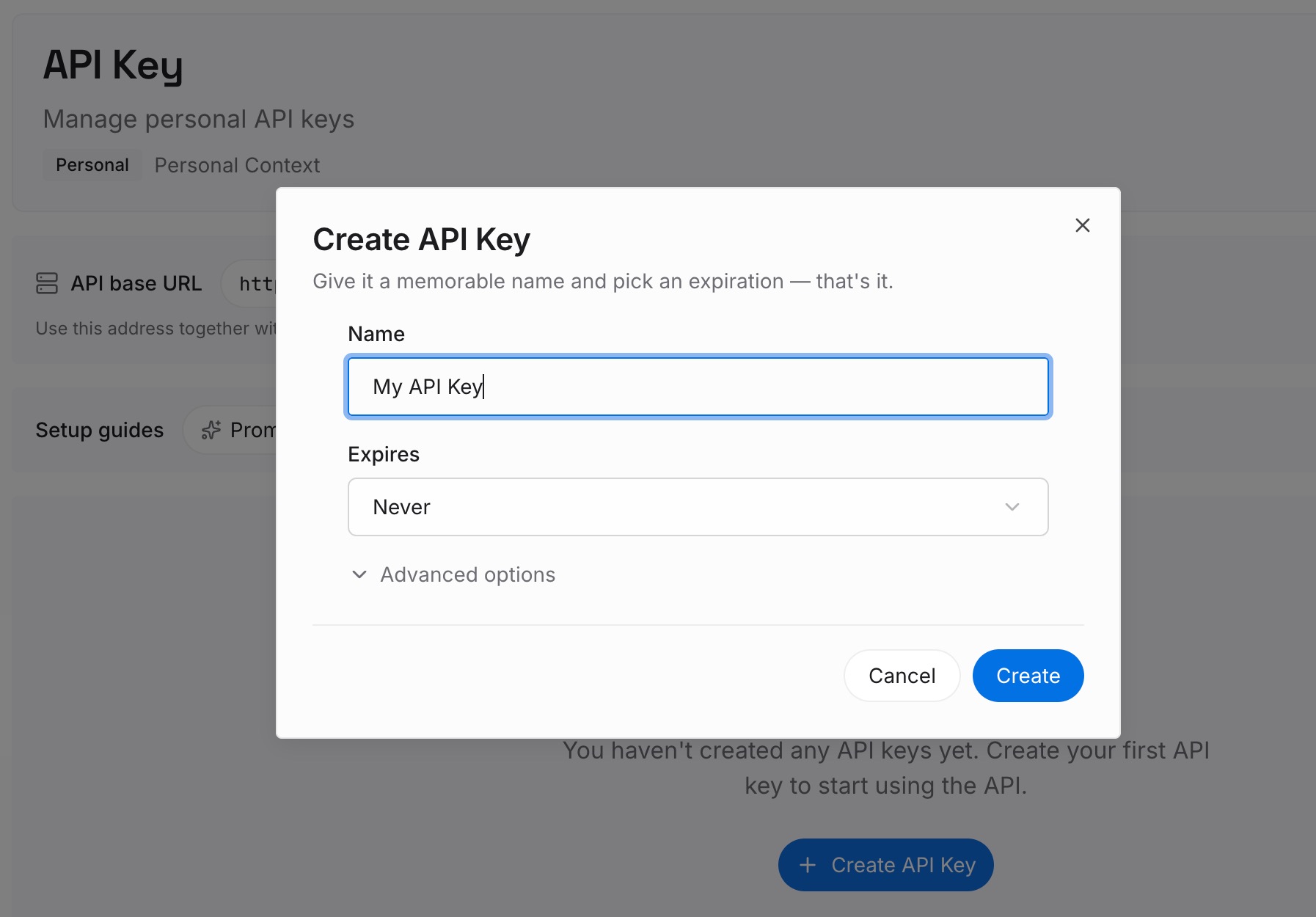
Step 1: Create an API key
Generate a key and make your first request in about 30 seconds. Keep it in your environment or a secret manager rather than pasting it into a session.
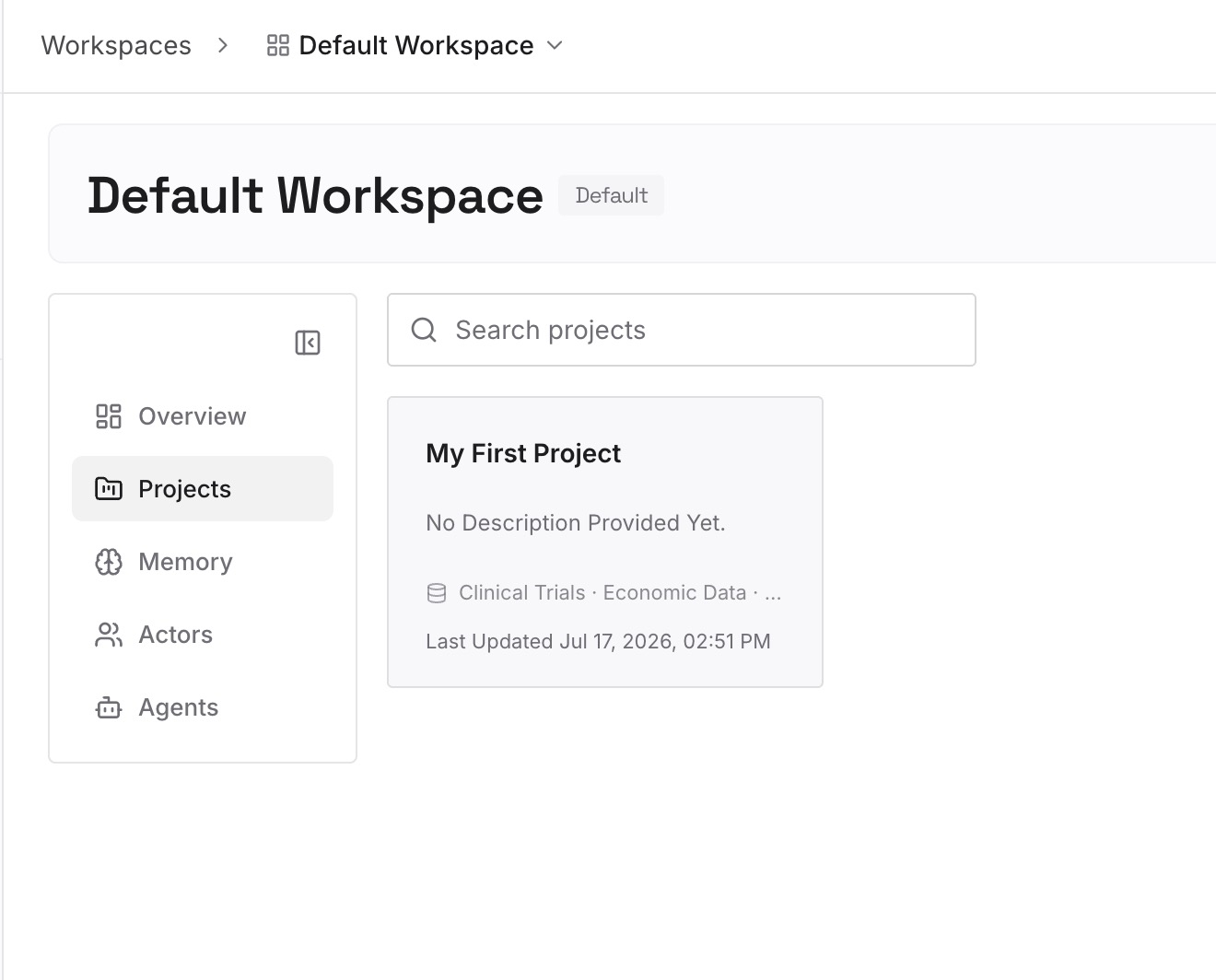
Step 2: Upload your first memories
Drop in the documents, images, and files behind the notes you just migrated: the runbook the deploy ordering came from, the incident writeup that made a directory off-limits, the architecture decisions, the vendor's API quirks you documented once. Upload the sources rather than the one-line version — the one-line version is what you just spent an hour reconstructing.
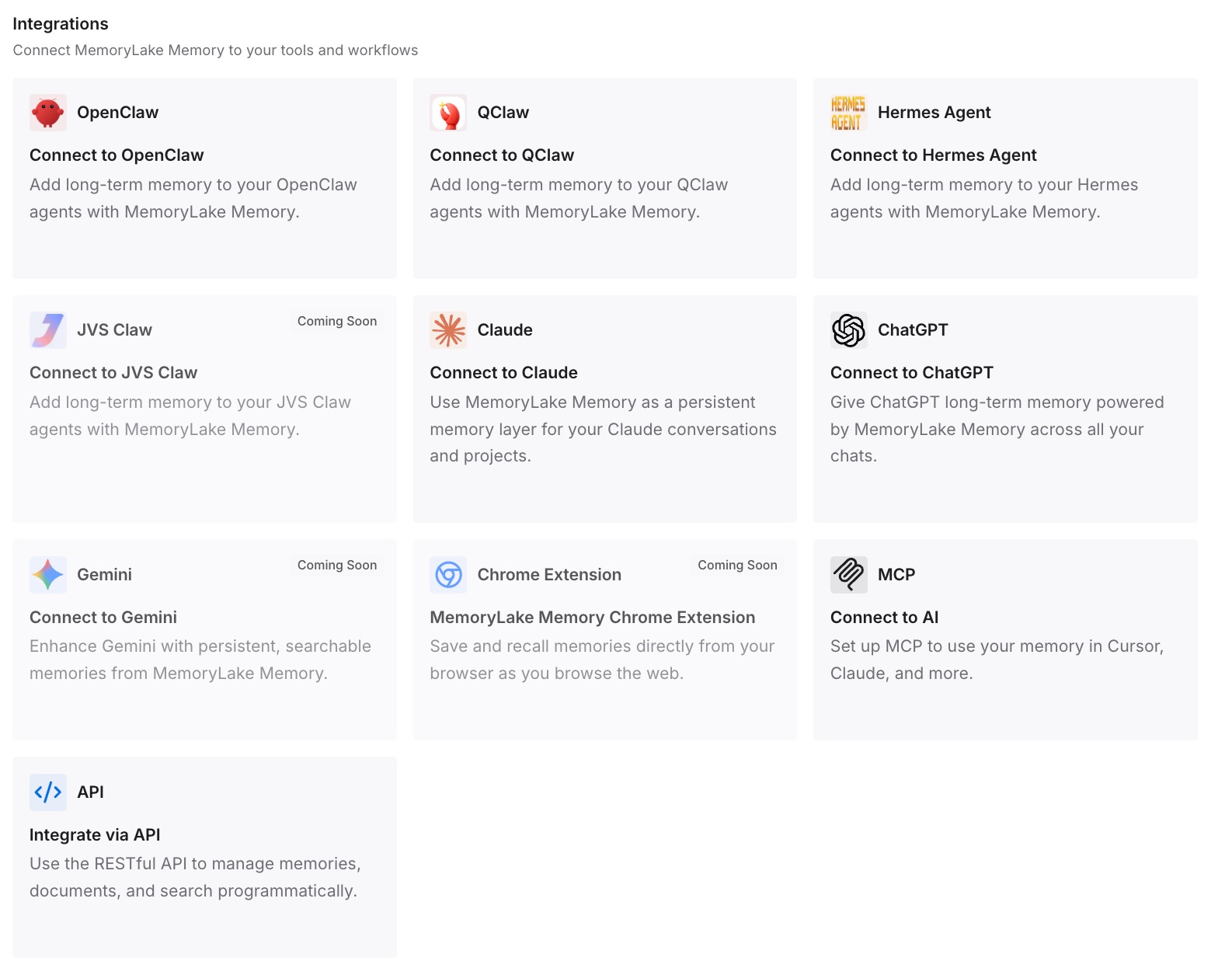
Step 3: Connect your AI & agents
Give Claude, Codex, OpenClaw, and other AI agents access to memory via MCP or the API. Claude Code reads the store directly over MCP alongside your CLAUDE.md files. For ChatGPT, retrieve what you need through the API and inject it into the prompt or the workflow that calls the model.
What this changes in practice
The first difference is that the reason travels with the rule. "Run the migration before the staging deploy" is a rule that gets followed until someone decides it looks redundant. "Run the migration before the staging deploy — out-of-order deploys took staging down twice in March, see the writeup" is a rule that survives a new engineer's judgment.
The second is that your CLAUDE.md can stay short. The whole tension in instruction files is that everything useful wants to be in the always-loaded file, and the always-loaded file gets worse as it grows. With retrieval available for the detail, the file holds the hard constraints and nothing else — which is also the fix for an agent that re-reads your codebase every session instead of starting from what's already known.
The third is that the next migration is cheap. This one cost you an hour of copying out of a UI. The next one costs you a config change, because the knowledge isn't inside the tool you're leaving.
And it composes with what Claude Code already does. Its auto memory keeps accumulating build commands and debugging insights on its own — usefully, and per repository. Worth knowing its boundaries: that store is machine-local, and its documentation says the files are not shared across machines or cloud environments. So it's a good local convenience layer and a poor system of record, which is exactly the division of labor you want.
Best practices for leaving an agent platform
Harvest while you still have access
Knowledge, memories, and saved context are visible right up until the subscription lapses, and not one minute after. Do the copy first, the reorganizing later. This is the only step in the whole migration with a deadline.
Record the trigger, not just the text
Retrieval conditions are information. A note that fired when Devin touched the payments module becomes a path-scoped rule; the same note with the condition forgotten becomes either noise in every session or a rule you deleted for being irrelevant. Copy both columns.
Delete on the way through
A migration is the one moment when someone is reading every rule with fresh eyes. Use it. Stale instructions are worse than missing ones, because the agent obeys them and you don't notice for a month.
Put reasons somewhere retrievable, rules somewhere loaded
The two-line rule belongs in CLAUDE.md. The incident writeup, the RFC, and the vendor thread that produced it belong in a store the agent can pull when it needs to explain or reconsider. Cramming both into instruction files is how those files get to 800 lines and stop being followed.
Don't expect any instruction file to be enforcement
Claude Code's own documentation is clear that instruction files are context rather than enforced configuration, and points at hooks for things that must happen every time. If a rule you're migrating was load-bearing — never push to main, always run the linter — implement it as a hook or CI check, and let the instruction file explain why it exists.
Conclusion
Moving from Devin to Claude Code is a one-way copy, and the reason is structural rather than hostile: Devin's Knowledge pulls from your repository files, including CLAUDE.md and AGENTS.md, but nothing pulls out of Devin. Anything derived from your repo is already where Claude Code will look. Anything you typed into the web app, plus the triggers and pins that scoped it, has to be harvested by hand while you still have access.
Do that harvest with a delete key in your other hand, then rebuild by scope: personal preferences in ~/.claude/CLAUDE.md, team standards in a committed CLAUDE.md, file-specific rules in .claude/rules/ with paths: frontmatter, private notes in CLAUDE.local.md. Keep the files short. Then put the reasons behind those rules in one store your assistants read, so the next time you change platforms, you're changing a tool and not re-excavating everything you know.