
Why Memory Bank drifts out of date
It is documentation, and documentation decays
The custom instruction block that powers Memory Bank is written in the first person, and it is worth reading literally: "I am Cline, an expert software engineer with a unique characteristic: my memory resets completely between sessions. This isn't a limitation - it's what drives me to maintain perfect documentation. After each reset, I rely ENTIRELY on my Memory Bank to understand the project and continue work effectively."
Everything follows from that sentence. Cline is not remembering; it is reading. If the file says the project uses REST and you moved to GraphQL three weeks ago, Cline is not confused — it is correct about a file that is wrong.
One of the six files changes far faster than the rest
The core structure is six files in a deliberate hierarchy: projectbrief.md as "Foundation document that shapes all other files," then productContext.md, systemPatterns.md, and techContext.md building on it, feeding into activeContext.md and progress.md.
Those six do not age at the same rate. projectbrief.md may be correct for a year. activeContext.md covers "Current focus, recent changes, next steps" and, per the docs, "updates most frequently."
That asymmetry is the whole maintenance problem. The file most likely to be stale is also the one Cline leans on hardest at the start of a task, because it is the one describing what you were doing yesterday.
Updating is a command someone has to remember to run
Cline gives you three commands: "initialize memory bank" to create the structure, "update memory bank" to trigger "a full documentation review and update," and "follow your custom instructions" to have Cline read the bank and continue where you left off.
The docs list four conditions that should trigger an update: "Discovering new project patterns," "After implementing significant changes," "When user requests with update memory bank (MUST review ALL files)," and "When context needs clarification."
Three of those four depend on a human noticing. That is not a criticism of the design — it is what a documentation methodology is — but it does tell you where to put your effort.
What people try
Initializing it once and never touching it again. The most common pattern, and it works for roughly two weeks. Then the bank describes a version of the project that no longer exists, and because Cline reads it confidently, the wrong context is worse than no context.
Running "update memory bank" only when something breaks. By then the update is a full rewrite rather than an increment, and full rewrites get postponed.
Putting everything in activeContext.md. It is the file people open most, so it accumulates architecture notes, tech stack decisions, and open questions until it stops being a summary of current focus. The hierarchy exists to prevent exactly this.
Treating Memory Bank as a substitute for auto-compaction. These are different tools. The docs suggest the split directly: "You can also let Auto Compact handle routine context management and reserve manual 'update memory bank' for important checkpoints."
Assuming a .md file in the right folder is enough. Memory Bank needs the instruction block to be active. Copy it into a Cline Rules file such as .clinerules/memory-bank.md, or into your global custom instructions — otherwise the files are just files, which is one version of why agents ignore your instruction files.
Setting it up on one machine and assuming the team has it. If the instruction block lives in your global custom instructions rather than in the repo, your colleagues do not have Memory Bank at all — they have a folder of markdown files nobody's agent is told to read. The symptom is confusing: the bank looks maintained because you maintain it, and it appears to do nothing for everyone else.
Writing the bank for the model rather than for the next person. The files are plain markdown in your repo, which means a human will read them during code review and onboarding. Entries written as terse keyword lists are cheaper to produce and much harder for either audience to verify a month later.
The Fix: Set It Up Properly, Then Give the Durable Half a Home That Doesn't Decay
The setup is three steps, and the third one is the part most guides skip.
Step 1: Install the instructions, then initialize
Copy the Memory Bank custom instruction block from Cline's docs into a Cline Rules file — .clinerules/memory-bank.md is the example the docs give — and then ask Cline to "initialize memory bank."
Choose the location deliberately. Cline's FAQ frames it as a trade-off: "Custom instructions apply globally across all projects. A Cline Rules file is project-specific and stored in your repo, which makes it easy to share with collaborators." For anything with more than one person on it, the repo version wins, because a global instruction that only you have produces a Memory Bank only you maintain.
There is a third option worth knowing: conditional rules can "activate Memory Bank instructions only when working with memory-bank/ files." Useful if the always-on version is crowding your context.
Let Cline create the initial structure rather than hand-writing six files. The docs recommend starting with a basic project brief and letting structure evolve, and Cline populates the hierarchy more consistently than a person filling in templates.
Step 2: Split the six files by how fast they change, and update on that rhythm
Write down, once, who updates what and when. A version that works:
projectbrief.mdandproductContext.md— reviewed at milestones, not sessions.systemPatterns.mdandtechContext.md— updated when an architectural or dependency decision actually changes, in the same commit as the change.activeContext.md— updated at the end of each working session. The docs are explicit: it "changes most frequently; update it after each session."progress.md— reviewed when resuming work, since it "tracks milestones."
Then use the context-window workflow the docs describe, because it doubles as a maintenance ritual. When your context window fills: ask Cline to "update memory bank" to document the current state, start a new conversation, then ask Cline to "follow your custom instructions." You get a fresh window and a current bank from the same three actions, which is far more reliable than a calendar reminder.
One caution on the full update: "update memory bank" means Cline "MUST review ALL files." That is thorough and it is not free — on a large bank it is a substantial pass. Reserve it for checkpoints and let routine trimming happen through Auto Compact, exactly as the FAQ suggests.
Step 3: Keep the facts that outlive the repo somewhere else
Here is the limit of the design. Memory Bank is scoped to a project directory and shaped around a codebase. That is right for systemPatterns.md and wrong for a large category of things your agent also needs.
Client and domain specifics. Preferences about how you want work done, which are true across every repo you touch. Decisions whose reasoning matters more than the outcome. Anything shared with a teammate who is using a different tool.
None of that belongs in six markdown files in one repository, and pushing it there is what makes a Memory Bank bloated and stale at the same time. A memory layer outside the repo holds the cross-project half, while Memory Bank keeps doing what it is genuinely good at. MemoryLake sets up in three steps.
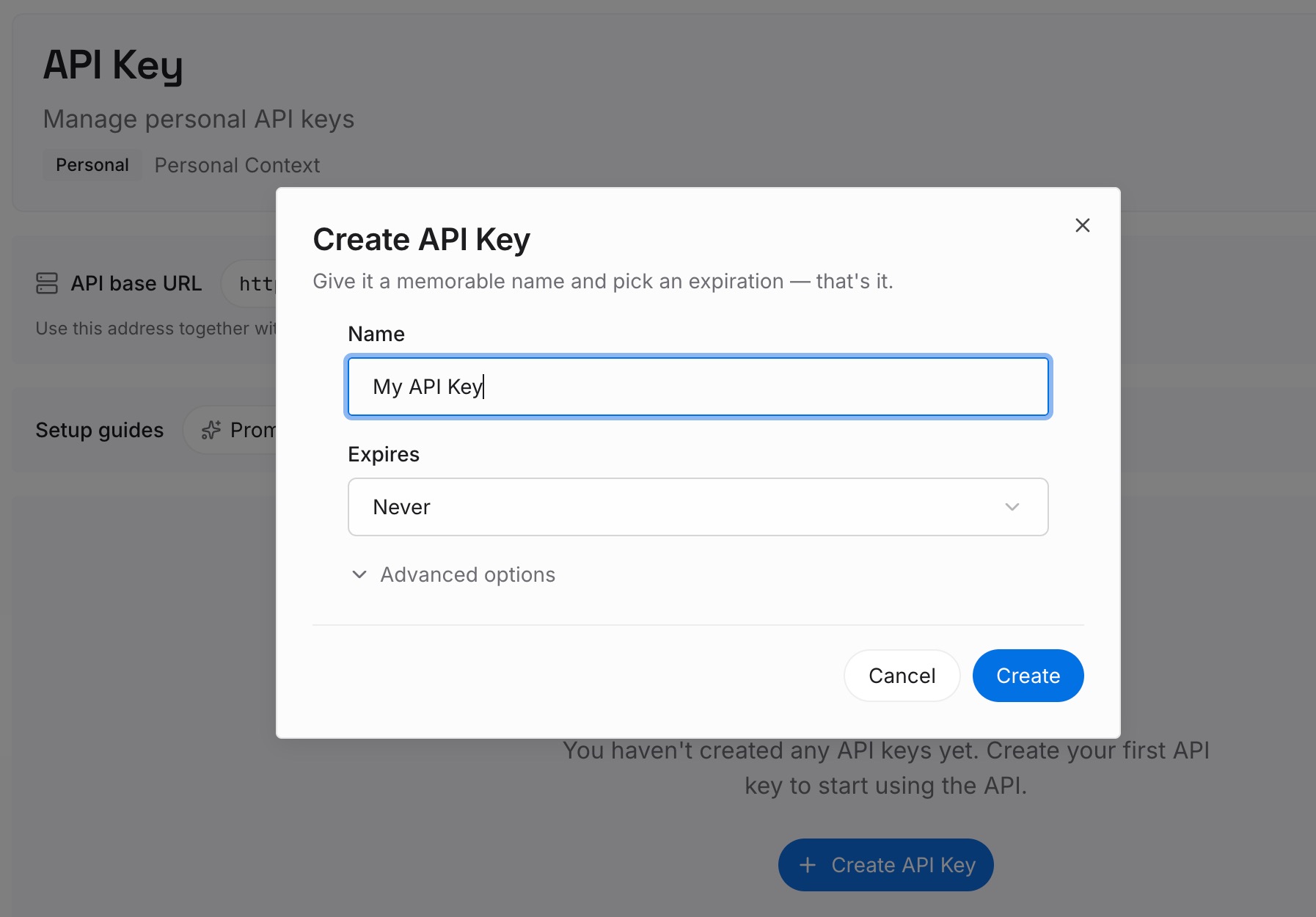
Step 1: Create an API key
Sign in and generate an API key from your dashboard. It belongs to you rather than to a repo, which is what lets the same knowledge follow you between projects instead of being re-established in each new Memory Bank.
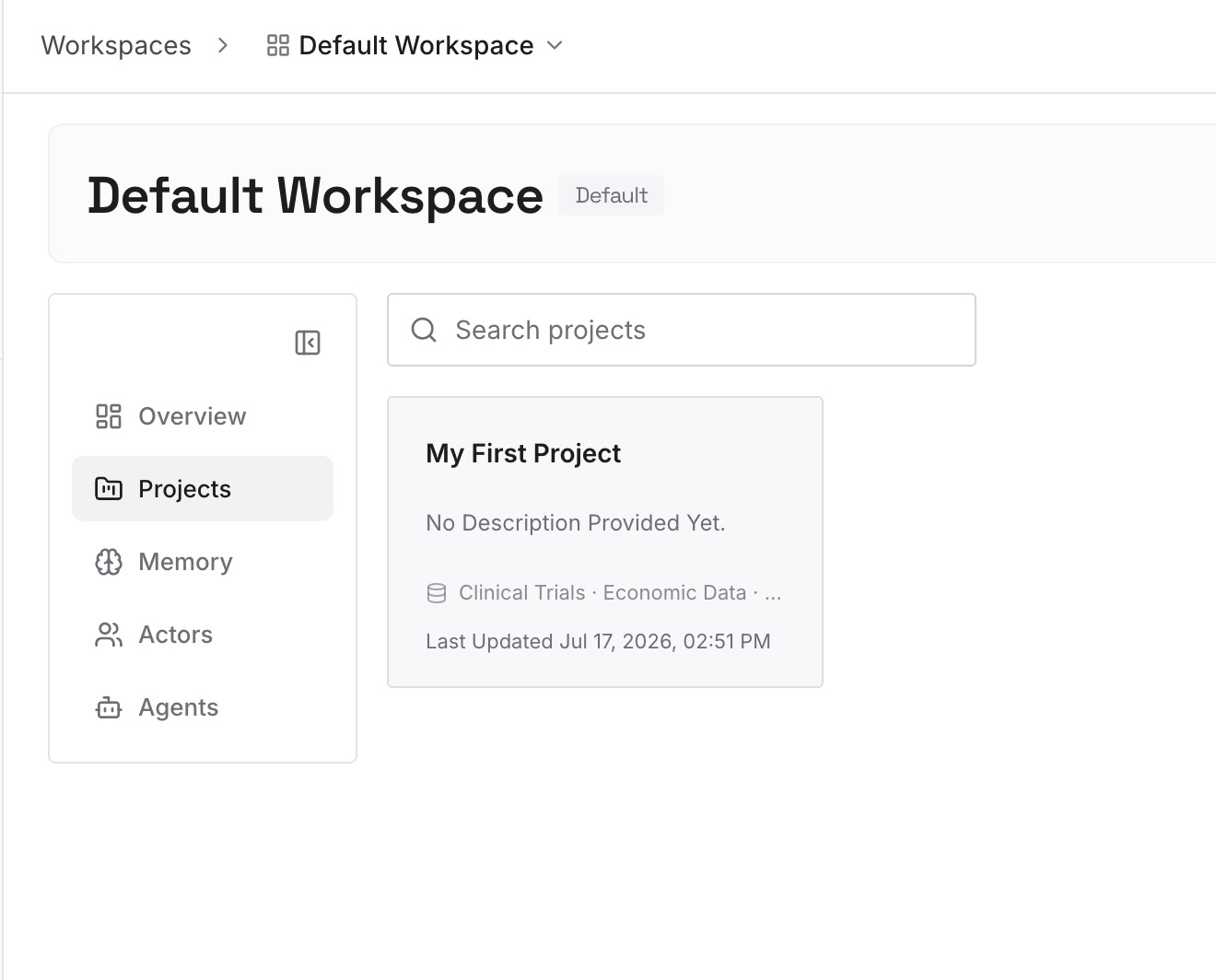
Step 2: Upload your first memories
Start with what you have been tempted to paste into activeContext.md that was never about the current focus: standing preferences, domain glossary, client details, decisions and the reasons behind them. Then add the things you have already re-explained in a second repository.
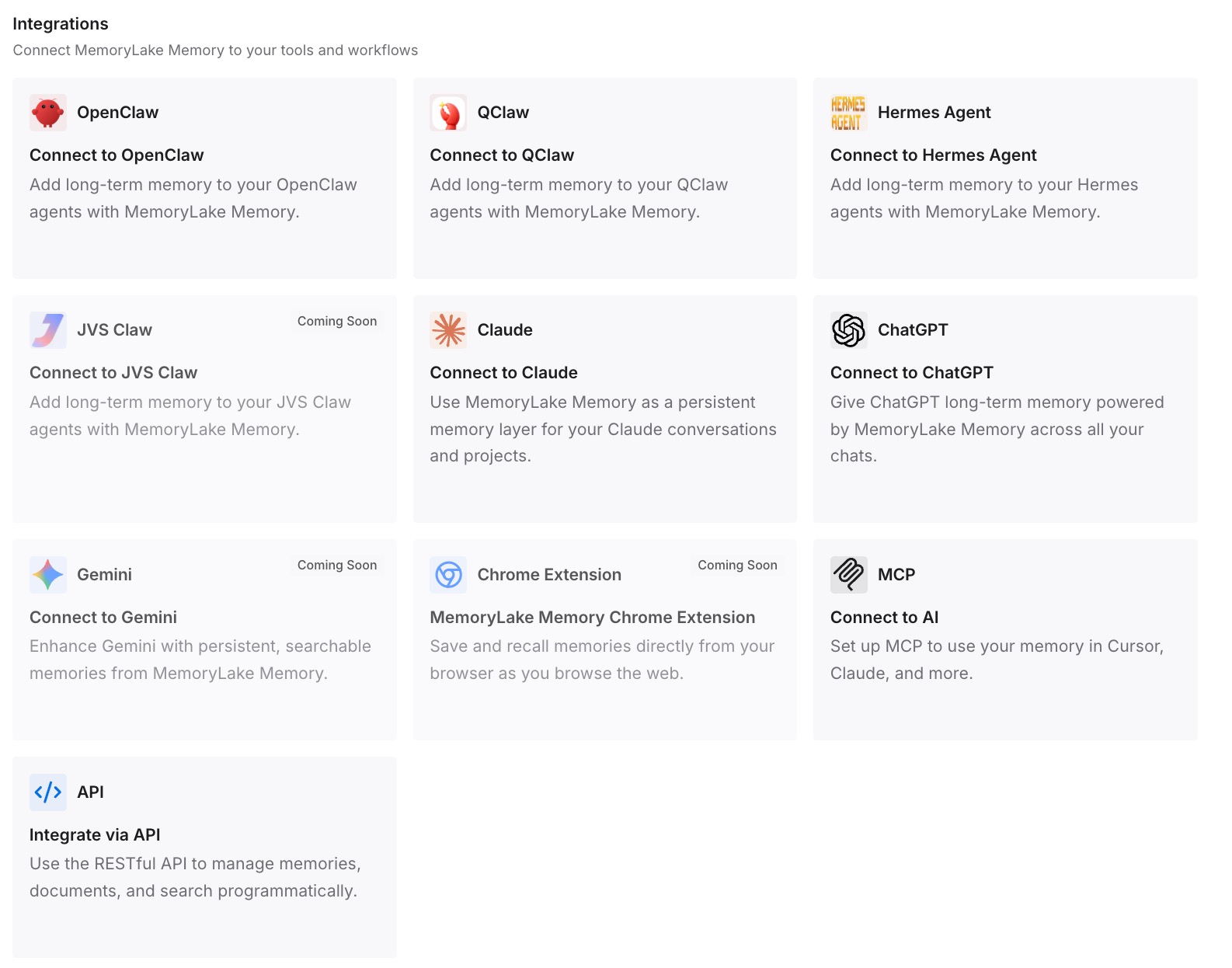
Step 3: Connect your AI & agents
Point Cline at the store. The repo-specific half stays in Memory Bank where your team can review it in a pull request; the durable half stops being re-typed into every new project.
What this changes in practice
The first change is that activeContext.md gets smaller and therefore stays accurate. A file that only holds current focus is a file you can honestly update in thirty seconds at the end of a session. A file that has become a general knowledge dump is one you will skip.
The second is that starting a new repo stops being a blank slate. Today, a new project means a new Memory Bank with nothing in it, and you spend the first week re-establishing preferences Cline already learned twice. With the durable half stored outside, only the project-specific files are new.
The third is that a teammate on a different tool is no longer cut off. Memory Bank is a Cline convention; a colleague on another agent cannot read it as memory, only as documentation. If half your team has switched — say, after a move from Cursor to Cline — the shared layer is what keeps both halves working from the same facts.
Best practices for keeping a Memory Bank current
- Put the instruction block in the repo, not in global settings, for any project with more than one person on it.
- Update
activeContext.mdat the end of every session. It is the only file with a per-session cadence, and it is the one Cline reads hardest. - Tie architectural updates to the commit that changes the architecture.
systemPatterns.mdshould never be updated as a separate chore. - Use the fill-up ritual as your update trigger. Update, new conversation, "follow your custom instructions." Free maintenance attached to something you already do.
- Reserve full "update memory bank" runs for checkpoints. It reviews every file; let Auto Compact handle routine context management.
- Add files under
memory-bank/when a topic deserves one, as the docs allow for complex features, integration specs, or testing strategies — rather than growing one file indefinitely. - Keep cross-project knowledge out. If a fact would be equally true in your next repo, Memory Bank is the wrong home for it.
- Read the bank yourself once a month. It is plain markdown in your repo, which is its greatest advantage — and it means staleness is visible to a human, if a human looks. Auditing what your AI remembers applies here as much as to any hidden store.
Conclusion
Memory Bank is one of the more honest designs in this space. It does not claim the model remembers anything; it says the memory resets and the documentation is what survives. That honesty is exactly why it works and exactly why it decays — a system built on documentation inherits documentation's failure mode.
Set it up in the repo, split the six files by how fast they change, attach updates to something you already do, and keep the knowledge that outlives this repository somewhere that outlives it too.