
Why two good tools end up with two different memories
The mechanisms are symmetric but not compatible
Cursor's documentation describes four kinds of rules: project rules stored as .mdc files in .cursor/rules, user rules global to your Cursor environment, team rules managed from the dashboard on Team and Enterprise plans, and AGENTS.md as a markdown alternative in the project root. Claude Code's documentation describes CLAUDE.md at four scopes — managed policy, user (~/.claude/CLAUDE.md), project (./CLAUDE.md or ./.claude/CLAUDE.md), and local (CLAUDE.local.md) — plus .claude/rules/ for path-scoped instructions.
Line those up and you have two nearly parallel systems using different filenames, different frontmatter fields, and different loading rules. Neither reads the other's primary format. Claude Code's docs say so directly: "Claude Code reads CLAUDE.md, not AGENTS.md."
One file both tools read, and the documented way to wire it
Here's the part most people miss. Cursor lists AGENTS.md in the project root as a supported instructions file, with nested AGENTS.md files supported in subdirectories where more specific ones take precedence. And Claude Code's documentation gives the exact recipe for making that same file work on its side: "If your repository already uses AGENTS.md for other coding agents, create a CLAUDE.md that imports it so both tools read the same instructions without duplicating them."
That's a one-line CLAUDE.md containing @AGENTS.md, or a symlink if you don't need Claude-specific additions. Both tools then read one file. This is a documented pattern on both sides, not a hack.
What the file trick cannot cover
Two things stay separate no matter how you arrange files.
Claude Code's auto memory. It's on by default, stores notes under ~/.claude/projects/<project>/memory/, loads the first 200 lines or 25KB of MEMORY.md into every session, and is explicitly machine-local — the docs state the files "are not shared across machines or cloud environments." It's also written by Claude rather than by you. Cursor has no equivalent to read it, and no file you can commit would make it visible.
Conditional loading. Cursor's four application modes decide when a rule enters context: alwaysApply: true, a description for intelligent application, globs for specific files, or manual rules that require an @-mention. Claude Code's .claude/rules/ uses a paths: frontmatter field for the same purpose. Both are sensible, and they mean "shared content" doesn't imply "loaded at the same moments."
MCP is the one channel both tools already speak
There is, however, a second thing the two have in common besides AGENTS.md, and it's the more interesting one: both support MCP. Claude Code documents MCP server configuration as a first-class feature, including per-subagent inline mcpServers definitions, and Cursor exposes MCP configuration in its own settings.
That matters because it changes what "sharing memory" can mean. A shared file is static — the same text, loaded on both sides, updated by hand. A shared server is dynamic: both tools query the same store at the moment they need something, and a write from one is visible to the other on the next read. For the knowledge that changes as you work — which is most of the knowledge that matters — the second shape is the one that actually holds.
It also means you don't have to pick a winner between the two tools' native memory systems. Claude Code keeps its auto memory for local recall; Cursor keeps its rules for conditional loading; and the durable project knowledge lives in one place both can reach without either tool having to understand the other's format.
And one trap worth knowing before you copy anything. Cursor's documentation says "A plain .md file in .cursor/rules is ignored by the rules system because it has no frontmatter to specify description, globs, and alwaysApply." If you move content around and drop a plain markdown file into that directory, it silently does nothing. That specific failure is covered in why Cursor forgets project rules.
What people try
Maintaining two files with the same content. The default, and it works for about two weeks. Then someone updates one, and now the tools disagree — with no error and no diff to notice, because both files look maintained.
Making both files enormous. If the file is the only channel, everything goes in the file. Both vendors advise against it: Cursor says keep rules under 500 lines and split large ones into composable pieces; Claude Code recommends targeting under 200 lines per file and notes that longer files "consume more context and reduce adherence."
Syncing ~/.claude across machines. Some people sync the whole config directory to work around auto memory being machine-local. It's a practitioner workaround, not a documented feature, and it carries real risk of conflicting writes. Treat it as an experiment, not a setup.
Running /init and calling it done. Useful and underused — Claude Code's /init reads Cursor rules from .cursor/rules/ or .cursorrules and incorporates the relevant parts into the generated CLAUDE.md, and with CLAUDE_CODE_NEW_INIT=1 it also reads AGENTS.md, .devin/rules/, .windsurf/rules/, and .clinerules. But it's a one-time copy, not a link. Once it runs, the two files start drifting again. The same is true of /import, which brings a supported agent's configuration in and carries over MCP servers, commands, subagents, and skills — a migration, not a sync. If you want that one-way move done properly, migrating Cursor rules to Claude Code covers it.
Accepting the tax. The most common outcome: people just re-explain. It costs tokens on every message and it costs the thing you actually care about, which is that the second tool makes decisions without knowing what the first one learned.
The Fix: One Shared File, One Shared Memory Layer
Split the problem in two and both halves get easy.
The rules that must be in context every time belong in one committed file. Use AGENTS.md as the real content and a one-line CLAUDE.md that imports it. Keep it short — the rules you'd defend in a code review, not a knowledge base.
The knowledge that grows belongs in a memory layer both tools query. That's what MemoryLake is: one store, reachable by both agents, holding the decisions and constraints that would otherwise live in one tool's private memory directory. Setup is three steps.
Step 1: Create an API key
Sign in to MemoryLake and create an API key. One credential for both tools, which is the whole point — the credential isn't tied to whichever editor you're in today.
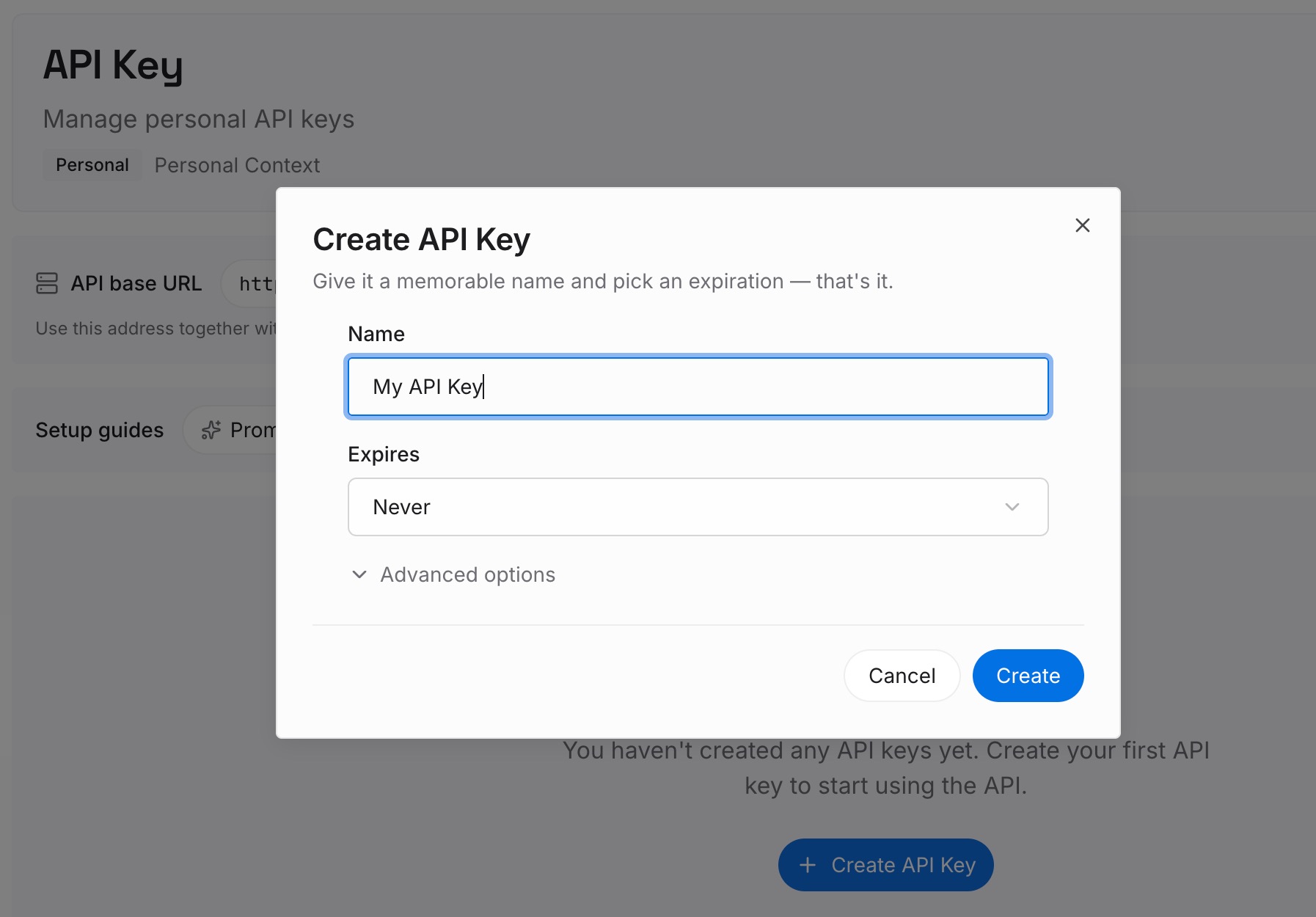
Step 2: Upload your first memories
Start with what you keep re-explaining: architecture decisions and the reasoning behind them, constraints that look arbitrary without context, conventions that live in people's heads, and the approaches you tried and rejected. If Claude Code has been accumulating auto memory, open that directory and read it — the durable facts in there are exactly the material Cursor has never had access to. Keep entries short and single-topic so retrieval returns something usable.
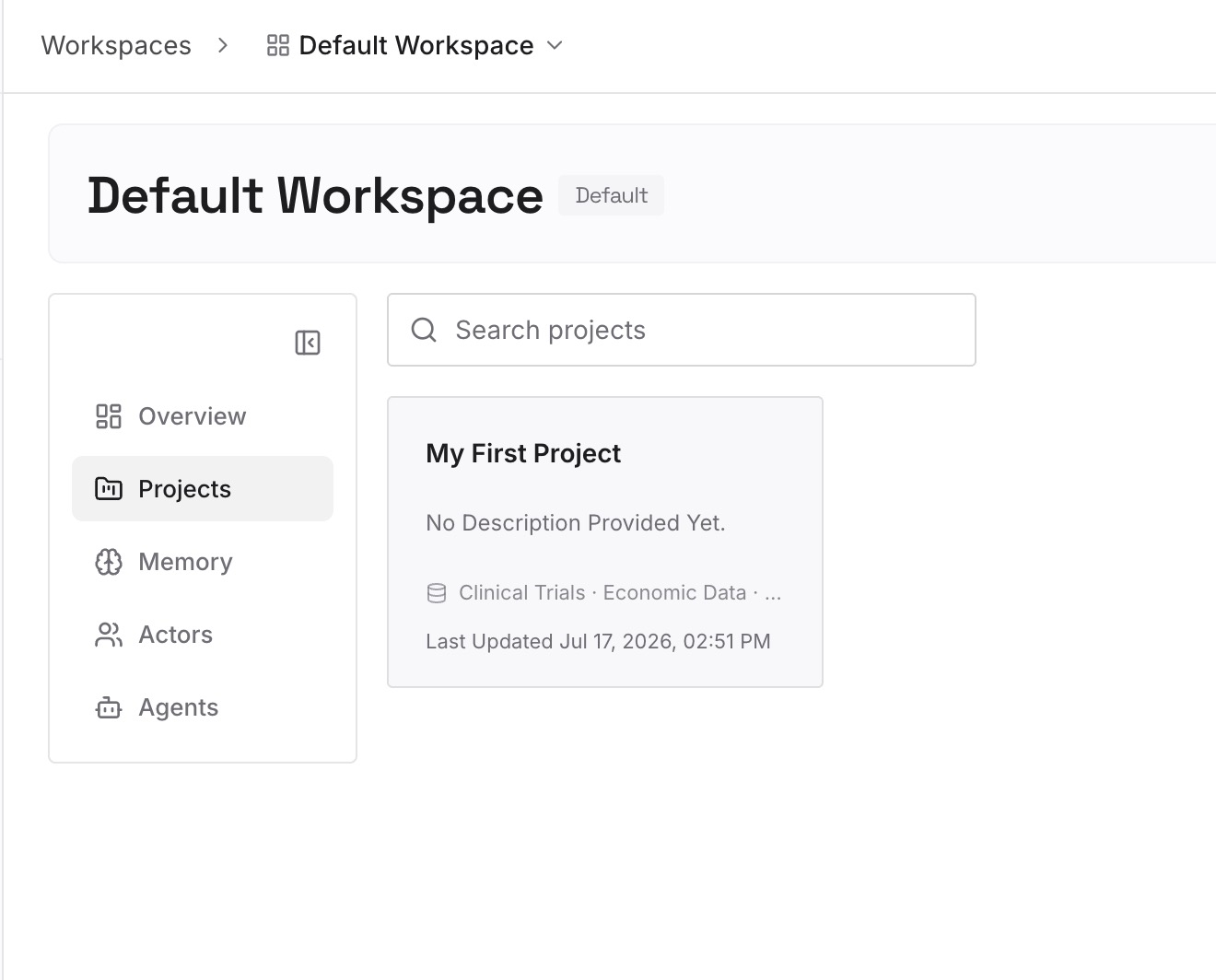
Step 3: Connect your AI & agents
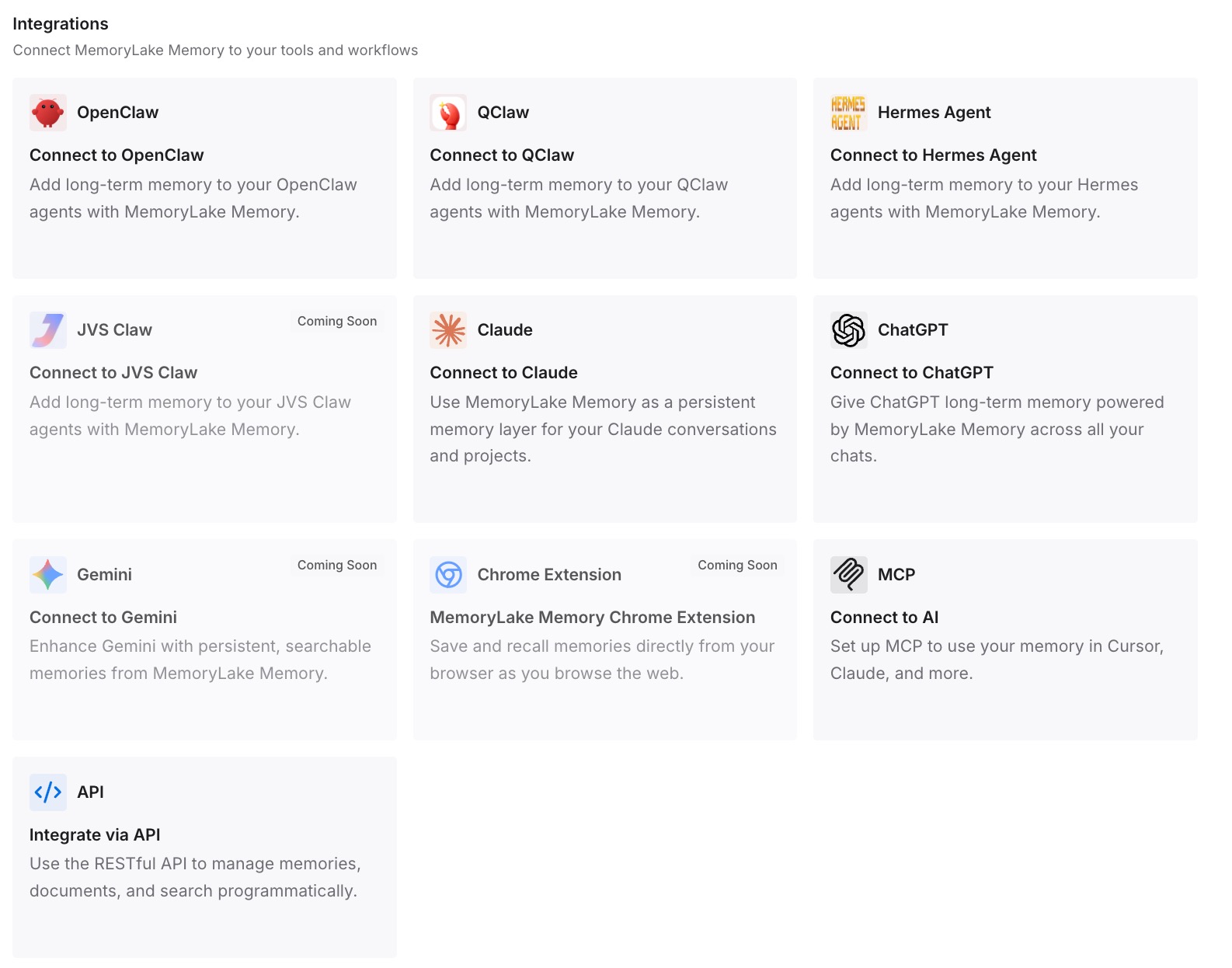
Connect both tools. MemoryLake is reachable over MCP and over an API, so MCP-native agents — Claude Code and Codex and OpenClaw among them — connect by pointing at the MCP server, and Cursor connects through its own MCP configuration. From that point the two tools read the same knowledge, and a decision recorded while working in one is available in the other. For a walkthrough of the MCP side generally, see setting up cross-AI memory with MCP.
Two honest limits. This does not merge the two tools' own memory systems — Claude Code will keep writing its machine-local auto memory, and that's fine; it's good at recalling recent local work. And it isn't an enforcement layer: both vendors describe instructions as context rather than configuration, so anything that must hold regardless of what a model decides belongs in a hook or a CI check.
What this changes in practice
One correction, both tools. The concrete win. Today, telling Cursor "we don't use that ORM anymore" teaches exactly one tool. When the correction lands in a shared layer, the other one stops proposing it too.
Handoffs stop losing context. The common workflow is exploring in one tool and executing in the other. That handoff is where re-explaining happens, and it's the point a shared layer removes — closer to what sharing context between Claude Code sessions does within one tool, extended across two.
Both instruction files get shorter. Once reference knowledge is retrievable, AGENTS.md can be the short list it was meant to be, which measurably improves how reliably it's followed.
The machine boundary stops mattering as much. Auto memory being machine-local means half your accumulated knowledge lives on one computer. A shared layer doesn't change that mechanism, but it means the important parts aren't only there — the problem described in stopping Cursor from forgetting across machines.
Adding a third tool is a connection. Whatever you adopt next reads the same memory instead of starting from a blank slate and another week of re-explaining.
Best practices for running both tools on one repo
One real file, one pointer. AGENTS.md holds the content; CLAUDE.md contains @AGENTS.md and, optionally, a short Claude-specific section below it. Never two full copies.
Keep globs aligned. When a Cursor rule's globs and a Claude Code rule's paths: describe the same file set, you can review them as a pair. When they drift, area-specific rules apply in one tool and not the other.
Never put a plain .md in .cursor/rules. It's ignored silently. Content without frontmatter belongs in AGENTS.md.
Run /init once, deliberately. It's a good starting point for a CLAUDE.md and it reads your existing Cursor and Copilot rules. Just don't mistake it for ongoing sync.
Verify what loaded after any restructuring. Claude Code lists loaded memory files in-session via /context. Confirm before concluding a model is ignoring you — that distinction is the difference between a five-minute fix and a week of prompt tuning, as in why Claude Code forgets project context.
Write down rejections, not just decisions. The single highest-value category. Both tools will re-propose the thing you already ruled out unless the ruling is written where they can read it.
Conclusion
The two-tool tax has two components, and they need different fixes. The always-on rules can genuinely be one file: Cursor reads AGENTS.md, and Claude Code's own documentation tells you to import it from a one-line CLAUDE.md. Do that this afternoon and you've removed the drift problem for the layer that matters most often.
What a file can't do is share the knowledge that accumulates — because on Claude Code's side that layer is machine-local and self-written, and on Cursor's side it's governed by frontmatter conditions. Put that half in a memory layer both tools query, and the handoff between editing and agentic work stops being the place your context goes to die.