
What Codex subagents are
OpenAI's documentation uses three terms. A subagent workflow is one where Codex runs parallel agents and combines their results. A subagent is a delegated agent that Codex starts to handle a specific task. An agent thread is where a subagent does its work, and supported clients let you open it.
Where they run
Subagents work in the ChatGPT desktop app, Codex CLI, and the IDE extension, and in ChatGPT Work. OpenAI says "Current Codex releases enable subagent workflows by default." In ChatGPT Work, the agents run in ChatGPT's hosted environment, and the chat shows their activity and results.
They aren't free. OpenAI notes that "Because each subagent does its own model and tool work, subagent workflows consume more tokens than comparable single-agent runs."
How they start
In local Codex, subagents start when you ask for them or when instructions ask Codex to delegate. OpenAI says current local releases delegate "when you ask directly or when applicable AGENTS.md or skill instructions request it." In practice, that means prompts like spawn two agents, delegate this work in parallel, or use one agent per point.
In ChatGPT Work, you ask at most intelligence levels. At Ultra, ChatGPT can delegate suitable work without a separate request.
Why they exist
The reason OpenAI gives is about context, not speed. If you fill the main chat with exploration notes, test logs, stack traces, and command output, "the session can become less reliable over time." OpenAI names two effects: context pollution, where useful information gets buried, and context rot, where performance degrades as the chat fills with less relevant details.
Subagents move that noise off the main thread. OpenAI's guidance is to keep the main agent "focused on requirements, decisions, and final outputs" and to return summaries from subagents instead of raw intermediate output.
What each subagent starts with
This is where subagents differ most from a second chat you open yourself. A subagent gets some things from your session automatically and others only if it's given them.
The task, and maybe the conversation
Every subagent gets a task. Whether it also gets your conversation is a choice made when it's started. In Codex's open-source code, the tool that starts a subagent has an option for this, described as: "True forks the current thread history into the new agent; false or omitted starts with only the initial prompt."
So a subagent may start knowing only what its task says. If your main chat holds a decision, such as which library you chose or which files are off limits, don't assume the subagent knows it. Put it in the request, or ask Codex to include it when it delegates. OpenAI's own advice points the same way: "A good subagent prompt should explain how to divide the work, whether Codex should wait for all agents before continuing, and what summary or output to return."
If you want a full copy of a conversation to explore in a different direction, that's a different feature. Our guide to forking a Codex chat covers it. Claude Code's subagents raise the same question about what each helper knows, and our guide to why Claude Code subagents don't share memory covers that side.
Your model settings
If you don't configure anything, OpenAI says "the subagent inherits the parent agent's model and reasoning effort." You can change that in your prompt, set defaults under [agents] in config.toml, or set them in a custom agent file. OpenAI suggests a faster model for narrow, repeatable work and a stronger one for agents that need to plan and verify.
Your sandbox and approvals
Subagents inherit your current sandbox policy. In the desktop app and IDE extension, they inherit the permission mode selected beneath the composer, so choose it before you ask Codex to delegate. In the CLI, OpenAI says "Subagents inherit the parent turn's current sandbox and approval settings, including changes made with /permissions or --yolo."
A custom agent can't loosen this. OpenAI is explicit: "Custom agent instructions can ask an agent to avoid edits, but they don't create a separate read-only sandbox."
Your skills, MCP servers, and memories
Custom agents "inherit the parent's permissions, provider, and MCP servers; a custom agent file can't override those settings." Skills inherit from the parent too, and a custom agent can turn off individual skills with skills.config.
Memories are one of the capabilities a custom agent can switch off. OpenAI lists features.memories among the feature keys you can set to false to reduce what an agent can do. If you've turned on Codex's local memories, our guide to Codex's local memories explains what they hold and how they're controlled.
What comes back to your main chat
The main thread gets results, not the full work. When several agents run, OpenAI says "Codex waits until all requested results are available, then returns a consolidated response."
The work itself stays in each agent thread. In the desktop app, OpenAI says it "surfaces each subagent thread so you can inspect its work and the summary returned to the main chat." In the CLI, /subagents lets you switch between agent threads while they run. In ChatGPT Work, a Subagents panel shows read-only Active and Done lists, and you can open a completed subagent to see its details and result.
That design keeps your main chat clean. It also means the reasoning behind a finding, such as which files a subagent read or which approach it ruled out, lives in a thread you have to open. If it matters later, it needs to be written down somewhere outside that thread.
Built-in and custom agents
Codex ships with three built-in agents:
default, a general-purpose fallback agentworker, for implementation and fixesexplorer, for read-heavy codebase exploration
You can define your own as TOML files, one per agent, in ~/.codex/agents/ for personal agents or .codex/agents/ for agents scoped to a project. Each file must define name, description, and developer_instructions. OpenAI's documentation includes this reviewer as an example, saved as .codex/agents/reviewer.toml:
name = "reviewer"
description = "PR reviewer focused on correctness, security, and missing tests."
model = "gpt-6.1-sol"
model_reasoning_effort = "medium"
developer_instructions = """
Review code like an owner.
Do not edit files.
Prioritize correctness, security, behavior regressions, and missing test coverage.
Lead with concrete findings, include reproduction steps when possible, and avoid style-only comments unless they hide a real bug.
"""
OpenAI's advice for custom agents is to keep them narrow: "The best custom agents are narrow and opinionated." If a custom agent's name matches a built-in one, such as explorer, yours takes precedence.
Global settings
Settings that apply to all subagents live under [agents] in your configuration. agents.enabled defaults to true; set it to false to turn off multi-agent tools. agents.max_concurrent_threads_per_session caps how many spawned-agent threads can be open at once, not counting the main one, and agents.max_threads still works as a legacy alias. agents.default_subagent_model and agents.default_subagent_reasoning_effort set defaults that an explicit request overrides.
Steering subagents while they run
You don't have to wait. In the desktop app, CLI, and IDE extension, you can ask Codex to steer a running subagent, stop it, or close completed threads. In the CLI, approval requests can come from an agent thread you aren't looking at; the overlay shows which thread is asking, and you can press o to open it before you answer.
OpenAI also warns about one kind of work. Parallel agents suit read-heavy tasks such as exploration, tests, triage, and summarization. It says to "Be more careful with parallel write-heavy workflows, because agents editing code at once can create conflicts and increase coordination overhead."
What people try first
Assuming a subagent knows the whole conversation. It may start with only its task. Put key decisions in the request.
Using a custom agent file to make an agent read-only. Instructions can ask it not to edit, but the sandbox still comes from the parent session.
Setting MCP servers in a custom agent file. They don't override the parent. Configure MCP servers in the parent session.
Running several agents that edit the same code. OpenAI recommends care with parallel writes. Use parallel agents mainly for reading and checking.
Losing a finding after the run. The main chat gets a summary. If a detail matters, save it before you move on.
The Fix: Brief each subagent, keep the main chat for decisions, and write down what you learn
Step 1: Write the brief, not just the task
When you ask Codex to delegate, say how to split the work, what each agent should return, and whether to wait for all of them. Include the decisions each agent needs: the constraint, the file to leave alone, the approach already ruled out. Durable rules belong in AGENTS.md, where Codex can follow them every time; our guide to Codex skipping AGENTS.md rules covers how Codex finds those files.
Step 2: Set permissions and agents before you delegate
Choose the permission mode for the parent turn first, since subagents inherit it. For work you repeat, create custom agents with narrow instructions and the model that fits the job, and turn off capabilities a job doesn't need.
Step 3: Save what the subagents found
When the consolidated answer arrives, open the agent threads that matter and pull out the findings worth keeping: the risks, the decisions, the dead ends. Write them where the next session will see them. For long tasks with a clear end, our guide to Codex Goal mode explains how to keep the main chat pointed at the outcome.
Setting this up in MemoryLake
Subagents produce findings; keeping them is up to you. Each finding lives in an agent thread, and the next task, chat, or tool starts without it unless someone writes it down.
MemoryLake is a memory layer for keeping those findings in one list you maintain, available to Codex and the other assistants you connect, such as ChatGPT and Claude Code.
You write the entries yourself, in your own words. Nothing is read out of, written to, or deleted from your subagent threads, your AGENTS.md files, your Codex memories, or any vendor's store. Subagents keep working the way OpenAI describes them.
Step 1: Create an API key
Sign in and generate a key from the dashboard. The key belongs to your MemoryLake workspace and is separate from your ChatGPT account and your Codex configuration.
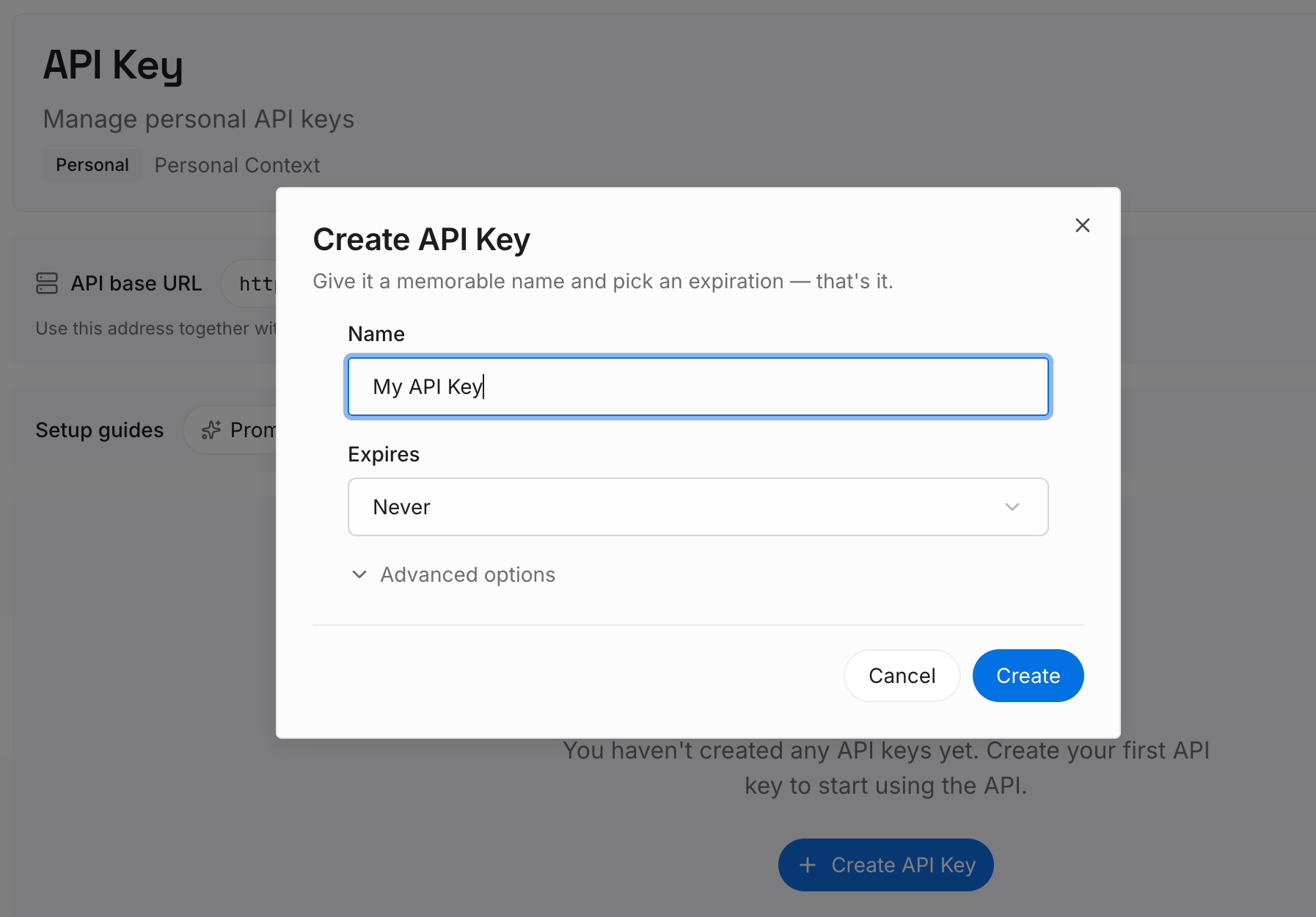
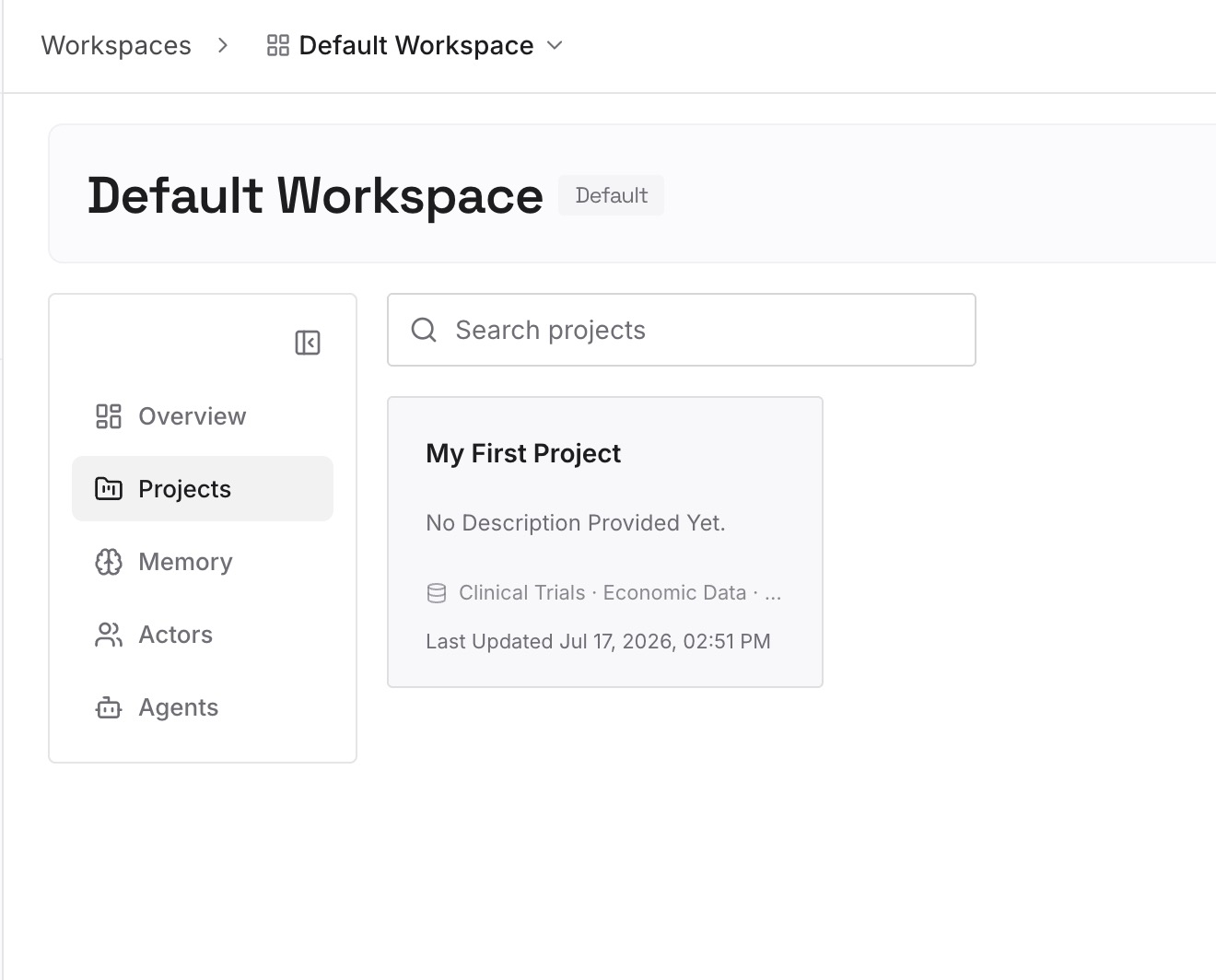
Step 2: Upload your first memories
Start with what you pulled out in Step 3 of the fix: the findings, decisions, and ruled-out approaches from your last subagent run. One point per entry, dated, and labeled with the repository.
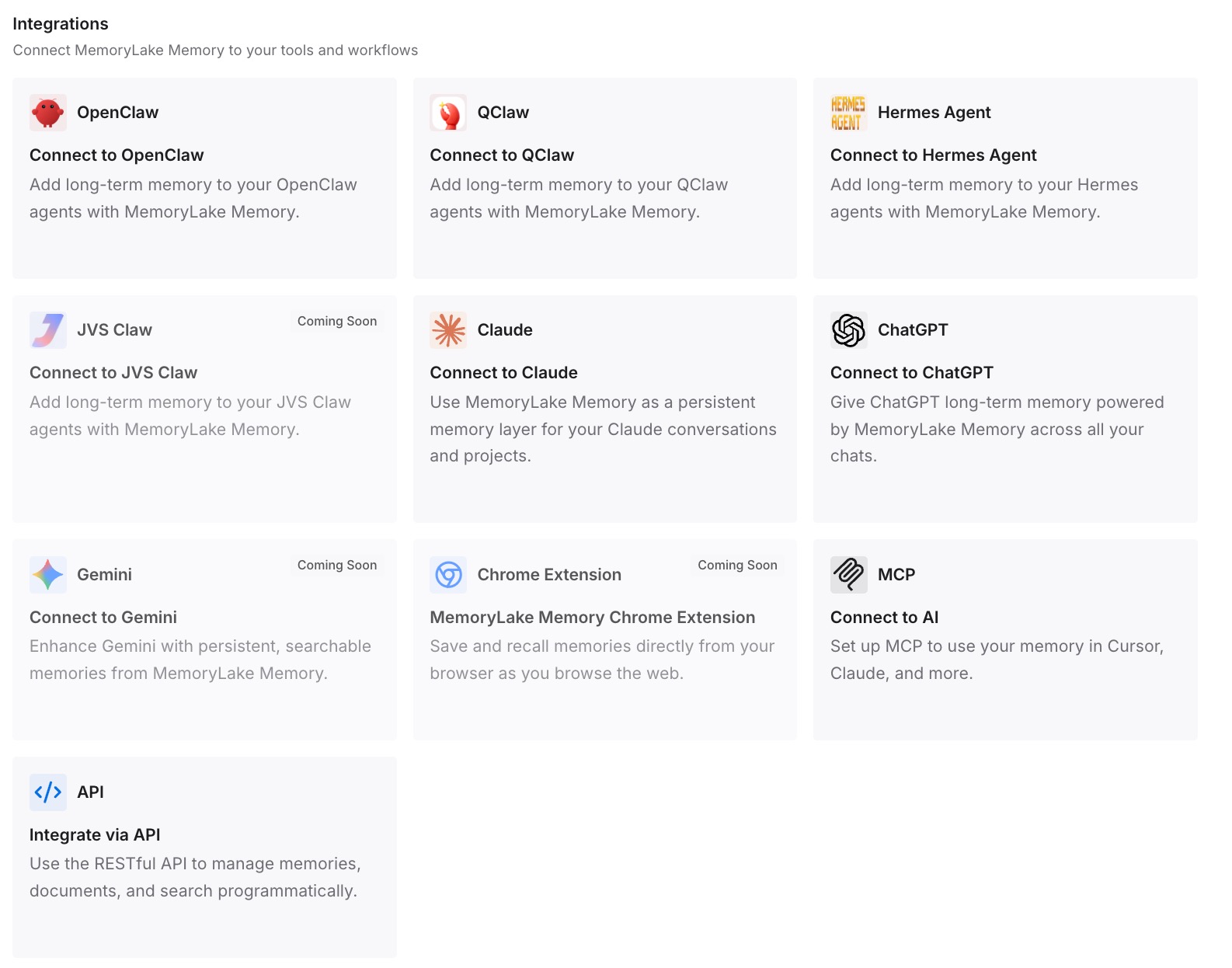
Step 3: Connect your AI & agents
Connect Codex and the other assistants you use. The next brief can start from what the last run settled.
What this changes in practice
The first difference is that subagents start informed. The brief carries the decisions they need instead of hoping they inherited them.
The second is that the main chat stays focused. Noisy work happens in agent threads, and the main thread holds requirements, decisions, and results.
The third is that findings outlive the run. What a subagent learned is written down, not left in a thread you'll never reopen. If long sessions are your concern, our guide to GPT-6.1 Sol's 500k default in Codex covers when compaction kicks in.
Best practices for Codex subagents
Ask explicitly. Say how to split the work and what to return.
Put decisions in the brief. A subagent may start with only its task.
Set permissions before delegating. Subagents inherit them from the parent turn.
Prefer parallel reading over parallel writing. Use subagents for exploration, tests, triage, and review.
Keep custom agents narrow. One job, clear instructions, the right model.
Configure MCP servers in the parent. Custom agent files can't override them.
Save the findings. Open the threads that matter and write down what they learned.
Conclusion
Codex subagents are delegated agents that run in parallel, each in its own thread, and return their results to your main chat as one consolidated response. They're on by default in current Codex releases and in ChatGPT Work. Each one inherits your model settings, sandbox and approvals, MCP servers, and skills, and may start with only its task unless your conversation is forked into it.
Give each subagent a real brief, set permissions first, keep parallel work mostly read-only, and write down what the subagents found before the threads scroll out of view.