
What auto memory is
Claude Code has two memory systems. Anthropic's documentation says "Both are loaded at the start of every conversation." The difference is who writes them:
- CLAUDE.md files. You write them. They hold instructions and rules: coding standards, workflows, project architecture.
- Auto memory. Claude writes it. It holds learnings and patterns: "Your preferences, corrections you give Claude, project context Claude can't derive from the code".
Both are context, not configuration. Anthropic says Claude "treats them as context, not enforced configuration". If you need something enforced no matter what, the documentation points to a hook instead.
What Claude saves, and what it skips
As it works, Claude saves notes in four kinds, each recorded as a type field in the memory file:
- user: "your role, expertise, and working preferences"
- feedback: "corrections you give Claude and approaches you confirm"
- project: "ongoing work, deadlines, and decisions that Claude can't derive from the code or git history"
- reference: "where to find information outside the project, such as an issue tracker or dashboard"
It also leaves things out on purpose. "Claude skips anything it can derive from the codebase, such as architecture, file paths, or debugging fixes. It also skips anything your CLAUDE.md files already say."
And it doesn't save something every time. "Claude doesn't save something every session. It decides what's worth remembering based on whether the information would be useful in a future conversation."
You can also ask directly. Anthropic's example: when you ask Claude to remember something such as always using pnpm instead of npm, "Claude saves it to auto memory". To put an instruction in CLAUDE.md instead, ask for that explicitly or edit the file yourself.
Where MEMORY.md lives
"Each project gets its own memory directory at ~/.claude/projects/<project>/memory/." The project path comes from your git repository, so "all worktrees and subdirectories within the same repo share one auto memory directory". Outside a git repo, the project root is used.
Inside the directory, MEMORY.md is the index, with one line per memory, and each memory has its own topic file. Anthropic describes MEMORY.md as acting "as an index of the memory directory".
Three properties of that folder are worth knowing:
- It's machine-local. "Files are not shared across machines or cloud environments." Our guide to why Claude Code forgets everything on your other machine covers what that means in practice.
- It's shared across worktrees. One repository, one memory folder, however many worktrees you open. Our guide to whether worktrees share memory covers what each worktree session loads.
- It isn't cleaned up with transcripts. Claude Code deletes old session transcripts after its retention period, but memory files are excluded. "MEMORY.md and topic files stay until you or Claude edits or deletes them."
Moving it somewhere else
To store auto memory in another location, set autoMemoryDirectory in your settings. The documentation says the value "must be an absolute path or start with ~/". When it's set in a project's settings file, Claude Code applies the same workspace trust rule it uses for hooks.
What loads at the start of each session
Not all of auto memory loads at once. "The first 200 lines of MEMORY.md, or the first 25KB, whichever comes first, are loaded at the start of every conversation. Content beyond that threshold is not loaded at session start."
Topic files work differently. "Claude Code doesn't load topic files such as user_role.md or feedback_testing.md at startup. Claude reads them on demand using its standard file tools when it needs the information."
Keeping the index under the limit
Claude Code watches the index size. After Claude writes to MEMORY.md, Claude Code checks it against the 200-line and 25KB limits. Near a limit, it reminds Claude to shorten the file: one line per entry, detail moved to topic files, stale entries merged or dropped. Over a limit, the write still succeeds, but Claude is told to rewrite the index, "because everything past the limit is dropped on the next load".
This limit is specific to MEMORY.md. Anthropic notes that Claude gets the whole of each CLAUDE.md file that loads at launch, up to 4 MiB. Subdirectory CLAUDE.md files and path-scoped rules have their own smaller limit; our guide to the subdirectory CLAUDE.md limit covers it.
Subagents and forks
"The main conversation's auto memory isn't loaded into subagents; the exception is a fork, which inherits the parent conversation and system prompt." A subagent can have its own auto memory, enabled with its memory field, in a separate directory.
What the interface tells you
When Claude reads or writes memory, you'll see it. Anthropic says that interface messages such as Saved 2 memories or Recalled 2 memories mean Claude is "actively updating or reading from" the memory folder. Each memory file with frontmatter also gets a modified timestamp, which "shows how current the fact is, both to you and to Claude when it reads the memory back".
How to turn auto memory on or off
"Auto memory is on by default in local sessions." Sessions in a self-hosted environment run with it off by default, outside Claude Tag sessions.
There are three ways to turn it off:
- The /memory toggle. Open
/memoryin a session and use the auto memory toggle. It savesautoMemoryEnabledto your user settings. - Per project. Set
autoMemoryEnabledto false in that project's settings. - An environment variable. Set
CLAUDE_CODE_DISABLE_AUTO_MEMORY=1.
Why the toggle won't turn it back on
There's one case to know about. The toggle can turn auto memory off, but it can't turn it back on in a background session, or in a session another Claude Code session started. There, the toggle reads off · can't be turned on here; use a session started outside Claude Code. To turn it back on, run Claude Code directly in your terminal and use /memory there.
How to see and edit what it saved
"Auto memory files are plain markdown you can edit or delete at any time." Run /memory to browse and open them. It lists your CLAUDE.md files and memory locations, lets you toggle auto memory, and has an option to open the auto memory folder.
If you're not sure what auto memory saved, Anthropic's troubleshooting answer is direct: "Run /memory and select the auto memory folder to browse what Claude has saved."
In the VS Code extension, the Customize menu has a Memory entry that shows the auto memory toggles, the saved memories, and the memory folders.
Auto memory vs CLAUDE.md: where each thing belongs
Anthropic's split is a useful rule: "Use CLAUDE.md files when you want to guide Claude's behavior. Auto memory lets Claude learn from your corrections without manual effort."
- Team rules and standards belong in CLAUDE.md, checked in, so everyone gets them. For rules that only apply to some files, our guide to Claude Code rules covers path-scoped loading.
- Your preferences and corrections fit auto memory, on your machine.
- Repositories that use AGENTS.md follow their own loading rules; our guide to Claude Code and AGENTS.md explains when it's read.
When auto memory seems not to work
It's off in this session. Check /memory. Background sessions and sessions started by another Claude Code session can't turn it back on.
You're in a different repository path. The folder is per repository. A separate clone of the same code in another location may get a different folder.
You're on another machine. Auto memory doesn't sync between machines or to cloud environments.
The index is past its limit. Anything past the first 200 lines or 25KB of MEMORY.md doesn't load.
You're in a subagent. Subagents don't load the main conversation's auto memory, unless they're forks.
Claude decided it wasn't worth saving. It doesn't save every session. Ask it to remember something explicitly. To find what an older session discussed, our guide to finding Claude Code session history covers where transcripts live.
What people try first
Editing MEMORY.md as if it were CLAUDE.md. It works, but MEMORY.md is an index Claude maintains. Rules you want followed belong in CLAUDE.md.
Letting the index grow. Past 200 lines or 25KB, the rest doesn't load at session start.
Expecting memory on a second machine. The folder is machine-local.
Turning it back on from a background session. It can't be turned on there. Use a session started directly in your terminal.
Assuming deleted transcripts take memory with them. Memory files are excluded from the transcript cleanup.
The Fix: Keep auto memory small, current, and in the right place
Step 1: Look at what's there
Run /memory, open the auto memory folder, and read MEMORY.md. Check that each line is still true. Delete what's stale; the files are plain markdown.
Step 2: Move rules to CLAUDE.md
Anything that should apply for everyone on the project, or that you need followed every time, belongs in CLAUDE.md. Ask Claude to add it there, or edit the file through /memory.
Step 3: Decide what should travel
Auto memory stays on one machine and in one repository. For preferences and decisions you need across machines, repositories, or tools, keep a copy somewhere that isn't tied to this folder.
Setting this up in MemoryLake
Auto memory works well inside one repository on one machine. Its limits come from the same design: the folder is per repository, it doesn't leave your machine, and only the first part of the index loads. The preferences and decisions you'd want everywhere don't travel with it.
MemoryLake is a memory layer for keeping those in one list you maintain, available to Claude Code and the other assistants you connect, such as ChatGPT and Codex.
You write the entries yourself, in your own words. Nothing is read out of, written to, or deleted from your auto memory folder, your MEMORY.md, your CLAUDE.md files, or any vendor's store. Auto memory keeps working the way Anthropic describes it.
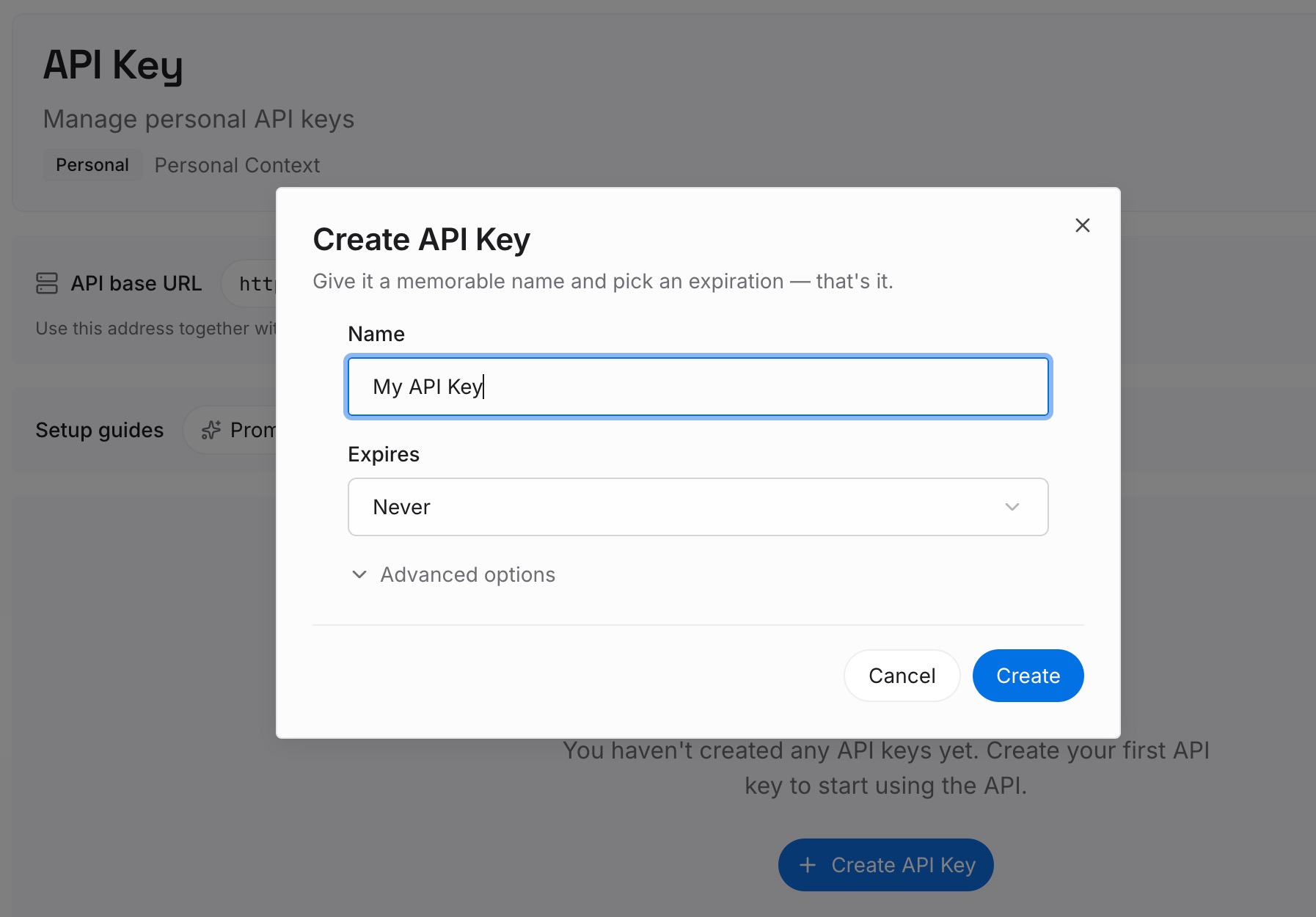
Step 1: Create an API key
Sign in and generate a key from the dashboard. The key belongs to your MemoryLake workspace and is separate from your Claude account.
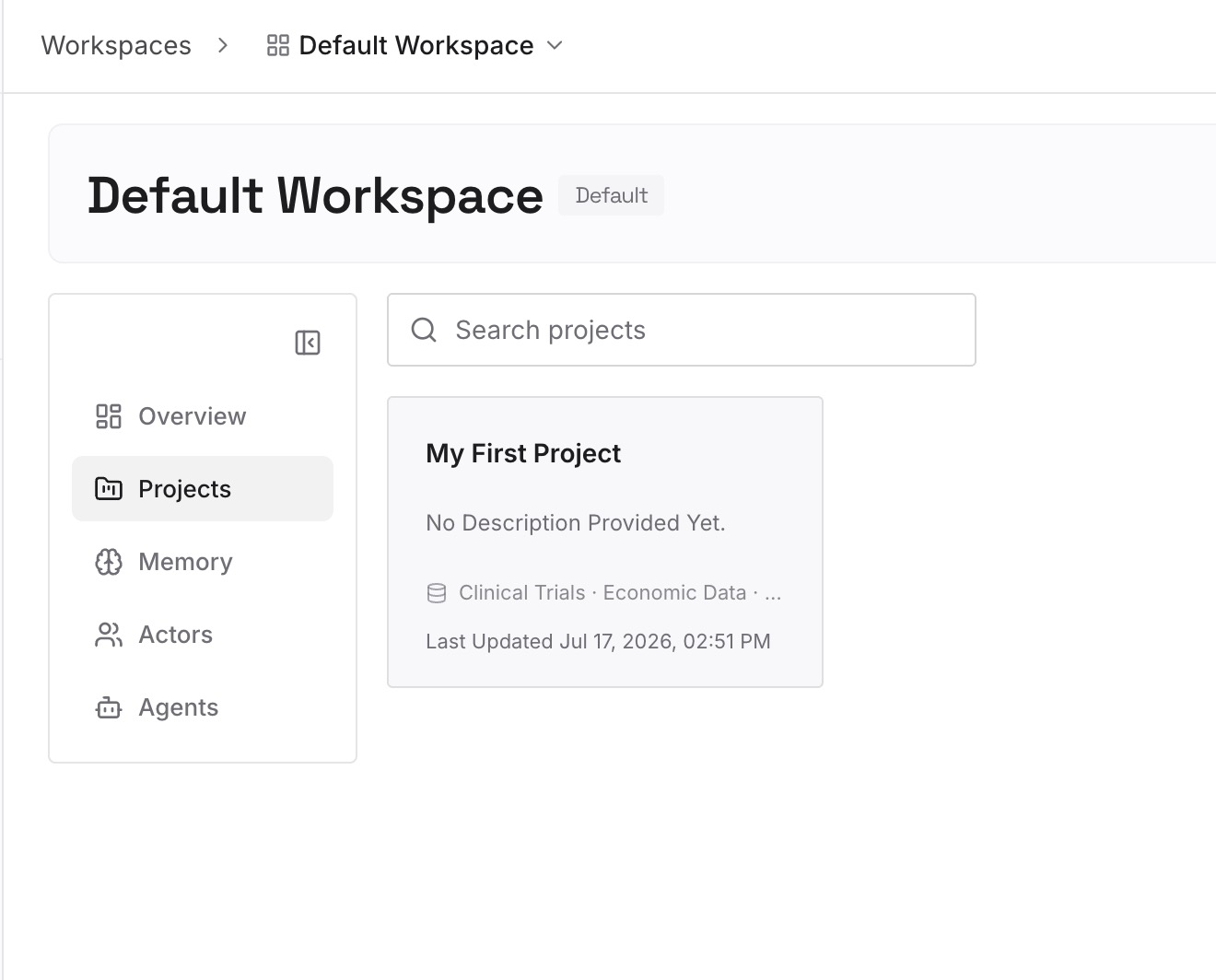
Step 2: Upload your first memories
Start with what you identified in Step 3 of the fix: the preferences and decisions you need beyond one repository. One point per entry, dated, so it's clear when each one was current.
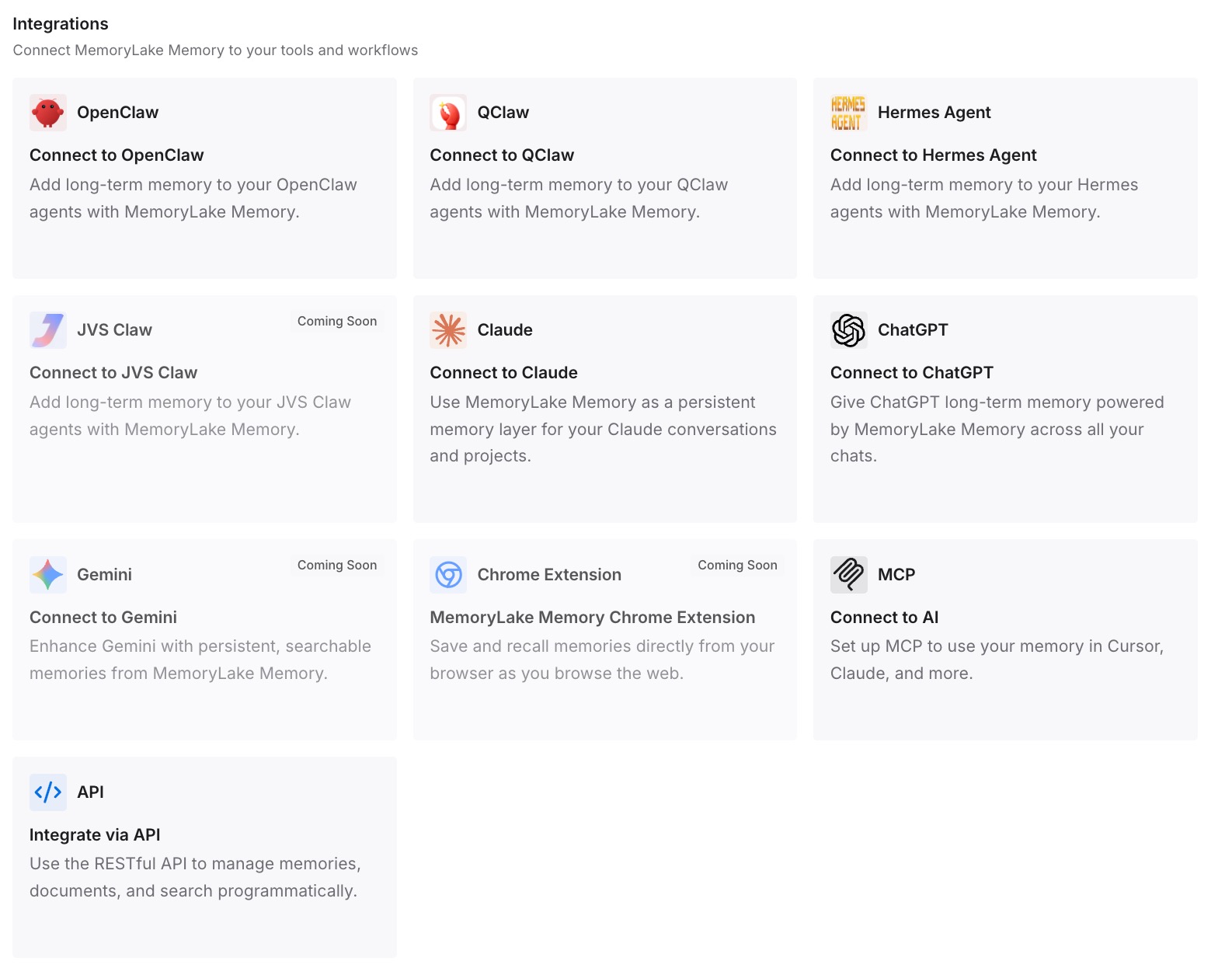
Step 3: Connect your AI & agents
Connect Claude Code and the other assistants you use. The same facts are available on another machine, in another repository, or in another tool.
What this changes in practice
The first difference is that auto memory stops being a black box. You know where it is, what it saves, and how much of it loads.
The second is that you can fix it when it misbehaves. Most problems come down to the toggle, the repository path, the machine, the index limit, or a subagent.
The third is that each kind of context ends up where it works best. Rules in CLAUDE.md, personal corrections in auto memory, and anything that has to travel in a place of its own.
Best practices for Claude Code auto memory
Read MEMORY.md now and then. It's plain markdown, and stale lines cost context.
Keep the index short. Only the first 200 lines or 25KB load.
Put team rules in CLAUDE.md. Auto memory is per machine and per user.
Ask Claude to remember explicitly. It doesn't save something every session.
Use one repository path. Memory is keyed to the git repository.
Turn it back on from a direct session. Background sessions can only turn it off.
Plan for other machines. Auto memory doesn't sync.
Conclusion
Claude Code auto memory is the set of notes Claude writes for itself: your preferences, corrections, project context, and references. It lives in a per-repository folder on your machine, with MEMORY.md as the index. The first 200 lines or 25KB of that index load at the start of every conversation, and topic files are read when needed.
It's on by default in local sessions, and you can turn it off with /memory, a project setting, or an environment variable. When it seems not to work, check the toggle, the repository, the machine, the index size, and whether you're in a subagent. Keep rules in CLAUDE.md and the index short.