
What incognito chat is
Anthropic's help center defines it in one line: "Incognito chats are temporary conversations that aren't saved to your chat history or to Claude's memory." It's available on every plan: "Incognito chats are available to all Claude users (Free, Pro, Max, Team, and Enterprise plans)."
The idea is a conversation that leaves nothing behind in your account. You can see it while it's open. Once you close it, it's not in your list, not in search, and not in memory.
How to start and end an incognito chat
Start a new chat outside a project. Anthropic says "you'll see a ghost icon in the upper right corner of your screen". Click the ghost icon to turn on incognito mode.
You'll know it's on. The help center says the interface shows "a black border" and an Incognito chat label in the upper left corner. When you're done, close it with the x in the upper right corner.
What incognito chat keeps out
Your chat history and past-chat search
An incognito chat doesn't appear in your history. It also stays out of Claude's search across past chats: "Claude won't pull information from incognito chats when searching previous conversations."
So if you ask Claude in a later chat about something you discussed in an incognito chat, it can't find it. That's by design. Our guide to which past chats Claude's search reaches covers the other limits on what search can see.
Memory, in both directions
Incognito chats affect memory in two ways. Anthropic lists both:
- "Starting an incognito chat won't use Claude's existing memory."
- "Incognito chats will not be included in future memory entries."
Claude doesn't bring what it remembers about you into the conversation, and nothing from the conversation is added to memory afterward. Anthropic's memory article puts it simply: when incognito mode is on, "Claude won't remember your chats, so they won't be saved to Claude's memory or your chat history".
Training
"Incognito chats are not used for training."
Your monthly recap
"Incognito chats aren't included in your monthly recap."
What Claude can still see in an incognito chat
Incognito turns off memory, but not everything about your account. Anthropic's FAQ asks whether Claude can access profile information, such as custom styles and personal preferences, in an incognito chat. The answer: "Yes, Claude can access this information within an incognito chat."
That means your styles and personal preferences can still shape answers in an incognito chat. If you want a reply with none of your settings applied, check those settings, since incognito doesn't switch them off.
What Anthropic still retains
Not saved to your history doesn't mean not stored. The help center is explicit: "While incognito chats aren't saved to your chat history, they are retained for either 30 days (default), or longer in accordance with your organization's custom data retention setting (available for Enterprise plans)."
On Team and Enterprise plans
Work accounts have more to know. Anthropic lists three points for Team and Enterprise:
- "Incognito chats are included in organizational data exports available to account Owners."
- Incognito chats are retained "for 30 days for safety, or longer in accordance with your organization's data retention policy".
- "Incognito chats are included in the Compliance API (available for Enterprise plans)."
Anthropic's admin section adds that incognito chats "don't contribute to memory and aren't visible in members' chat histories, but they remain available to owners through data export". So incognito hides a chat from you and from Claude's memory. On a work account, it doesn't hide it from your organization.
Where incognito works, and where it doesn't
Outside projects only
"Incognito mode is currently only available for chats outside of projects, so you won't see the ghost icon when starting a chat within a project." If you're used to starting chats from a project, that's why the icon is missing. Our guide to how Claude projects handle memory between chats covers what a project chat shares instead.
In the new Claude experience
There's a note at the top of Anthropic's article for anyone using the new Claude experience: "If you have the new Claude experience, incognito chats open in the previous chat experience, so Claude can't create files or run code in them." An incognito chat suits questions and drafting, not tasks that need files or code.
Incognito chat vs. a chat with memory turned off
Claude has a second, lighter option. Before you send your first message in a new chat, you can turn off Memory in the + menu. Anthropic describes it as the option to use "If you want Claude to skip memory for one conversation but still keep the chat".
That chat behaves differently from incognito in one important way. Claude won't use or add to memory, "and the chat stays in your chat history and Claude can still find it when searching past chats from your other conversations".
Here's how they compare:
- Incognito chat. Not in history, not in past-chat search, not in memory, can't be reopened.
- Memory off for one chat. In history, findable by past-chat search, not in memory, available in projects too.
The memory-off option is the one to use inside a project. Anthropic says you can turn memory off for a single project chat the same way. Note the timing: you have to turn it off before the first message, and the memory article says that once the chat starts, the setting can't be changed.
When incognito is the right choice
Incognito fits conversations whose only value is the answer in front of you. A few examples:
- A sensitive question. Something you don't want shaping later answers or appearing in your list of chats.
- A one-off test. Checking how Claude answers without your memory in the mix, keeping in mind that profile preferences still apply.
- A shared screen. A chat you'd rather not leave in your history on a device or account others see.
It fits less well when the conversation produces something you'll build on. A plan, a decision, or a draft you'll revise next week belongs in a regular chat or a project, or in a chat with memory turned off if you want it kept but not remembered.
Once it's closed, it's gone
This is the part to know before you close one. "Once closed, incognito chats cannot be reopened." And there's no way to keep one after the fact: "once you start an incognito chat, it cannot be converted to a regular chat or saved to your history".
If something useful came out of an incognito chat, copy it before you close the window. Anthropic's advice is the same: "Make sure to save any important information before ending your session."
The 30-day retention doesn't change this. Retained by Anthropic for safety is not the same as available to you. Our guide to finding missing Claude chat history covers chats you can recover; an incognito chat isn't one of them.
What people try first
Expecting incognito to hide a chat from a work account. On Team and Enterprise, incognito chats are included in organizational data exports available to Owners.
Looking for the ghost icon inside a project. It's only available for chats outside projects. Use the memory toggle in the + menu instead.
Trying to reopen a closed incognito chat. It can't be reopened or converted. Copy what you need first.
Assuming incognito ignores your preferences. Claude can still access your profile information, such as custom styles and personal preferences.
Using incognito to stop one memory. If you want the chat kept but out of memory, turn off memory for that chat. To remove something Claude already remembers, see our guide to making Claude forget something.
The Fix: Decide what the conversation should leave behind
Step 1: Choose the right mode before your first message
Ask what you want left afterward. Nothing at all: incognito. The chat, but nothing in memory: turn off memory in the + menu. Everything, including memory: a regular chat. The choice has to be made before you send the first message.
Step 2: Save what you want to keep before you close
If an incognito chat produced an answer, a draft, or a decision worth keeping, copy it out before you close the window. You won't get the chat back.
Step 3: Put durable facts somewhere you control
If something from an incognito chat is a fact you'll need again, store it deliberately in a place you choose, rather than reopening a regular chat to say it again. If Claude later seems not to remember things from regular chats, our guide to Claude memory not working covers the usual causes.
Setting this up in MemoryLake
Incognito chat is built to leave nothing behind, which is the point. The problem comes when a temporary conversation produces something you want to keep: a decision, a fact about your work, a preference. Claude's memory won't take it from an incognito chat, and the chat itself disappears when you close it.
MemoryLake is a memory layer for keeping the facts you choose in one list you maintain, available to the assistants you connect, such as ChatGPT, Claude Code, and Codex.
You write the entries yourself, in your own words. Nothing is read out of, written to, or deleted from your Claude chats, your incognito chats, your Claude memory, or any vendor's store. Incognito chats keep working the way Anthropic describes them.
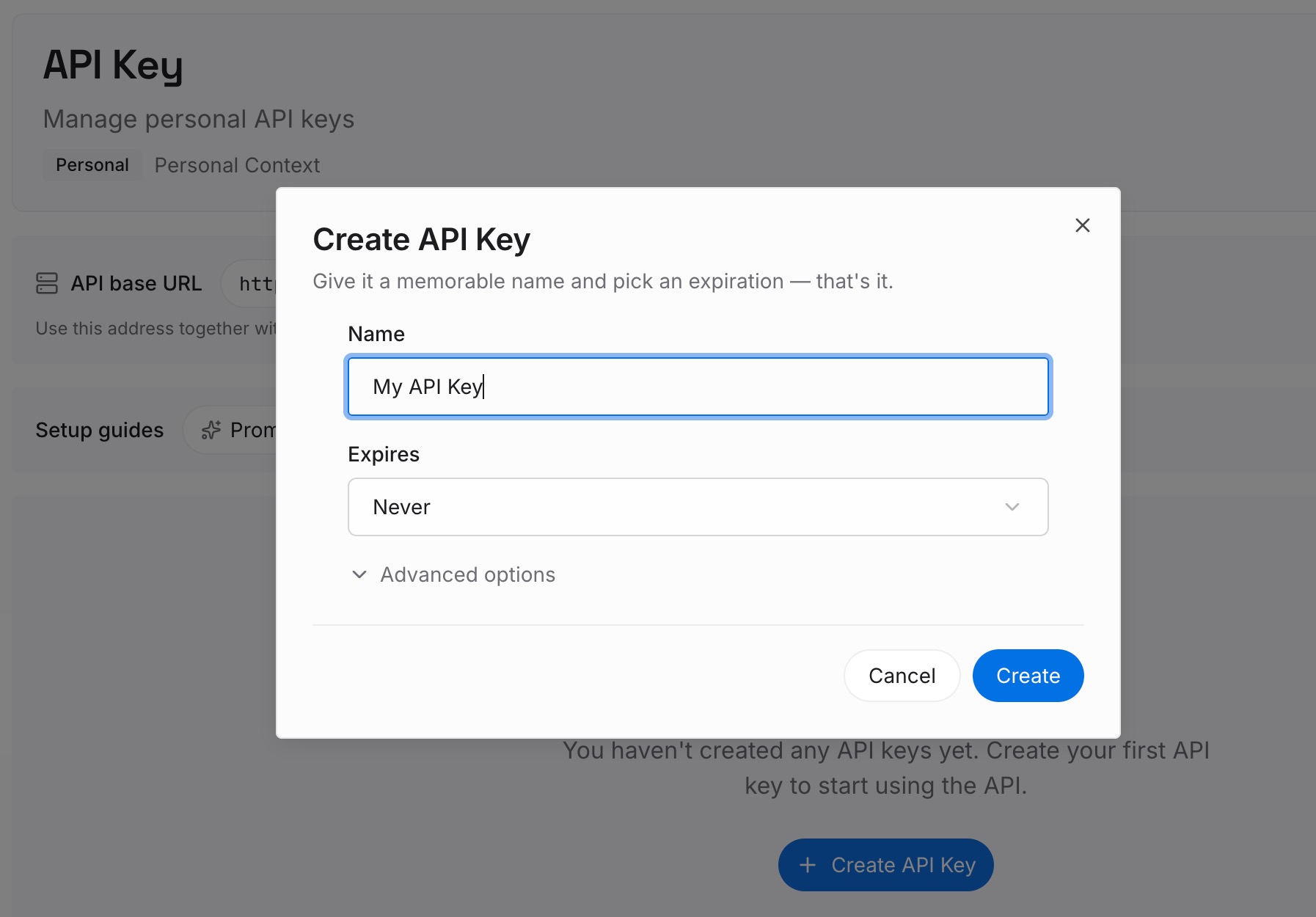
Step 1: Create an API key
Sign in and generate a key from the dashboard. The key belongs to your MemoryLake workspace and is separate from your Claude account.
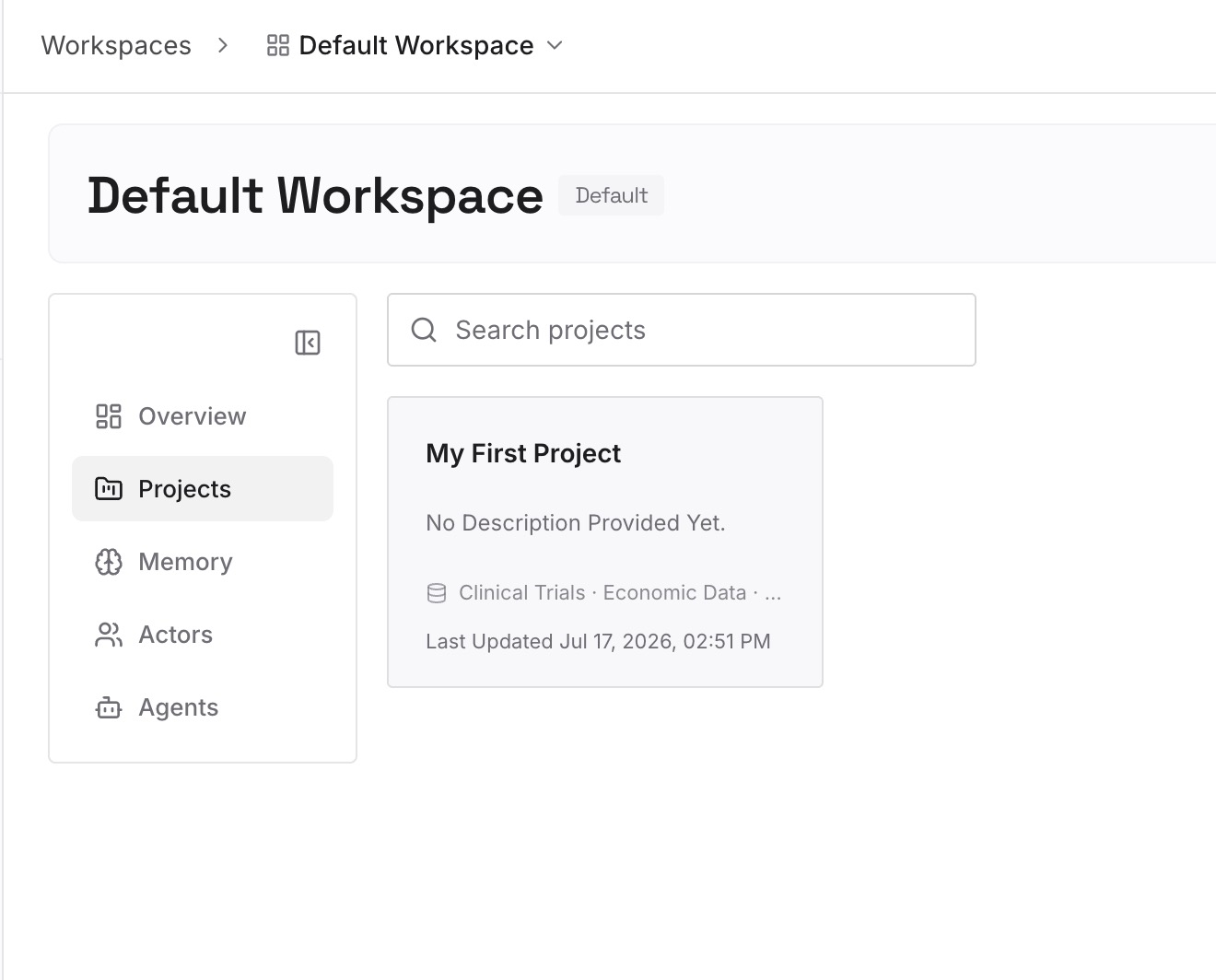
Step 2: Upload your first memories
Start with what you'd otherwise lose when you close a temporary chat: the decision you reached, the preference you'd repeat. One point per entry, dated, and only what you're comfortable keeping.
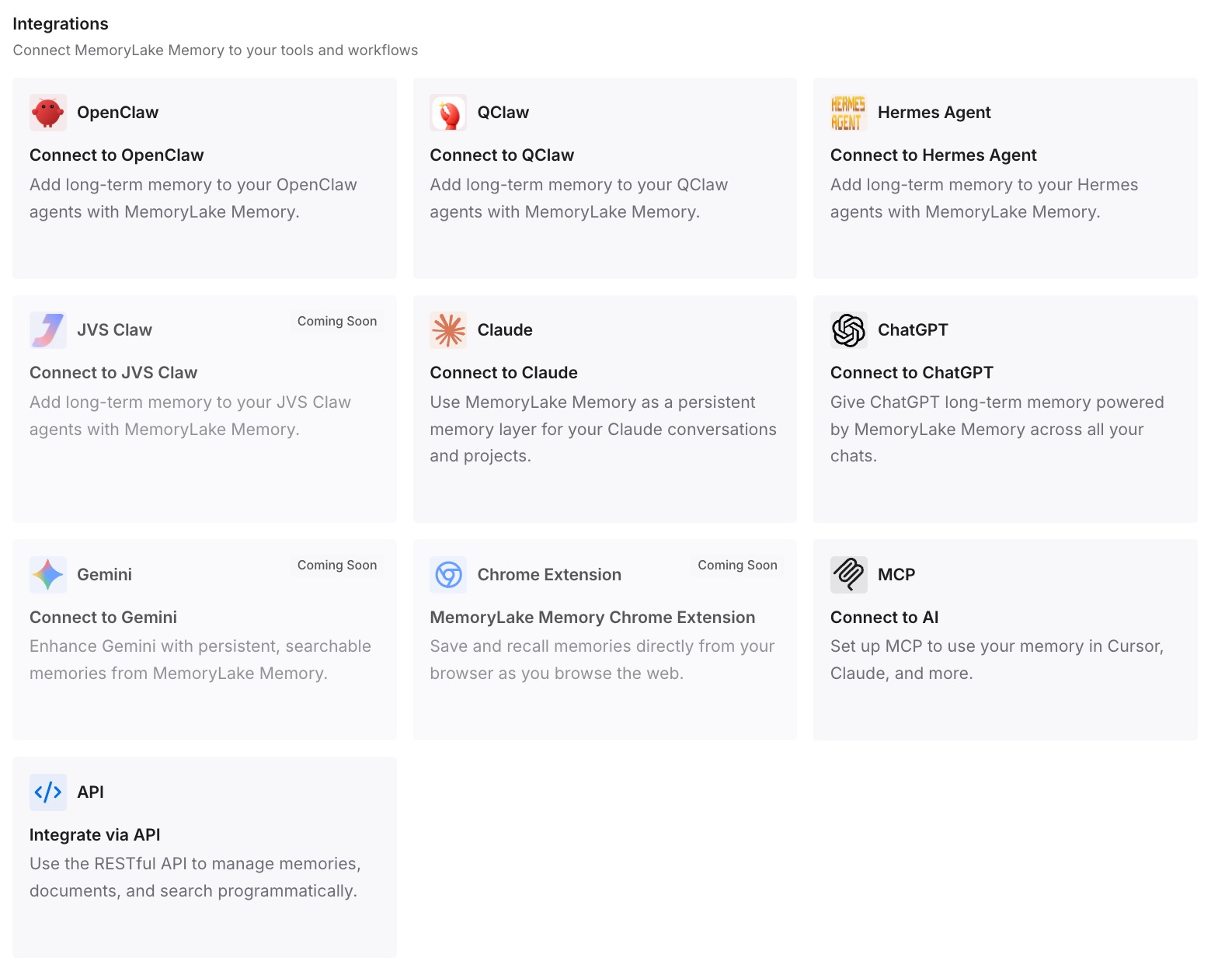
Step 3: Connect your AI & agents
Connect the assistants you use. What you chose to keep is available there, while the incognito chats themselves stay temporary.
What this changes in practice
The first difference is that you pick the mode on purpose. Incognito when nothing should remain, memory off when the chat should stay, a regular chat when everything should count.
The second is that you know the limits. Incognito keeps a chat out of your history and memory, not out of Anthropic's retention or a work account's exports.
The third is that nothing useful is lost by accident. You copy what matters before closing, and you store durable facts where you can find them.
Best practices for Claude incognito chat
Start it before you type. Incognito and memory-off both apply from the first message.
Use memory-off inside projects. Incognito isn't available there.
Copy anything useful before closing. Closed incognito chats can't be reopened.
Remember work accounts. Owners on Team and Enterprise plans can include incognito chats in exports.
Check your profile preferences. Claude can still see styles and personal preferences in incognito.
Don't use it for file or code tasks in the new experience. Incognito opens in the previous chat experience.
Know the retention window. Incognito chats are retained for 30 days by default, or longer under an organization's policy.
If you're trying to get Claude to remember more rather than less, our guide to making Claude remember previous conversations covers the settings that help.
Conclusion
Claude's incognito chat is a temporary conversation that stays out of your chat history and Claude's memory, doesn't use your existing memory, and isn't used for training. It's available on every plan, but only for chats outside projects, and in the new Claude experience it opens without file creation or code.
It isn't invisible. Anthropic retains incognito chats for 30 days by default, organizations can include them in exports, and Claude can still see your profile preferences. Once you close one, you can't reopen or convert it. Choose the mode before your first message, and copy out what you want to keep.