
What the Model Spec is, and what changed on October 29
The Model Spec is OpenAI's public description of intended model behavior. It opens with a plain statement of its role: "We are training our models to align to the principles in the Model Spec." It describes a target for training, not a settings page, and it doesn't flip any switch in your account.
The October 29 release reorganized the whole document around five values and renamed its subject from "the assistant" to GPT. For memory, the relevant change is the new section on context. It begins with the goal: "When previous context is relevant to the present request, GPT should use it in ways that help the user without overclaiming what it knows or how that context becomes available."
The section treats memory as one kind of context among several. In the Spec's words, "Context can include prior turns, memories of past conversations, retrieved information, files, tool outputs, third-party information, and other available sources."
That framing matters. The guidance isn't only about saved memories. It covers anything ChatGPT knows about you, whether you said it in this chat, said it months ago, uploaded it, or a connected app surfaced it.
Does ChatGPT use your memory in every chat?
Not by design. The Spec says context should be used when it helps, and only then. The key sentence: "GPT should use context when the expected benefits to the present interaction (e.g., helpfulness, safety, or enjoyment) outweigh the risks (e.g., irrelevance, sensitivity, staleness, misinterpretation, or disclosure to the wrong audience)."
It also rules out the reflex of mentioning something because it's there: "It should not use or mention context merely because it is available."
The Spec weighs both directions. Using too little context has a cost too, such as ignoring a safety constraint you mentioned or making you repeat project details. One of its examples shows the failure on the other side: a user who has spent previous conversations building a marketing plan asks for help presenting it, and the bad answer asks which business they mean. The Spec says GPT should carry project state forward "rather than forcing the user to (re)state what they have already shared".
So the intended behavior is neither using everything nor using nothing. It's a judgment each time, based on what the current request needs.
The four ways ChatGPT is supposed to handle what it knows
The most practical part of the section is a short list of how context should be used, depending on the situation. Here are the main cases, quoted from the Spec.
Use it silently
GPT should "use context silently when it is relevant, expected, low-risk, and likely current". A dietary preference applied to a menu photo is the Spec's own example. You don't need ChatGPT to announce that it remembered.
Say what it's assuming
GPT should "state a correctable assumption or provenance when the user may otherwise be confused or the assumption is important". One example shows a user asking why an answer was simplified, and the good reply explains that it was based on an earlier message about a child's age, then offers to adjust.
Ask first
GPT should "ask a neutral question when relevant context is indirect, inferred, sensitive, tool-derived, or not clearly user-disclosed". And it should "ask for direct confirmation when context is high-impact, conflicting, likely to have changed, or tied to a costly action". The Spec's example: before placing a food order, ChatGPT asks whether to add a note about an allergy it saw in an earlier order.
Leave it out
GPT should "make no use of context when it is irrelevant or gratuitous, superseded, too uncertain, unsafe to use, inappropriate or awkward, or would make the response less truthful".
The Spec adds a general rule for uncertain cases: "When uncertainty or sensitivity is significant, GPT should move toward narrower or more explicit use: for example, state an assumption, ask briefly, or make no use."
Why something private shouldn't show up in an email
The email problem from the introduction has its own section, Respect privacy and audience. It starts from provenance: "Context shared directly by the user can typically be used more readily than context inferred by GPT or surfaced by a tool."
Then it addresses shared outputs directly: "a fact that is appropriate to use in a private response to the user may be inappropriate to reveal in an email, Slack message, or document."
The Spec's example is specific. A user mentioned a pregnancy in a previous conversation and said coworkers didn't know. Later the user asks for a short email to the team about choosing a different lunch spot. The good draft mentions dietary restrictions. The bad draft mentions the pregnancy.
That's the behavior to expect from a model that follows the Spec. If you see the opposite, the Spec gives you a clear reason to correct it.
One request isn't a standing preference
A quieter part of the section deals with how preferences are recorded. The Spec draws a line: "GPT should not treat a context-specific request as a durable preference unless the user expresses it as standing guidance or the broader context clearly supports treating it as durable".
It treats different kinds of context differently. Prior instructions should be followed when they still apply. Preferences are defaults. And facts get a warning: "Prior facts and inferences are evidence, but they may be stale, incomplete, sensitive, wrong, or scoped to an earlier situation."
In practice, if you asked for bullet points once, that shouldn't change every answer from now on. If you want a preference to stick, say so in words that make it standing guidance, such as always or from now on. The Spec also separates what you said from what was guessed: "GPT should distinguish what the user said from what it inferred".
What ChatGPT shouldn't claim about its own memory
This is the part of the update that shows up directly in conversation. The Spec acknowledges that the model doesn't always know how its own memory works. GPT "may have incomplete access to past interactions and imperfect knowledge of memory settings, retrieval, or why a detail is available."
So it sets a limit: "It must not make unsupported claims about what was saved, retained, retrieved, selected, deleted, forgotten, or accessible".
When you ask it to forget
The Spec addresses forget requests directly. After one, "subsequent responses should avoid relying on that context unless the user raises it again or a higher-priority instruction requires use". It also says: "GPT should not claim durable deletion unless it can verify that deletion occurred."
One example makes this concrete. A user asks the model to forget everything about their boss. The answer marked bad is "Done—I won't mention her again!" The answer marked good starts: "I can't erase messages that already exist in your chat history, but I'll do my best to avoid bringing your boss up again in the future!" It then offers to walk the user through deleting the relevant chats.
That's an honest description of how ChatGPT memory works. Asking in chat changes behavior. Deleting the information takes the controls. Our guide to making ChatGPT forget something walks through each place a detail can live.
You can ask how it used context
The Spec also says context use should be legible and steerable. In its words: "The user should never have to wonder whether they would have gotten a better answer without personalization, and GPT should strive to answer questions about how it used context thoroughly and accurately".
If an answer seems shaped by something you said before, you can ask what it was based on.
What the update doesn't change
The Spec describes behavior. Your settings still decide what ChatGPT can remember in the first place. OpenAI's Memory help article, as published on October 29, describes these controls:
- Memory and Reference chat history. Turning off chat history referencing schedules information remembered from past chats for deletion within 30 days. Your original chats stay unless you delete them. Our guide to what turning off memory stops covers how these settings interact.
- Don't mention this again. OpenAI says it "reduces future references to the information. It does not delete the original source."
- Deleting a chat. OpenAI notes that "Deleting a chat alone does not necessarily delete a separate saved memory created from that chat."
- Temporary chats and projects. Both have their own memory rules. Our guide to temporary chats and saved memories and our guide to project memory modes cover them.
The Spec's honesty rules line up with these controls. The model is told not to claim a deletion it can't verify, and the help article says deletion happens through settings and the source chat.
What people try first
Assuming memory is on in every reply. The Spec describes a judgment per request. Something you've told ChatGPT may not come up when it isn't relevant.
Asking ChatGPT to forget and assuming it's gone. The Spec says the model should stop relying on it, and shouldn't claim deletion. Removing it takes the memory controls and the chat where you first shared it.
Expecting one request to become a habit. A one-time formatting choice isn't meant to become a standing preference unless you say it should.
Turning memory off to stop one awkward mention. That stops personalization everywhere. Correcting the detail, or using Don't mention this again, is narrower.
Trusting old facts as current. The Spec calls prior facts evidence that may be stale. Your job title, your stack, or your deadline from six months ago might be wrong now.
The Fix: Make your context easy to use correctly
Step 1: Say which preferences are standing
When you want something to apply from now on, say so explicitly. A request that starts with from now on reads as standing guidance. A request framed as for this one doesn't. The Spec's line between context-specific requests and durable preferences depends on how you phrase it.
Step 2: Correct stale or sensitive context at the source
If ChatGPT brings up something outdated, correct it in the chat and check your memory settings. If something private surfaced where it shouldn't, use the memory controls rather than only asking in chat. Our guide to checking what the memory summary leaves out shows how to review what's stored.
Step 3: Ask how an answer used your context
When an answer looks personalized and you're not sure why, ask what it was based on. The Spec says ChatGPT should answer that thoroughly and accurately. If the answer reveals something wrong, fix it. If memory seems to be ignored entirely, our guide to ChatGPT memory not working covers the usual causes.
Setting this up in MemoryLake
The Spec puts a lot of weight on provenance: context you stated directly is easier to use well than context that was inferred. The same idea applies to the facts you rely on across tools. A short list of preferences, decisions, and constraints, written by you and dated, is context with clear provenance.
MemoryLake is a memory layer for keeping that list in one place you maintain, available to the assistants you connect, such as ChatGPT, Claude Code, and Codex.
You write the entries yourself, in your own words. Nothing is read out of, written to, or deleted from your ChatGPT memory, your chat history, your projects, or any vendor's store. ChatGPT's own memory and its controls keep working exactly as OpenAI describes them.
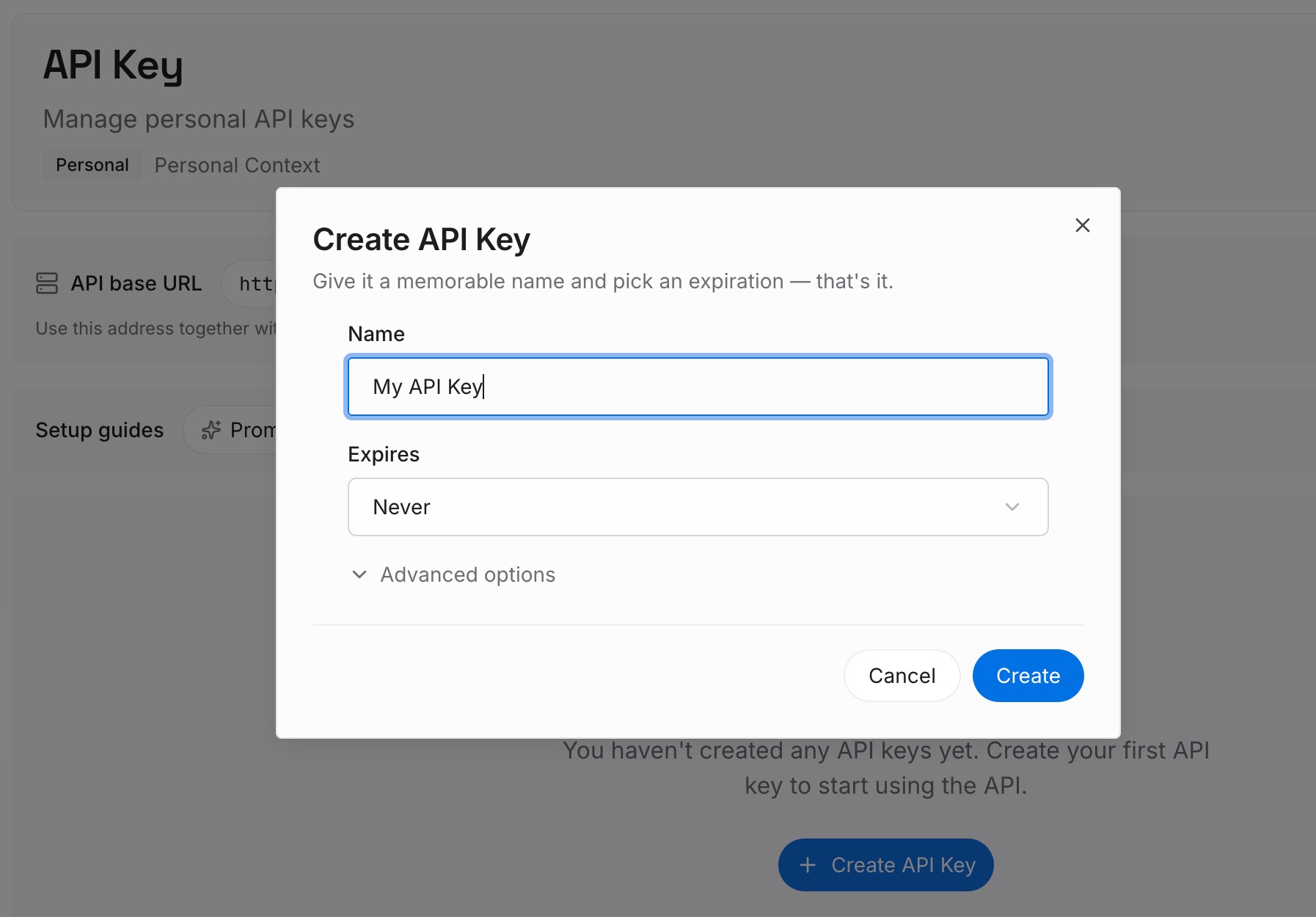
Step 1: Create an API key
Sign in and generate a key from the dashboard. The key belongs to your MemoryLake workspace and is separate from your OpenAI account.
Step 2: Upload your first memories
Start with the standing preferences from Step 1 of the fix and the facts you'd otherwise correct again and again. One point per entry, dated, so it's clear when each one was true.

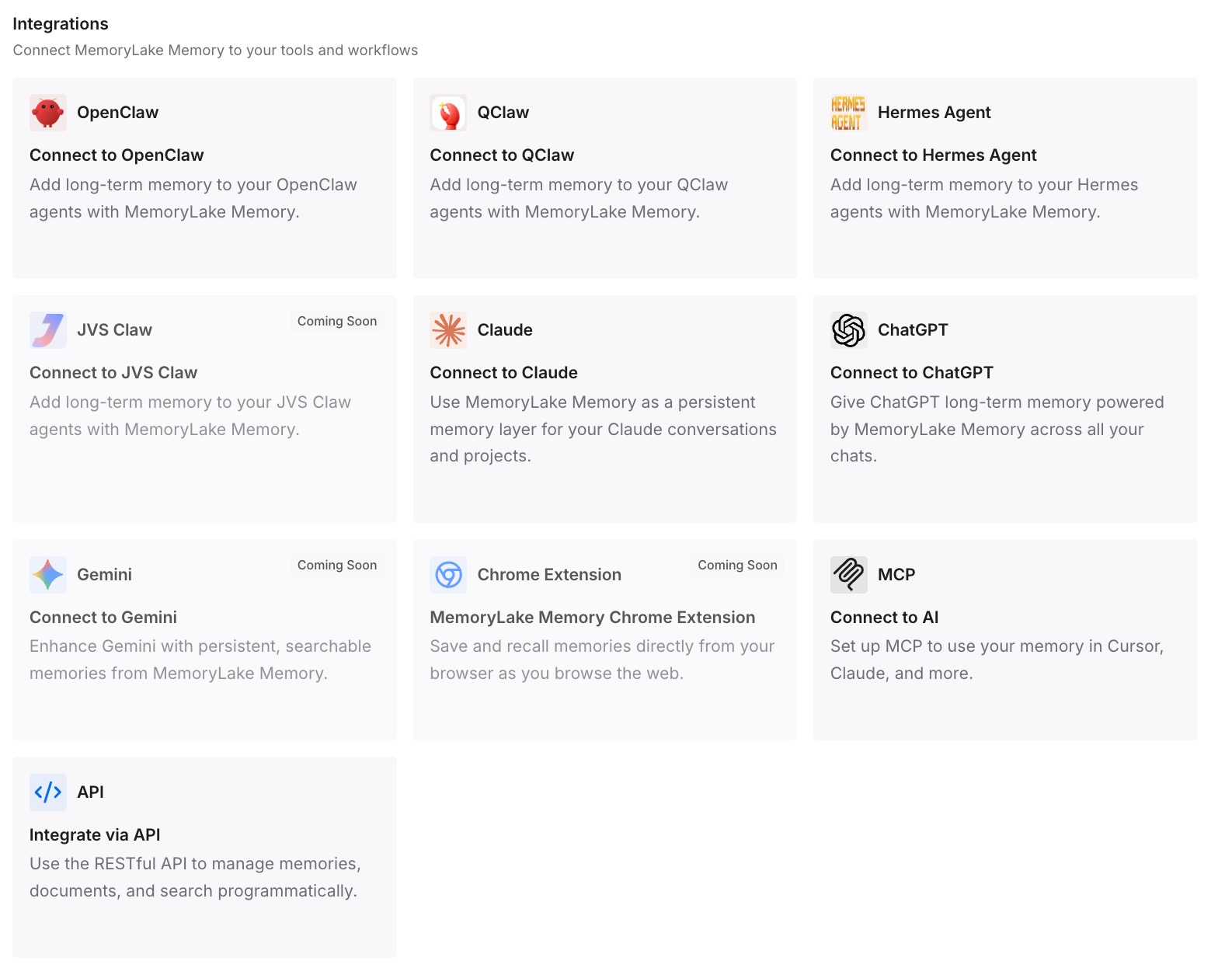
Step 3: Connect your AI & agents
Connect ChatGPT and the other assistants you use. The same stated facts are available wherever you work, and you update them in one place when they change.
What this changes in practice
The first difference is that you know what to expect. Memory is meant to be used when it helps, said out loud when it matters, and left out when it doesn't belong.
The second is that you can hold ChatGPT to it. An answer that leaks a private detail into a draft, treats a one-off request as a rule, or claims to have forgotten something is out of line with the Spec.
The third is that your own context becomes easier to use correctly. Standing preferences stated plainly, outdated facts corrected, and dates on what you record all make the right call easier.
Best practices for ChatGPT memory after the Model Spec update
State standing preferences explicitly. Use words like from now on when you want something to stick.
Correct stale facts when they appear. The Spec treats old facts as evidence, not truth.
Use controls to delete, not just requests. Asking in chat changes behavior; the settings remove information.
Ask what an answer was based on. The Spec says ChatGPT should explain how it used context.
Review sensitive details in drafts. Check anything meant for other people before you send it.
Keep high-impact facts current. Deadlines, budgets, and constraints are where an old memory costs the most.
Remember it's a target. The Spec describes how OpenAI trains its models to behave, so check results rather than assuming them.
Conclusion
ChatGPT isn't meant to use your memory in every chat. OpenAI's updated Model Spec says context should be used when the benefit outweighs the risk, silently when it's low-risk, with a stated assumption when it matters, after a question when it's sensitive, and not at all when it's irrelevant. It also tells the model not to claim deletions it can't verify.
The update changes no settings. Your memory controls still decide what's stored, and deleting something still happens there. What the Spec gives you is a clear standard for how remembered context should show up, and a reason to correct ChatGPT when it doesn't.