
Why a compacted session feels like amnesia
Anthropic describes the process without euphemism: Claude Code "clears older tool outputs first, then summarizes the conversation if needed. Your requests and key code snippets are preserved; detailed instructions from early in the conversation may be lost."
That last clause is the entire experience. A summary is lossy in a specific direction — it keeps the shape of what happened and drops the precision of what you said early on. The constraint you stated once at minute three is exactly the kind of detail a summary compresses, and there is no notification naming what went.
But not everything goes through the summariser. Anthropic publishes a per-mechanism table of what happens to each kind of content after compaction, and the interesting column is the one that never touches the summary at all:
System prompt and output style: "Both still apply." Project-root CLAUDE.md and unscoped rules: "Re-injected from disk." Auto memory: "Re-injected from disk." The plan Claude wrote in plan mode: "Re-injected from disk." Rules carrying paths: frontmatter: "Claude Code reloads them as Claude reads files they match." Nested CLAUDE.md files in subdirectories: "Claude Code reloads them as Claude reads files in that subdirectory." Files Claude read or edited: "Claude Code re-reads up to five, most recently modified first."
Read that list as a design instruction, because it is one. Anything on disk comes back. Anything that exists only because you typed it into the conversation is summarised. Anthropic states the conclusion in its own words a few lines earlier: "Put persistent rules in CLAUDE.md rather than relying on conversation history."
That is also the honest answer to why a long context is not the same thing as memory — a point that generalises well beyond this one tool, and which we set out in why a long context window is not a memory.
What people try instead
Starting a new session before it compacts. This works, and it throws away the parts of the conversation you wanted to keep along with the parts you did not. It also moves the problem to the next session, which starts without any of it — the coordination issue behind sharing context between Claude Code sessions.
Turning auto-compaction off. Available, and the consequence is documented: "With auto-compaction off, sessions stop at the 200K boundary with the context-limit error instead of compacting." You have not avoided the boundary; you have swapped a lossy summary for a hard stop.
Raising the window as high as it will go. Also documented, and also capped: "Setting the auto-compact window above 200K doesn't lift the hold, because Claude Code caps that window at the model's context window." The window is a fraction of a real limit, not a way past it.
Assuming the default is one number. It is model- and environment-dependent. Anthropic's baseline is that without a setting, "Claude Code compacts when the conversation reaches the model's context limit," with exceptions listed for cloud sessions, for several models that compact at the 200K boundary, and for models with a native 1M window, which "compact before the window fills, at about 967K tokens by default."
Running /compact blind. Better than nothing, and much better with a focus, which is the control most people never discover.
Re-pasting the constraint after every compaction. The workaround that reveals the real fix: if a rule needs restating after a summary, it belonged on disk. The same instinct applies to the command history people keep scrolling back for, which we looked at in why Claude Code loses your earlier commands.
The Fix: Set the trigger deliberately, then tell the summariser what matters
Two controls, used in this order.
Step 1: Put the rules that must survive on disk, not in the conversation
This is the highest-leverage step and it costs nothing. Anything in project-root CLAUDE.md and unscoped rules is re-injected from disk after compaction. Auto memory is re-injected from disk. A plan written in plan mode is re-injected from disk. Path-scoped rules reload when Claude reads a matching file, and nested CLAUDE.md files reload when Claude reads files in that subdirectory.
So the practical rule is: if you find yourself saying something twice in a session, it is a CLAUDE.md line, not a message. That converts it from something a summary might compress into something that is reloaded verbatim every time.
Then add the control that speaks directly to the summariser. Anthropic: "To control what's preserved during compaction, add a 'Compact Instructions' section to CLAUDE.md or run /compact with a focus (like /compact focus on the API changes)." A Compact Instructions section is a standing brief for every future compaction in that project — three or four lines naming what must survive, written once.
Step 2: Choose where to set the window, knowing which setting wins
Anthropic documents three places, and the override order between them is explicit.
For this session and later ones, run /autocompact with a value. Claude Code "saves it to your user settings as autoCompactWindow and applies it to the current session" — with a caveat worth knowing before you debug: "if a higher-priority settings scope such as managed settings sets the key, the command saves your value but the session keeps that scope's window, and the command says so." Running /autocompact auto returns to "the window tuned for your model."
For one launch, pass the --autocompact flag, which "overrides your saved setting for that launch without changing it." The flag has a property the command does not: "Unlike /autocompact, the flag isn't preempted by a higher-priority settings scope such as managed settings."
For scripts and cloud environments, set the CLAUDE_CODE_AUTO_COMPACT_WINDOW environment variable. It sits on top of everything: "While it's set, it takes precedence over the command, the flag, and the setting, and /autocompact reports the override instead of changing the window."
Three levers, one order: environment variable over flag over command over saved setting, with managed settings able to preempt the command but not the flag. If your window is not what you set it to, that list is the debugging sequence.
Step 3: Recognise the error that means the window is not the problem
One message deserves its own step, because it sends people to the wrong control. Anthropic: "If you see Autocompact is thrashing: the context refilled to the limit..., automatic compaction succeeded but a file or tool output immediately refilled the context window several times in a row. Claude Code stops retrying to avoid wasting API calls on a loop that isn't making progress."
Thrashing means compaction worked and something enormous walked straight back in. Raising the window does not help; the fix is to stop the refill. Anthropic's own suggestion is a focused compaction that drops the offender — "Run /compact with a focus that drops the large output, for example /compact keep only the plan and the diff."
There is a companion message worth recognising too: if /compact returns "Not enough messages to compact.", the conversation "has too few turns to summarize; that can happen even with a full context when a single large paste filled it." Same diagnosis, different symptom — the problem is one object, not the window.
Setting this up in MemoryLake
Every step above moves a fact from the conversation onto something more durable, and CLAUDE.md is durable exactly as far as one repository on one machine. MemoryLake is a store you write the longer-lived facts into yourself, independent of any session and readable from every assistant you connect. You write the entries yourself, in your own words. Nothing is read out of, written to, or deleted from Anthropic's systems or any other vendor's store — your sessions, transcripts and rules files stay entirely under Claude Code's own controls.
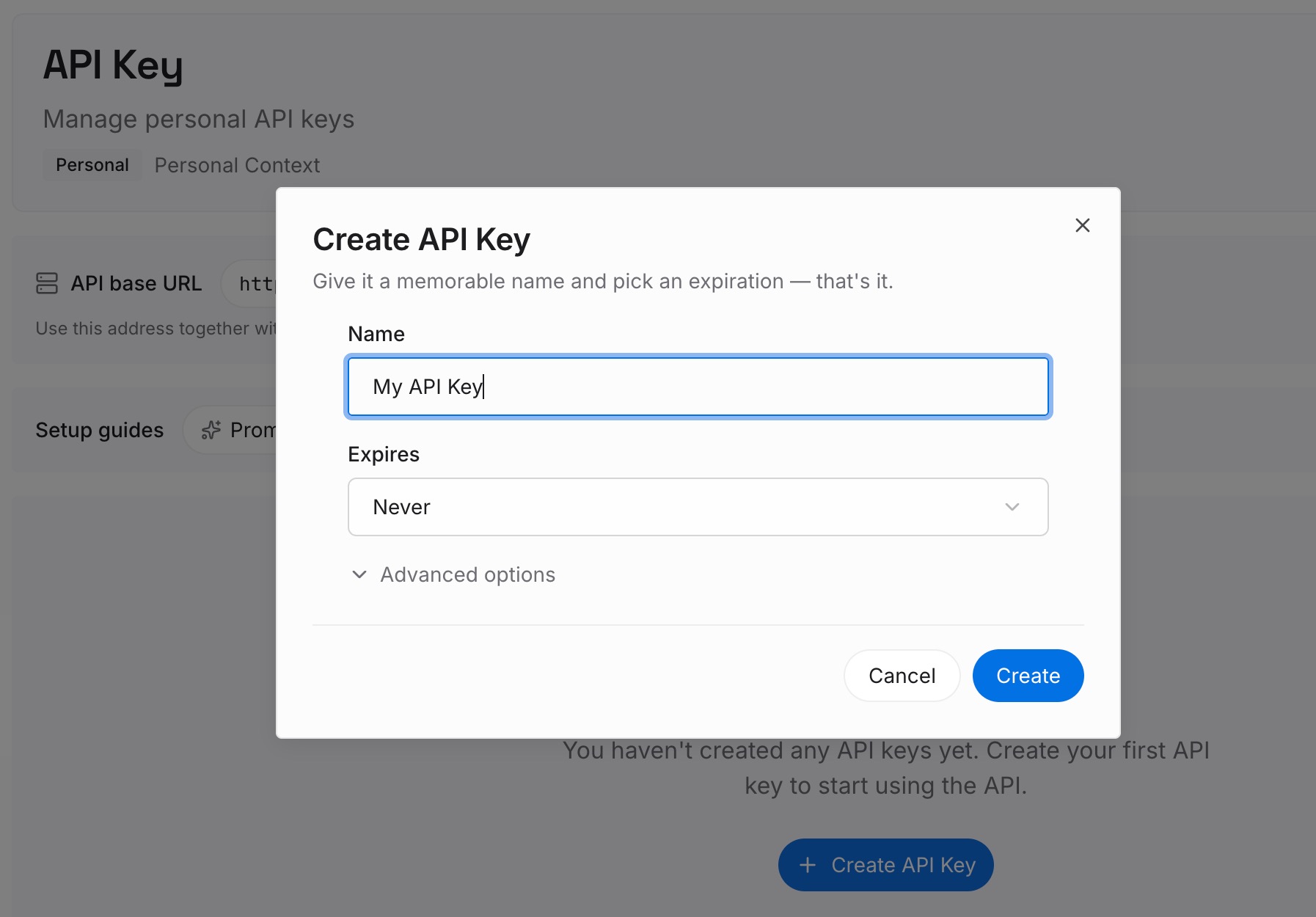
Step 1: Create an API key
Generate a key from the dashboard. It is what lets this session, the session after the next compaction, and a session in a different repository reach the same set of facts.
Step 2: Upload your first memories
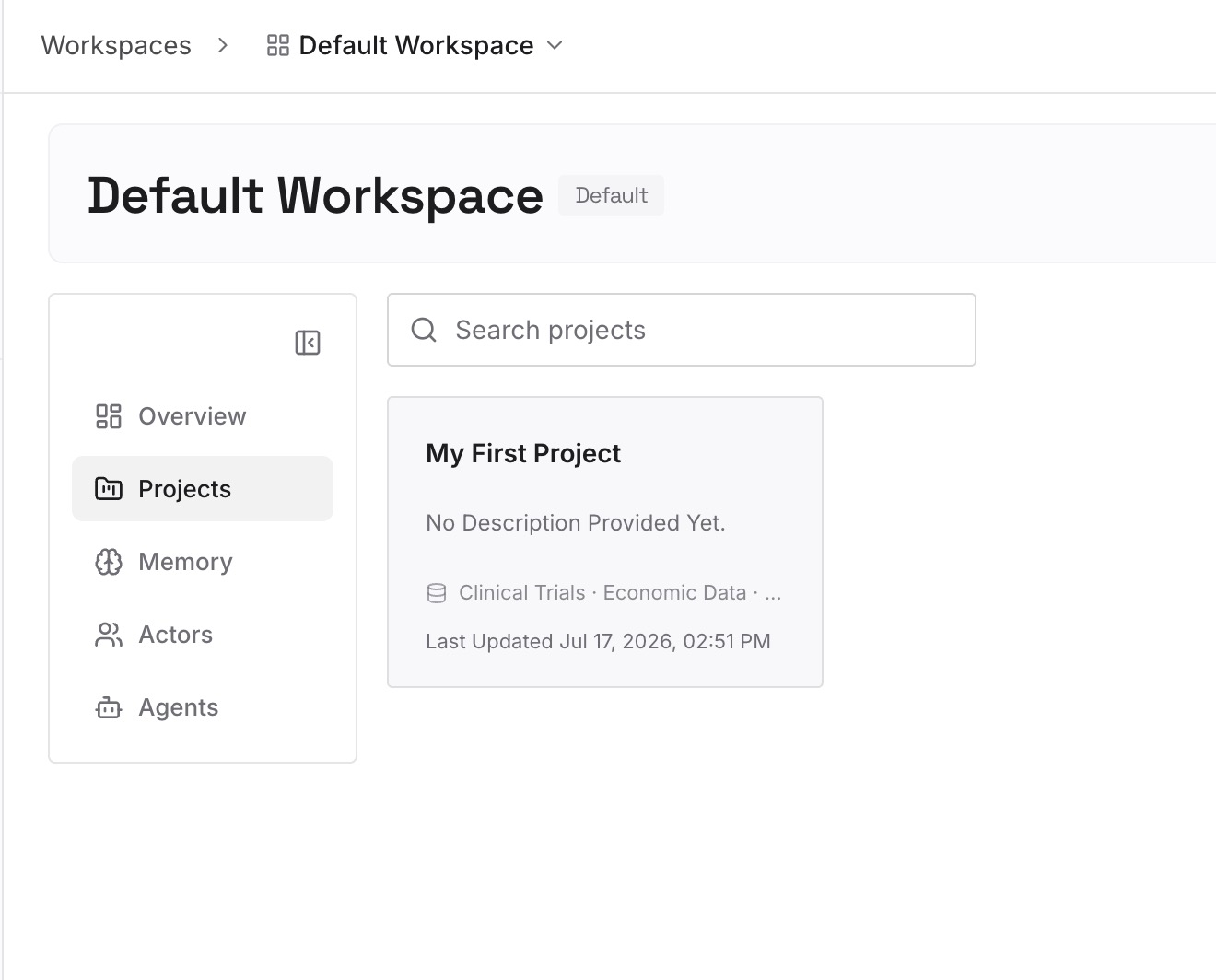
Start with the things you have re-stated after a compaction: the constraint, the decision and its reason, the approach already ruled out. A dozen short entries usually covers a project. Write them as statements with dates, not as narrative.
Step 3: Connect your AI & agents
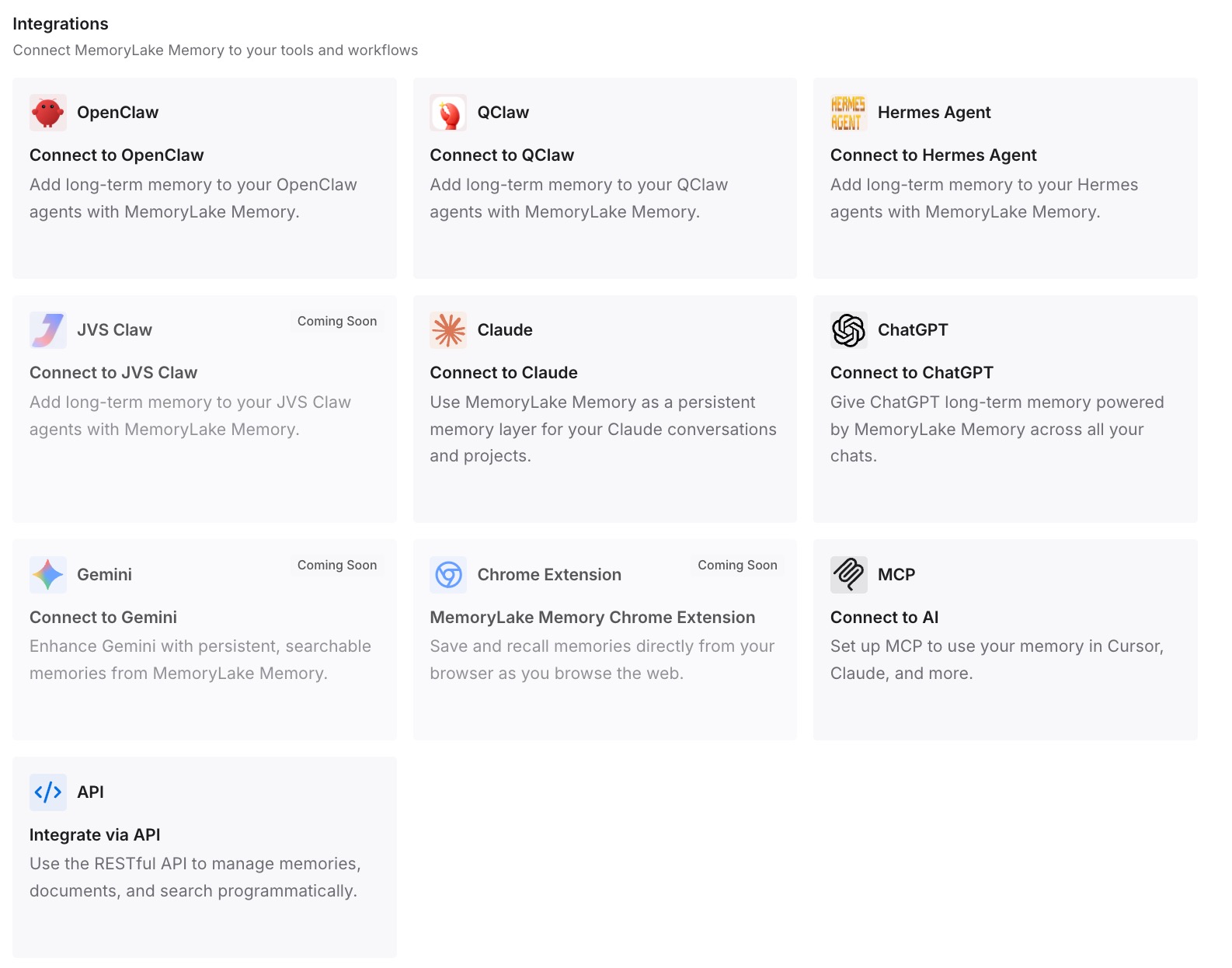
Point Claude Code at the layer so those facts load at the start of a session rather than surviving a summary. Then test it the way that proves something: compact a session deliberately and ask for one of the facts back. If it answers, compaction stopped being the thing that decides what you keep.
What this changes in practice
The first change is that compaction stops feeling random. It fires at a window you can inspect and set, it summarises conversation while re-injecting files, and it tells you when it is thrashing. Those are three separate behaviours with three separate responses.
The second is that CLAUDE.md gets used correctly. Once the re-injection table is in front of you, the file stops being a place for project trivia and becomes the answer to "what must survive a summary" — with a Compact Instructions section as the direct channel to the summariser.
The third is that long sessions become viable again. The instinct to start fresh every hour comes from not trusting compaction; steering it is cheaper than avoiding it, and it keeps the continuity a fresh session throws away. Where a split really is the right move, that is a different operation with different inheritance rules, which we set out in what a forked Claude Code session carries.
The fourth is that the error messages become useful. Thrashing and "Not enough messages to compact" both point at one oversized object rather than at your settings, and knowing that saves an afternoon of tuning the wrong number. The broader question of what a compaction pass should be allowed to drop is one we took up on another tool in deciding what survives a compaction.
Best practices for Claude Code compaction
Say it twice, write it down. Anything you restate in a session belongs in CLAUDE.md, where it is re-injected from disk rather than summarised.
Add a Compact Instructions section per project. It is the standing version of /compact with a focus, and it applies to every future compaction.
Know the override order before you tune. Environment variable, then launch flag, then command, then saved setting — and managed settings can preempt the command.
Use /autocompact auto to get back to sane. It returns the session to the window tuned for your model rather than a number you picked once.
Treat thrashing as a content problem. Compaction succeeded; something large refilled the window. Drop the object with a focused compaction.
Keep cross-session facts outside the repository. CLAUDE.md survives compaction within a project; it does not travel to other projects or other tools.
Conclusion
Claude Code's auto-compact has two dials and most people use neither. The trigger is the auto-compact window, settable through /autocompact, the --autocompact flag, or CLAUDE_CODE_AUTO_COMPACT_WINDOW, with a documented precedence between them and a cap at the model's own context window. The contents are shaped by what lives on disk — project rules, auto memory, plan-mode plans and path-scoped rules are all re-injected — and by a Compact Instructions section or a focused /compact.
What gets lost is stated plainly by Anthropic: requests and key code snippets are preserved, and "detailed instructions from early in the conversation may be lost." That is the nature of a summary, not a defect, and the vendor's own advice is the right one: put persistent rules in a file rather than relying on conversation history.
The step past that is small and worth taking. A file survives compaction inside one project. A decision you will still be acting on next quarter, in a different repository, with a different assistant, deserves somewhere that no session boundary reaches at all.