
What Anthropic changed
Claude Code already compacted conversations as they approached the context limit, summarizing the history so the work could continue. That pass runs while you're working.
Idle compaction adds a second trigger. Anthropic's settings reference describes it this way: "Idle compaction compacts a long conversation that you've stepped away from, shortly before its prompt cache expires." It continues: "Your next message then sends a summary instead of the whole conversation."
When you come back, the conversation shows Compacted while idle, before the prompt cache expired.
Lydia Hallie's announcement gives the reason: "It now compacts long idle sessions right before the prompt cache expires (~1h)." If you return later, Claude only has to reprocess the summary instead of the whole conversation, which she says "saves you some usage". In the same thread she pointed to the two controls: "idleCompaction": false in settings.json turns it off, and the CLAUDE_CODE_IDLE_COMPACT_MIN_TOKENS environment variable sets a custom threshold.
When idle compaction applies
The documentation lists five conditions. All of them have to be true.
- Session. You're in an interactive terminal session.
- Prompt cache. The conversation is on the one-hour prompt cache TTL.
- Feature flags. Claude Code can fetch feature flags from Anthropic.
- Size. The conversation's context has reached the token threshold, which defaults to 200,000.
- Idle time. About 54 minutes have passed since the last request, and your computer is awake at that point.
Two of these narrow the audience more than they first appear to.
The one-hour cache depends on how you pay. Anthropic's prompt caching page says "Unless you choose a TTL yourself, Claude Code requests the one-hour TTL only on a Claude subscription within your plan's included usage." With an API key or a cloud provider, the main conversation defaults to a five-minute cache. Once a subscriber goes over the plan's usage limit and draws on usage credits, Claude Code drops the main conversation to the five-minute TTL as well. So by default, idle compaction mainly affects subscribers working within their plan.
The default threshold mostly matters for 1M-token sessions. The settings reference notes that "At the default, a conversation on a 200K context window auto-compacts before it reaches 200,000 tokens." In other words, a session on a 200K window usually compacts the regular way before idle compaction could apply. At the default, the sessions that qualify are mostly the ones running with a one-million-token window.
You can lower the threshold if you want idle compaction on smaller sessions. The documentation says "Values below 100000 are raised to 100000, the lowest threshold."
Why Anthropic added it: the prompt cache
The prompt cache saves Claude Code from reprocessing a conversation's unchanged prefix on every request, but it only lasts so long. Anthropic's documentation explains what happens when it lapses: "After a long enough gap, the next request recomputes the full input and re-establishes the cache, which is why the first turn back after stepping away can be noticeably slower."
For a session several hundred thousand tokens long, that first request back is expensive. Idle compaction summarizes the history while the cache is still warm, so your next message carries the summary instead.
Claude Code already had a version of this choice for resumed sessions. On a Pro or Max plan, when you resume a session that has been inactive for more than about an hour and is over 100,000 tokens, Claude Code opens a dialog offering to resume from a summary or to resume the full session as it was. The documentation is clear about the trade-off: "Resuming as-is keeps every detail of the conversation available, at a per-request cost that scales with the conversation's size." Resuming from the summary costs less on later requests, "but whatever the summary leaves out is no longer in Claude's context".
Idle compaction makes the cheaper choice ahead of time for a terminal session you left open. The documentation describes the notice you see when you return, and the settings that change the behavior. It doesn't describe a prompt before the compaction runs. If you want the other choice, you set it in advance.
What a summary keeps, and what it doesn't
A compacted session isn't empty. Claude Code rebuilds part of the context from disk, and Anthropic's context window documentation lists what happens to each kind of content.
Re-injected from disk: the project-root CLAUDE.md and unscoped rules, auto memory, and the plan Claude wrote in plan mode.
Reloaded on demand: rules with paths: frontmatter and nested CLAUDE.md files in subdirectories. These come back when Claude touches a matching file, not immediately.
Re-read: up to five of the files Claude read or edited, most recently modified first. "A file over 5,000 tokens comes back as a path reference without its content", so a large file needs to be read again before Claude can use its contents.
Re-injected with caps: invoked skill bodies, up to 5,000 tokens per skill and 25,000 tokens in total, oldest dropped first.
Summarized: everything else in the conversation, including context that hooks added earlier.
That last category is where the risk sits. A constraint you stated in chat, the reason you rejected an approach, the exact error output you were working through, and the decision you made forty minutes ago all exist only in the conversation. After compaction, they exist only as well as the summary captured them. Anthropic's overview of how Claude Code works says the same about compaction in general: your requests and key code snippets are preserved, while "detailed instructions from early in the conversation may be lost".
Path-scoped rules deserve a separate note. The documentation explains that "Path-scoped rules and nested CLAUDE.md files load into message history when Claude reads, writes, or edits their trigger file, so compaction summarizes them away with everything else." They return when Claude next touches a matching file, but until then they're part of the summary rather than the rules.
What people assume instead
Assuming idle compaction is a bug. It's a documented default. The settings reference lists it, the release note announces it, and the hooks documentation includes it in the auto trigger for PreCompact and PostCompact hooks.
Assuming the summary will keep what you said an hour ago. The summary keeps what the summarization pass judges important. The project-root CLAUDE.md, unscoped rules, and auto memory come back from disk. Statements made only in chat may or may not.
Assuming turning off auto-compact leaves idle compaction on. The DISABLE_AUTO_COMPACT environment variable turns off both, and the documentation adds that "The manual /compact command remains available."
The Fix: Decide per project, move what matters out of the chat, then check the summary when you return
Step 1: Decide whether idle compaction should run for this work
Idle compaction is a good default for exploratory work, where the cost of a long session matters more than the exact wording of what was said. It's a worse fit for a debugging session where the details are the point.
To turn it off, set "idleCompaction": false in a settings file. The key can go in any settings file, so you can turn it off for one project in that project's settings and leave it on everywhere else. The key requires Claude Code v2.1.290 or later. "On an earlier version, which ignores this key, turn off autoCompactEnabled to stop idle compaction."
To keep it but change when it applies, set CLAUDE_CODE_IDLE_COMPACT_MIN_TOKENS in the env block of your settings. A higher number limits it to your largest sessions. A lower number, down to 100,000, extends it to sessions on a 200K window.
For a single session, DISABLE_AUTO_COMPACT turns off idle compaction along with auto-compaction.
If you use hooks, a PreCompact hook with the auto matcher fires for idle compaction too, and for compaction triggered ahead of the context limit, blocking it means "Claude Code skips it and the conversation continues uncompacted." The same matcher covers regular auto-compact, so test before relying on it.
Step 2: Before you step away, put what must survive where compaction re-reads it
The surest way to keep something through a compaction is to keep it out of the conversation. Anthropic's advice is direct: "Put persistent rules in CLAUDE.md rather than relying on conversation history."
Before a break in a long session, spend two minutes on this:
- Move standing rules into the project-root
CLAUDE.md. Constraints that apply to the whole task belong there. Keep the file short; Anthropic's memory guidance is to target under 200 lines per file. - Write the session's decisions into a notes file. One line per decision, with the reason. Point to it from
CLAUDE.mdso Claude knows it exists. - Compact on your terms. If you'd rather choose the summary yourself, run
/compactwith a focus before you leave, such as/compact focus on the auth bug fix. The documentation's description of this option is exactly the point: "The summary keeps what you choose instead of what the automatic pass guesses is important."
Anthropic also documents a Compact Instructions section in CLAUDE.md for steering what compaction preserves, and the auto-compact guide linked at the top of this article covers how to write one.
Step 3: When you see the idle notice, check the summary before you continue
When you return to Compacted while idle, before the prompt cache expired, don't pick up mid-thought. Check first.
- Ask Claude to re-read your notes file and restate the state of the work. What's the goal, what's been decided, what's been ruled out, what's next. Compare the answer with your notes from Step 2.
- Restore anything missing from the file, not just the chat. If a constraint didn't survive, add it to
CLAUDE.mdor your notes file as well as restating it, so the next compaction doesn't drop it again. Our guide to Claude Code forgetting your corrections covers this pattern in more detail. - Have Claude re-read large files. Files over 5,000 tokens come back as references, not contents.
- Keep a copy of the summary. A
PostCompacthook receives the generated summary in itscompact_summaryfield. Writing that to a file lets you see exactly what Claude is working from.
To confirm what happened to the cache, the Session block in /usage includes a Prompt cache (main) line in recent versions. It reports whether the cache is warm and counts compactions as expected rebuilds.
Setting this up in MemoryLake
The notes from Step 2 are the part of a long session that's worth keeping beyond any one compaction, or any one session. MemoryLake is a memory layer for keeping that kind of record in one list you maintain, available to Claude Code and the other assistants you use.
You write the entries yourself, in your own words. Nothing is read out of, written to, or deleted from your Claude Code sessions, transcripts, summaries, auto memory, or any vendor's store. Check your organization's policy before storing project details outside your repository.
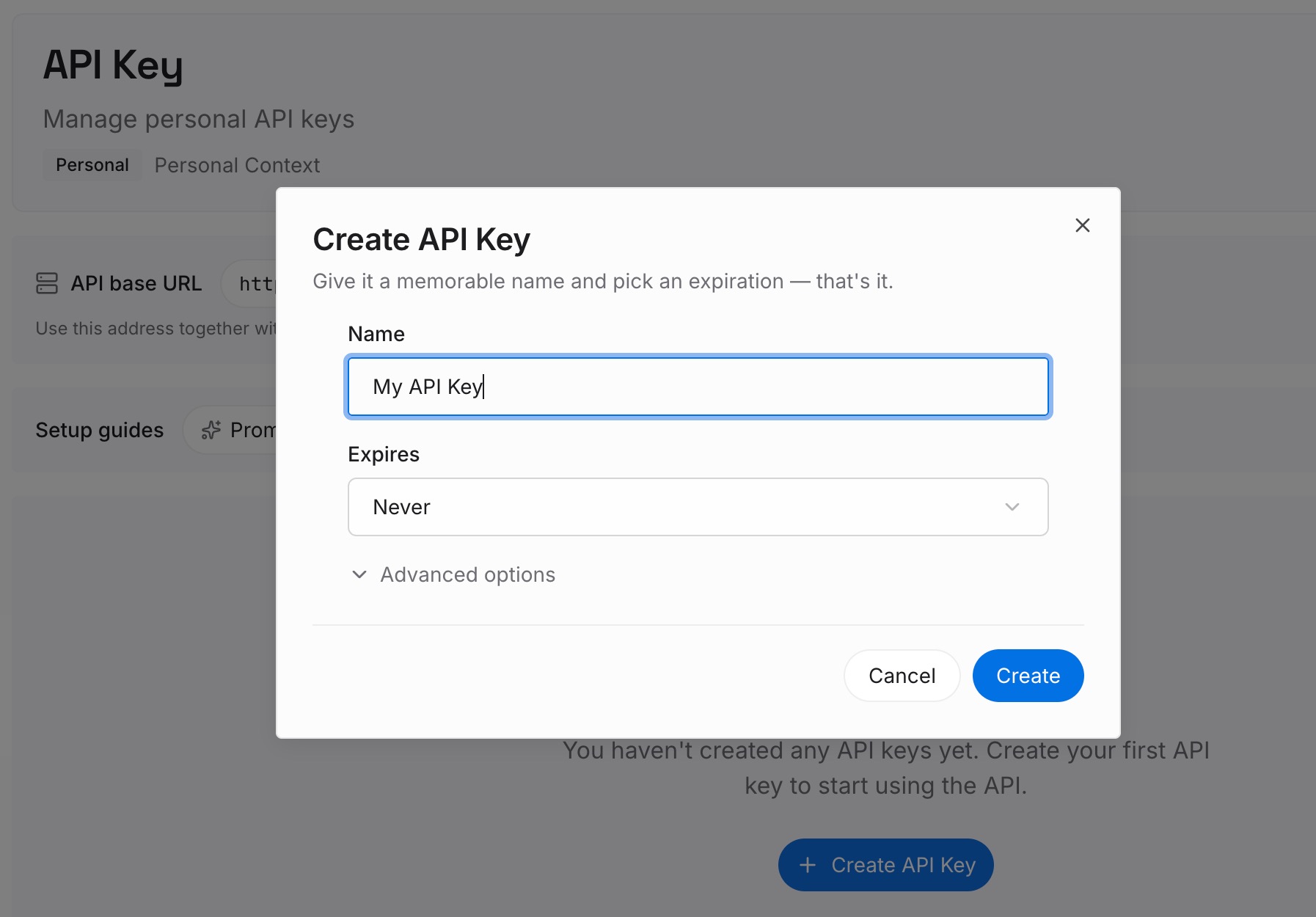
Step 1: Create an API key
Sign in and generate a key from the dashboard. The key belongs to your MemoryLake workspace and is separate from your Anthropic account.
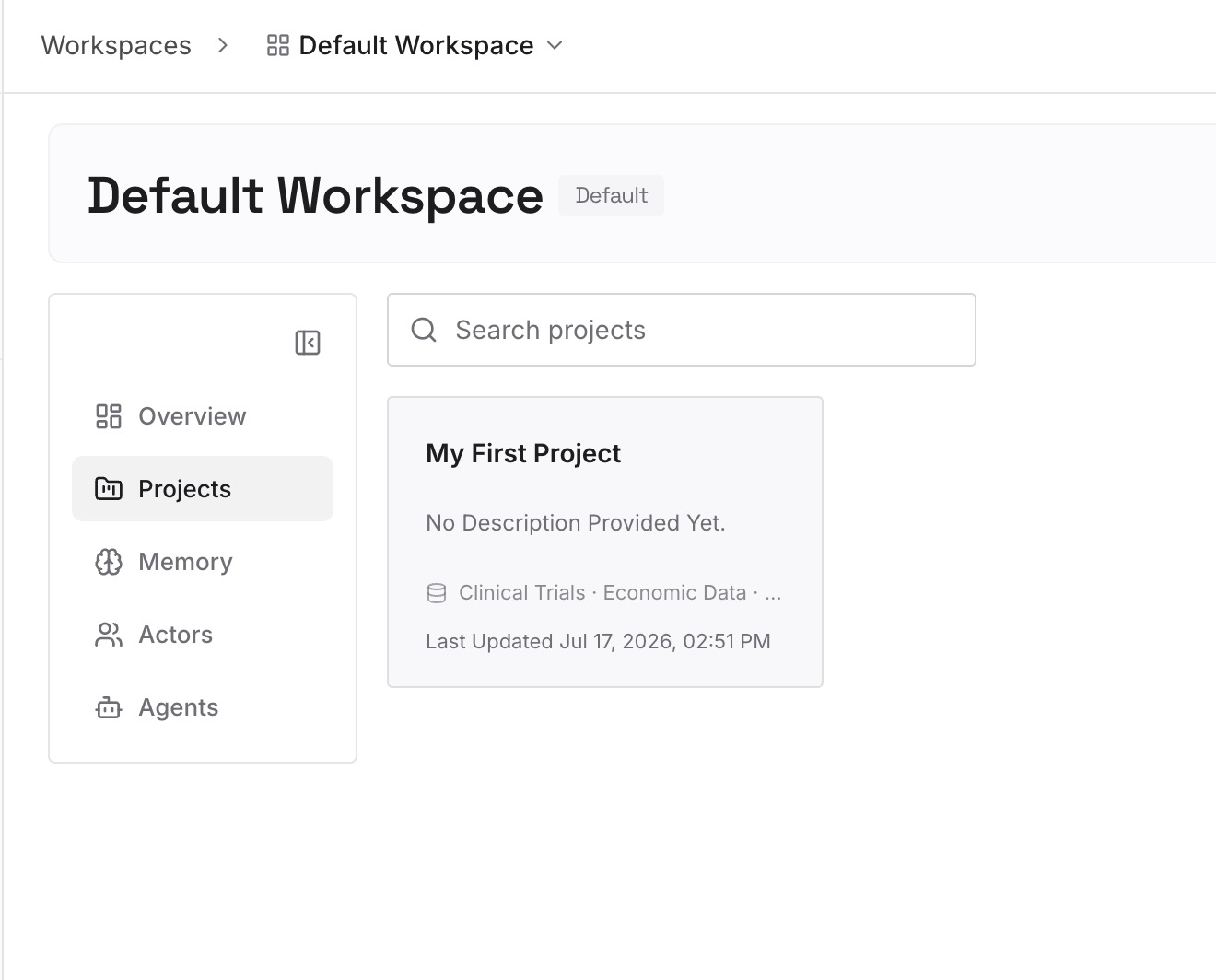
Step 2: Upload your first memories
Start with the decisions you'd least like to explain twice: the constraint that keeps getting dropped, the approach you ruled out and why, the convention the project depends on. One decision per entry, dated.
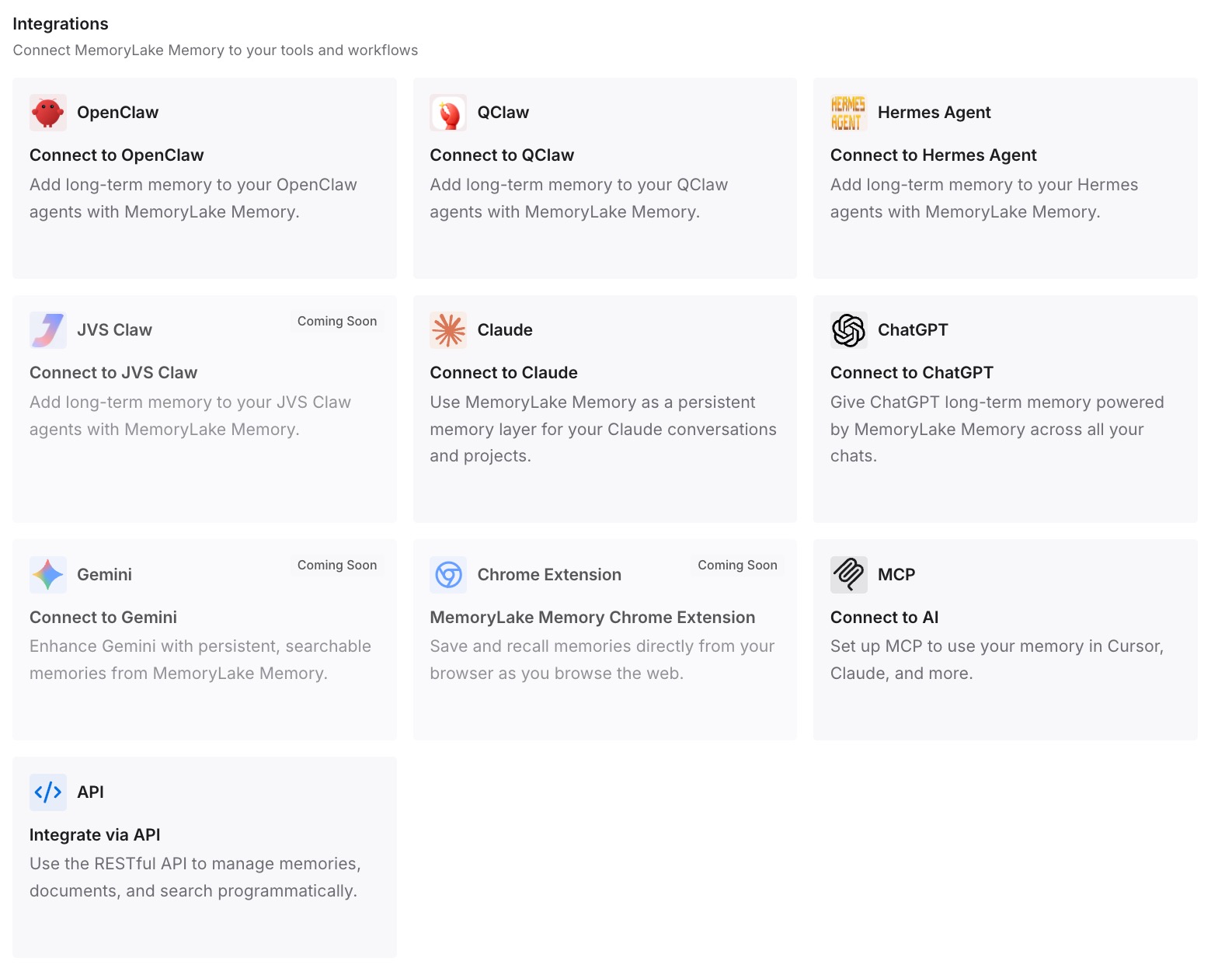
Step 3: Connect your AI & agents
Connect Claude Code and any other assistants you use. The same decisions are then available in each new session, whether the last one ended normally, was compacted while you were away, or ran in a different tool.
What this changes in practice
The first difference is cost. A long session you return to after lunch no longer needs a full reprocessing on the first message, which is the reason Anthropic built the feature.
The second is that leaving a large session open is no longer neutral. If it meets the conditions, you return to a summary. That's fine for many tasks. For some, it's the difference between Claude remembering why a fix was rejected and proposing it again.
The third is that files matter more. What compaction re-reads from disk comes back intact, and a notes file is one request away; what lives only in the chat comes back as well as the summary captured it. That rule already applied to regular compaction and to new sessions, as our guide to Claude Code forgetting project context covers. Idle compaction applies it to breaks too.
The fourth is a habit. Writing down decisions before a break protects against idle compaction, regular compaction, and a closed terminal alike, the same idea behind our guide to sharing context between Claude Code sessions.
Best practices for long Claude Code sessions
Know whether you're on the one-hour cache. With an API key and default settings, the main conversation uses the five-minute cache, so idle compaction's conditions aren't met.
Turn it off per project, not everywhere. Use project settings for debugging-heavy repositories and leave the default elsewhere.
Write decisions down before breaks. A dated notes file costs minutes, and it stays on disk through every kind of compaction.
Check after the idle notice. Ask for a restatement before continuing.
Carry the notes file with the work. If you continue on another machine, the file goes with it, as our guide to exporting a Claude Code session covers.
Conclusion
Idle compaction is a reasonable trade, and Anthropic has been open about it. A long session left idle for about 54 minutes on the one-hour cache is summarized before the cache expires, so the first message back is cheaper. The cost is that Claude continues from a summary rather than your full context.
You can turn it off, change its threshold, or keep it. If you keep it, the response is the one that already applied to regular compaction: standing rules in CLAUDE.md, decisions in a file before you step away, and a check of what Claude remembers before you continue.
Other tools are making similar moves on context limits, such as Codex's larger default window for GPT-6.1 Sol. Larger windows and smarter compaction reduce how often you hit the problem. They don't change where durable context should live.