
The short answer
- Auto memory is shared. All worktrees of a repository use one memory directory.
CLAUDE.mdcomes from the worktree's own checkout. A new worktree starts from your default branch, so it has the version committed there.CLAUDE.local.mdisn't shared. It exists only in the worktree where you created it.- Gitignored files aren't there unless you list them in
.worktreeinclude. - Some configuration is shared with the main checkout: plugins, permission approvals, and, in some cases, skills, agents, and commands.
Auto memory: one directory for the whole repository
Auto memory is the notes Claude writes for itself: your preferences, corrections, and project context it can't derive from the code. Anthropic's memory documentation lists its scope as "Per repository, shared across worktrees".
The storage section explains why. "Each project gets its own memory directory at ~/.claude/projects/<project>/memory/. The <project> path is derived from the git repository, so all worktrees and subdirectories within the same repo share one auto memory directory."
So a correction you give Claude in one worktree session can show up in the next session you start in another worktree of the same repository. That's the one layer that crosses worktrees without any setup. It stops at the machine, though: "Auto memory is machine-local. All worktrees and subdirectories within the same git repository share one auto memory directory. Files are not shared across machines or cloud environments." Our guide to why Claude Code forgets across machines covers that boundary.
Because the memory directory lives under ~/.claude/projects/, it sits outside the worktree. Removing a worktree removes the worktree's directory and branch, which doesn't include that folder.
CLAUDE.md: whatever the worktree's branch has
CLAUDE.md is a file in your repository, so a worktree reads its own copy. Which copy depends on where the worktree started. Anthropic's worktree page says Claude Code "branches them from your repository's default branch, and checks out only tracked files."
The default base is fresh, which means "branch from the repository's default branch on the remote, usually main, so the worktree starts from a clean tree matching the remote." If you edited CLAUDE.md in your main checkout and haven't committed and pushed it, a new worktree won't have that edit. Its CLAUDE.md is the one on the remote default branch.
To branch from your current work instead, set worktree.baseRef to head. The documentation says that option will "branch from your current local HEAD, so the worktree carries your unpushed commits and feature-branch state." Uncommitted changes aren't part of any commit, so they stay in the main checkout.
In worktree sessions started from the desktop app, the documentation adds that "CLAUDE.md files and .claude/rules/ still load from the worktree", even though other project configuration is read from the main checkout's root. If different layers start to disagree, our guide to reconciling conflicting CLAUDE.md layers covers how they combine.
CLAUDE.local.md: only in the worktree where you made it
CLAUDE.local.md is for private preferences you don't commit. Because it's gitignored, a new worktree doesn't get it. Anthropic says so directly: "If you work across multiple git worktrees of the same repository, a gitignored CLAUDE.local.md only exists in the worktree where you created it."
The documentation's fix is to move the content to your home directory and import it. Put your personal instructions in a file such as ~/.claude/my-project-instructions.md, then reference it with an @ import, as Anthropic's example shows. Every worktree reads the same file from your home directory.
Gitignored files and .worktreeinclude
The same rule applies to other untracked files. "A worktree is a fresh checkout, so untracked files like .env or .env.local from your main repository are not present."
To copy them in, add a .worktreeinclude file to the project root. It "uses .gitignore syntax", and "Only files that match a pattern and are also gitignored are copied, so tracked files are never duplicated." It applies to "every worktree Claude Code creates with git", including subagent worktrees and parallel sessions in the desktop app.
A .worktreeinclude pattern copies a file once, when the worktree is created. A copied CLAUDE.local.md or .env is then a separate file in each worktree, and edits in one don't update the others. For personal instructions you keep changing, the home-directory import is the steadier option.
What else a worktree shares with the main checkout
Anthropic lists what a worktree shares with the main checkout:
- The repository's
.gitdirectory, so commits made in a worktree go to the same repository. - Plugins installed at project scope from the main checkout.
- Permission approvals. Choosing to always allow a Bash command in a worktree "saves the rule to the main checkout's
.claude/settings.local.json," so it applies in every worktree of the repository. On Windows and in some other cases, the rule stays with that worktree. - Untracked skills, agents, and commands, when the worktree has no
.claude/skillsdirectory of its own. "In a worktree with its own.claude/skillsdirectory, only that copy loads."
Desktop app worktree sessions go further. There, Claude Code "reads project configuration such as settings, hooks, skills, agents, commands, and .mcp.json servers from the main checkout's root."
Subagents in worktrees take their instructions from the main conversation
Subagents can run in their own worktrees, either on request or with isolation: worktree in a custom subagent's frontmatter. Their instructions come from somewhere else. "A subagent in its own worktree takes the instruction files it starts with from your main conversation, not from its worktree."
And for worktrees in the default location, "the subagent also doesn't load the CLAUDE.md file or .claude/rules/ directory at the worktree's root as it reads files there, even if those differ on the worktree's branch." If you change CLAUDE.md on a branch and expect a worktree subagent to follow it, it will follow the main conversation's version instead.
Sessions and transcripts follow the worktree
Conversations themselves stay with the worktree they ran in. The session picker shows "Sessions from the current worktree" by default, and you press Ctrl+W to widen it to all worktrees of the repository. Resuming by name works across the repository's worktrees.
When Claude enters or exits a worktree, "the transcript follows", so --resume finds the session in its new directory. Resuming a session that ended inside a worktree returns it there. If the worktree was removed, Claude Code resumes in the directory you launched from and "clears the session's worktree binding." Our guide to finding Claude Code session history covers the picker in more detail.
What people try first
Editing CLAUDE.md in the main checkout and starting a worktree. The new worktree has the version on the remote default branch, not the uncommitted edit.
Expecting CLAUDE.local.md in every worktree. It exists only where you created it.
Assuming worktrees isolate memory. Auto memory is shared across all worktrees of the repository. A wrong correction in one session can carry into the others.
Changing CLAUDE.md on a branch for a worktree subagent. Subagents in default-location worktrees start with the main conversation's instruction files.
Keeping notes only in the worktree. Removing a worktree deletes its directory, branch, and the work in them.
The Fix: Put each kind of context where every worktree can reach it
Step 1: Commit shared instructions, and import personal ones from home
Anything every session should follow goes in the committed CLAUDE.md, pushed to the default branch, so new worktrees start with it. If you need a worktree to pick up unpushed instruction changes, set worktree.baseRef to head and commit the change first.
Move personal notes from CLAUDE.local.md into a file in your home directory and import it. One file, read by every worktree, edited in one place.
Step 2: List the gitignored files each worktree needs
Add a .worktreeinclude file at the project root with the gitignored files a session can't work without, such as .env and .env.local. Treat the copies as starting points. If a value changes, update it in the main checkout so new worktrees get the new version.
Check auto memory now and then, too. Since every worktree shares it, one session's mistaken note affects all of them. The memory files are plain Markdown under ~/.claude/projects/<project>/memory/, and you can edit or delete them.
Step 3: Write down what a worktree session figured out before you clean it up
When a worktree session ends, its conclusions are in its transcript and possibly in auto memory. Before you remove the worktree, write down the decisions and findings that the other sessions need. Durable rules go into CLAUDE.md. Everything else goes in your own notes.
If sessions need to exchange findings while they're running, the worktree page points to cross-session messaging, which "lets Claude pass findings between the sessions in your worktrees."
Setting this up in MemoryLake
Worktrees split your work into parallel checkouts, and each layer of context handles that split differently. Auto memory crosses worktrees but stops at the machine. CLAUDE.md follows the branch. Personal notes stay where you wrote them.
MemoryLake is a memory layer for keeping the decisions behind that work in one list you maintain, available to Claude Code and the other assistants you connect, such as Codex and ChatGPT.
You write the entries yourself, in your own words. Nothing is read out of, written to, or deleted from your worktrees, your CLAUDE.md or CLAUDE.local.md files, your auto memory directory, your session transcripts, or any vendor's store. Keep secrets in your environment files, not in memory entries.
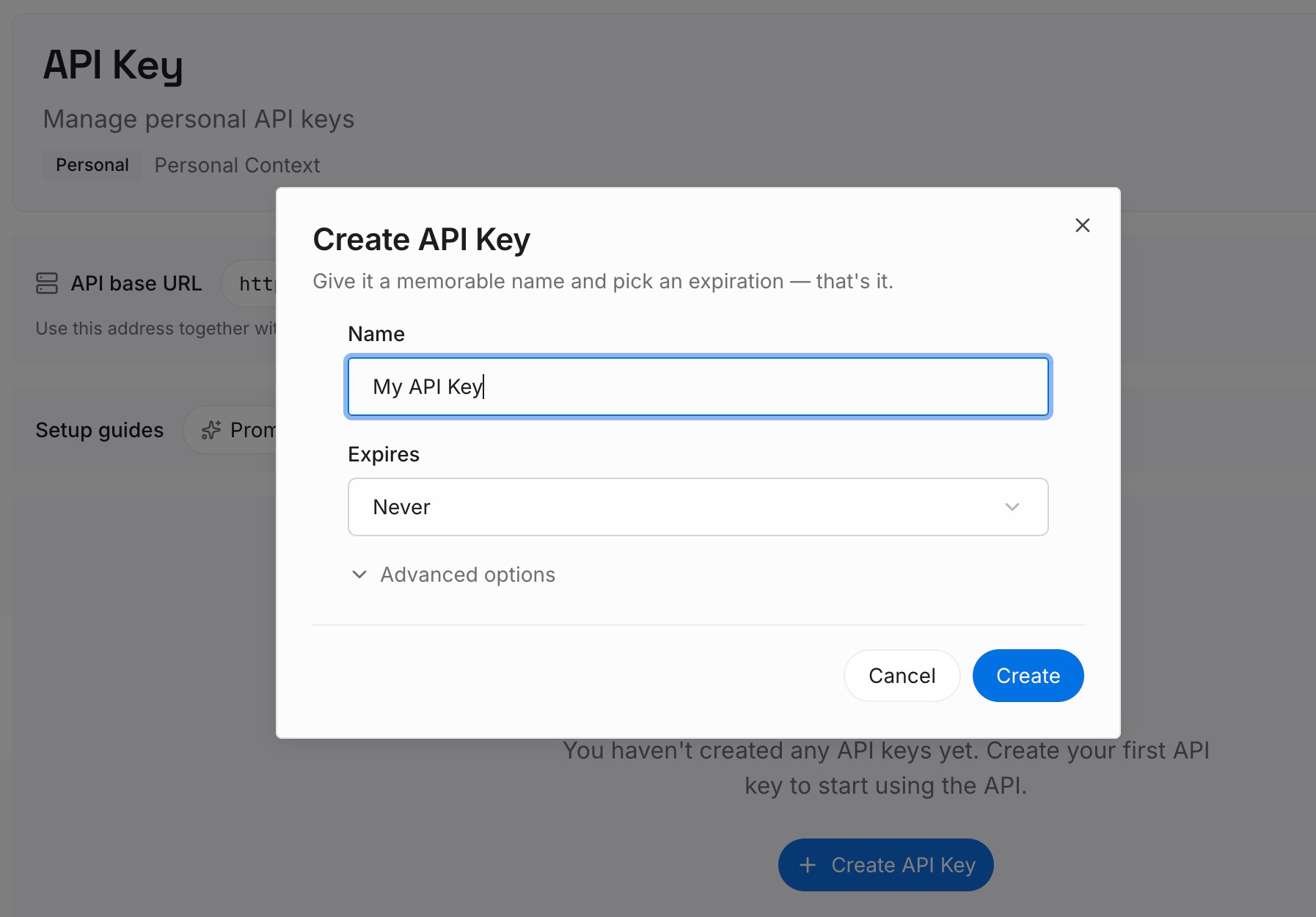
Step 1: Create an API key
Sign in and generate a key from the dashboard. The key belongs to your MemoryLake workspace and is separate from your Claude account.
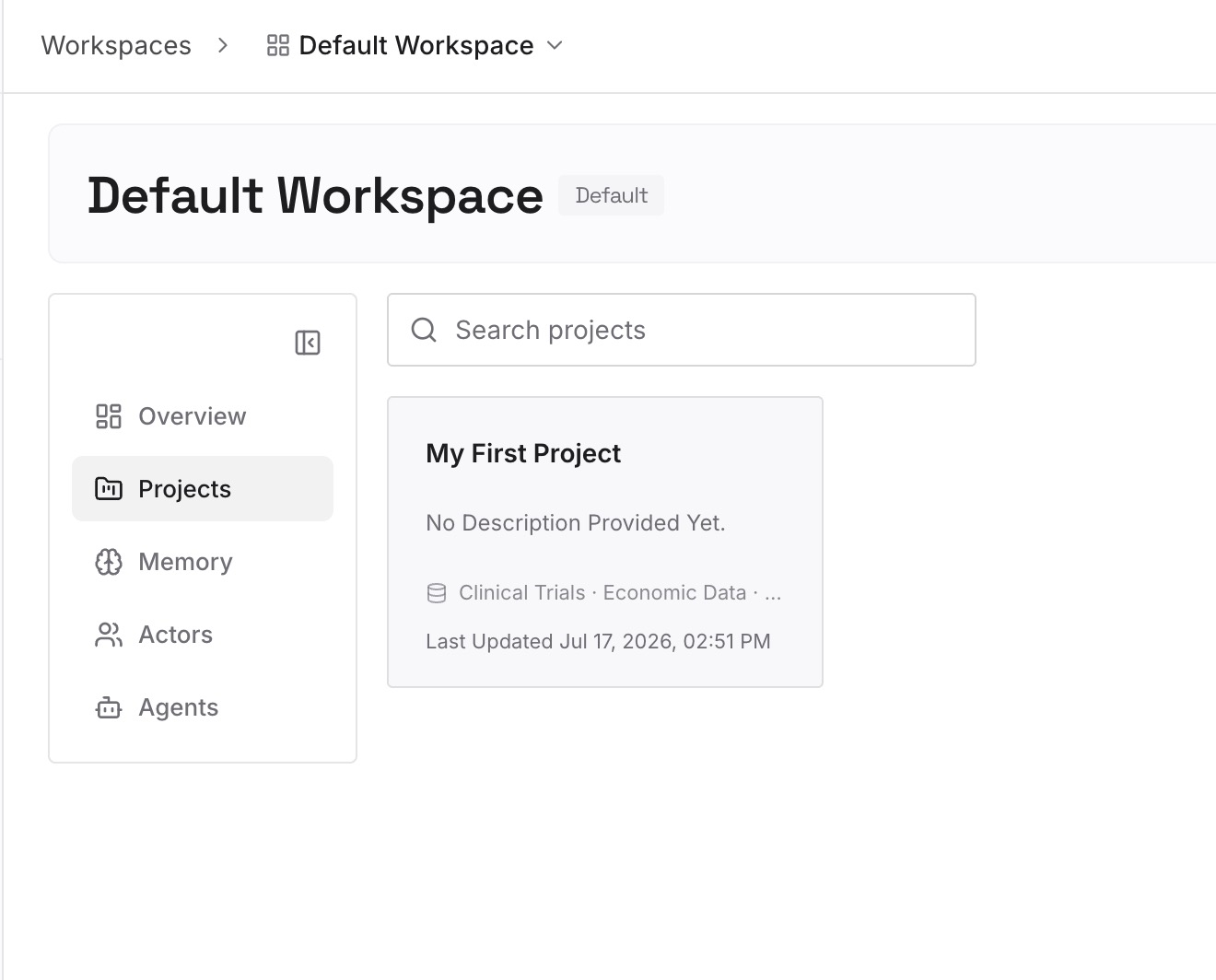
Step 2: Upload your first memories
Start with what you wrote down in Step 3 of the fix: the decisions and findings from worktree sessions you're about to clean up. One point per entry, dated, and labeled with the repository and branch.
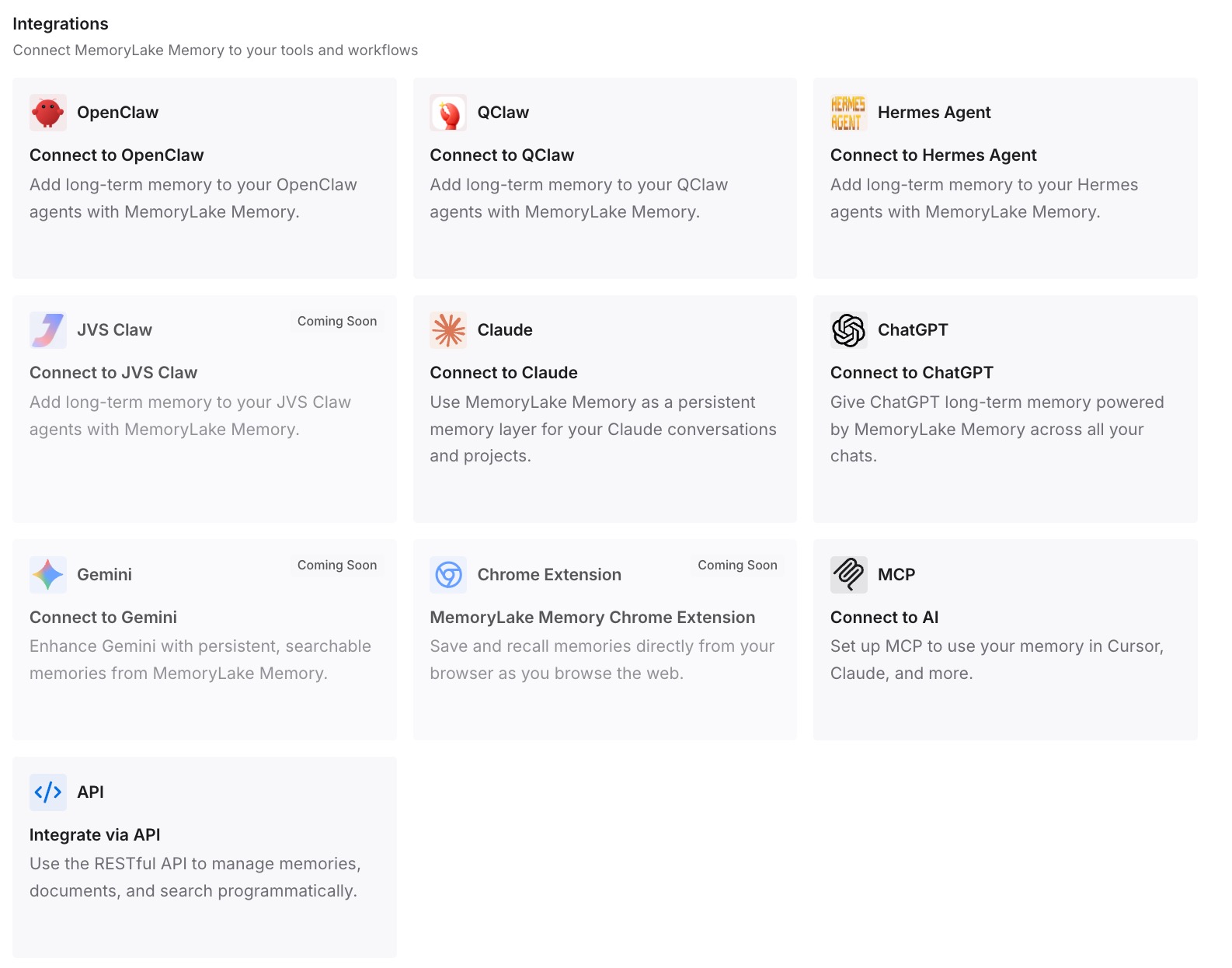
Step 3: Connect your AI & agents
Connect Claude Code and the other assistants you use. Each new worktree session, on this machine or another, can start from the same decisions.
What this changes in practice
The first difference is that new worktrees start with the right instructions. Shared rules are committed, personal ones are imported from home, and the files a session needs are copied in.
The second is that parallel sessions stay consistent. You know that auto memory is shared, so you check it, and you know which CLAUDE.md each worktree and subagent reads.
The third is that cleanup stops costing you context. The conclusions from a worktree are written down before the worktree is removed. If you also run cloud sessions, our guide to what Claude Code cloud sessions bring from your local setup covers what crosses that boundary.
Best practices for context in Claude Code worktrees
Commit and push instruction changes. New worktrees start from the remote default branch.
Import personal instructions from your home directory. CLAUDE.local.md stays in one worktree.
Use .worktreeinclude for environment files. Only gitignored files that match are copied.
Remember that auto memory is shared. Review it when sessions start disagreeing.
Expect worktree subagents to use the main conversation's instructions. Not the branch's CLAUDE.md.
Add .claude/worktrees/ to .gitignore. Anthropic recommends it so worktree contents don't show up as untracked files.
Write down findings before removing a worktree. Removal deletes its directory and branch.
Conclusion
Claude Code worktrees isolate file edits, not context. Auto memory is shared across every worktree of a repository on the same machine. CLAUDE.md comes from each worktree's checkout, which by default is the remote default branch. CLAUDE.local.md and other gitignored files exist only where you created them unless .worktreeinclude copies them in. Subagents in worktrees take their instructions from the main conversation.
Commit shared instructions, import personal ones from home, list the files each worktree needs, and write down what a session figured out before you clean it up.