
Why a Claude project leaves your projects list
It was moved to the new version of projects
Anthropic is rolling out a new version of projects, starting with Claude Code. Its help article says "We’ve started moving existing projects for some Pro and Max users to the new version." In the new version, a project lives where Claude Code does: in the sidebar at claude.ai/code and in the Code tab of the Claude desktop app.
If you're used to finding projects on the chat side, a moved project can look like it vanished. Anthropic is explicit that it didn't: "Nothing is lost or deleted in the move. Everything in your project comes with it: your instructions, files, full chat history, and scheduled tasks." It also says it gives notice in some cases: "If you've used an existing project within the last 30 days, we’ll email you before we move your projects."
So the first check is your email for a notice from Anthropic, and the second is the Projects entry in the claude.ai/code sidebar or the desktop app's Code tab. The Claude Code documentation adds that the new version is "rolling out gradually, starting with accounts that have used cloud sessions and don't have existing projects in claude.ai chat or Cowork", and that "They aren't available on Team or Enterprise plans yet." For how memory works in the new version, our guide to Claude Code project memory explains where it lives.
It's under a different tab
The Projects page splits projects across three tabs: Your projects, Organization, and Shared with you. Your projects lists the ones you created. Organization lists projects other members shared with the whole organization. Shared with you lists projects someone invited you to directly.
Anthropic's own advice is short: "If you can't find a project, check all three tabs." A project a colleague shared with you won't sit next to the projects you created.
It was archived
Archiving hides a project without deleting it. In the current version of projects, Anthropic says "Archived projects will appear at the bottom of your main projects list", and "You can still access conversations from archived projects." There's also an archived projects tab on the Projects page.
In the new version, archiving works differently. The Claude Code documentation says archiving "hides the project from the sidebar and archives its threads, which stops any thread that was running or watching a pull request." To bring it back, open it from the Projects page and select Unarchive. The threads stay archived until you unarchive them individually.
Archived projects also can't be deleted until you unarchive them. In Anthropic's words: "It's not possible to delete archived projects."
It was a local Cowork project that moved into your account
If you created a Cowork project from a folder on your computer, Claude Desktop now moves it into your Claude account. On Pro and Max plans this happens in Claude Desktop. On Team and Enterprise, it happens once Chat and Cowork unified (beta) is on for you.
The move copies the project's name, description, and instructions, plus a copy of its memory if memory is on. The folders and files stay on your computer. Anthropic adds: "After the move, the original local project no longer appears in your projects list." If you're looking for the local entry, look for the project by the same name in your account instead.
Archiving a Cowork project has its own rule too: "The project's metadata is removed from the UI, but is not removed locally."
You're signed in to a different account
A personal account and an organization account can share an email address, and each has its own projects. Anthropic's migration article explains the switch: "You can switch between them by clicking your initials or name in the lower left corner of the screen. A blue checkmark shows which account you're currently using."
If you recently moved a personal account into an organization, the list may not be complete yet. "After a migration, your chat list can take a little while to fill in."
Your access changed
On Team and Enterprise plans, projects follow sharing settings. A project creator can remove a member from a private project, and "After being removed, they will no longer be able to access this project or its content."
When a project's creator is removed from the organization, what happens depends on how it was shared. Anthropic's article on removed members says "If the project’s visibility was set to private, other members of the organization will not be able to access it once the team member has been removed from the account." Projects shared with the organization stay visible to the remaining members, and those shared with specific people stay under Shared with you. That article calls the organization-wide tab Team, while the project management article calls it Organization, so check whichever name your interface shows.
If you were the one removed and later rejoin with the same email, Anthropic says "previous chats, projects, and skills will be restored."
It was deleted
Deletion is the exit Anthropic documents as permanent. For the new version of projects, the Claude Code documentation says deleting "permanently removes the project along with its threads, its memory, and its files". It adds: "This can't be undone."
What people try first
Searching the chat list for the project's name. Projects and chats have separate lists, and a moved project lives in the claude.ai/code sidebar, not on the chat side.
Assuming the redesign deleted it. Anthropic says nothing is lost or deleted in the move to the new version.
Recreating the project from scratch. Before you rebuild, check all three tabs, the archive, and the other account. A rebuilt project starts without the original's chat history and memory.
Looking for a local Cowork project under its old entry. After the move, the local entry no longer appears. The project is in your account under the same name.
The Fix: Check where projects move, restore what you find, then keep a copy of what matters
Step 1: Check the places a project can move to
Work through these in order:
- Your email. Look for a notice from Anthropic about moving your projects.
- The new projects sidebar. Open claude.ai/code or the desktop app's Code tab and look for Projects in the sidebar.
- All three tabs. On the Projects page, check Your projects, Organization, and Shared with you.
- The archive. Check the bottom of your projects list and the archived projects tab.
- Your other account. Check which account has the blue checkmark, and switch if you have both a personal and an organization account.
Step 2: Restore it, or find out who changed its access
If the project is archived, unarchive it. In the new version, also unarchive any threads you need. If it was a local Cowork project, open the account version with the same name and confirm the folder is still on your computer.
If you've lost access to a shared project, ask the project's creator or an organization owner. Projects follow sharing settings, so someone with edit access can add you back. If the project was deleted in the new version, Anthropic says deletion can't be undone, so the route left is to rebuild it from whatever you still have: the original files, a colleague's copy, or a data export.
Step 3: Keep a copy of what the project held
Once you've found it, protect the parts you'd hate to rebuild. Copy the project instructions into a text file. Keep local copies of the knowledge files. And because, as Anthropic puts it, "Context is not shared across chats within a project unless the information is added into the project knowledge base", write the decisions you reached in its chats into a short summary you can add back if you ever need to.
Individual users can also export their data from Settings > Privacy on the web or Claude Desktop. The download link expires 24 hours after delivery.
Setting this up in MemoryLake
A project is only as safe as the place it's stored. Instructions, decisions, and constraints live inside it, and when it moves to another part of the app, another account, or another tab, your context moves with it.
MemoryLake is a memory layer for keeping that context in one list you maintain, available to the assistants you connect, such as Claude Code, ChatGPT, and Codex.
You write the entries yourself, in your own words. Nothing is read out of, written to, or deleted from your Claude projects, your project knowledge, your Claude memory, your data export, or any vendor's store. On a Team or Enterprise plan, follow your organization's policy for what you keep outside it.
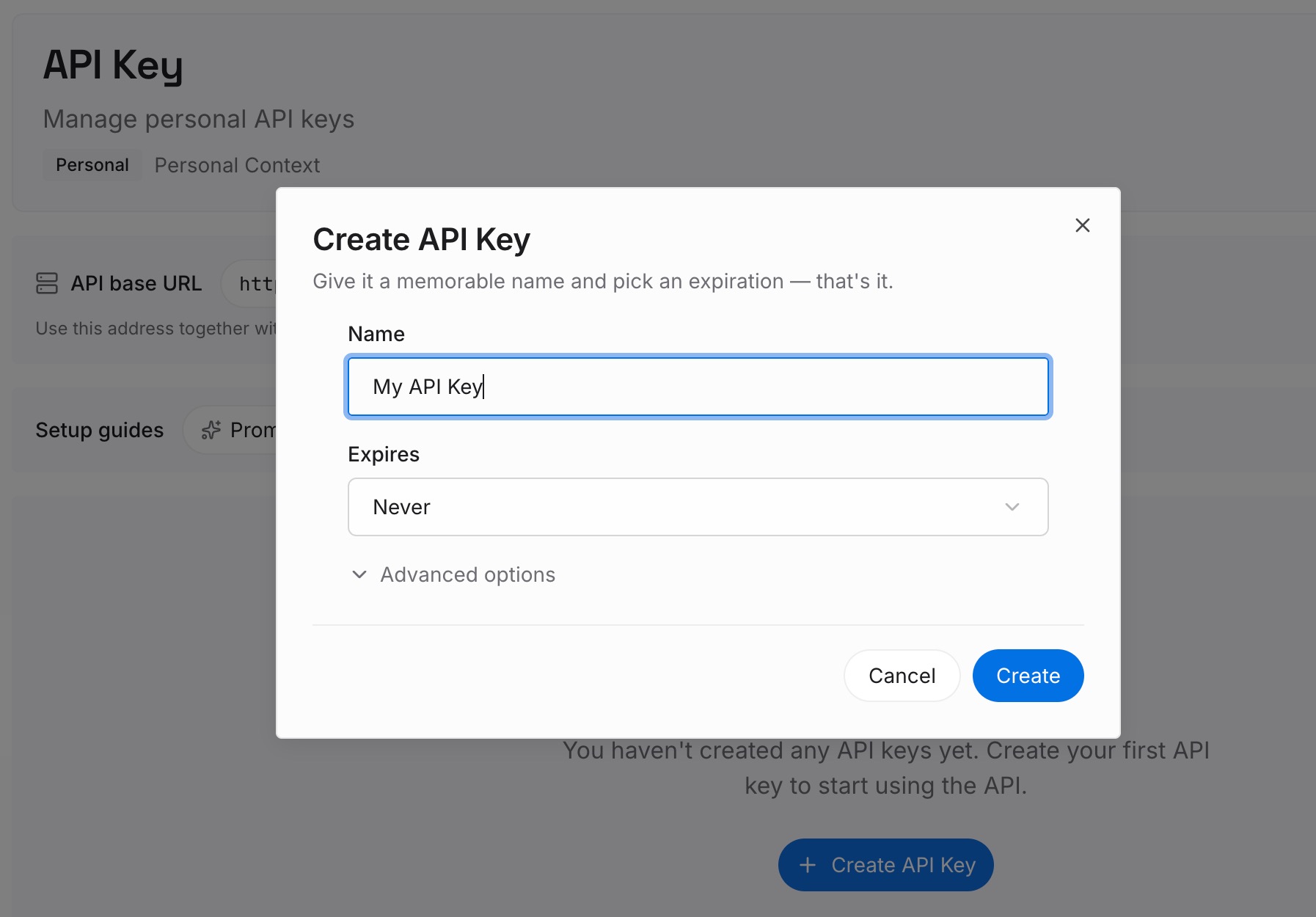
Step 1: Create an API key
Sign in and generate a key from the dashboard. The key belongs to your MemoryLake workspace and is separate from your Claude account.
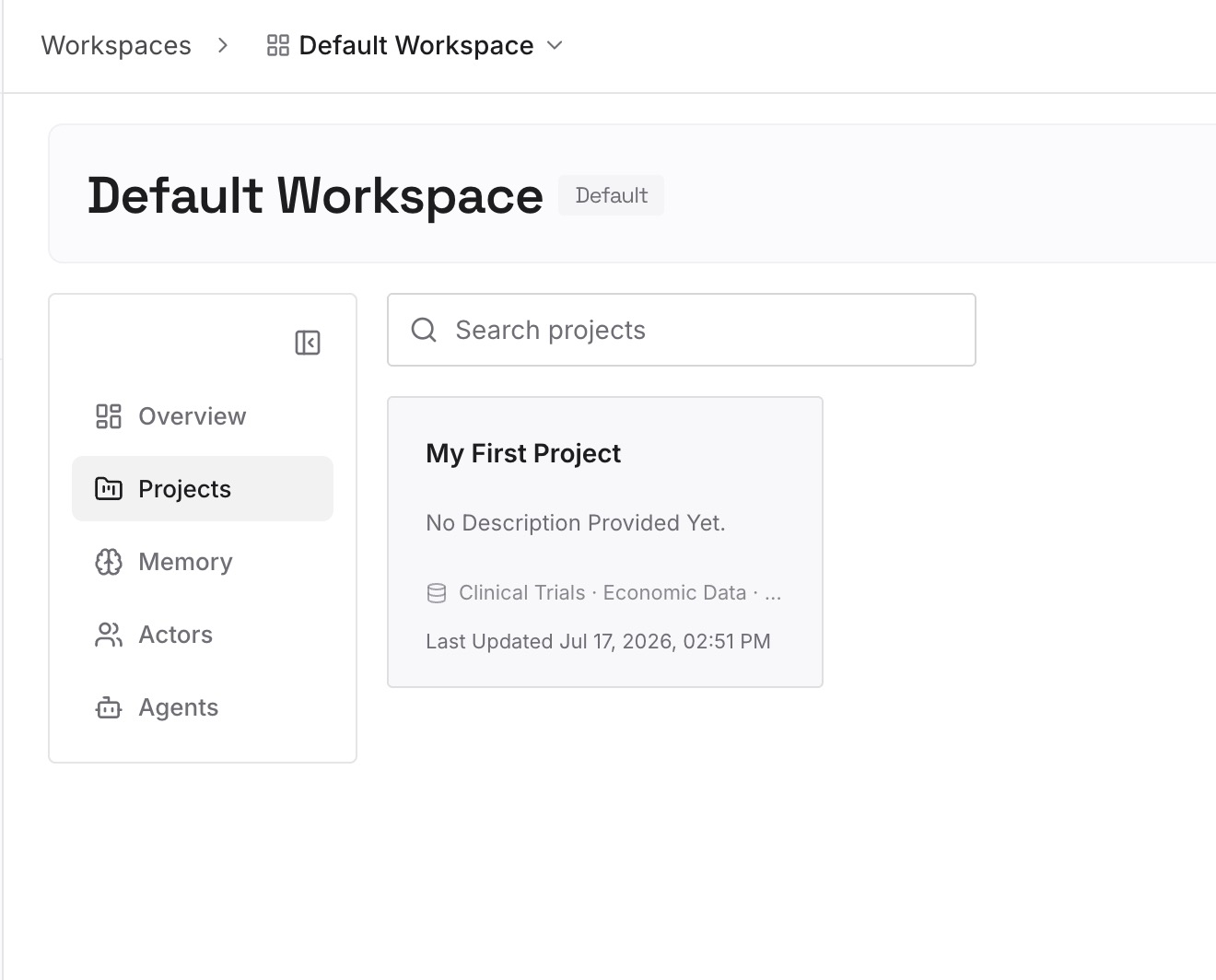
Step 2: Upload your first memories
Start with what you saved in Step 3 of the fix: the project's instructions and the decisions from its chats. One point per entry, dated, and labeled with the project it belongs to.
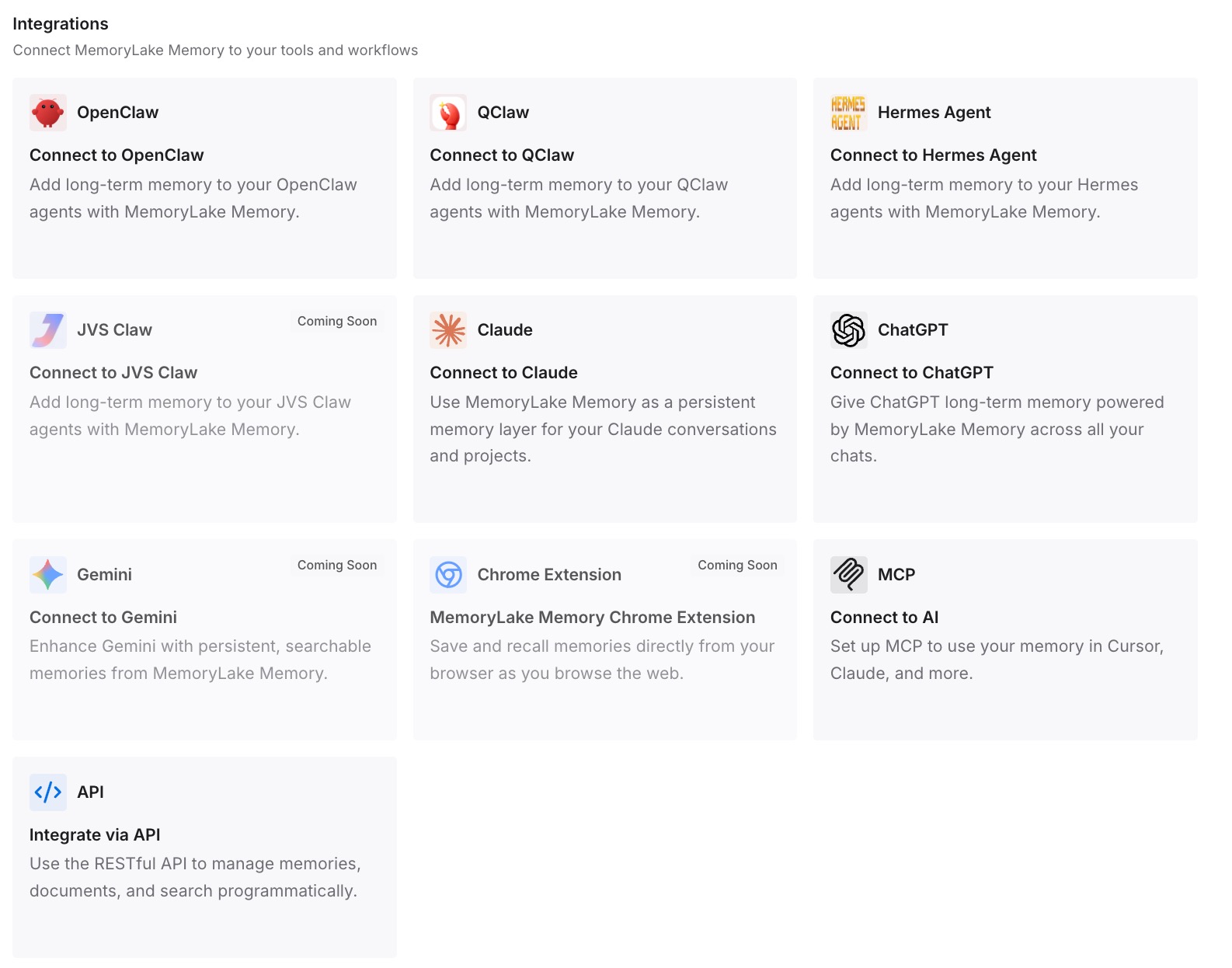
Step 3: Connect your AI & agents
Connect the assistants you use. The next time a project moves, the context it held is already in a place you control.
What this changes in practice
The first difference is that you know where to look. Email, the claude.ai/code sidebar, the three tabs, the archive, and your other account cover the documented places a project goes.
The second is that you can tell a move from a deletion. Moves and archives can be undone, and access can be granted again. A deleted project isn't, and knowing that early saves time.
The third is that rebuilding gets easier when it's needed. With the instructions and decisions already written down, a lost project is far quicker to rebuild. If Claude seems to have stopped using a project's files rather than losing the project, our guide to why Claude forgets project knowledge covers that problem.
Best practices for keeping Claude projects findable
Read Anthropic's emails about projects. A move to the new version comes with notice if you've used the project recently.
Check claude.ai/code for moved projects. The new version lives in the Code sidebar.
Check all three tabs. Shared projects aren't listed with yours.
Archive instead of deleting. Archived projects keep their content.
Confirm the active account. Look for the blue checkmark.
Hand off private projects before leaving a team. Private projects become inaccessible to others when their creator is removed.
Keep instructions and decisions outside the project. Our guide to searching past chats in Claude projects covers what Claude can recall from inside one.
Conclusion
A Claude project that's missing from your list may have moved rather than been deleted. It may be in the new version of projects under claude.ai/code, under another tab, in the archive, in your account after a local Cowork move, or in your other account. Access changes on Team and Enterprise plans can hide it too. Deletion is the exit Anthropic documents as permanent.
Check your email, the Code sidebar, all three tabs, the archive, and the active account. Once you find the project, copy its instructions and the decisions from its chats somewhere you control, so the next move doesn't cost you its context.