
Why the session starts without your chats
Claude Code's documentation starts its memory page with a plain statement: "Each Claude Code session begins with a fresh context window. Two mechanisms carry knowledge across sessions". It names them:
- "CLAUDE.md files: instructions you write to give Claude persistent context."
- "Auto memory: notes Claude writes itself based on your corrections and preferences"
Both are files. CLAUDE.md lives in your repository or your home folder, and auto memory lives in a directory on your computer. The documentation describes where each one is loaded from, and both of those places are on the Claude Code side.
Claude chat's memory works differently. Anthropic's memory article says "Claude saves memory as a set of individual topics as you chat", and it describes one memory shared between chat and Claude Cowork in the cloud. Claude Code's memory documentation describes CLAUDE.md and auto memory, and it doesn't describe loading your chat memory or your chat history into a session. Treat the two as separate until you've copied something across.
The same goes for projects. Claude Code now has its own Projects feature for cloud work, and its documentation separates it from the older one: "Projects in claude.ai chat and Cowork: the earlier Projects experience, which groups conversations and reference files without threads or a coordinator." A project you built in chat is a different thing from a project in Claude Code.
What the two do share is your plan. Anthropic's article on using Claude Code with Pro or Max says "These limits are shared across Claude and Claude Code, meaning all activity in both tools counts against the same limits."
Where each part of a chat goes in Claude Code
A useful chat holds several kinds of context. Each has a natural home in Claude Code.
Decisions and conventions for the codebase
These go in the project CLAUDE.md, at ./CLAUDE.md or ./.claude/CLAUDE.md. The documentation describes it as "Team-shared instructions for the project", and the examples it gives are "Project architecture, coding standards, common workflows". If your chat settled on how errors are handled, which library to use for dates, or what the folder layout means, that's project CLAUDE.md material.
Anthropic's advice on what belongs there: "Treat CLAUDE.md as the place you write down what you'd otherwise re-explain." And on size, "target under 200 lines per CLAUDE.md file."
Your personal preferences
Preferences that apply across all your projects go in ~/.claude/CLAUDE.md, which the documentation calls "Personal preferences for all projects". Preferences for one project that you don't want to commit go in ./CLAUDE.local.md, described as "Personal project-specific preferences; add to .gitignore".
If your chat memory knows you prefer small commits, or that you want explanations before code, this is where that goes.
Background that Claude can't get from the code
Some of what you discussed won't show up in the repository: why you rejected an approach, a deadline, who owns a service. Claude Code's auto memory is built for this kind of note. The documentation lists the types it saves, including "project: ongoing work, deadlines, and decisions that Claude can't derive from the code or git history".
You can also tell Claude Code to save something. When you ask it to remember a fact, it saves it to auto memory. To put an instruction in CLAUDE.md instead, ask for that directly or edit the file yourself.
Auto memory has limits worth knowing before you rely on it:
- "Auto memory is machine-local." It's stored under
~/.claude/projects/<project>/memory/, and "Files are not shared across machines or cloud environments." - "The first 200 lines of
MEMORY.md, or the first 25KB, whichever comes first, are loaded at the start of every conversation." Topic files are read when Claude needs them. - "Claude skips anything it can derive from the codebase, such as architecture, file paths, or debugging fixes. It also skips anything your CLAUDE.md files already say."
So if you work on more than one computer, or in cloud sessions, put anything important in CLAUDE.md rather than auto memory. Our guide to why Claude Code forgets across machines covers that gap.
Long reference material
Specs, research notes, and long explanations from a chat are better as files in the repository, such as a document under docs/, than as CLAUDE.md content. Claude can read them when it needs them, and CLAUDE.md can point to them. The documentation says "CLAUDE.md files can import additional files using @path/to/import syntax", and those files are loaded at launch alongside the CLAUDE.md that imports them, so import only what every session needs.
If you use worktrees, other computers, or cloud sessions
Where you run Claude Code changes which of these files a session sees. The project CLAUDE.md travels with the repository, so every clone and every worktree has it. Auto memory is shared within one repository on one computer: "All worktrees and subdirectories within the same git repository share one auto memory directory."
CLAUDE.local.md is the one that catches people. The documentation notes that "a gitignored CLAUDE.local.md only exists in the worktree where you created it." If you work in several worktrees, keep personal instructions in your user file instead. Our guide to what each Claude Code worktree session loads covers the details.
If your repository already uses AGENTS.md for other coding tools, Claude Code can read it. Our guide to moving CLAUDE.md to AGENTS.md explains how the two files work together.
What people try first
Pasting a whole chat into the first message. That session has the context. The next one begins with a fresh context window, and the paste is only in the old transcript.
Asking Claude Code to look up your Claude memory. Its documented memory is CLAUDE.md and auto memory. Copy what you need into one of them.
Copying the entire memory export into CLAUDE.md. CLAUDE.md loads into every session, and Anthropic suggests keeping each file under 200 lines. Move only what the repository needs.
Waiting for auto memory to pick it up. The documentation says "Claude doesn't save something every session. It decides what's worth remembering based on whether the information would be useful in a future conversation." If a decision matters, write it into CLAUDE.md or ask Claude to remember it.
Treating CLAUDE.md as rules Claude must obey. Anthropic says "Claude treats them as context, not enforced configuration." Specific, short instructions are followed more consistently than long ones.
Looking for a chat project in Claude Code's Projects. They're different features. Rebuild what you need from the project's instructions and files.
The manual migration
Step 1: Pull the context out of Claude chat
Start with the conversations you still rely on. Open each one and write a short summary of what it established: the decision, the reason, and any constraint. You can ask Claude in that chat to draft the summary, then edit it so it says what you actually agreed.
Then export what Claude has saved about you. The memory export article gives a prompt to use in a chat: "Write out your memories of me verbatim, exactly as they appear in your memory." Save the result to a text file. You can also read your memory in Settings > Memory, where Anthropic says "Everything Claude remembers is listed under Topics."
For a full copy of your history, use the data export. Anthropic says "Individual Claude users can export user information and chat history from Settings > Privacy on the web app or Claude Desktop. It's not possible to run an export from Claude for iOS or Android." The download link arrives by email and "will expire 24 hours after delivery." Our guide to reading your Claude data export covers what's inside.
If the work was in a chat project, copy the project's instructions into a text file and make sure you have the knowledge files.
Step 2: Put each piece where Claude Code reads it
Go through your summaries and sort each point:
- Applies to the codebase and the team: add it to the project CLAUDE.md. Keep each line short and specific.
- Applies to you everywhere: add it to
~/.claude/CLAUDE.md. - Applies to you in this repository only: add it to
./CLAUDE.local.md. - Background Claude can't derive from the code: tell Claude Code to remember it, or add it to CLAUDE.md if you need it on every machine.
- Long reference material: commit it as a document and point to it from CLAUDE.md.
Leave out what Claude can read from the code. Then start a new session and run /memory. The documentation says it "lists your CLAUDE.md, CLAUDE.local.md, and other memory file locations across user and project scopes". Ask Claude what it knows about one decision you moved, and check that the answer matches.
The Better Way: Keep the decisions from your chats in one list both sides can use
The manual migration works for one move. The trouble is that it doesn't stay done. You'll keep talking things through in chat, because that's where it's easiest to think out loud, and each new decision has to be copied into the repository again. Meanwhile auto memory stays on one computer, and the chat memory stays in your account.
MemoryLake is a memory layer for keeping those decisions in one list you maintain, available to Claude Code and the other assistants you connect, such as ChatGPT and Codex.
You write the entries yourself, in your own words. Nothing is read out of, written to, or deleted from your Claude chats, your Claude memory, your CLAUDE.md files, your auto memory folder, or any vendor's store. For work repositories, follow your organization's policy on what you keep outside them.
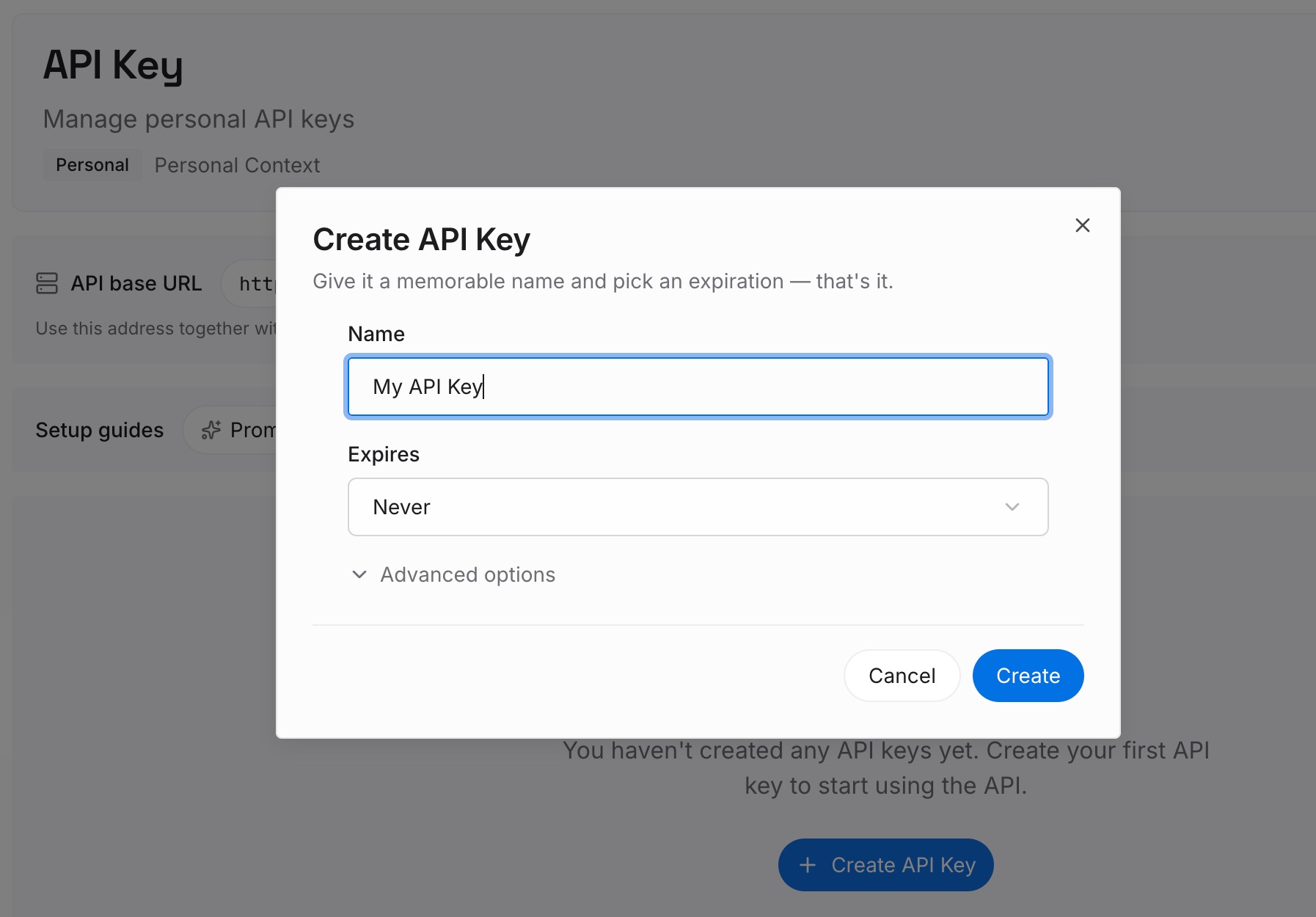
Step 1: Create an API key
Sign in and generate a key from the dashboard. The key belongs to your MemoryLake workspace and is separate from your Claude account.
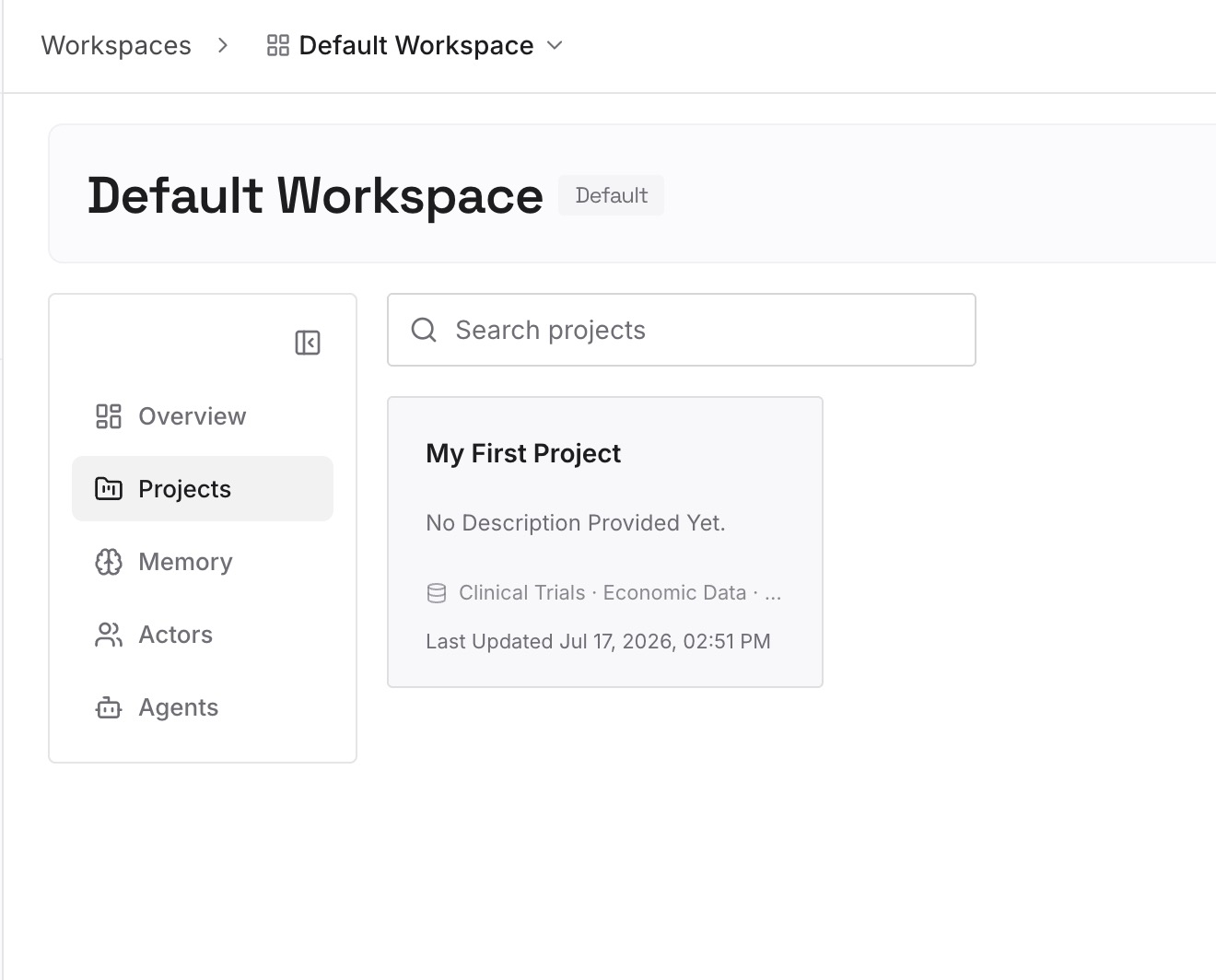
Step 2: Upload your first memories
Start with the summaries from Step 1 of the manual migration: the decisions, constraints, and conventions your chats settled. One point per entry, dated, and labeled with the repository it applies to.
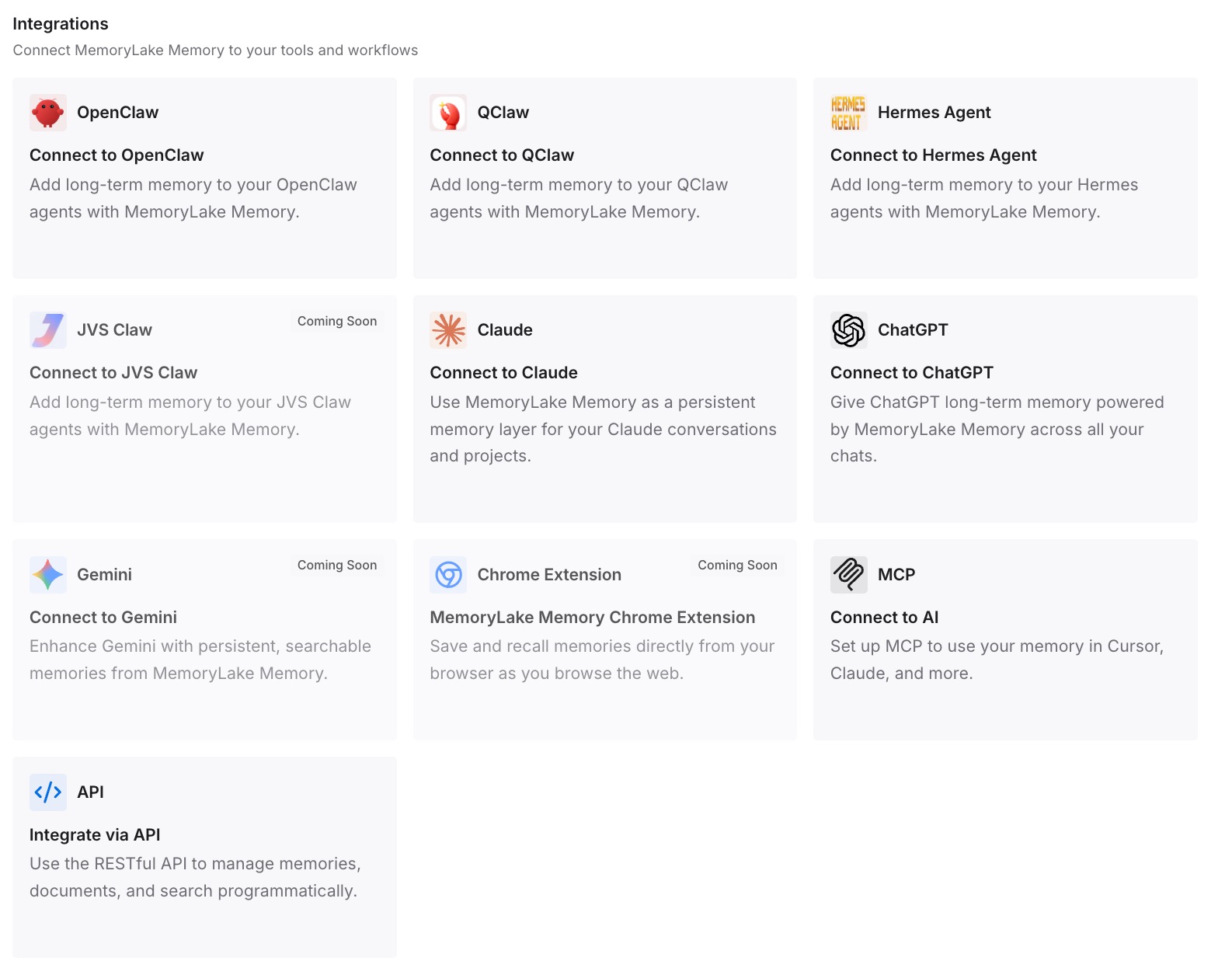
Step 3: Connect your AI & agents
Connect Claude Code and the other assistants you use. The same entries are available on every computer you run Claude Code on, and in the other tools you connect.
What this changes in practice
The first difference is that your first Claude Code session in a repository knows what you decided in chat. The architecture, the conventions, and the constraints are there, not rediscovered.
The second is that you know which file holds what. Team rules are in the project CLAUDE.md, your preferences are in your user file, and background is in auto memory or your own list.
The third is that the next decision in chat doesn't get stranded. You add it once, and it's there the next time you open the repository.
Best practices for moving Claude chat work into Claude Code
Summarize the conversation before you move it. A decision and its reason is more useful than a transcript.
Put team rules in the project CLAUDE.md. It's shared through source control.
Put personal preferences in your user file. ~/.claude/CLAUDE.md applies to all your projects.
Use CLAUDE.local.md for uncommitted preferences. Add it to .gitignore.
Don't rely on auto memory across computers. It's machine-local. Our guide to why Claude Code forgets project context covers other gaps.
Keep CLAUDE.md short. Anthropic suggests under 200 lines per file.
Check with /memory after the move. Confirm the files you expect are listed.
Conclusion
Claude chat and Claude Code share an account and a plan, but they keep context in different places. Chat keeps memory in your account. Claude Code reads CLAUDE.md files and its own auto memory, and each session starts with a fresh context window.
To move your chats, summarize what they established, export your memory, and put each point where Claude Code reads it: team rules in the project CLAUDE.md, preferences in your user file, and background in auto memory or a file you commit. Check the result with /memory.