
What actually transfers
Claude Code has, in its own documentation's framing, "two complementary memory systems. Both are loaded at the start of every conversation." One you write, one Claude writes. They travel very differently.
Your CLAUDE.md travels, with a caveat about imports. Claude Code reads CLAUDE.md inside Cowork sessions on your desktop. What changes is how it handles the @ imports inside it. Normally, user-scope files are trusted: "Except in Cowork sessions on your desktop, Claude Code loads their imports without the dialog and trusts them like the rest of your personal configuration." Inside Cowork, that trust narrows. The documentation states it directly: "In Cowork sessions on your desktop, Claude Code skips any import in a user-scope file that resolves to a path outside the session's working directory and loads the rest of the file."
Read the last clause again. It loads the rest of the file. There is no error and nothing missing from the file you can see — you simply get the file minus the parts that lived elsewhere.
A symlinked personal memory file does not travel. "In those sessions it also skips a ~/.claude/CLAUDE.md that is itself a symlink or hard link, and a symlinked ~/.claude/rules/ directory or rule file that points outside the working directory." If you keep one canonical memory file in a dotfiles repo and symlink it into place on every machine — a common and sensible setup — that file is skipped in Cowork sessions, not merged.
Both of these matter more than they look because Claude Code's own docs recommend the pattern that trips them. For sharing personal instructions across worktrees, the documented approach is an import from your home directory: - @~/.claude/my-project-instructions.md. That path resolves outside the session's working directory, which is exactly the condition for being skipped.
Auto memory does not travel in any form. This is the half Claude wrote — "learnings and patterns," scoped "Per repository, shared across worktrees," loaded into every session as "first 200 lines or 25KB." It lives in ~/.claude/projects/<project>/memory/ as a MEMORY.md index plus one topic file per memory, tagged user, feedback, project, or reference. And it is pinned to the machine: "Auto memory is machine-local. All worktrees and subdirectories within the same git repository share one auto memory directory. Files are not shared across machines or cloud environments."
Cowork's default execution is a cloud environment. The architecture documentation says "Cowork sessions run in the cloud by default: the agent loop and code execution run on Anthropic's servers, and sessions and files are saved to the member's Claude account," and adds that "Local execution remains available for existing desktop deployments." A machine-local store and a cloud session are not a hard problem to solve — they are just two different places, with nothing documented between them.
What Cowork offers instead is shaped differently. It has three persistent layers, and none of them is a file you can drop a CLAUDE.md into:
- Global instructions are "standing instructions that apply to every Cowork session," edited in Settings under Cowork. A text box, not a file in your repo.
- Folder instructions "add project-specific context to Cowork when you select a local folder on desktop," and come with a property no instruction file has: "Claude can also update these on its own during a session."
- Projects hold their own Instructions, Scheduled tasks, Context, and Memory, where "Memory is scoped to the project, so what Claude learns in one project doesn't carry over to others." Projects fill up by hand, not by accumulation: "Cowork won't change a project's contents, so add anything you want to keep to the project yourself."
One more boundary worth knowing before you plan, because it decides whether project memory is active at all: "Memory is shared between Chat and Claude Cowork when Cowork runs in the cloud; Cowork sessions that run locally on your computer don't use memory."
The manual migration
Two steps. Neither is hard; the first is the one people skip.
Step 1: Read your instruction files the way a Cowork session will read them
Open your CLAUDE.md and find every @ import. For each one, ask a single question: does this path resolve inside the folder the Cowork session will be working in?
Imports pointing at files in the repo — @README, @package.json, @docs/git-instructions.md — are fine. Imports pointing at your home directory are the ones that get dropped. So are ~/.claude/CLAUDE.md and ~/.claude/rules/ when either is a symlink or hard link pointing outside the working directory.
Then check the same thing for .claude/rules/. Claude Code's docs note that the rules directory "supports symlinks, so you can maintain a shared set of rules and link them into multiple projects" — a genuinely good pattern that is specifically named among the things Cowork sessions skip.
Where an import gets dropped, you have two honest options. Inline the content into a real file inside the repo, which makes it visible to teammates and to version control. Or accept the loss and re-express that guidance as Cowork Global instructions, which is the layer designed for preferences that apply everywhere. Inlining is usually better for anything a colleague would benefit from seeing; Global instructions are better for how-you-work preferences that have no business in a shared repository.
Do this before you start working in Cowork, not after. A pruned import produces output that is subtly off-convention rather than obviously broken, which is the hardest failure mode to notice.
Step 2: Move the written layer, then decide what to do with the learned one
For the written layer, work top-down through Cowork's three slots.
Anything in your CLAUDE.md that is really about you — tone, output format, your role, standing constraints — belongs in Global instructions. Anything about a specific body of work belongs in Folder instructions or in a Project's Instructions field. If you already keep a Claude chat project for the same work, Cowork can seed from it: choosing "Import from project" means "Clicking 'Create' will transfer the files and instructions from your existing Claude project and create a new Cowork project." Note that "bulk upload is not supported," so this is one project at a time.
For the learned layer, there is no import. What exists is a documented read-out. Anthropic's guidance for getting memory out of Claude is to ask for it verbatim: "Write out your memories of me verbatim, exactly as they appear in your memory." That is a read, not a handover — it produces text you then place somewhere yourself. Note also that this is the account-level memory, which is a different store from the ~/.claude/projects/<project>/memory/ files on your machine; those you read directly, since they are plain markdown.
Two cautions here. First, memory management in Claude includes a Reset memory action that "Permanently deletes all memories including project memories," and "this cannot be undone" — read before you tidy. Second, if a folder-level Project matters to you, note that Anthropic's own pages currently describe project storage differently in two places: the Projects article lists "Projects are desktop-only and stored locally. There's no cloud sync for project data at this time," while the surface-availability page shows Projects available on desktop, web and mobile with the caveat that "Projects tied to a local folder support Cowork sessions on desktop only." Both pages are current. Check the behavior on your own account rather than assuming either description covers your setup.
The Better Way: Keep the Learned Half in a Layer Neither Surface Owns
Step 1 and Step 2 handle the file-shaped half. The half that has no import path is the one that took the longest to build: the corrections you gave Claude over months, the preferences it inferred, the project facts that are not derivable from the code. In Claude Code that lives in a machine-local directory. In Cowork it would live in an account-level store that only applies when sessions run in the cloud. Neither is a place you can hand to the other.
The way out is not to pick one of them but to keep that layer outside both. MemoryLake is a memory layer you own, read by whichever assistant you happen to be using through an API rather than through one product's private store. Three steps.
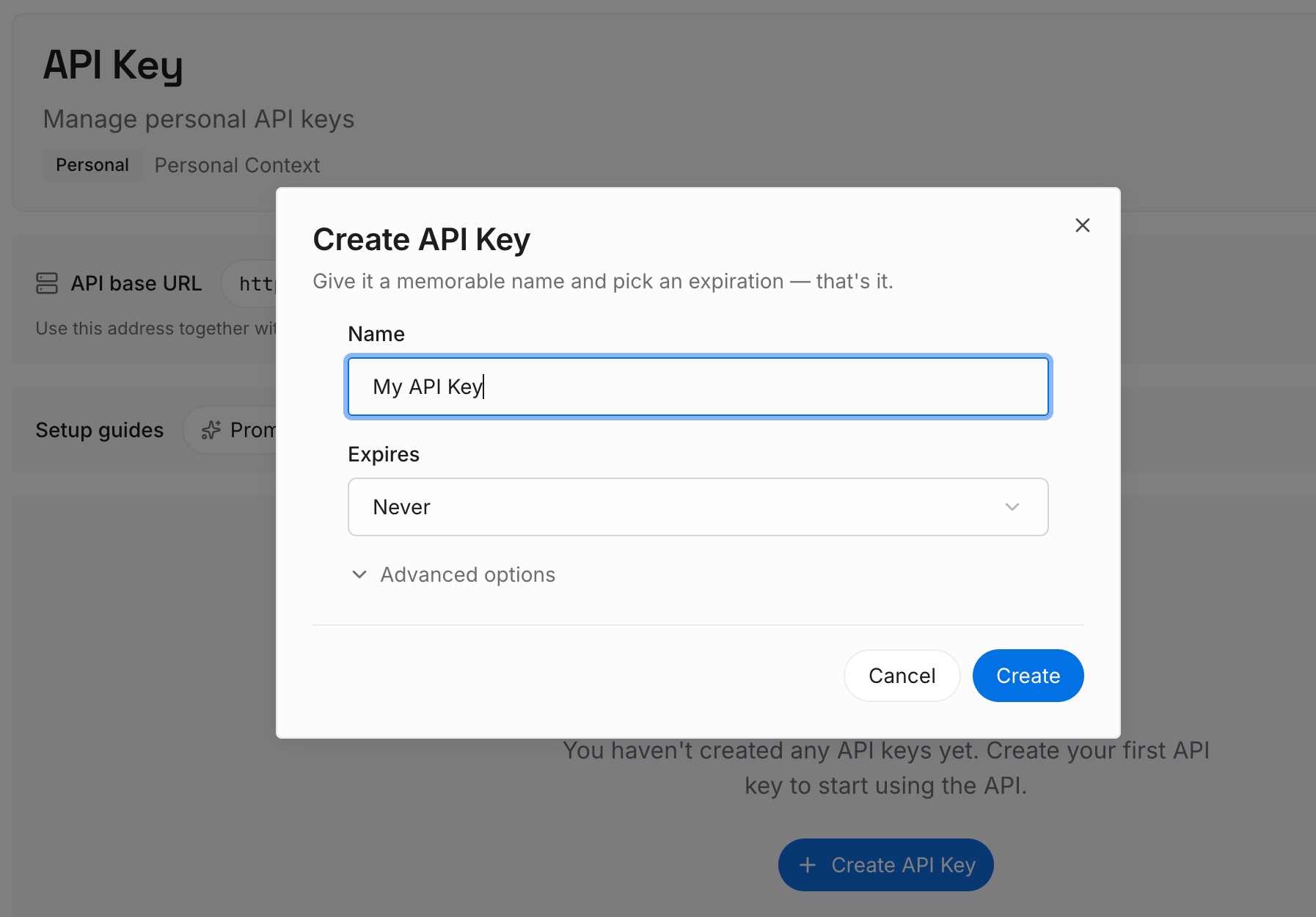
Step 1: Create an API key
Sign in and create an API key from your workspace settings. It belongs to you, not to a surface, so moving between terminal and desktop does not invalidate it.
Step 2: Upload your first memories
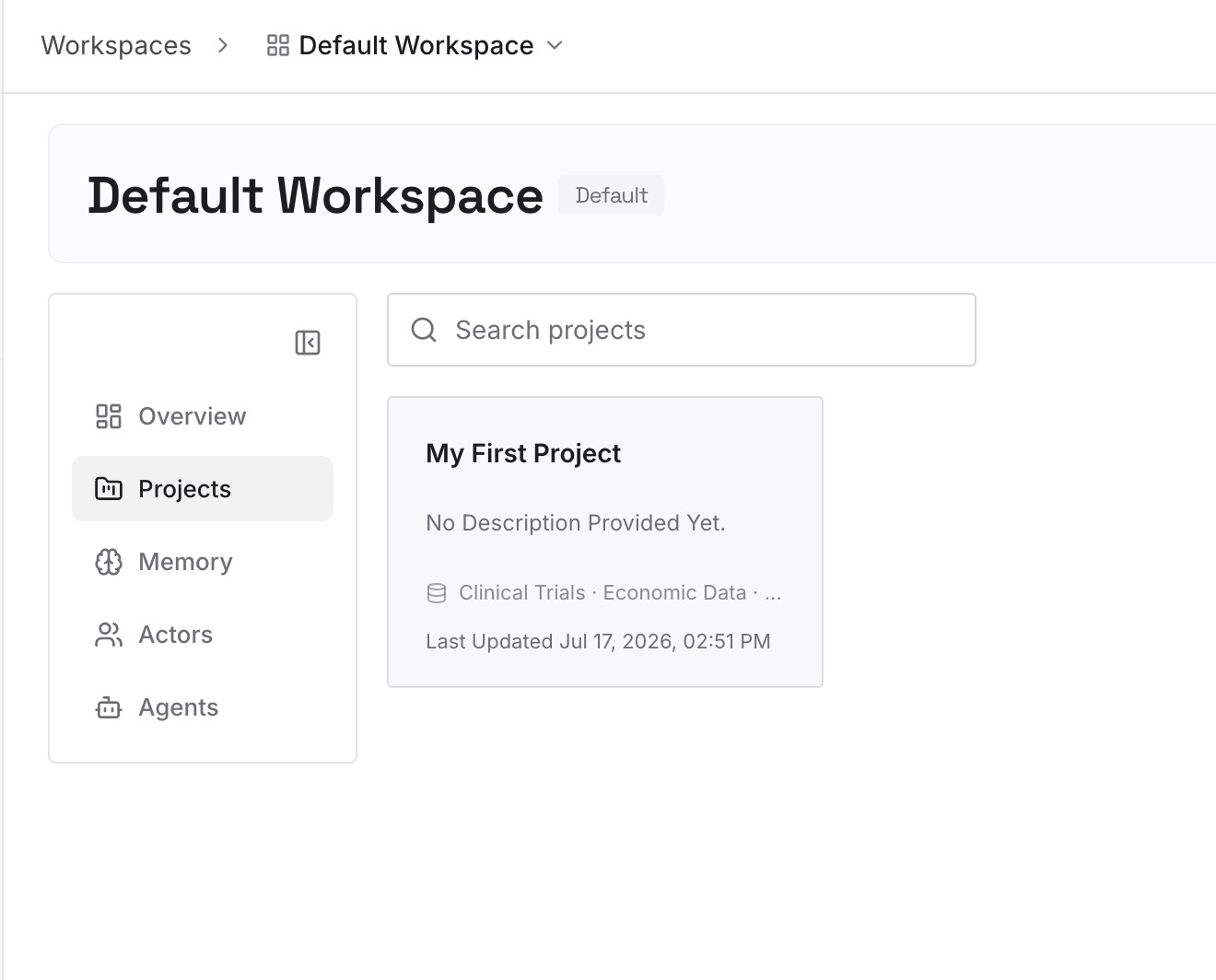
Start with the content you just read out, plus the imports you had to inline in the migration step. Preferences and working style. Corrections that keep recurring. Project facts Claude could not derive from the code — why a service is structured the way it is, which approach the team already rejected, what a deadline actually depends on. Files go in as they are, and the multimodal ones are handled, so an architecture diagram or a spreadsheet that encodes a convention can go in directly.
Step 3: Connect your AI & agents
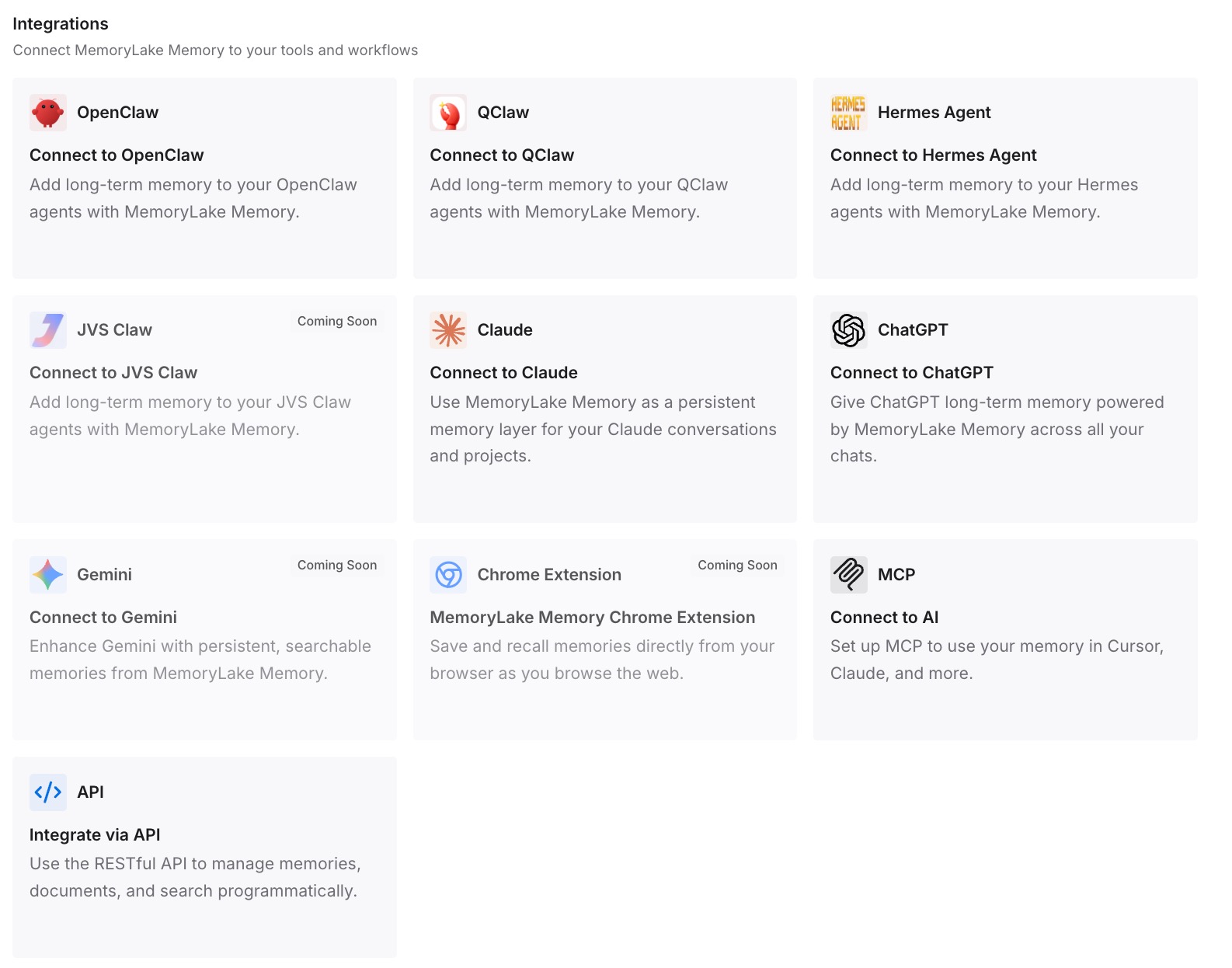
Connect Claude Code, Cowork, and anything else in the rotation. From then on the learned layer is read from one place rather than rebuilt per surface, and switching between the terminal and the desktop app stops resetting it.
Three limits, stated plainly. MemoryLake cannot read, export, or delete Claude's memory — that is why the read-out in Step 2 of the manual migration is a manual step. It does not change how Cowork prunes external imports; that behavior is Claude Code's and applies regardless. And it is not a replacement for CLAUDE.md, which remains the right place for instructions that must be in the repo where teammates can see them.
What this changes in practice
The immediate change is that the migration stops being lossy in a way you notice three weeks later. Your instructions arrive intact because you inlined the parts that would have been pruned, and the learned layer arrives because it is being read from somewhere both surfaces can reach.
The larger change is that surface choice becomes reversible. Cowork's cloud sessions are ephemeral by design — "Each session gets its own sandbox, created when the session starts and destroyed when it ends, and sandboxes don't share state with each other or across organizations" — which is the correct security posture and also means the session is not where anything accumulates. Once the durable layer is external, an ephemeral sandbox costs you nothing, and moving back to the terminal for a week costs you nothing either.
It also removes a specific recurring annoyance for anyone who works on more than one machine. Auto memory being machine-local is documented and deliberate, but it means the laptop knows things the desktop does not — the same problem covered in why Claude Code forgets across machines. An external layer is read the same way from either.
Best practices after you switch
Keep CLAUDE.md for instructions, not for learnings. Claude Code's docs are explicit that Claude "skips anything your CLAUDE.md files already say" when writing auto memory. Duplicating learnings into the instruction file makes both layers worse.
Inline, don't import, anything you need inside a Cowork session. One rule to remember instead of a mental model of path resolution.
Treat Folder instructions as a shared field, not your field. Claude can update them during a session. That is useful, and it means anything you must not lose belongs somewhere Claude does not also write.
Put things in a Project deliberately. Cowork will not add them for you.
Check whether your Cowork sessions run in the cloud before relying on project memory. Memory applies when Cowork runs in the cloud; local sessions do not use it.
Re-read your instruction files quarterly. Claude Code's own guidance warns that contradictory rules mean "Claude may pick one arbitrarily." Two surfaces reading the same files doubles the cost of a stale one. A periodic pass over what your assistants actually remember is worth the twenty minutes.
Conclusion
Same vendor, same architecture, and still a real migration — because the interesting parts of Claude Code's memory are a machine-local directory and an import graph that reaches outside the repo, and Cowork's session boundary treats both differently. Fix the imports before you switch, move the written layer into the three slots Cowork actually has, read out the learned layer by hand, and then put that learned layer somewhere neither surface owns. After that, which surface you use is a preference rather than a reset.