
What Anthropic supports, and what it doesn't
Between two personal accounts
There's no transfer route. The export is a download for your records, and Anthropic says it can't be imported into another personal account. Anything you want in the new account, you bring by hand.
From a personal account into a Team or Enterprise organization
This route is supported. Anthropic's migration article says "There are two paths: you can start a migration yourself (Team and Enterprise) or your admin can claim accounts on your domain (Enterprise only)." It applies when your personal account uses the same email address as your organization account.
It is also final. "Bringing your work into a Team or Enterprise workspace is one-way. Once content has been moved, it can't be moved back to a personal account."
You don't have to merge. When you join a Team or Enterprise organization with the same email, one of the options is to keep both accounts: "Your personal account stays active." You switch between them from your initials or name in the lower left corner, and a blue checkmark shows which one you're using. Each keeps its own conversations and projects.
On Enterprise plans, an admin can also claim accounts on the organization's verified domain. You get an email and an in-product notice with a deadline at least 30 days out to choose between merging and starting fresh.
Two kinds of organization can't receive the data at all. "Enterprise organizations that have turned on HIPAA readiness or customer-managed encryption keys (CMEK) can't receive data from a personal account." In those, export first if you want a copy.
Changing the email on your current account
If this is why you want a second account, Anthropic's position is clear: "It's not possible to change the email address associated with your Claude account at this time." The documented path is to cancel any paid plan, ask support to unlink your phone number if you want to reuse it, export your data, and then delete the old account. Anthropic warns that "deleting your account is permanent and you will no longer have access to saved chats." It also notes that signing up again with an email tied to a recently deleted account can be blocked for a period of time.
What moves into an organization, and what stays behind
If your destination is a Team or Enterprise organization, the migration article lists what comes with you:
- Chats, including artifacts within chats
- Projects, project instructions, and files, including projects created through or used with Cowork
- Uploaded files and attachments
- Project sync configurations
- Claude's memory from chats and projects, unless your organization has memory turned off
- Claude Code memory and personal settings, unless your organization account already has its own values set
And what doesn't:
- Custom skills. "There's no migration path for skills." Export any you want to keep first.
- Connected apps. "All authorizations are revoked." You reconnect each one from the organization account.
- Custom connectors you added yourself. You add them again, and your organization's policy may not allow them.
- Published artifacts. Publishing isn't available on Team and Enterprise plans.
- Public share links to chats. These stop working.
- Pending share invites.
- Cowork sessions in the desktop app, which are stored on your computer, and Cowork and Claude Code cloud sessions.
Expect a delay after the move. "After a migration, your chat list can take a little while to fill in." Searching by title works right away, but Claude rebuilds its past-chat search index the first time it searches, so it may not find everything at first.
Where each part of your old account goes on a personal-to-personal move
Conversations
Individual users on Free, Pro, and Max export from Settings > Privacy, on the web or in Claude Desktop. "It's not possible to run an export from Claude for iOS or Android." The download link arrives by email and expires 24 hours after delivery, and "You must be signed in to your account to download your data using this link." So download it before you delete or lose access to the old account.
The export contains conversation data and account data. Anthropic doesn't describe a way to load it into another account, but you can open it, find the conversations you still rely on, and copy the useful parts into a new chat or a project file in the new account.
Memory
Anthropic's export article describes conversation data and account data and doesn't mention memory, so the reliable way to take memory with you is to ask Claude in the old account to print it. Anthropic suggests a prompt: "Write out your memories of me verbatim, exactly as they appear in your memory." In the new memory experience, you can also review what Claude remembers under Topics in Settings > Memory.
In the new account, Settings > Memory has an import flow. You paste text, and "Claude will extract key information and store it as individual memory entries." Anthropic describes it for bringing memory from other providers, and it comes with two cautions. "Memory imports are experimental and still in active development," and "Claude may not retain imported personal details unrelated to work." Our guide to what arrives in a Claude memory import covers how to check the result.
Projects
Projects have to be rebuilt. Copy each project's instructions into a text file, and make sure you have local copies of the knowledge files you uploaded. In the new account, create the project, paste the instructions, and upload the files again. If a project had its own memory, try asking Claude inside that project to write out what it remembers, and keep the parts you need.
Skills, connectors, and artifacts
Download any custom skills you uploaded and add them again in the new account. Write down which apps and connectors you had connected, since you'll sign in to each again. Save copies of published artifacts and anything you shared by public link, because those belong to the old account.
Your subscription
Anthropic's documented path for switching emails starts with canceling the paid plan on the old account, so plan to subscribe again in the new one. If you subscribed through the Apple App Store, Anthropic notes that "Apple doesn't allow third-party cancellation, so you'll need to cancel it yourself through your Apple ID settings."
The manual migration
Step 1: Export and copy everything out of the old account
Work through the old account while you still have access:
- Request the export from Settings > Privacy, then download it within 24 hours of the email.
- Ask Claude to write out your memories verbatim, and save the result as a text file.
- For each project you use, copy the instructions and confirm you have the knowledge files.
- Download custom skills, and list your connected apps and connectors.
- Save copies of published artifacts and anything you shared by public link.
If you're moving into an organization instead, do the same for skills, artifacts, and share links, since those don't move. Then start the migration from your organization account under Settings > Account. Anthropic says "Start from your organization account, not your personal account."
Step 2: Rebuild the new account around what you'll actually use
Don't try to recreate every conversation. Rebuild the parts you'll reference:
- Paste your saved memory text into the import flow in Settings > Memory, then check the entries it created and correct anything it missed.
- Create the projects you still work in, add their instructions, and upload their files.
- For conversations that held important decisions, write a short summary and add it to the relevant project's knowledge.
- Reconnect apps and add your skills.
Only then close the old account. Cancel the paid plan first, wait for the period to end, and delete the account from Settings > Account. If you need the same phone number on the new account, ask support to unlink it from the old one.
The Better Way: Keep your working context in a list you control, not in one account
Moving between accounts shows how much of what you know lives in places tied to a login: the memory, the project instructions, the decisions buried in old chats. Each one has to be exported, printed, or rebuilt, and the export itself can't be loaded into the next account.
MemoryLake is a memory layer for keeping that context in one list you maintain, available to the assistants you connect, such as Claude Code, ChatGPT, and Codex.
You write the entries yourself, in your own words. Nothing is read out of, written to, or deleted from your Claude accounts, your data export, your Claude memory, your projects, or any vendor's store. If one of the accounts is managed by your organization, follow its policy for what you keep outside it.
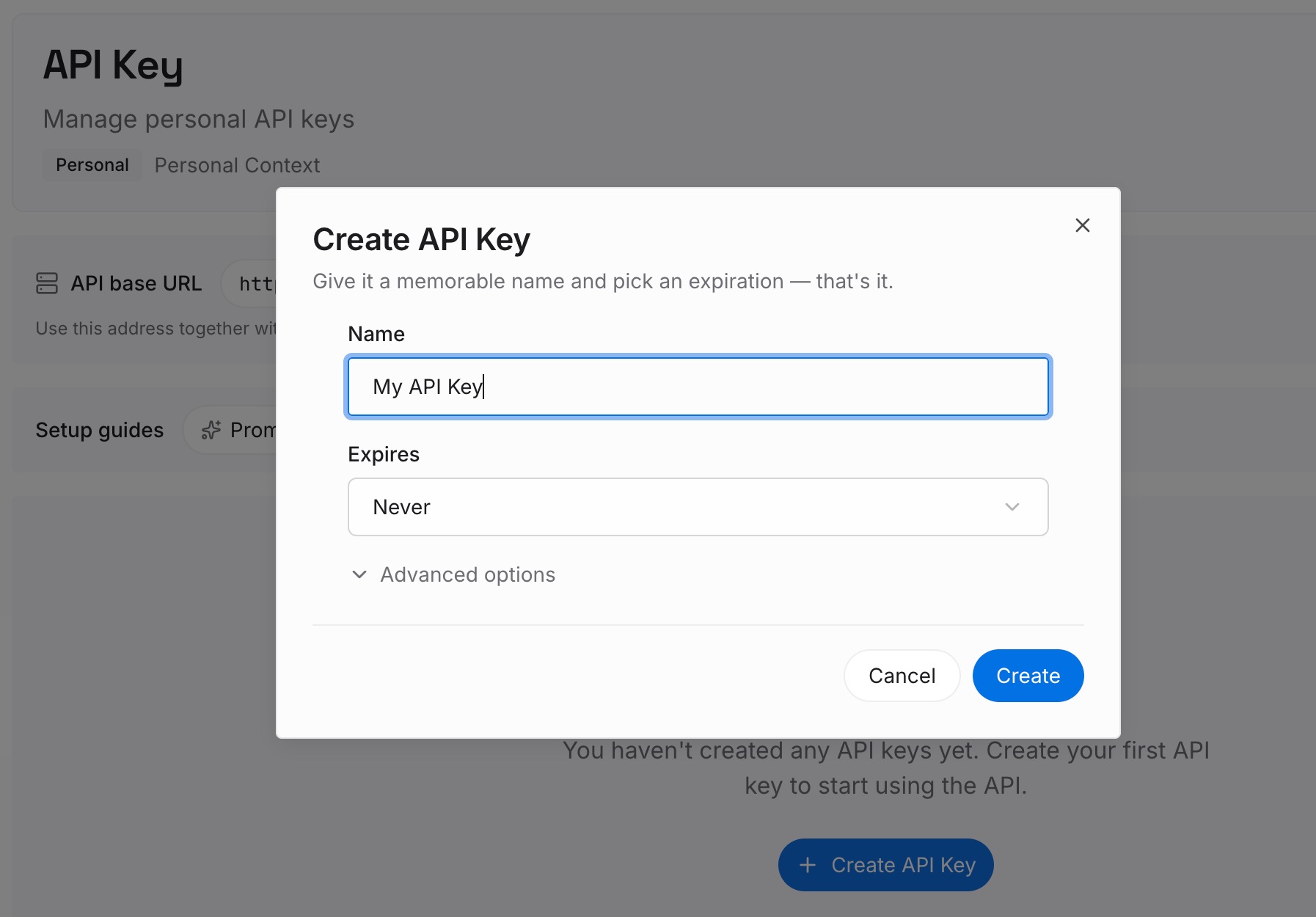
Step 1: Create an API key
Sign in and generate a key from the dashboard. The key belongs to your MemoryLake workspace and is separate from both Claude accounts.
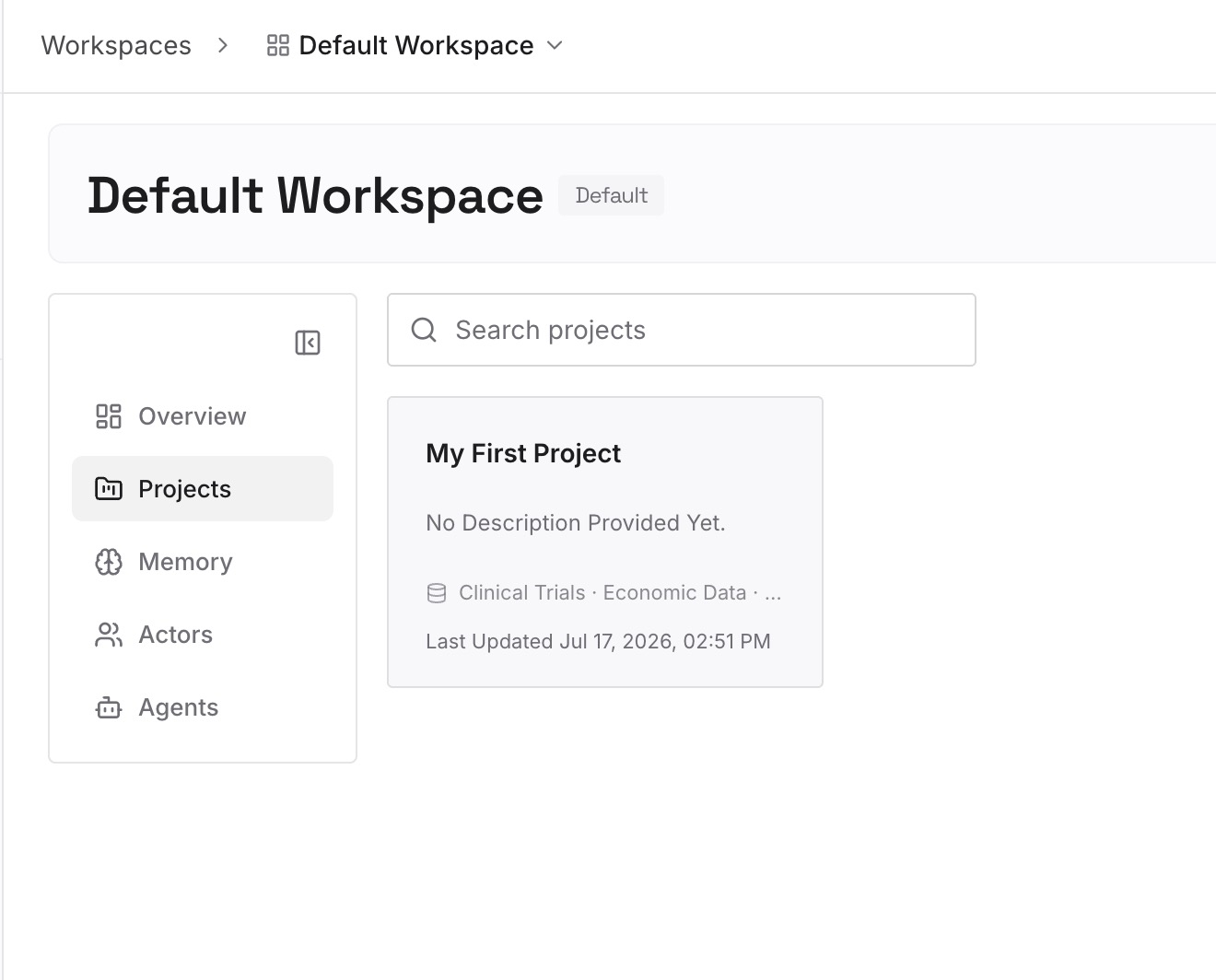
Step 2: Upload your first memories
Start with what you saved in Step 1 of the manual migration: the memory text you printed, the project instructions, and the decisions from conversations you still rely on. One point per entry, dated, in your own words.
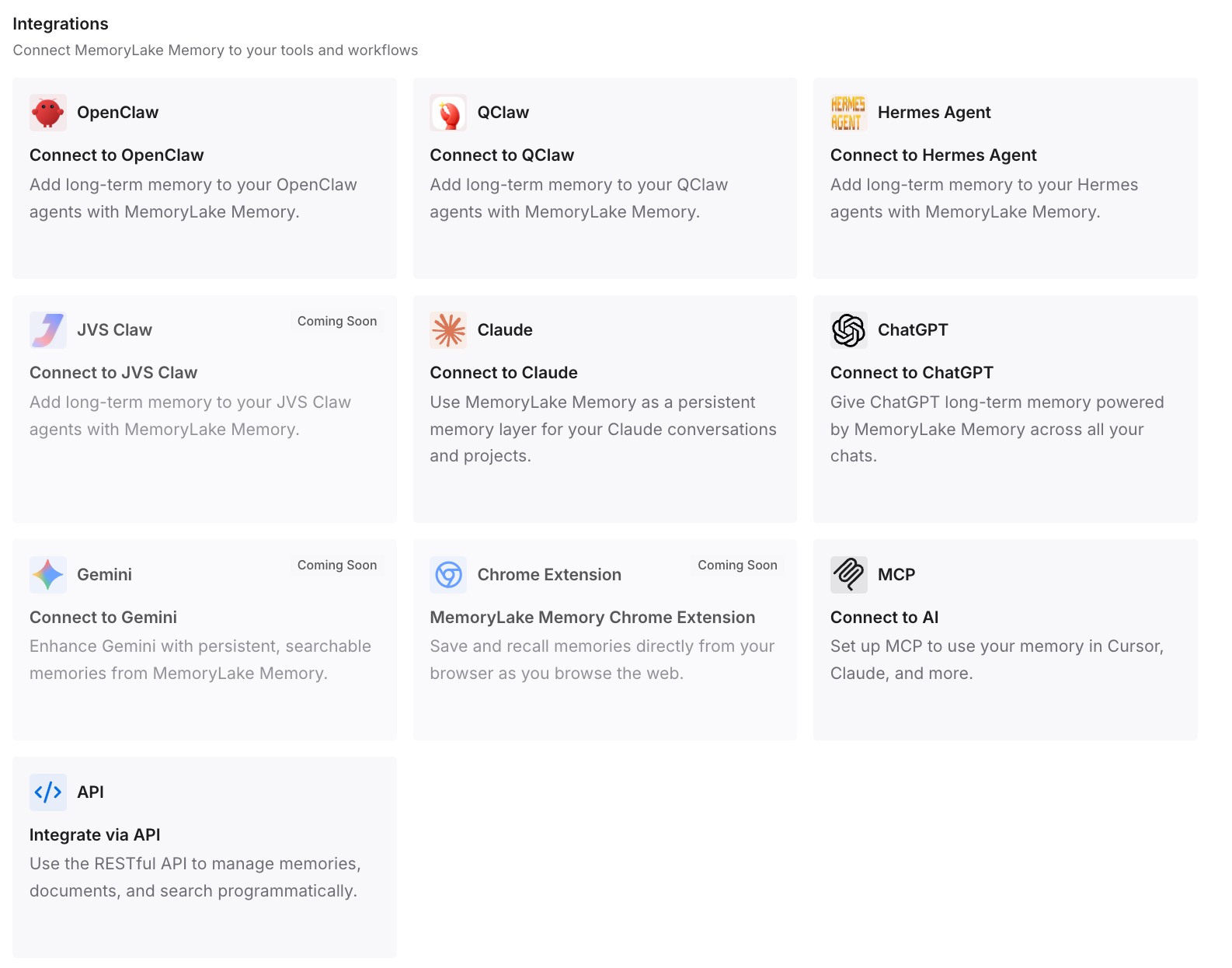
Step 3: Connect your AI & agents
Connect the assistants you use. The next time you change accounts or tools, the context you depend on already sits outside both of them.
What this changes in practice
The first difference is that the move takes less time. Instead of searching the old account for what mattered, you start from a list you already keep.
The second is that the new account starts with the right context. Your preferences, constraints, and project decisions are available on the first day, not rebuilt from memory over weeks.
The third is that the old account matters less. Once its useful content is written down, closing it is a cleanup task. If chats seem to be missing after a move into an organization, our guide to finding missing Claude chat history covers where to look while the list fills in.
Best practices for moving between Claude accounts
Export from the web or desktop. The mobile apps can't run an export.
Download the export the day it arrives. The link expires 24 hours after delivery.
Print your memory before you leave. The export article doesn't list it.
Check the import result. Memory import is experimental, so review the entries it creates.
Save skills and artifacts separately. They don't move, even into an organization.
Start an organization migration from the organization account. And remember it's one-way.
Cancel App Store subscriptions yourself. Anthropic can't cancel them for you.
Keep the decisions somewhere you control. Our guide to keeping AI context when someone leaves covers the same problem at team scale.
Conclusion
Anthropic doesn't support moving data between two personal Claude accounts, and a data export can't be imported into another one. Changing the email on an account isn't possible either. The supported route runs one way, from a personal account into a Team or Enterprise organization, and even that leaves skills, connected apps, published artifacts, and share links behind.
For a personal-to-personal move, export from the web or desktop, print your memory, copy each project's instructions and files, and rebuild only what you'll use in the new account. Keep the decisions you depend on in a list you control, so the next move doesn't start from scratch.