
What Perplexity published
The post, "Building shared workspaces for people and agents", starts from the product. Projects are where "people and agents work together on long-running tasks in Perplexity Computer", and "Each project sits on a shared workspace with a filesystem that accumulates context across sessions, agents, and users."
It then names three requirements for that workspace:
- Persistence: "Work should be durable beyond any individual agent session or sandbox so future work can be continued by the same user or agent and built on by any collaborators."
- Concurrency: "Multiple users in the same project can each have multiple agents making edits in parallel that advance a shared state rather than override each other."
- Traceability: "Both users and agents should be able to see the history so they can check who changed what since their last session without re-reading the entire project and roll back edits when needed."
Git already solves those problems for software teams, so Perplexity built on it. "Every Computer project is backed by a Git repository served by 5 components": a small command-line tool inside each agent's sandbox, a control plane, a Git service, storage on AWS S3, and a downstream processing step that extracts text from documents.
The post also says agents don't need "review screens, branch management, and notifications". The repository is shared state, not a code review tool.
What the repository holds
The repository holds your project's files. Perplexity's help center describes a Project as keeping "your searches, Perplexity Computer tasks, files, instructions, and connected tools together", and the files are what the Git layer stores. Computer can create and update them on your behalf, and project members with edit access can upload and delete them.
Each agent works on its own copy. "Each agent has its own isolated sandbox." Inside it, the agent works with a local checkout, and "For each unit of meaningful work done by the agent, it submits the changes as a commit." Because sandboxes are temporary and storage isn't, a crash costs little: "If a sandbox crashes, only work that has not been submitted is at risk."
Two agents can edit at once. The Git service tracks the latest accepted commit, and "When it receives a submission, it accepts only if the submit was built on that head." If another agent got there first, the late one gets a stale-base response and has to "replay its change on top of the new head and resubmit." Perplexity's summary: "This design ensures that concurrent agents don't silently overwrite each other".
Agents also read the project the way a developer would. "Agents explore the repository version loaded into the sandbox using standard filesystem tools", listing folders and searching file contents rather than running a fixed retrieval pipeline. That has a practical consequence for you: a clearly named file with a clear heading is easier for an agent to find than the same fact buried in a long session.
The help center sets the size of the space. "Every Project holds up to 10,000 files and 5 GB of total storage, with each file up to 100 MB." Projects created before August 2026 may already be over that storage limit; they keep working, but you can't upload new files to them.
What the history keeps
Every accepted change is recorded. "For each accepted write, it adds an entry to an outbox, a log that lists the repository, the new commit, the user who made the change, and the paths that changed." That's the traceability requirement in practice: who changed what.
The history isn't unlimited, though. Perplexity is direct about this: "Compaction keeps recent history available while limiting the size of the repository." After a submission, the Git service checks whether the repository needs compacting, and "If the number of retained commits exceeds a threshold, the Git service keeps only a smaller set of the most recent commits. Older history is replaced with a single starting snapshot, and the recent commits are replayed to update the commit identifiers."
The files themselves are untouched by this. The post's diagram notes that "the new head keeps the same files." What changes is how far back you can look. Beyond the retained window, the step-by-step record of who changed which file is folded into a snapshot. The post doesn't publish the threshold.
There's also a difference between the infrastructure and the interface. The post describes history as something users should be able to see and roll back. Perplexity's help center articles on Projects describe files, limits, sharing, and Brain, and they don't describe a version history view or a restore button for project files. Until one is documented, treat the history as Perplexity's safety mechanism rather than an archive you can browse.
The practical reading: the repository is a reliable place for current files, and the history is short-term protection. A record of why your team decided something belongs in a file, not in the commit log. For the general case for versioned memory, see why every change to AI memory needs a history.
What sits outside the repository
Here's where the Git framing can mislead. Several kinds of context that shape Computer's answers in a Project aren't project files at all.
Parsed text from your documents
When you add a PDF or an Office file, a background parser extracts its text. "Parsed outputs live outside the repository, in a store keyed by the source document's hash. These artifacts are never committed back to the repository". Agents receive the parsed text alongside the checkout, and "For documents such as PDFs, the agent reads parsed text first and only downloads the source files when necessary."
The post adds that "Parsing happens asynchronously", in the background rather than during the agent's checkout. If Computer seems to miss something in a large document, our guide to why Perplexity forgets uploaded files covers the usual causes.
Brain's memory
Brain is the part people most often assume is stored with the project. The post says otherwise: "Perplexity Brain, Computer's knowledge wiki, stores memory in knowledge repositories with their own history and policies. Keeping knowledge separate from project files means background memory updates do not compete with edits to those files. A session that needs both loads both repositories."
So a Project's memory and a Project's files are two stores that load together. Background agents maintain the memory side: they "read existing knowledge, incorporate new information, and save updated pages as commits."
The help center describes Brain in two contexts, and it's worth keeping them apart. At the account level, Brain "is rolling out in Research Preview to Max and Enterprise Max subscribers using Computer", and "Brain only learns from your own activity — it never pulls in anyone else's data, and it ignores incognito sessions entirely." Inside a Project, Perplexity's Memory article describes a shared layer: "everyone in the project sees the same Brain. It's a wiki: contributors can edit it, viewers can read it, and the project owner controls the memory toggle." It adds that "Brain is available in Computer sessions only. Search does not access Brain."
Two consequences follow. Brain's entries can be edited, which is good, and "Each entry links back to its source, so you can check or correct it." And because Brain keeps "marking what's stale" on each run, it's a working model that changes, not a fixed record. Billing follows the owner: "Automatic Brain updates use the Project owner's credits."
Personal memory
Your own memory is a third store, and whether it applies in a Project depends on a setting. The Projects article describes an owner-only control, Use session creator's memory, that decides whether queries can "draw from the personal memory of the person who started the session". The Memory article spells out the effect: "When it's on, each session in the project also draws on the personal memory of whoever started that session. When it's off, sessions in the project only use the shared Brain."
How that plays out depends on the plan. On personal accounts, "Once a Project has other members, it can't use members' personal memory." On Enterprise plans, "Personal memory can be used in shared Projects unless your organization's memory settings don't allow it." There, two teammates asking the same question in the same Project can get different context, depending on who started the session.
The Enterprise memory article describes this with different wording, a Reference personal sessions in this project option, and notes that memories recorded inside a Project are "scoped to that Project — they don't flow into your global memory." If you're on Enterprise, check which control your Project settings show.
Files from connectors
Files you pull in from a connected app don't stay linked to the original. "Files you add from a connected source are one-time copies. If you update or delete the original in the connected app, the copy in your Project does not change." The help center suggests asking Perplexity to fetch the latest version through the connector, or adding the file again.
What people assume instead
Assuming the history is a full archive. Compaction folds older commits into one snapshot. The current files survive; the long record of who changed what doesn't.
Assuming Brain lives in the project files. It's a separate knowledge repository that loads alongside them.
Assuming everyone in a shared Project gets the same answer. On Enterprise, with the session creator's memory on, each session can draw on a different person's memory.
Assuming a connector keeps files fresh. Connector files are copies made once.
The Fix: Keep decisions in files, check what Brain holds, and refresh what was copied
Step 1: Put the decisions your team relies on into project files
If something must stay true for everyone in the Project, write it into a file in the Project rather than leaving it in a session. Keep one short decisions file: what was decided, when, by whom, and why. Put it in plain Markdown with a clear name, so an agent searching the folder can find it.
Use the Project's instructions for how Computer should work, not for findings. The help center allows instructions "up to 8,000 characters", and suggests uses like "a preferred response format or a status file to keep updated." A status file is exactly the kind of thing that belongs in the repository.
Step 2: Check what Brain and personal memory add to the Project
If your plan includes Brain, open the Brain tab, or Sources > Brain in the new layout, and read what it currently holds. Correct anything wrong; the help center says your corrections feed into the next run. Then check the Project's Memory settings: is Brain updating automatically or manually, and is the session creator's memory on?
On Enterprise, if the Project is shared and answers need to be consistent across the team, consider turning the session creator's memory off, so every session works from the same shared Brain and the same files. That's a judgment call. Personal memory can be useful in a Project you mostly use alone.
Step 3: Refresh connector copies and keep the record of why outside the commit log
List the files in your Project that came from connectors and decide which ones need to stay current. Re-add those when the source changes, or ask Perplexity to fetch the latest version before you rely on them.
Then keep the reasoning behind important decisions somewhere that doesn't depend on a retained-commit window. Your decisions file does this inside the Project. For context you want across several Projects and tools, a separate store works better. If you're consolidating older Perplexity work at the same time, our guide to moving Perplexity chat history shows how to export it.
Setting this up in MemoryLake
A Project's files, history, and Brain all live inside Perplexity, and each Project is its own space. The decisions that outlast one Project need a home of their own. MemoryLake is a memory layer for keeping them in one list you maintain, available to Perplexity and your other assistants.
You write the entries yourself, in your own words. Nothing is read out of, written to, or deleted from your Perplexity Projects, Brain, personal memory, or any vendor's store. If your Project holds client or company work, check your organization's policy before copying details anywhere else.
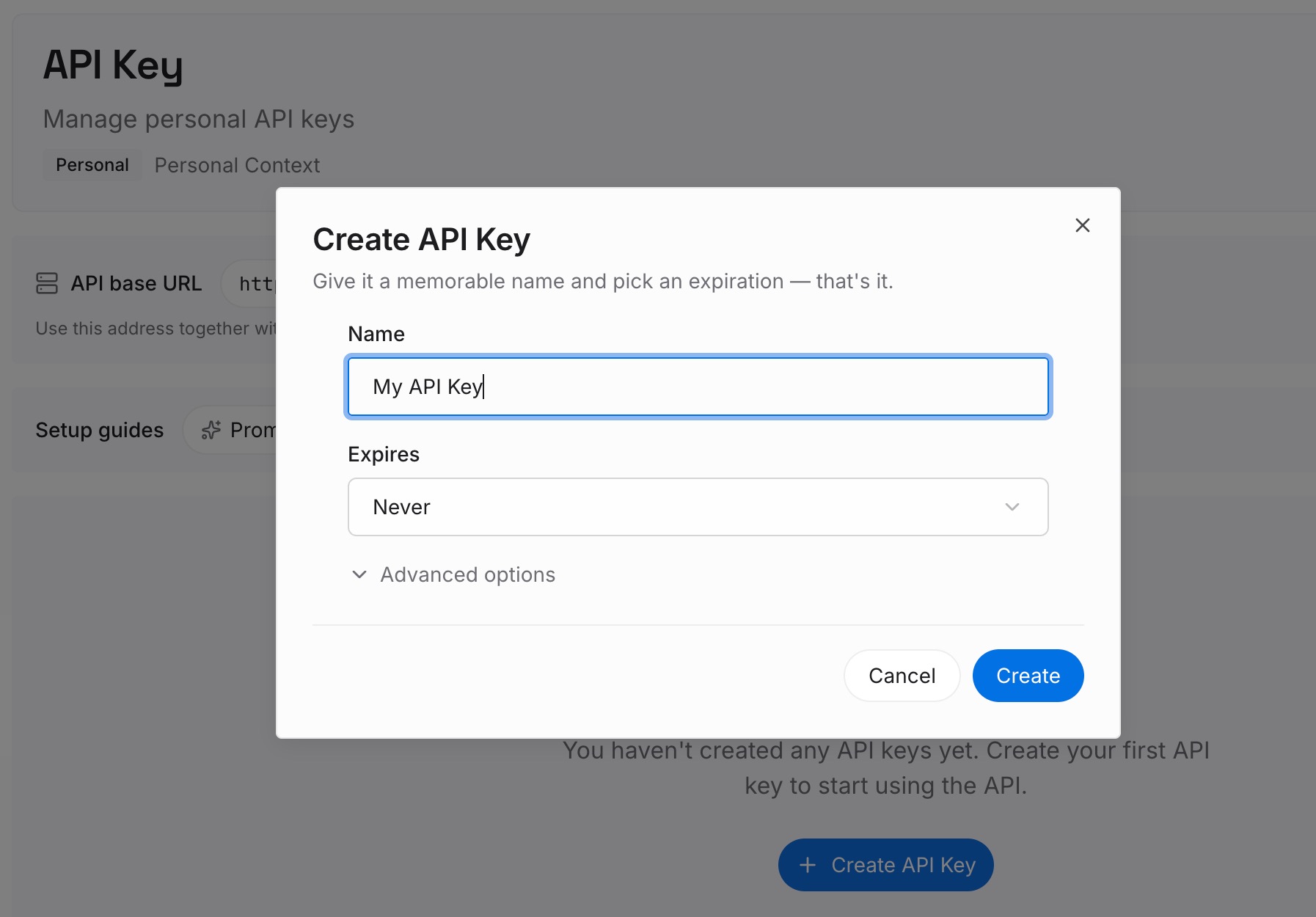
Step 1: Create an API key
Sign in and generate a key from the dashboard. The key belongs to your MemoryLake workspace and is separate from your Perplexity account.
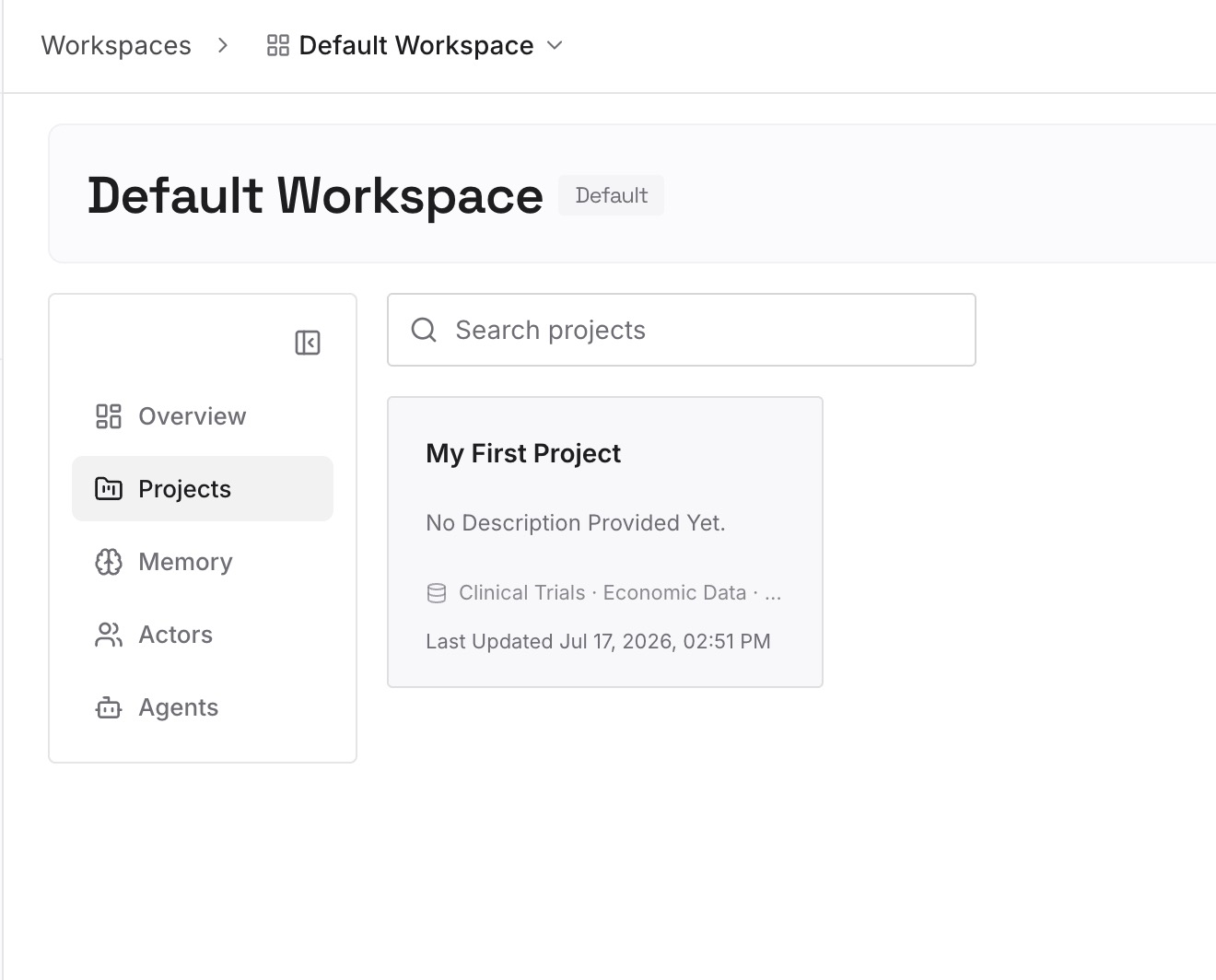
Step 2: Upload your first memories
Start with your Project's decisions file. One decision per entry, dated, with the reason and the Project it came from.
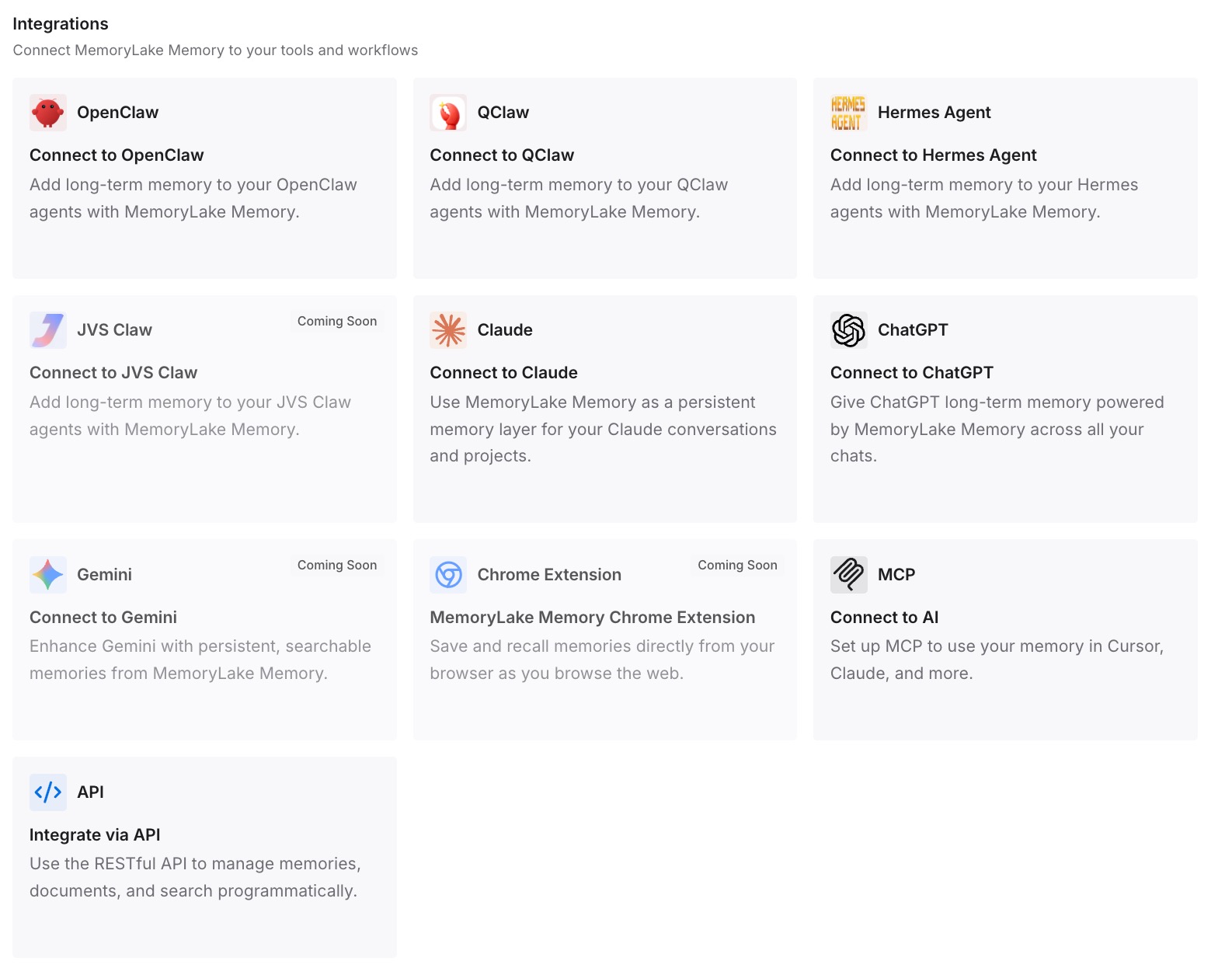
Step 3: Connect your AI & agents
Connect the assistants you use. The same decisions are then available in a new Perplexity Project, or in another tool, without depending on one Project's Brain or history.
What this changes in practice
The first difference is knowing what you can rely on. Current files in a Project are durable and protected from silent overwrites. The history behind them is short-term.
The second is fewer surprises in shared work. Once you know Brain and personal memory are separate stores, it's easier to explain why one teammate's session knew something another's didn't. The same split shows up elsewhere: Claude Code Projects also keep project memory apart from the repository, and Devin's memory lives in its own Git repo.
Best practices for Perplexity Projects
Write decisions into files. Sessions and history aren't the record.
Read Brain regularly. Correct entries with their sources in view.
Decide on personal memory per Project. Shared Projects often need it off.
Refresh connector files. They're copies made once.
Watch the storage limit. Older Projects over the limit can't take new uploads.
Keep cross-Project knowledge elsewhere. Each Project is its own space; older Spaces content raises the same issue, as our guide to Perplexity forgetting Spaces content explains.
Conclusion
Perplexity's October 12 post confirms that every Project is backed by a Git repository. Agents commit from their own sandboxes, a change that collides with another is replayed rather than silently overwritten, and every accepted change is logged with who made it.
Two qualifications matter. History is compacted once it grows past a threshold, with older commits folded into a single snapshot. And several kinds of context sit outside the repository: parsed document text, Brain's knowledge repositories, personal memory, and the originals behind connector copies.
Treat the repository as the home for current files, put your decisions into those files, and keep the reasoning you'll need later somewhere no compaction step can reach.