
What Anthropic actually published
The substance is in two documentation pages: "Use Claude Code in the cloud" and the cloud environments reference. The first states that "Cloud sessions are available on Pro, Max, and Team plans, and for Enterprise users with premium seats or Chat + Claude Code seats." You can start one from the browser, the mobile app, the desktop app, or the terminal with claude --cloud.
The second page contains the part that matters for context. Its section "What carries over from your setup" opens with three sentences that summarize the whole design: "Cloud sessions start from a fresh clone of your repository. Anything you commit to the repo is available. Anything you've installed or configured only on your own machine isn't available in the session."
Below that is a table, row by row. The rows that say yes all have the same reason: "Part of the clone." Your repo's CLAUDE.md, its .claude/rules/, its .claude/skills/, .claude/agents/ and .claude/commands/ all arrive, because they are files in the repository.
The rows that say no are the ones people rely on without thinking about them:
- Your user-level
~/.claude/CLAUDE.md, because it "Lives on your machine, not in the repo." - Your user skills, agents and commands, which "Live on your machine, not in the repo. Commit them to the repo's
.claude/directory instead." - Plugins you enabled only in your user settings.
- MCP servers you added at the default local scope or the user scope, because "Those write to
~/.claude.jsonon your machine, not the repo."
The settings documentation says the same thing from the other direction. User and project local settings (~/.claude/settings.json and .claude/settings.local.json) are "not read. Both stay on your machine, and the local file isn't in the clone." The cloud environments page adds a specific warning about hooks: "If you have SessionStart hooks in your user-level ~/.claude/settings.json, don't expect them in the cloud. User-level settings stay on your machine."
And the memory documentation, which predates this launch, already answered the question about what Claude has learned on your machine: "Auto memory is machine-local. All worktrees and subdirectories within the same git repository share one auto memory directory. Files are not shared across machines or cloud environments."
The one-line conclusion Anthropic draws is plain: "To make your own configuration available in cloud sessions, commit it to the repo."
What this does and doesn't change
General availability does not change how cloud sessions work; the table existed during the preview. What changes is scale: cloud sessions are now something a whole team can use every day, including for tasks nobody is watching.
That shifts the question to "what does it know when it starts." A local session starts with several layers of context: the repository's CLAUDE.md, your personal ~/.claude/CLAUDE.md, your personal skills, your MCP servers, your hooks, and whatever auto memory Claude has accumulated for this project on this machine. A cloud session starts with the first of those layers and whatever you have deliberately placed where the cloud can reach it.
It does not change the direction of handoff from the terminal, either. The docs are explicit: "From the CLI, session handoff is one-way: you can pull cloud sessions into your terminal with --teleport, but you can't push an existing terminal session to the cloud." The desktop app is the exception, with a Continue in menu that "can send a local session to the cloud."
Teleporting also makes a copy rather than a link. When you pull a cloud session down, "The terminal gets its own copy of the session: new work there stays local and doesn't appear in the cloud session on claude.ai or the Claude mobile app." The docs also separate it from resuming: "--resume reopens a conversation from this machine's local history and doesn't list cloud sessions; --teleport pulls a cloud session and its branch."
If you have read why Claude Code forgets on your other machine, you already know the auto memory half of this story. This piece is about the rest of the user layer: the instructions, skills, servers, hooks and settings that make local sessions behave the way they do, none of which travel unless you move them.
What people will take from this — and what they shouldn't
"My setup is in the cloud now." It is not. Your account is signed in, and your organization's server-managed settings do arrive — the table notes they are "Fetched from Anthropic's servers when the session starts." But the configuration you built in your home directory is still on your laptop.
"The cloud session will pick up where my terminal left off." Only if the relevant state is in the repository. A terminal session cannot be pushed to the cloud from the CLI, and a teleported session becomes a separate local copy. Two sessions that look like one conversation can diverge quietly, the same way a forked Claude Code session keeps what the copy learns to itself.
"The repository's settings file covers everything." Mostly, for a single repository. For hooks and permission rules in .claude/settings.json, the table says "Yes, in a session with one repository" — and then adds that "A session with several repositories, including a project thread, starts above the clones and doesn't read them." Plugins declared in the repository are a separate case: "A cloud session doesn't install the plugins a repository turns on under enabledPlugins."
"Anything Claude installs will be there next time." The docs say otherwise for ad hoc installs: "You can also ask Claude to install packages mid-session, but those installs don't carry over to other sessions." Use a setup script for anything a session always needs.
"I'll put my tokens in environment variables." Anthropic's warning is direct: "Anyone who uses the environment can read its environment variables and setup script." On Pro and Max plans the docs point to API credentials attached by the agent proxy instead.
None of this is a design flaw. A cloud session is a clean machine on purpose, and a clean machine knows only what you gave it.
The Fix: Decide what every session should know, then put it where the cloud can read it
A cloud session should start with the same working context a good local session has, and whatever it decides should end up where the next session can find it.
Step 1: Inventory your user layer and sort it into team and personal
Open your home folder and list what Claude Code reads from it for this project:
~/.claude/CLAUDE.md— your personal instructions.~/.claude/skills/,~/.claude/agents/,~/.claude/commands/— your personal procedures.~/.claude/settings.json— hooks, permission rules and user-scoped plugins.~/.claude.json— MCP servers added at local or user scope.- The auto memory directory for this project, whose
MEMORY.mdis an index of what Claude has saved.
For each item, ask one question: would a teammate starting this task need it? Build commands, test conventions and the MCP server the codebase depends on are team context that happens to live in your home folder. Your preferred answer length and personal review checklist are personal context.
Read your auto memory with particular care. It is where Claude recorded what it figured out while working with you: the flaky test, the command that actually works. Anything the whole team should know belongs in the repository.
If your personal and project instruction files have drifted into conflict, sort that out first. Reconciling conflicting CLAUDE.md layers covers the local version of this problem, and it gets worse when one of the layers disappears entirely in the cloud.
Step 2: Move each item to the place the documentation names
Anthropic's table tells you where each thing should go, so follow it.
Team instructions go into the repository's CLAUDE.md or .claude/rules/. Team skills, agents and commands go into the repository's .claude/ directory, which the table marks as available because it is "Part of the clone."
MCP servers the project needs should be added with project scope. The docs describe the route: "Add the server with claude mcp add --scope project, which writes the repo's .mcp.json, and commit that file. A session with one repository loads it."
Hooks that set up the environment belong in the repository's .claude/settings.json or in a setup script; the docs note that hooks run "After Claude Code launches, on every session including resumed."
Personal skills and plugins that you want everywhere have a second route. The table notes that "Cloud sessions automatically load skills you enable on claude.ai," and that plugins enabled for your claude.ai account load as synced plugins.
Secrets get neither treatment. Keep them out of environment variables other people can read, and use the API credentials mechanism where your plan provides it.
Step 3: Brief each cloud task, and bring its decisions back into the repository
Even with the repository in good shape, a cloud task benefits from a short brief: the task, what "done" means, which decisions are made, and which files not to touch. Write it for a contractor who has never seen your laptop, because that is the situation.
Then close the loop. When a cloud session makes a decision worth keeping — a convention, a workaround, a reason a dependency was pinned — ask it to write that into the repository as part of the same pull request. Otherwise it lives only in that session's transcript, and every later session starts without it.
Finally, decide where the canonical copy of a long task lives. If you teleport a session to your terminal and keep working, remember the docs' wording: new work there "stays local and doesn't appear in the cloud session." Pick one place to continue, and treat the other as history.
If you use Claude Code projects to coordinate several cloud threads, you get an extra layer for this. The projects documentation describes project memory as notes Claude keeps about requirements, decisions and pitfalls, and states that "They're separate from the auto memory Claude Code keeps on your machine, even though both use a MEMORY.md index." How that shared memory works across threads is covered in Claude's redesigned projects.
Setting this up in MemoryLake
Moving team context into the repository solves the part that belongs to one codebase. What remains is context that spans repositories, machines and tools: architecture decisions that apply to three services, the reasons behind a convention, your own working preferences, lessons from a project that ended last quarter. MemoryLake is a place to keep that layer so it reaches every session you start, local or cloud.
You write the entries yourself, in your own words. Nothing is read out of, written to, or deleted from your ~/.claude folder, your auto memory directory, your cloud sessions, or any vendor's store.
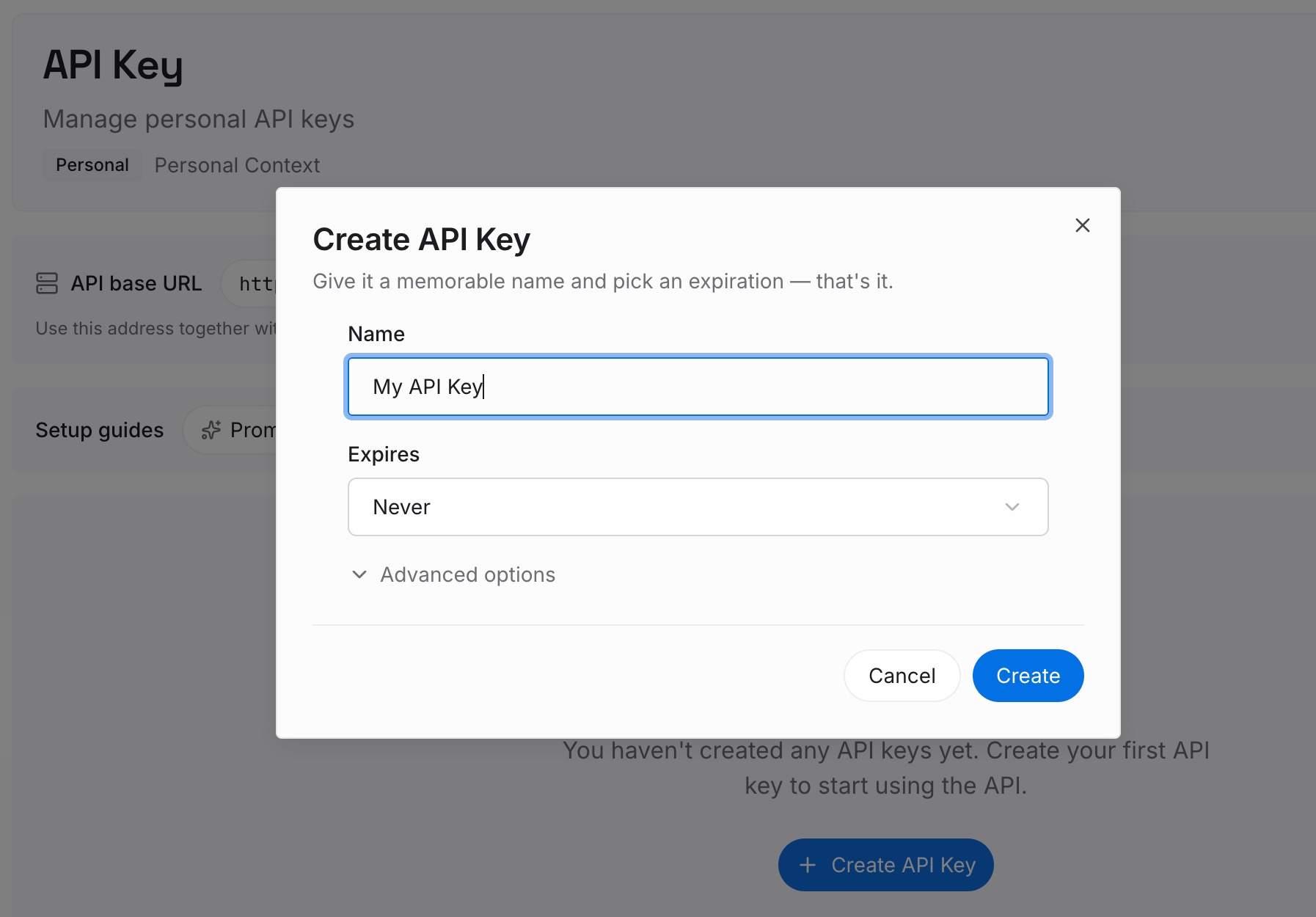
Step 1: Create an API key
Sign in and generate a key from the dashboard. The key belongs to your workspace in the memory layer, not to any one machine, so a fresh cloud clone and your laptop reach the same place.
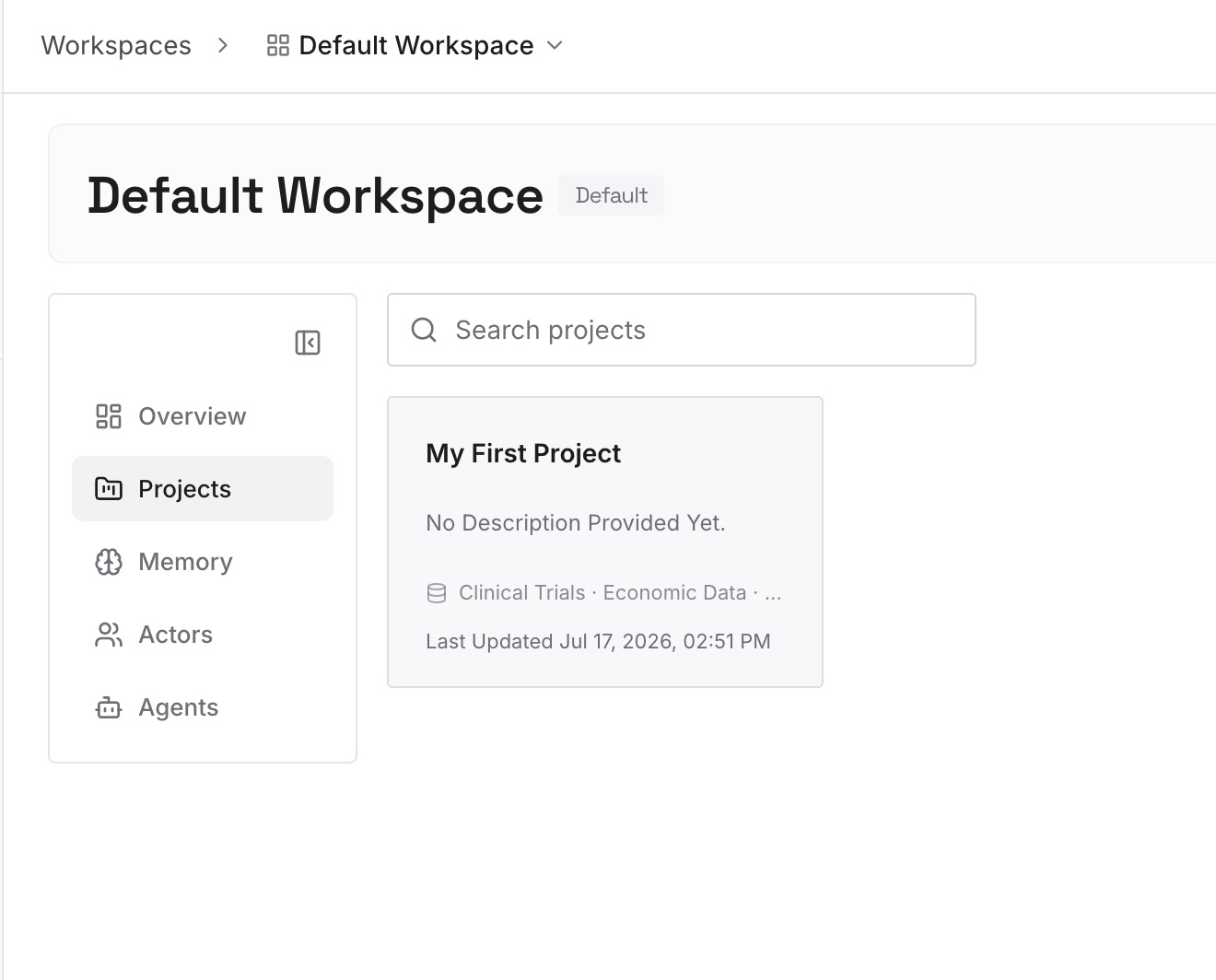
Step 2: Upload your first memories
Start with the Step 1 inventory from the fix above: the cross-project decisions, the reasons behind conventions, and the preferences you would otherwise repeat in every brief. One fact per entry, phrased the way you would explain it to a new teammate.
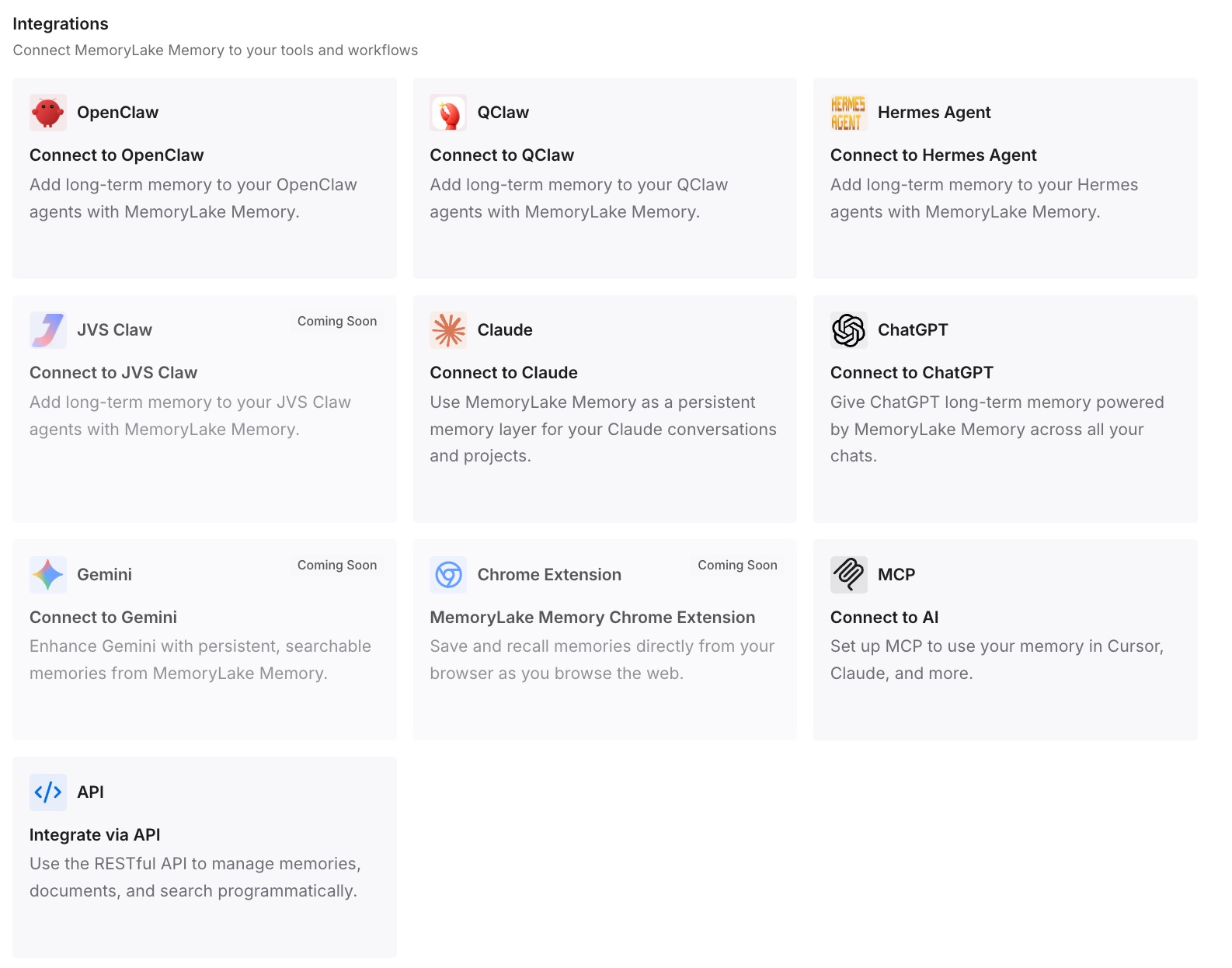
Step 3: Connect your AI & agents
Connect Claude Code and the other assistants you use. The same entries are then available wherever a session runs, including tools that never read CLAUDE.md at all.
What this changes in practice
The first difference is that cloud sessions stop feeling less capable than local ones. Most of the gap people notice is missing context that lived in a home folder, not the model or the machine.
The second is that personal and team context finally separate. The act of deciding which items in ~/.claude are team knowledge is useful on its own, and it tends to surface instructions that should have been in the repository all along. It is the same sorting job described in sharing context between Claude Code sessions, with a firmer deadline.
The third is that long tasks become safer to hand off. A session that is briefed well and writes its decisions back into the repository leaves a trail the next session can follow, wherever it runs.
The fourth is conceptual. In context engineering terms, a cloud session shows that context is something you assemble, not something an agent carries around. The same logic applies inside a long run, where what you tell Claude Code to keep during compaction decides what survives.
Best practices for Claude Code cloud sessions
Treat the cloud environment as a new teammate's machine. It has the repository and nothing else from your setup. Brief it accordingly.
Commit team context, not personal context. Build commands, conventions and project MCP servers go in the repository. Your personal style preferences do not need to.
Use project scope for MCP servers the codebase needs. A server added at user scope lives in ~/.claude.json and stays on your laptop.
Keep secrets out of environment variables. Anyone who uses the environment can read them.
Pick one canonical copy of a long task. Teleporting makes a local copy; decide which side continues.
Write decisions back as part of the pull request. A decision that stays in a transcript is invisible to the next session. The same applies when you move a session to another machine by hand.
Conclusion
Cloud sessions leaving research preview is a real milestone: hand Claude Code a task, close the laptop, and come back to finished work.
Anthropic's documentation is equally clear about the other half. A cloud session is a fresh clone. Your user-level CLAUDE.md, your personal skills, your user-scoped MCP servers, your hooks and your auto memory stay on your machine. As the docs put it, "To make your own configuration available in cloud sessions, commit it to the repo."
Inventory the user layer, move team context into the repository or your claude.ai account, brief each task, and bring decisions back. Keep context that spans repositories in a layer every session can reach.