
The short answer
Claude has no official push to Manus. You'll download each Project's Knowledge files, copy each System Prompt, and create a Manus task per Project — task prompt from the System Prompt, task Knowledge from uploaded files, connected accounts wired through Manus. Plan 25–45 minutes per Project. A shared MCP-based memory layer like MemoryLake lets both tools read the same source.
Why people move from Claude to Manus
Three drivers in 2026:
- Autonomous scheduled execution. Recurring tasks (research digests, monitoring, scraping) fit Manus's model.
- Multi-step agent loops. Long autonomous chains complete without operator interaction.
- Built-in integrations. Connected account framework reduces the integration glue you'd otherwise build.
What "memory" means in Claude vs Manus
Different surfaces.
Claude memory lives inside Projects. Each Project has its own Project Knowledge (uploaded files and pasted text) and an optional System Prompt.
Manus memory lives across Tasks (defined task patterns), Knowledge (uploaded reference material per task), and the run history of past executions.
A Claude Project usually becomes a Manus task. The System Prompt becomes the task prompt. Project Knowledge becomes task Knowledge.
Step 1: Export your Claude memory
Claude has no Project-export bundle.
- Capture each Project's System Prompt. Open the Project → Project Instructions. Copy contents into a text file.
- Download Project Knowledge files. Click each file and download originals. Re-upload from local copies if available.
- Copy pasted-text knowledge. Save into a
notes.mdper Project. - List MCP servers in use. Note which MCP servers the Project relied on; you'll rebuild as Manus connected accounts where relevant.
End state: one folder per Claude Project with the System Prompt, original files, notes.md, and mcp-list.md.
Step 2: Import into Manus
Manus expects per-task definition.
- Create a task per Project. Open Manus and create a new task pattern. Name it after the Project.
- Paste the System Prompt as the task prompt. Reshape from chat interaction ("I'll help you...") to task execution ("Given the inputs, do X then Y, returning Z").
- Upload Knowledge files. Attach the downloaded files as task Knowledge.
- Connect required accounts. For each MCP server you relied on in Claude, find or build an equivalent connected account in Manus.
- Set scheduling or trigger conditions if needed. Manus's value compounds with recurring or event-triggered runs.
- Probe. Run the task once and review the output against your Claude baseline.
Manus does not import Claude chat threads.
What you'll still lose after migrating
- Interactive conversation flow. Manus runs tasks; you don't chat back and forth mid-execution the way you do in Claude.
- MCP-based tool composition. Manus's connected accounts replace some MCP setups; complex tool chains may need rework.
- Project boundary nuance. Manus tasks are task-scoped; the conversational Project boundary becomes execution-scoped.
- Ongoing sync. New Project Knowledge in Claude next week won't appear in the Manus task unless you re-upload.
The better way: one memory layer, every tool
If you keep Claude for design discussion and Manus for execution on the same context, per-tool drift starts immediately.
MemoryLake holds canonical task knowledge and rules once and exposes them through MCP. Claude Desktop reads MCP natively; Manus tasks can call the same REST endpoint to pull or store canonical knowledge.
- One source of truth. Update once; both tools see the change.
- Standard file formats. PDFs, Word, Excel, PowerPoint, Markdown, and images live in MemoryLake's Document Drive as-is.
- Drop-in for the next AI. Add ChatGPT or another agent runner with a config change.
Connect MemoryLake in 3 steps
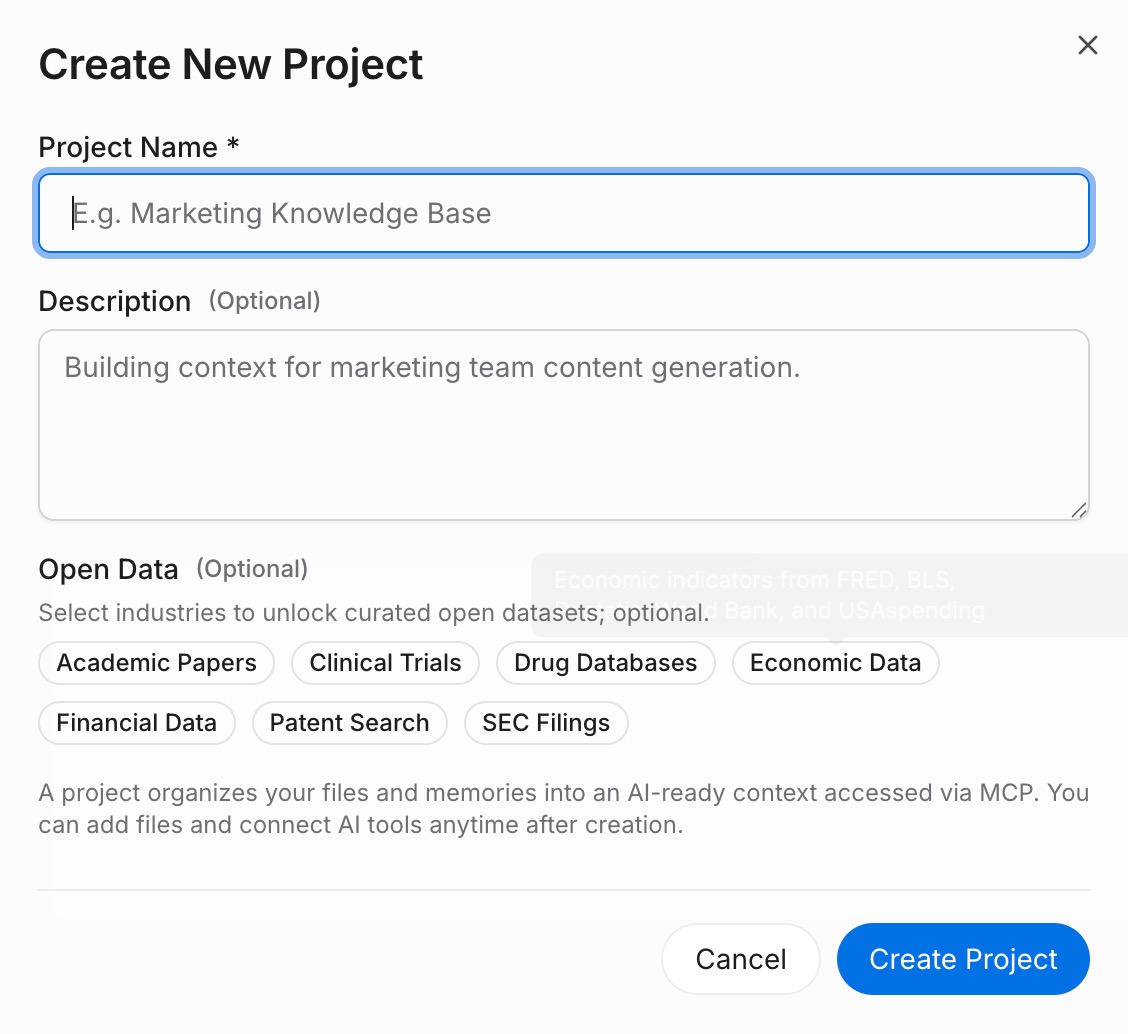
Step 1: Create a project and load your context
Sign in to MemoryLake, open Project Management, and click Create Project. Name it after the Claude Project / Manus task. Drag your downloaded Claude files (PDF, Word, Excel, PowerPoint, Markdown, or images) into the Document Drive under My Space, then open the Documents Tab and click Add Documents. Paste each System Prompt and any task notes into the Memories Tab via Add Memory.
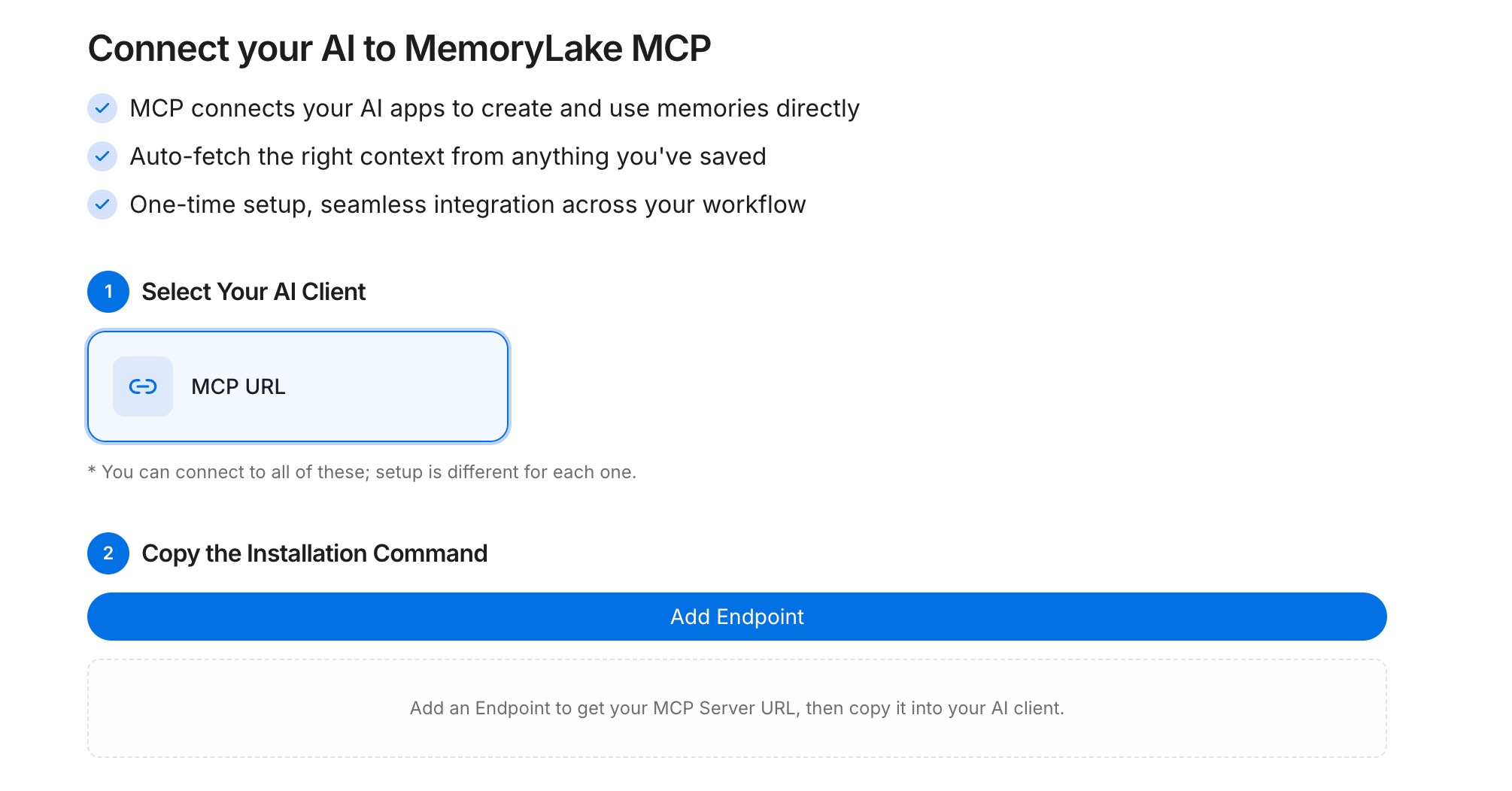
Step 2: Generate an MCP Server endpoint
Open the MCP Servers Tab inside the project, click Add MCP Server, describe it (e.g., "Claude + Manus bridge"), and click Generate. MemoryLake returns a Key ID, a Secret, and an Endpoint URL. Copy the Secret immediately — it is shown only once.
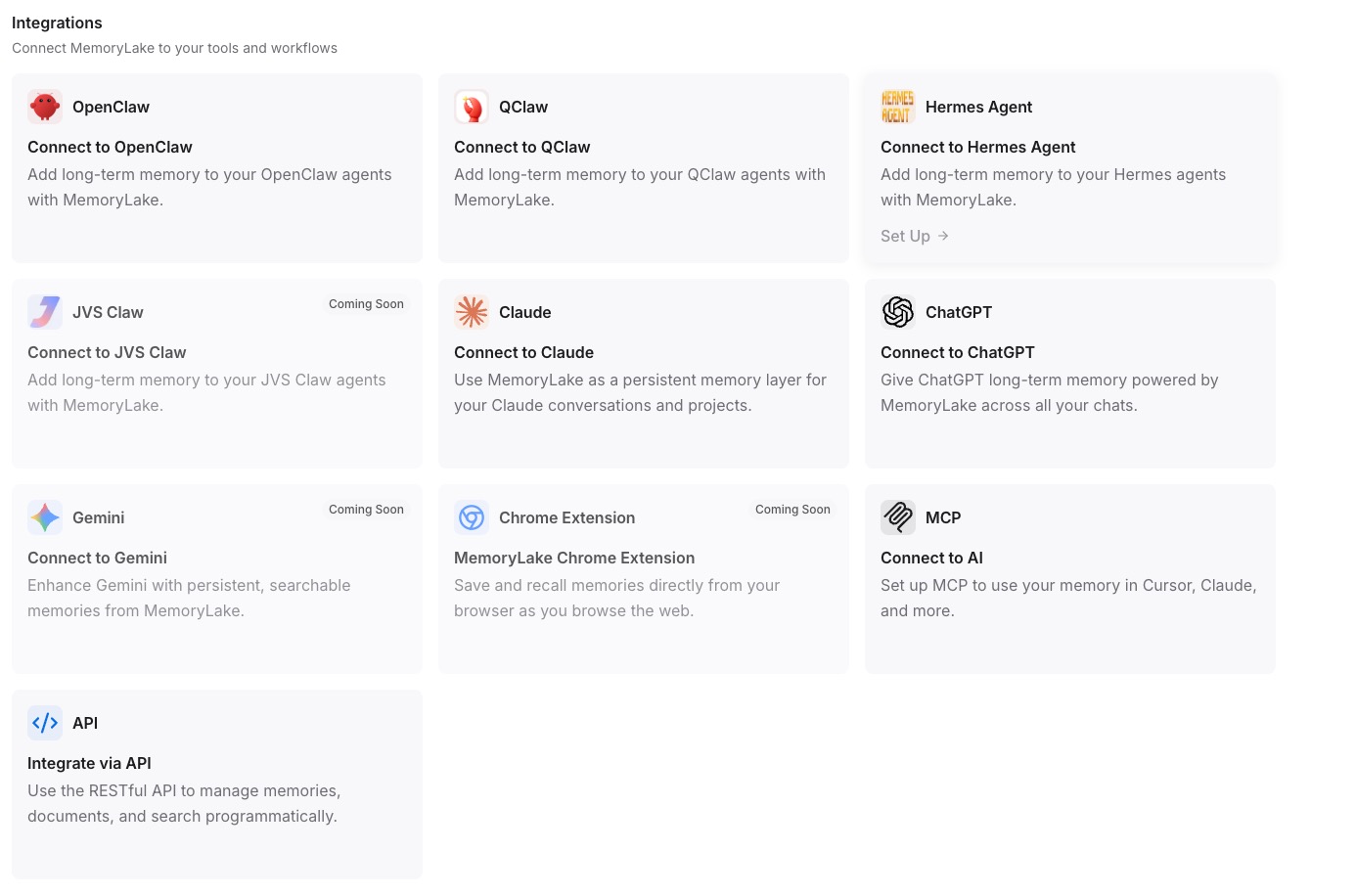
Step 3: Point both tools at the endpoint
Add MemoryLake to Claude Desktop's MCP config with the endpoint URL and the Secret as a Bearer token, then restart Claude. In your Manus task, configure a step that calls the REST endpoint with the same Bearer token to fetch or update canonical task knowledge.
Native migration vs MemoryLake
| Dimension | Native Claude → Manus | MemoryLake bridge |
|---|---|---|
| Steps required | 8–11 manual | 3 one-time |
| Estimated time | 25–45 min per task | ~5 min setup |
| Preserves Project boundary | Per-task only | Yes (one Project) |
| Preserves MCP tool depth | Rebuild as connected accounts | Endpoint shared |
| Syncs ongoing changes | No | Yes (within MemoryLake) |
| Works with a third AI later | No (rebuild) | Yes (add MCP) |